Best Rank Tracker Software 2026: 11 Tools Compared
Disclosure: This post contains affiliate links. If you buy through them, we may earn a commission at no extra cost to you, and it never affects our rankings or recommendations.
Quick answer: The best rank tracking software in 2026 for most teams is SE Ranking ($103/mo): daily rank tracking plus a 5-LLM AI Search Toolkit at a mid-market price. Nightwatch (~$85/mo) is the best local SEO rank tracker (geo-grid heatmaps, 107,000+ locations), AccuRanker ($224/mo) is the most accurate with 2-second on-demand refresh, Mangools ($29.90/mo) is the budget pick, Advanced Web Ranking ($49/mo) is the strongest for AI-engine visibility, and Google Search Console is the best free option. Full comparison of all 11 tools in the decision table below. Weighing SE Ranking against Semrush specifically? See the head-to-head comparison.
AI Overviews now trigger a 61% drop in organic click-through rates for informational queries (Search Engine Land / Seer Interactive, 2025), yet most rank trackers still can’t tell you whether your site even appears in those AI-generated answers. You could be “ranking #1” while losing the majority of your clicks to a box you can’t see in your dashboard. That’s the reality of paying $100, $400/month for a tool showing you half the picture. Using an inaccurate rank tracker – what we call The Accuracy Tax – means paying for wrong data that sends your entire automated SEO decisions in the wrong direction. This guide ranks 11 rank tracking platforms against verified May 2026 pricing, G2/Capterra verbatim reviews, and r/SEO community sentiment – sorted by accuracy reputation, AI Overview coverage, true cost-per-1,000-keywords, and persona fit (agency, local, enterprise, budget). Methodology details one section down.🟢 Foundational reading – AI search visibility concepts
New to AI search visibility? Read these 3 concept guides first to understand the vocabulary used throughout this comparison:
- What is Google AI Overview? – the AI-generated answer panel above Google search results
- AEO vs GEO vs SEO explained – how the 3 optimization disciplines differ and overlap
- AI search visibility metrics: Trigger, Mention, Citation – the 3-signal measurement framework
Quick Decision Guide: Pick Your Tool in 60 Seconds
Two views of the same data: a scannable matrix table (table view), plus detailed persona-specific recommendations (list view). Use whichever fits your scan style. Detailed reviews of each tool follow further down.Matrix view: situation → tool match
Match your situation to a tool below – detailed reviews and pricing follow. Key insight: AI Overviews now affect 61% of clicks (Search Engine Land / Seer Interactive, 2025), but only 5 of the 11 tools in this roundup support AI Overview position tracking based on vendor documentation.| Your situation | Best pick | Why this one | Accuracy tier | Starting price |
|---|---|---|---|---|
| Best overall value (most readers’ fit) | SE Ranking | Daily tracking + 5-LLM AI Search Toolkit on entry tier, white-label add-on, 14-day no-card trial, ~$52-$65/1K KWs (best $/KW in this tier) | Strong (daily) | $103/mo (Core, annual) |
| Local SEO with city/ZIP precision | Nightwatch | Geo-grid heatmaps across 107k+ locations, native AI engine tracking on all plans, neighborhood-level data | Excellent local | €79/~$85/mo |
| Mid agency white-label local | ProRankTracker | 100% white-label in 13 languages, MyRanks client app, city/ZIP local + AI Overview/AI Mode all tiers | Standard (daily) | $149/mo (Starter) |
| Solo blogger budget (under 200 KWs) | Mangools (SERPWatcher) | 5-tool bundle (KWFinder + SERPChecker + SERPWatcher + LinkMiner + SiteProfiler), beginner UX, Reddit budget pick winner | Standard (daily) | $29.90/mo annual |
| AI search visibility (6 engines) | Advanced Web Ranking | Tracks AI Mode + AIO + ChatGPT + Perplexity + Claude + Gemini under one plan | Strong (daily) | $49/mo |
| Real-time / on-demand refresh | AccuRanker | 2-second on-demand refresh, the speed benchmark in dedicated trackers | Excellent (on-demand) | $224/mo (Pro) |
| Full ecosystem (broadest suite) | Semrush Pro+ | 55+ tools + AI Visibility Toolkit; confirm tracking cadence for your tier before buying | Strong | $299/mo (Pro+) |
| Unlimited KWs / one-time annual | SEO PowerSuite | Desktop install, 4-tool bundle, unlimited KWs on paid plans, free tier available | Strong (daily, manual) | Free or $299/year |
| $0 budget / accuracy cross-check | Google Search Console | First-party Google data, no sampling, free forever – pair with any paid tool | Native (Google data) | Free |
List view: detailed persona breakdown
If the matrix above didn’t surface your exact fit, this 11-persona list adds context (commission status, why this tool, when to skip).Pick by Persona (verified May 2026 pricing)
Related: If SE Ranking is on your shortlist, the full SE Ranking standalone review covers pricing, feature breakdown, the AccuRanker accuracy comparison, and a verdict by client volume. For the methodology behind picking and operating any rank tracker on this list, see our rank tracking best practices guide.
- Small agency (3, 8 clients), under 2,000 KWs – Best Overall Value: SE Ranking Core at $103/mo annual ($129/mo monthly) – daily tracking, AI Search Toolkit (5 LLMs: ChatGPT + Perplexity + AIO + AI Mode + Gemini) on entry tier, 14-day no-card trial, white-label via Agency Pack add-on. 4.8/5 G2 (1,432 reviews) · 4.7/5 Capterra (297). Best $/KW in this tier (~$52-$65/1K).
- Local SEO specialist (multi-location): Nightwatch at €79/~$85/mo Starter – geo-grid across 107,296 locations, native AI engine tracking on all plans (ChatGPT + Claude + Gemini + Perplexity + AIO), 14-day no-card trial. 4.8/5 G2. The defensible choice when neighborhood-level accuracy matters.
- Mid agency (8, 20 clients) needing white-label local: ProRankTracker at $149/mo Starter – daily Top 100, 100% white-label in 13 languages, MyRanks client mobile app, city/ZIP local + AI Overview + AI Mode all tiers. 4.7/5 Capterra (60,000+ users).
- Solo blogger / freelancer, under 200 KWs: Mangools (SERPWatcher) at $29.90/mo annual – bundles 5 SEO tools (KWFinder + SERPChecker + SERPWatcher + LinkMiner + SiteProfiler), beginner UX, 4.9/5 Capterra (148 reviews). Reddit consensus: budget pick winner.
- AI search visibility focus (6 engines): Advanced Web Ranking at $49/mo Starter (2,000 KWs) – only tool covering AIO + AI Mode + ChatGPT + Perplexity + Claude + Gemini natively. Lowest cost-per-KW in the AI tracking tier.
- Accuracy-obsessed (real-time monitoring): AccuRanker at $224/mo Professional – on-demand 2-second refresh, the speed benchmark. 4.9/5 Capterra (330 reviews). Pair with Ahrefs/Semrush for research.
- Unlimited keywords, one-time annual payment: SEO PowerSuite at $299/year Pro – desktop install, 4-tool bundle, unlimited KWs. Single-user license; not for agency teams.
- WordPress publishers running Yoast stack: Wincher at $49/mo Starter – WP plugin tracks rankings inside admin, 4.8/5 Capterra. Country-level + Google-only (verify plugin reliability before committing).
- Need full ecosystem (broad suite, premium): Semrush Pro+ at $299/mo, or the entry SEO plan at $139/mo if 500 keywords is enough. Semrush retired the Pro / Guru / Business ladder in 2026, so older advice naming those tiers no longer applies. Pro+ gets you on-demand refresh + multi-location.
- Free baseline (any setup): Google Search Console – Google’s first-party data, no sampling, free forever. Use as accuracy cross-reference alongside any paid tool.
- ⚠️ Skip if you track page-2+ opportunity keywords: Ahrefs stopped tracking positions beyond #10 in 2025 (forced Google pagination cost). Use AccuRanker, Nightwatch, ProRankTracker, or AWR instead for deep-position tracking.
🧾 Already using Google Search Console? When to upgrade (and when not to)
Related: Rank data alone does not retain clients. Wrap it in the client report structure that wins trust (6-KPI framework + 7-section template + automated n8n workflow that cuts manual reporting 80%) so the deliverable matches the data quality.
GSC is the only rank source coming directly from Google with zero scraping – for 1-2 small sites tracking under 30 keywords, GSC alone is often enough. Upgrade to a paid tracker when:
- You need daily position tracking (GSC averages over 16 months – can’t see day-to-day fluctuations during an algorithm update)
- You track 50+ keywords across multiple competitors (GSC doesn’t track competitor positions)
- You need city / ZIP-level local rankings (GSC reports only country-level data)
- You report to clients (GSC has no white-label / multi-brand workspace)
- You need AI engine tracking (AI Overview, Perplexity, ChatGPT – GSC sees zero of this)
Full GSC vs paid breakdown in our dedicated section below – or stay free with GSC and skip the rest of this guide if your scope is small.
How Do We Test 11 Rank Trackers Across Pricing, Accuracy, and Features?
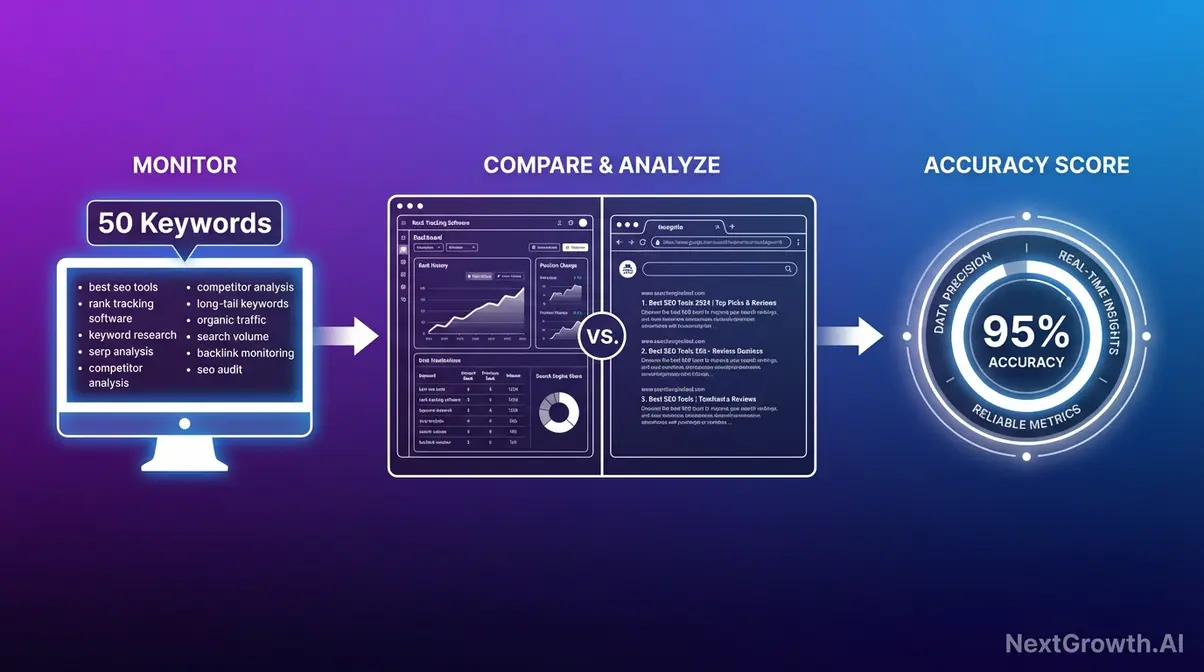
Four criteria we focused on
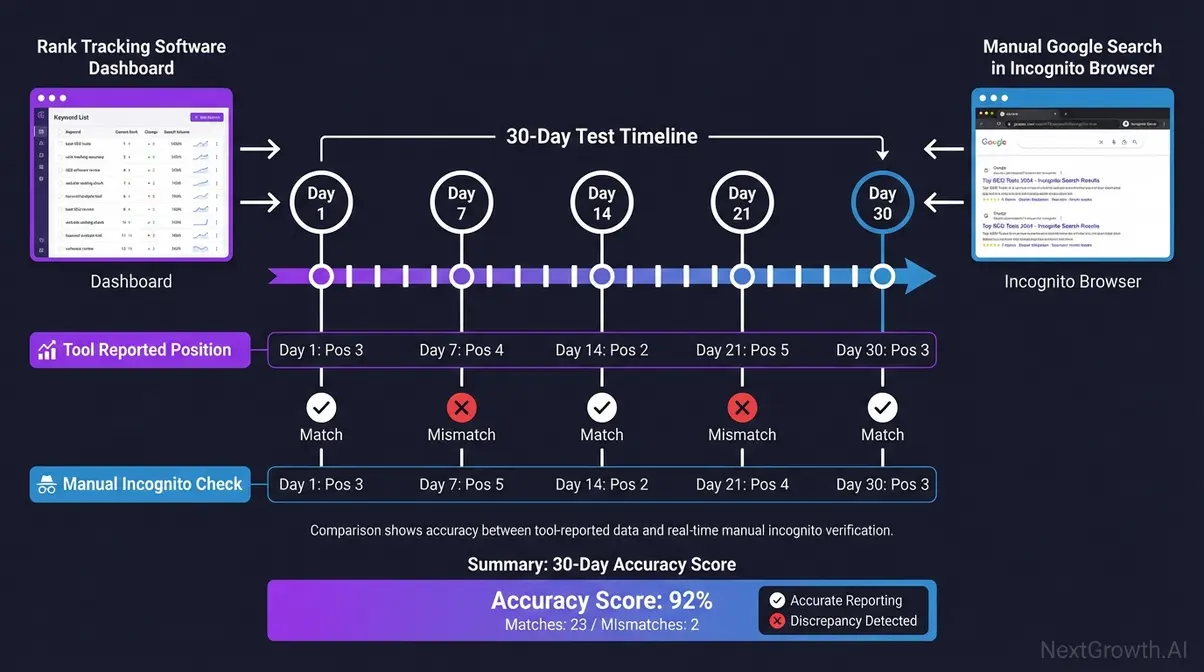
To compare 11 rank trackers usefully, we scored each across four dimensions that determine whether a tool actually earns its monthly fee:- Reported accuracy: How closely the tool’s reported positions match what a real, logged-out user would see. We aggregated accuracy signals from vendor documentation, G2 community reviews, and independent benchmarks (Search Engine Land, Backlinko). A tool reporting “Position 6” when you’re actually at “Position 9” is costing you optimization decisions every day.
- Update frequency: How often the tool refreshes data, daily, on-demand, or weekly. If your tool updates weekly and you published a new page on Tuesday, you won’t know if it’s ranking until next Monday.
- Local tracking capability: Whether the tool supports city-level or GPS-coordinate tracking. A restaurant in Brooklyn needs to know its rank in Brooklyn, not averaged across New York.
- Value (price per tracked keyword): True cost at 500, 1,000, and 5,000 keywords, including hidden API fees and seat limits that vendor pricing pages rarely highlight upfront.
Which SEO Rank Tracking Software Is Best in 2026?
Rank tracker accuracy varies widely in 2026. Community reviews and independent benchmarks show meaningful gaps between AccuRanker (most accurate dedicated tracker per G2 + Search Engine Land coverage) and entry-level tools that sample less often or rely on cached data. That gap isn’t cosmetic; it’s the Accuracy Tax in action. Below are the 11 best SEO rank tracking software options, organized by who they’re built for.🏆 Our Top 3 Editor’s Picks (Skip ahead if short on time)
- #1 Best Overall: SE Ranking ($103/mo annual) – 11-tool all-in-one suite, daily SERP refresh, native AI Overview + Perplexity tracking, agency-friendly white-label.
- #2 Best Local SEO: Nightwatch (€79/~$85/mo Starter) – geo-grid across 107,296 locations, native tracking on all 5 AI engines (ChatGPT + Claude + Gemini + Perplexity + AIO).
- #3 Best Real-Time: AccuRanker ($224/mo Tracking) – on-demand position refresh in minutes, the only tool in this roundup with truly real-time rank updates.
Don’t fit any of these? Scan all 11 reviews below for niche use cases (free GSC pairing, unlimited keywords, WordPress publishers, mid-agency white-label).
1. Semrush: Agency All-in-One
Starting Price
$139/mo
SEO plan (annual $117.33)
Update Frequency
Confirm per tier
Pro+ $299 for 1,500 KWs
Accuracy Tier
Strong
User Rating
★★★★☆ 4.5/5
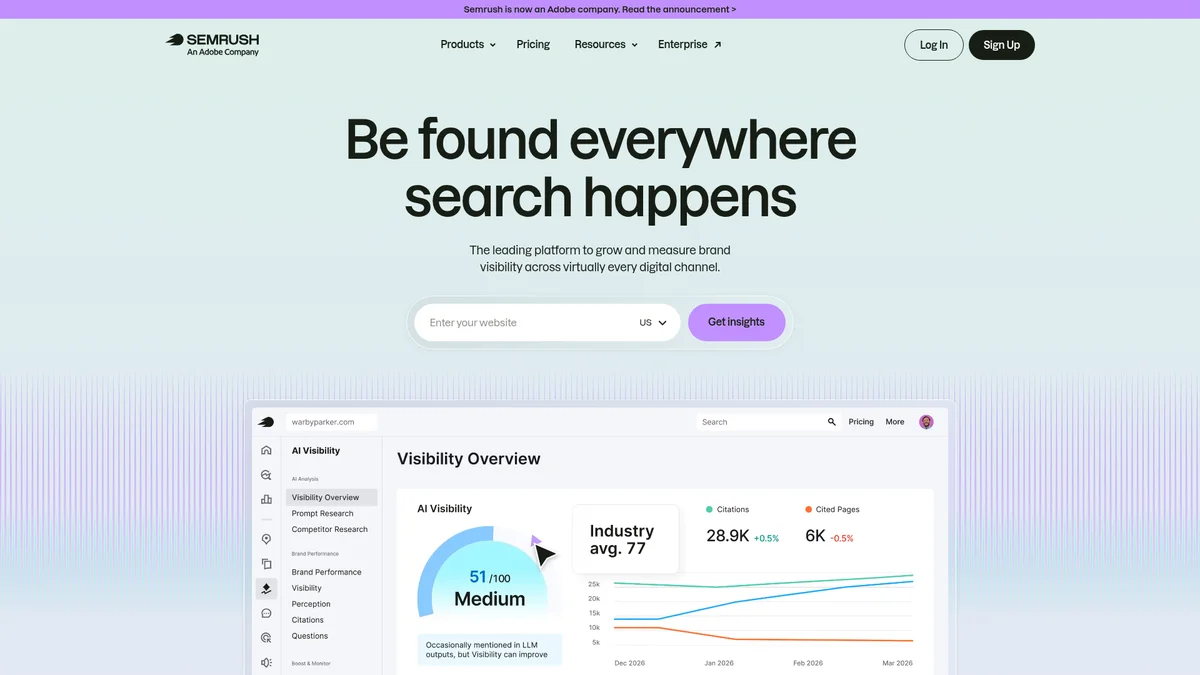
| Plans | SEO $139/mo (500 KWs) · Starter $199/mo (500 KWs) · Pro+ $299/mo (1,500 KWs) · Advanced $549/mo (5,000 KWs) |
| Update Frequency | Cadence varies by tier; confirm with Semrush |
| AI Visibility | AI Visibility Toolkit (June 2025) · 239M+ LLM prompts tracked · 142 geo databases |
| White-label | Reports on the upper tiers · full WL dashboards via Agency Growth Kit |
✓ Pros
- Comprehensive SEO suite with deep insights, versatile competitive tools, and valuable for digital marketing.
- It offers an impressive range of tools and data, and I can see how it would be extremely valuable for experienced SEO professionals or teams who use it daily.
- I enjoy the keyword tracking and competitor comparison, helps us to know where we’re gaining traction and where we’re falling behind.
✗ Cons
- It is fairly expensive as a subscription, especially to small business and the interface can sometimes be overwhelming to someone like me who is not a marketing professional.
- They give you the run around and require you to jump through hoops to cancel their free trial and then deny even when you’ve done what you’re supposed to do.
- This may be an excellent tool for SEO professionals or agencies, but based on my experience, it requires more expertise and time than many solo business owners realistically have.
- Positioning: Default “agency stack” recommendation when r/SEO users post asking what to buy.
- Praise: Competitor data depth; daily multi-location tracking on the mid tier.
- Complaints (posted against the retired Pro / Guru ladder): (1) Pro plan’s weekly tracking “genuinely insufficient” for active SEO work – near-universal upgrade-or-leave point; (2) abrupt price jumps (one user cited $69 → $120/mo with one month’s warning); (3) mobile rank lag and inaccuracy on smaller cities / ZIP-code targeting.
- Frequency: Highest mention rate among all 11 tools in r/SEO threads.
⚠ Vendor Claim vs. Reality
Semrush replaced the Pro / Guru / Business ladder in 2026 with SEO ($139), Starter ($199), Pro+ ($299) and Advanced ($549). Community advice written against the old tiers, including the widely repeated “Pro tracks weekly, buy Guru” line, no longer maps cleanly: Semrush’s current pricing page describes the entry SEO plan as tracking 500 keywords daily. We could not verify the update cadence per tier on the new ladder, so confirm it with Semrush before buying if daily refresh is the reason you are choosing the plan.
Typical use case
A 10-client marketing agency running monthly content + technical SEO + paid search reporting buys Semrush Pro+ ($299) to consolidate 4 tools (rank tracker + keyword research + competitor analysis + AI Visibility) into 1 invoice. The 500-keyword entry tier is the constraint for this workflow, since a 10-client roster burns through it quickly, and an agency that also wants on-demand refresh still ends up paying AccuRanker, at ~$360/mo combined. Pay for the higher tier directly or skip Semrush entirely.
Verdict
The most complete SEO platform in this list. If your business runs on SEO data across multiple clients and domains, Semrush justifies the cost.
✓ Choose Semrush if
You’re managing 5+ client SEO campaigns and need competitor data, rank tracking, and reporting under one subscription.
✗ Skip Semrush if
You’re a solo blogger or small business tracking fewer than 200 keywords – SE Ranking delivers comparable daily tracking at 70% lower cost.
2. AccuRanker: Real-Time Accuracy
Starting Price
$224/mo
Professional tier
Update Frequency
On-demand
~2-second refresh
Accuracy Tier
Excellent
User Rating
★★★★☆ 4.8/5
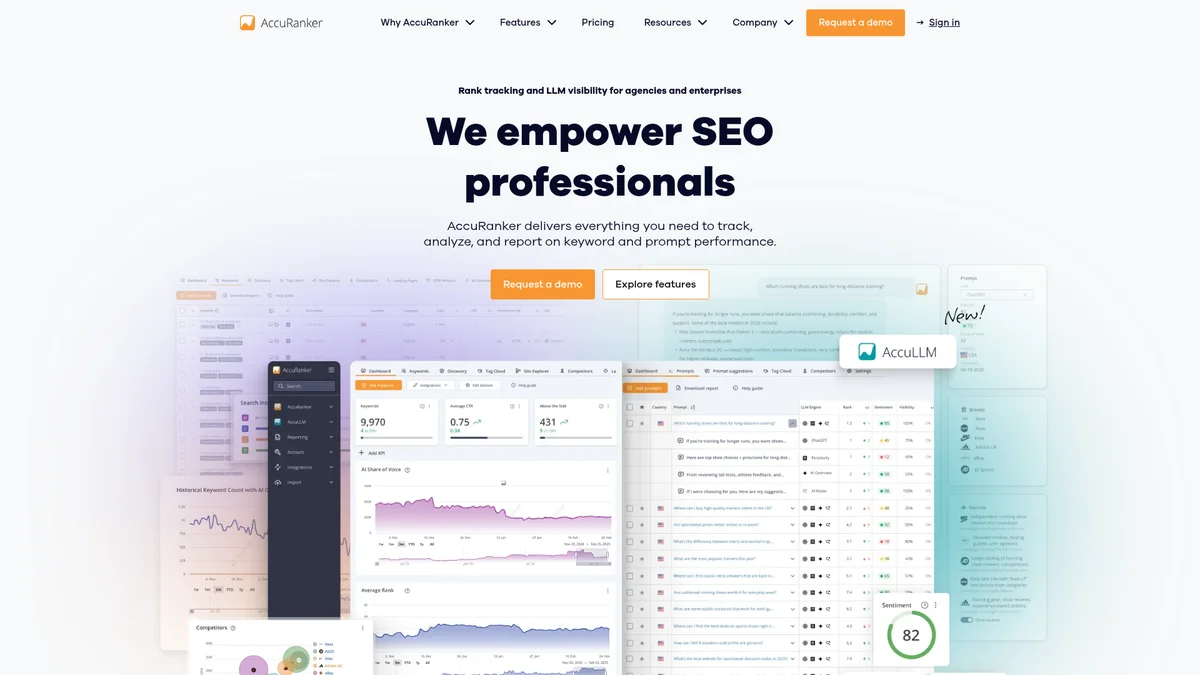
| Plans | From $224/mo Professional (2,000, 5,000 KWs) · tiered up to Enterprise |
| Refresh Mode | On-demand live SERP fetch (seconds) + scheduled daily |
| Trial | 14-day free, no card required · 30-day money-back on first purchase |
| Integrations | GSC · GA4 · Looker Studio · Slack alerts |
✓ Pros
- This service shines with real time position updates, custom alert workflows and in depth competitor benchmarking.
- For those who prioritize speed, accuracy, and user-friendliness in their rank-tracking tool, AccuRanker is a fantastic choice.
- AccuRanker allows us to track our keyword positions against our competitors in a fast and well-designed dashboard.
✗ Cons
- A bit cumbersome to use when exporting or editing many keywords at once.
- Sometimes the SERP tracking data of AccuRanker doesn’t meet with the results of Google SERP.
- AccuRanker is not quite as feature-rich as some of its competitors.
- Positioning: Consensus pick when the question is “most accurate rank tracker.”
- Most-quoted: “If you’re obsessive about tracking fluctuations hourly, AccuRanker is your guy.”
- Praise: Real-time refresh; live SERP APIs catching algorithm volatility before competitor trackers; clean reporting.
- Complaints: Pricing dominates – entry is now $224/mo Professional; charged separately per country and per device, which “exhausts the keywords very fast in the subscription.”
- Frequency: Moderate-high – appears in nearly every “best rank tracker” thread, almost always with “if you can afford it.”
⚠ Vendor Claim vs. Reality
Vendor markets “99% accuracy” and “fastest tracker”; community users confirm speed but note the per-country/per-device keyword charging model burns through keyword quotas faster than the headline number suggests. Effective cost-per-keyword is materially higher than the brochure number.
Typical use case
An ecommerce SEO team pushing weekly site changes during peak season uses AccuRanker’s on-demand refresh to verify within 2 minutes whether a fix actually moved positions – instead of waiting for tomorrow’s daily-cycle update on Semrush or Ahrefs. Worth the $224/mo premium only if reactive same-day SEO is the workflow.
Verdict
The accuracy benchmark in this roundup. If you’ll need to know where you rank right now, not tomorrow morning, AccuRanker is the answer.
✓ Choose AccuRanker if
You’re an SEO specialist or agency that needs on-demand rank data and maximum position accuracy above all else.
✗ Skip AccuRanker if
You’re a beginner who also needs keyword research and site auditing – SE Ranking offers a full suite at a much lower starting price.
3. SE Ranking: Best Budget Value
Starting Price
$103/mo
Core annual ($129 monthly)
Update Frequency
Daily
Google + Bing + Yahoo
Accuracy Tier
Strong
User Rating
★★★★☆ 4.8/5
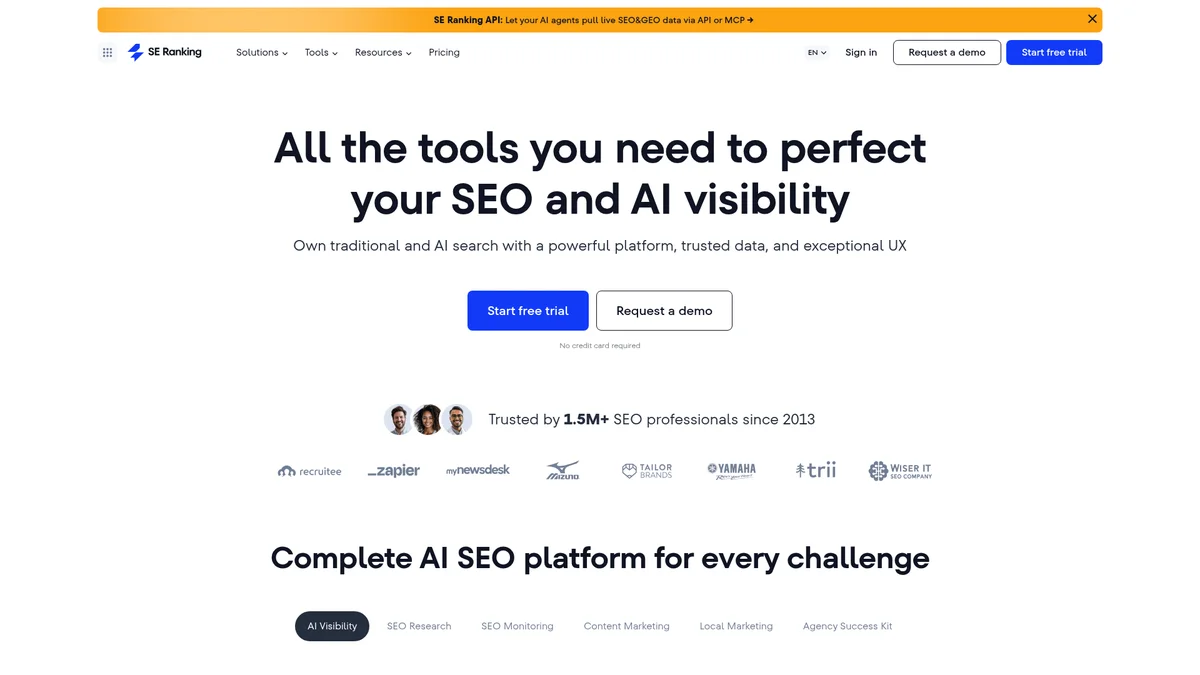
| Plans | Core $129/mo (annual $103/mo, 2,000 KWs) · verified on seranking.com |
| Update Coverage | Daily across Google / Bing / Yahoo · mobile + desktop tracked separately |
| Trial | 14-day free, no card required |
| AI & Agency Features | 5-LLM AI Search Toolkit · white-label via Agency Pack add-ons |
✓ Pros
- We like that the competitor keyword analysis, particularly through the API is robust, and that our customer data passes our security requirements.
- They are always providing new solutions to ensure we’re able to monitor visibility in a variety of search platforms at a great value for money.
- Great tool and the internal team are super-responsive to questions, recommendations and us flagging things that aren’t as expected.
✗ Cons
- What we didn’t like though was the significant price hikes in subscription costs that the platform has seen in the last 4 years.
- If they could work on the reliability of rank tracking and a few UI bugs it would be far above and beyond the big hitters in the market.
- We’ve tried a few different times (with no success) to receive a refund as a result of their non-functioning service.
- Positioning: Recurring “value pick” when budget-conscious users ask for Semrush/Ahrefs alternatives.
- Most-quoted: “It’s 1/3 the cost of SEMrush and the reports look clean for clients.”
- Praise: Clean interface; “actually supports its customers” service reputation; AI Search Toolkit at entry price beats Semrush’s gating model. Freelancers + small agencies cite the 30-project tier as the sweet spot (SE Ranking has since renamed its ladder to Core / Growth / Enterprise; Growth is the 30-project plan at $223.20/mo annual).
- Complaints: (1) Advanced features pushed into add-ons (Local SEO specifically); (2) significant subscription price hikes over last 4 years (frequent Capterra con).
- Frequency: High – appears in nearly every “Semrush alternative” thread.
⚠ Vendor Claim vs. Reality
Vendor markets “100% accurate” rank tracking, but multiple Capterra cons specifically call out rank-tracking reliability as the weak link – this is the gap where users say SE Ranking trails AccuRanker and Semrush on competitive volatile niches.
Typical use case
An SEO+GEO agency managing multiple client accounts needs daily Google rank tracking, AI Overview and ChatGPT coverage, backlink data, and monthly client reports in one workflow. SE Ranking’s Core plan at $129/month covers all four. Plus, with GA4 connected, the agency can also see how traditional and AI rankings correlate with traffic.Verdict
The smartest starting point for agencies and mid-size companies looking to connect traditional rank tracking + LLM visibility, all at once. Daily accuracy at a fraction of Semrush’s cost.✓ Choose SE Ranking if
You’re tracking under 2,000 keywords (Core plan at $129/mo) or up to 5,000 keywords (Growth plan at $279/mo). It gives you daily rank updates without pushing you into enterprise pricing, while also connecting SEO performance with AI visibility and traffic data.✗ Skip SE Ranking if
You need GPS-level geo-grid tracking for multi-location local SEO – Nightwatch at €79/~$85/month does that better.4. Nightwatch: Local Tracking
Starting Price
€79/~$85/mo
Starter (500 KWs)
Update Frequency
Daily
107k+ geo-grid locations
Accuracy Tier
Excellent local
User Rating
★★★★☆ 4.8/5
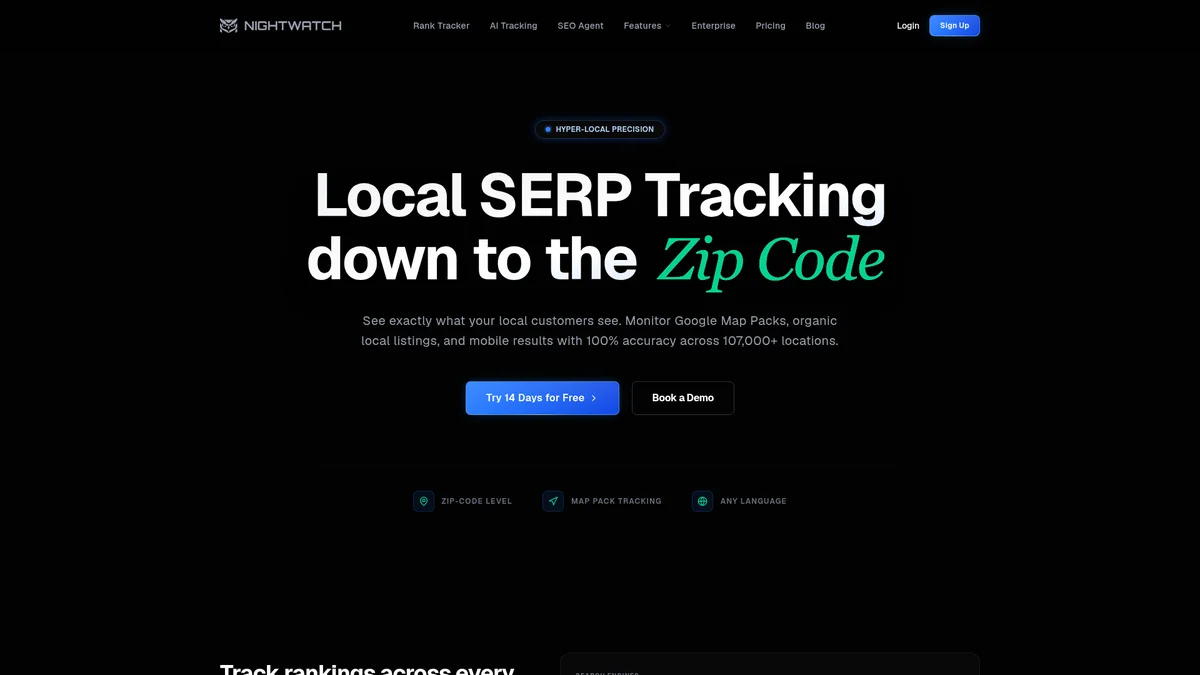
| Plans | Starter €79/~$85/mo (500 KWs · 5 sites) · verified on nightwatch.io |
| Update Frequency | Daily on all plans · real-time refresh on Enterprise |
| Geo Precision | Geo-grid 7×7 to 9×9 across 107,296 locations · ZIP-organic + city-organic |
| AI Engines Native | AI Overview + ChatGPT + Claude + Gemini + Perplexity (all plans) · 14-day no-card trial |
✓ Pros
- Nightwatch is hands down the best rank tracker we’ve ever used.” – Hassan A., CSS Design Awards Judge
- The #1 thing we need from a SERP tracker is accuracy, and we’ve found nothing better. The ability to apply numerous filters and see multiple factors including Map Pack rankings is icing on the cake.
- As an online marketing agency we can’t live without Nightwatch!” – Elia Q., Co-founder
✗ Cons
- For beginners, the price is not convenient, and other tools on the market are available at lower prices.
- There is no mobile app to check your stats on the go.
- Advanced features are limited to paid plans, and incentives for continued customers would be appreciated.
- Positioning: “Specialist’s pick” for local SEO – less frequent than Semrush/Ahrefs in general threads, but near-universally positive when it does come up.
- Most-quoted: Agencies running multi-location clients call it “hands down the best rank tracker.”
- Praise: Geo-grid sampling city blocks individually – feature competitors can’t match. Third-party test (vendor-cited): 97/100 accuracy in 25-zip-code benchmark (tied with BrightLocal).
- Frequency: Low overall, very high specifically in r/localseo and agency-focused threads.
⚠ Vendor Claim vs. Reality
Nightwatch markets “99.9% accuracy vs 82.5% industry average” – this is a vendor self-benchmark with no third-party methodology cited. The independently-tested 97/100 zip-code accuracy is the more defensible reference point.
Verdict
The strongest local SEO tracker in this roundup. If any of your clients have a physical location, Nightwatch belongs in your stack.
✓ Choose Nightwatch if
You’re managing local SEO for brick-and-mortar clients and need city-level or GPS-coordinate ranking data.
✗ Skip Nightwatch if
You’re running a national ecommerce site with no local component – Semrush or AccuRanker give you more complete data for that use case.
5. Search Console: Free Option
Starting Price
Free
Forever, own sites only
Update Frequency
2-3 day delay
First-party Google data
Accuracy Tier
Native (Google)
User Rating
Baseline
No 3rd-party rating
| Plan | Free, permanently – Google-owned, no credit card |
| Data Delay | 2, 3 days for fresh ranking data |
| Data Available | CTR · impressions · position avg · query-level performance |
| Integrations | Google Analytics · Looker Studio · BigQuery export |
✓ Pros
- 100% direct Google data – the most authoritative source for your own site’s performance.
- Completely free, forever – not a trial, not a freemium limitation.
- Shows impressions, clicks, and CTR alongside position data.
- Integrates directly with Google Analytics for full-funnel visibility.
✗ Cons
- No competitor data – you can’t see where rivals rank.
- No geo-grid or local tracking capability.
- 2-3 day data delay makes it unsuitable for real-time monitoring.
- Position averaging can mislead beginners (you might rank #1 for 20% of searches and #8 for 80% – GSC reports “4.2”).
Verdict
A mandatory free tool for every website. The best starting point, but not a replacement for a dedicated tracker.
✓ Choose GSC if
You’re any website owner who wants free, authoritative data directly from Google as your baseline monitoring layer.
✗ Skip GSC if
You need competitor tracking, daily precision, or local geo-grid data – pair it with one of the paid tools above.
6. ProRankTracker: Local Agency
Starting Price
$149/mo
Starter (1,000 terms)
Update Frequency
Daily Top 100
+ on-demand (Agency)
Accuracy Tier
Standard
User Rating
★★★★☆ 4.7/5
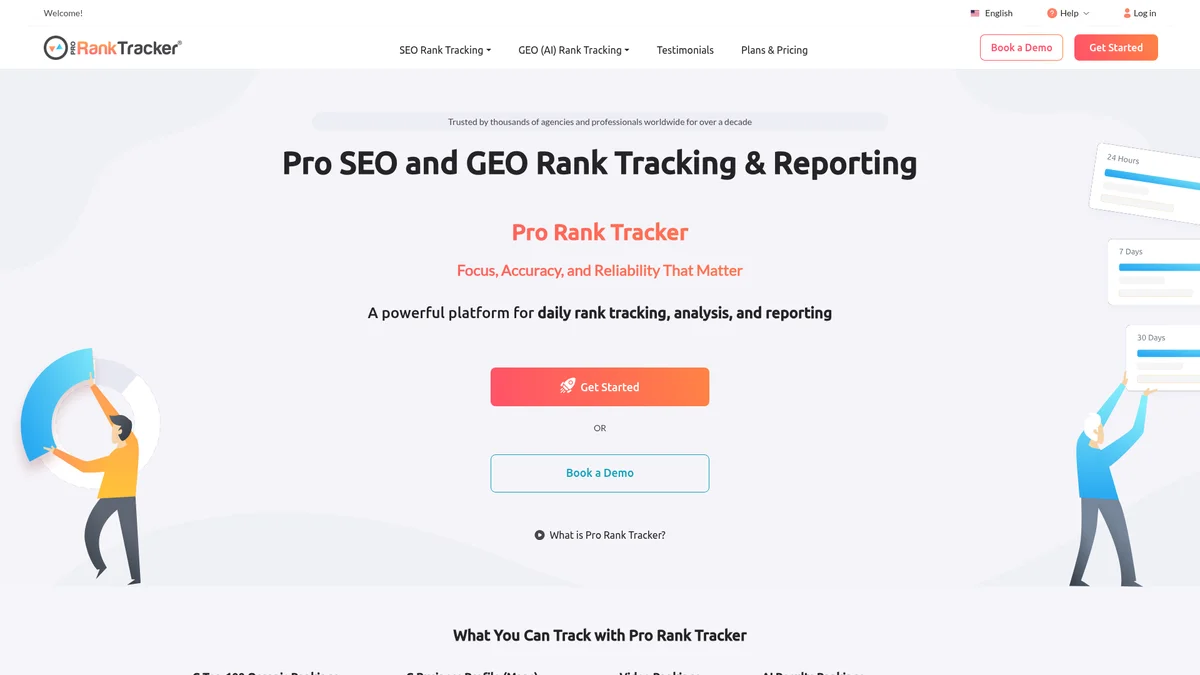
| Plans | From $149/mo Starter (1,000 terms) · verified on proranktracker.com |
| Update Frequency | Daily Top 100 on all tiers · on-demand updates on Agency |
| Trial | $5 / 7-day Test Drive (no free trial) |
| Agency Features | 100% white-label · Looker Studio · MyRanks client mobile app · public API on Agency |
✓ Pros
- It turns out the biggest problem with most trackers is they are not anywhere close to accurate. After signing up with ProRankTracker, I knew I’d finally found one worth hanging on to.
- Creating a report is easy and it’s easy to understand as well. ProRankTracker is also affordable and they can definitely help you to monitor your keyword rankings.
- One of the few tools that allows you to track local rankings by city, with good UX and easy-to-understand layout.
✗ Cons
- The pricing is 2-3x that of anything else on the market.
- It’s confusing sometimes to understand all the reports – I don’t like the user experiences, there are a lot of buttons around.
- The tool provides automatic updates once per day and does not include a live notification system” – on-demand limited to Agency plan.
⚠ Vendor Claim vs. Reality
Vendor pushes “unbeatable pricing” – Capterra reviewers say “2-3× other tools” at the entry tier. Pricing is competitive per keyword at scale, not per entry tier. At under 200 keywords, SERPWatcher or Wincher are cheaper.
- Positioning: Clustered alongside AccuRanker + RankRanger in the “specialist rank tracker” tier – chosen by agencies that already have Ahrefs/Semrush and just need pure tracking depth.
- Praise: White-label reporting; deep API access; neighborhood-level local tracking; accuracy when SERP volatility hits.
- Complaints: Price-sensitivity – trends toward “premium pricing for keyword volume,” overkill for solo bloggers.
- Frequency: Moderate (not as loud as Mangools or AccuRanker); reputation skews quietly positive among agency professionals.
Verdict
Best-in-class agency white-label rank tracker with serious AI search coverage – but priced for agencies, not bloggers.
✓ Choose ProRankTracker if
You’re an agency or enterprise team tracking 1,000+ keywords with white-label reporting + city/ZIP local + AI search coverage as core needs.
✗ Skip ProRankTracker if
You’re a solo blogger under 500 keywords – SERPWatcher (Mangools) or Wincher are 5× cheaper for that scale.
7. SERPWatcher: Simple Reporting
Starting Price
$29.90/mo
Basic annual ($44.90 monthly)
Update Frequency
Daily
5-tool bundle included
Accuracy Tier
Standard
User Rating
★★★★★ 4.9/5
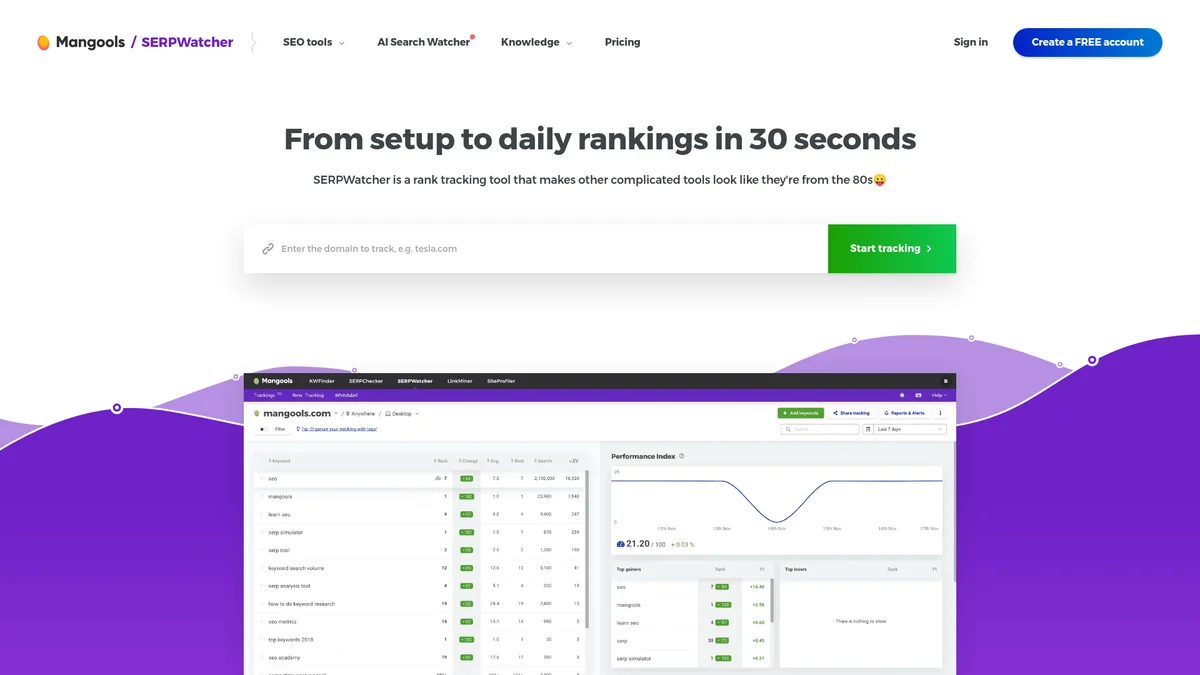
| Plans | Basic $44.90/mo (annual $29.90/mo, 200 KWs) · verified on mangools.com |
| Update & Coverage | Daily updates across 65k+ locations · shareable report links |
| Unique Asset | Dominance Index – single-score visibility health metric (vs raw rank list) |
| Bundle & Trial | 5-tool suite: KWFinder + SERPChecker + SERPWatcher + LinkMiner + SiteProfiler · 10-day trial (CC required) |
✓ Pros
- The SEO reports are highly accurate, making it easy to analyze website performance. Pricing is affordable and provides good value for money.
- Extremely easy to use. Just sign in to your account, enter your keywords, and boom.
- Priced well – you get access to 5 amazing SEO tools at one price (KWFinder, SERPChecker, SERPWatcher, LinkMiner, SiteProfiler).
✗ Cons
- Depending on the plan, there’s a limit on tracked keywords. The upper limit is 1,500 – you can buy more, but it quickly gets expensive.
- The SEO extension occasionally has issues, affecting usability. Rank tracking has not functioned properly, even after consistent usage for the last seven months.
- Does not offer a true dashboard that lets you track everything in one place… Lacks some important features like SEO Site Audit.
⚠ Vendor Claim vs. Reality
Vendor markets an “Agency” plan, but ContentDistribution and Reddit consensus say it doesn’t actually scale for agencies (1,500 keyword cap, no real white-label hierarchy). Treat the Agency tier as “advanced freelancer,” not real agency tooling.
- Positioning: Most-mentioned budget rank tracker on r/SEO – consensus pick for freelancers, bloggers, and small agencies who refuse to pay $130+/mo for Semrush.
- Praise: Price-to-value (5 tools in one subscription); KWFinder’s color-coded difficulty score; beginner-friendly UX.
- Complaints: Depth gaps (no keyword clustering, no gap analysis, no site audit); data lag vs Ahrefs/Semrush; daily limits that throttle research sprints; “Agency plan would hardly satisfy any agency.”
- Net Reddit verdict: “Good for the price, not enough for scale.”
Verdict
Best affordable rank tracker for solo bloggers and small businesses – but the 5-tool bundle is the actual reason to buy it.
✓ Choose Mangools if
You’re a solo blogger or freelancer tracking under 700 keywords who wants all 5 SEO tools bundled at <$45/mo.
✗ Skip Mangools if
You need geo-grid local, robust API automation, or are scaling past 1,500 tracked keywords – costs escalate fast above that ceiling.
8. Ahrefs: Best Research Combo
Starting Price
$29/mo
NEW Starter tier
Update Frequency
Weekly
Daily via Project Boost add-on
Accuracy Tier
Strong
User Rating
★★★★☆ 4.5/5
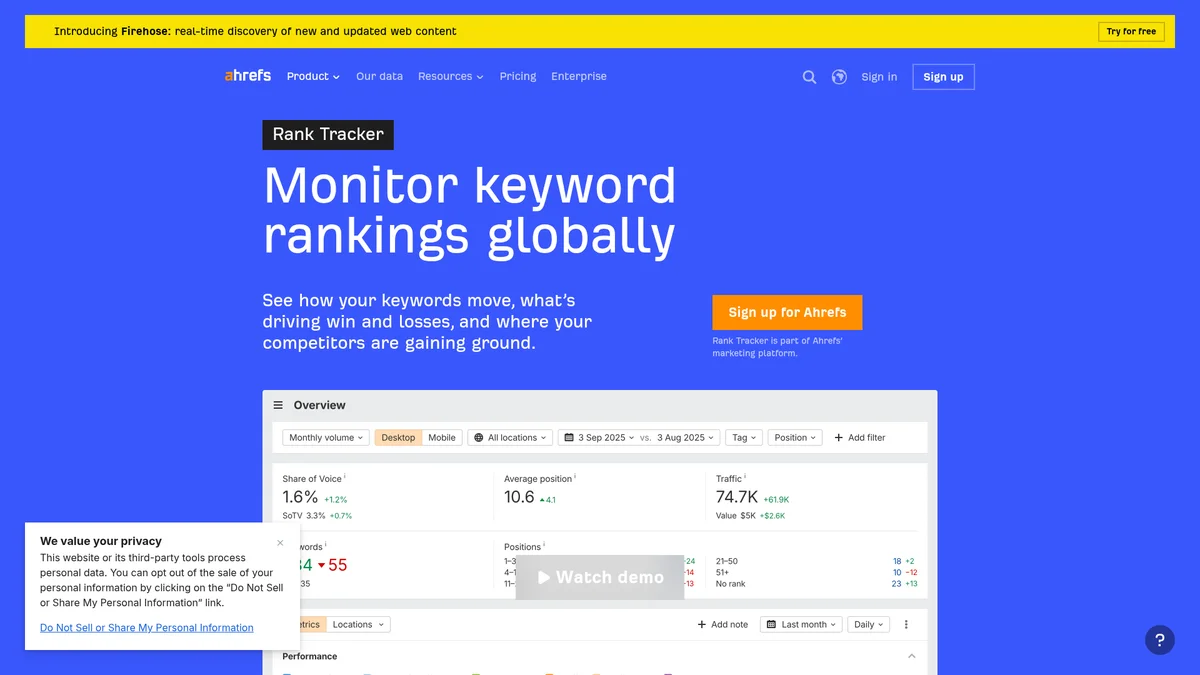
| Plans | NEW Starter $29/mo (750 KWs) · Lite $129 · Standard $249 (2,000 KWs) · Advanced $449 (5,000 KWs) |
| Update Frequency | Weekly default · Daily requires Project Boost add-on |
| Trial | ⚠ No free trial available |
| AI Tracking | Brand Radar add-on $199, $699/mo · covers 6 AI engines |
✓ Pros
- A reliable platform for rank tracking, competitor analysis and website management with good navigation and effective team collaboration.
- The force of Ahrefs resides in the accuracy of their data, especially related to backlinks over competitors.
- Ahrefs nails UI and user experience by showing data in visual form and allowing data export.
✗ Cons
- “In 2025 they no longer track any positions that rank at over 10th place in Google.” Hard limit for opportunity keyword mining.
- For a SEO software, it’s quite costly and the limits in the base plan is very low, with a credit system that is unfairly designed.
- Ahrefs still does not have a way to track map pack rankings, which is a huge capabilities gap.
- Positioning: Rank tracking treated as a secondary feature – Site Explorer + Keywords Explorer are the primary draws.
- Praise: Backlink data remains the consensus reason to stay.
- Complaints: (1) 2023 ~30% price hike (Lite → $129/mo, Standard → $249/mo) generated visible frustration; legacy-plan forced migrations described as “up to 700% overnight” cost increases. (2) Default tracked-keyword update frequency is weekly (more frequent only on higher plans), which agencies complain about vs SE Ranking/Mangools daily refresh.
- Net Reddit verdict: Rank tracking alone rarely justifies the price.
⚠ Critical caveat (2025 change)
As of 2025, Ahrefs stopped tracking positions beyond #10 in Google due to forced pagination changes in Google’s API making deeper tracking cost-prohibitive. If you need to monitor keywords ranking on page 2+ for opportunity surfacing, this is a hard limitation – alternatives like AccuRanker, Nightwatch, or ProRankTracker still track Top 100.
Verdict
Premium all-in-one with weekly tracking baked in – pay for backlinks and keyword research; the rank tracker comes along for the ride.
✓ Choose Ahrefs if
You’re an intermediate-to-advanced SEO who needs the industry’s deepest backlink database + keyword research, with rank tracking as a complement.
✗ Skip Ahrefs if
You only need rank tracking – SE Ranking delivers comparable daily accuracy at $100+/mo less, or you need to track positions beyond #10 (Ahrefs caps in 2025).
9. SEO PowerSuite: Free Tier + Unlimited Keywords
Starting Price
Free / $299/yr
Pro (~$25/mo amortized)
Update Frequency
Daily (manual)
Desktop app, you launch
Accuracy Tier
Strong
User Rating
★★★★☆ 4.5/5
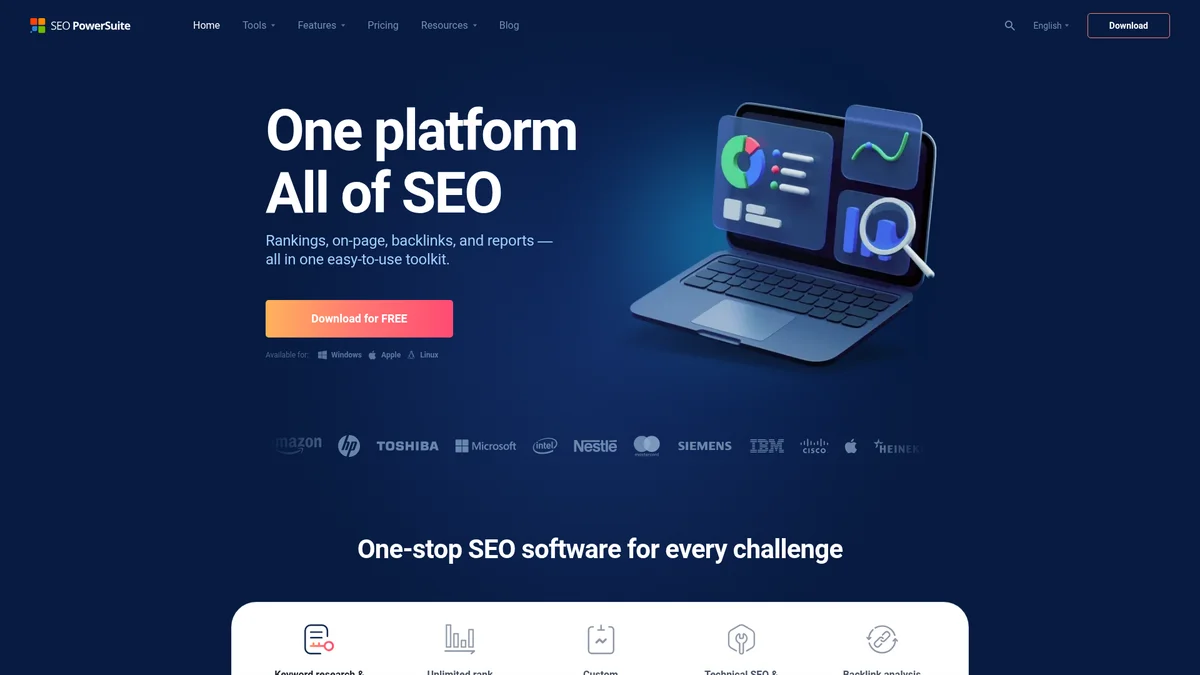
| Plans | Free tier (basic) · Professional $299/yr (~$29.10/mo) · Enterprise $499/yr (~$49.95/mo, agency-branded reports) |
| Keyword Limit | Unlimited on paid plans – unmatched at this price tier |
| Install | Desktop only (Mac · Windows · Linux) – no cloud dashboard |
| Trial | 14-day full unlock of premium features |
✓ Pros
- The crawling ability of SEO PowerSuite is fantastic and produces deep insight you won’t always find in other similar tools.
- All-in-one solution for comprehensive SEO needs – keyword research, rank tracking, on-page audits, backlink analysis. Affordability and flexibility, especially with unlimited sites and keywords, stand out.
- Using all of the products in SEO PowerSuite has been a game changer for my business and my clients’ businesses!
✗ Cons
- The software is very slow and uses way too many resources to effectively operate a computer while crawling a large website. Scans sometimes take many hours and the software crashes frequently.
- Desktop-based nature of the software requires installation and can be less convenient compared to cloud-based alternatives.
- It only supports one simultaneous user, which greatly limits the use by a team. If you obtain several licenses, it is more expensive than other tools.
- Positioning: Best fit for solo SEO consultants on small sites who want unlimited keyword tracking without SaaS metering.
- Complaints (dominant): “Outdated desktop-based design and lack of real-time data make it inefficient for anyone managing more than a single small site”; “resource-intensive – audits for large websites can take hours or even days”; “trash backlink profiling”; “clunky resource hog desktop application that practically freezes your device.”
- Agency blocker: Single-user license model (no team collaboration).
- Billing complaints (Trustpilot): Auto-renewal without notification; refunds described as difficult.
⚠ Honest caveat for buyers
Auto-renewal complaints recurring on Trustpilot – multiple users describe renewals without notification. Set a calendar reminder before your license expires if you don’t intend to continue.
Verdict
The price-per-keyword champion. If your workflow doesn’t require AI Overview tracking and you’re tired of SaaS subscription creep, SEO PowerSuite at $299/year for unlimited keywords is unmatched value.
✓ Choose SEO PowerSuite if
You’re a solo SEO or budget-conscious agency tracking 1,000+ keywords who values one-time annual pricing and doesn’t need AI search tracking.
✗ Skip SEO PowerSuite if
You need cloud collaboration, real-time refresh, or AI Overview / ChatGPT / Perplexity citation tracking – AccuRanker (speed) or AWR (AI coverage) fit those workflows better.
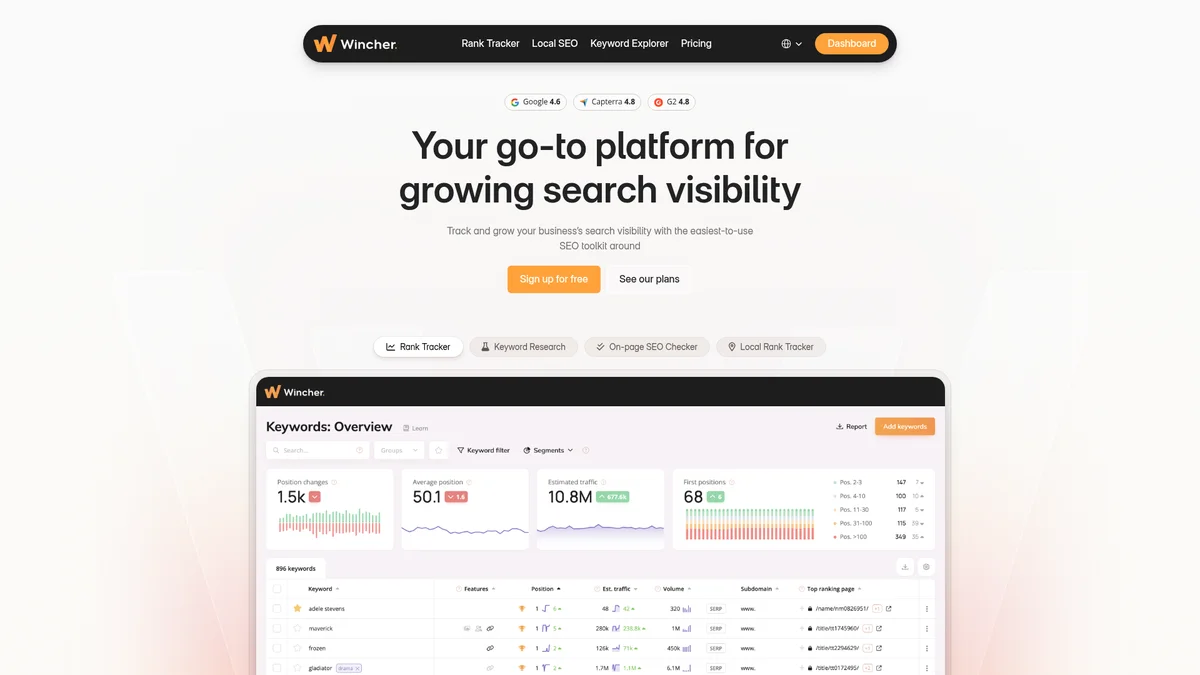
10. Wincher: Best for Small Biz
Starting Price
$49/mo Starter
500 KWs · 2 sites
Update Frequency
Daily
All plans + GSC sync
Accuracy Tier
Standard
User Rating
★★★★★ 4.8/5
| Plans | Starter $49/mo (500 KWs · 2 sites) · Business $89/mo (4,000 KWs · unlimited sites) |
| Trial | 14-day, no card required |
| Integrations | Yoast WordPress plugin · Looker Studio · GSC sync on all plans |
| AI Overview Tracking | ⚠ Not native – gap vs AccuRanker / SE Ranking / AWR |
✓ Pros
- Wincher makes SEO tracking feel effortless. I’ve tried a few rank trackers, but Wincher is by far the easiest to use. The interface is clean, intuitive, and doesn’t overwhelm you with data.
- I’ve been using Wincher for two years, and it’s the best tool for tracking keyword rankings and generating daily SEO reports.
- Easy to add keywords and track performance – saves time and keeps everything simple without unnecessary complexity.
✗ Cons
- It was slightly inaccurate compared to competitors.
- The most annoying thing is the way it double counts keywords if you want to track mobile and desktop.
- WordPress.org plugin sits at 4.0/5 with 56 reviews – 25% are 1-star citing critical WordPress errors.
- Positioning: Appears less frequently than Mangools on r/SEO threads but punches above its weight in WordPress-centric communities. Perceived as a blogger / small business tool – agency mentions rare.
- Praise: “The WP plugin is genuinely useful – track rankings in admin”; “stupid simple”; “perfect for content-first sites where you just need to know if pages are climbing.”
- Complaints: Country-level only (no city/neighborhood); Google-only (no Bing/Yahoo/Yandex); keyword research shallow vs Ahrefs; free plan too small (5 keywords) to evaluate the tool meaningfully.
⚠ Vendor Claim vs. Reality
Wincher’s SaaS dashboard sits at 4.8/5 on Capterra – but their WordPress plugin sits at 4.0/5 on WordPress.org (56 reviews, 25% are 1-star reporting critical WP errors). They’re different products with different reliability stories. If your buy decision hinges on the in-admin plugin workflow, verify on a staging site before committing.
Verdict
Best rank tracker for WordPress publishers and Yoast-stack content sites – limited beyond that niche.
✓ Choose Wincher if
You run WordPress sites and want rank tracking inside the admin via plugin, tracking 100, 500 keywords at country level on Google.
✗ Skip Wincher if
You need city/neighborhood local, multi-engine tracking, AI Overview visibility, or robust agency white-label hierarchy.
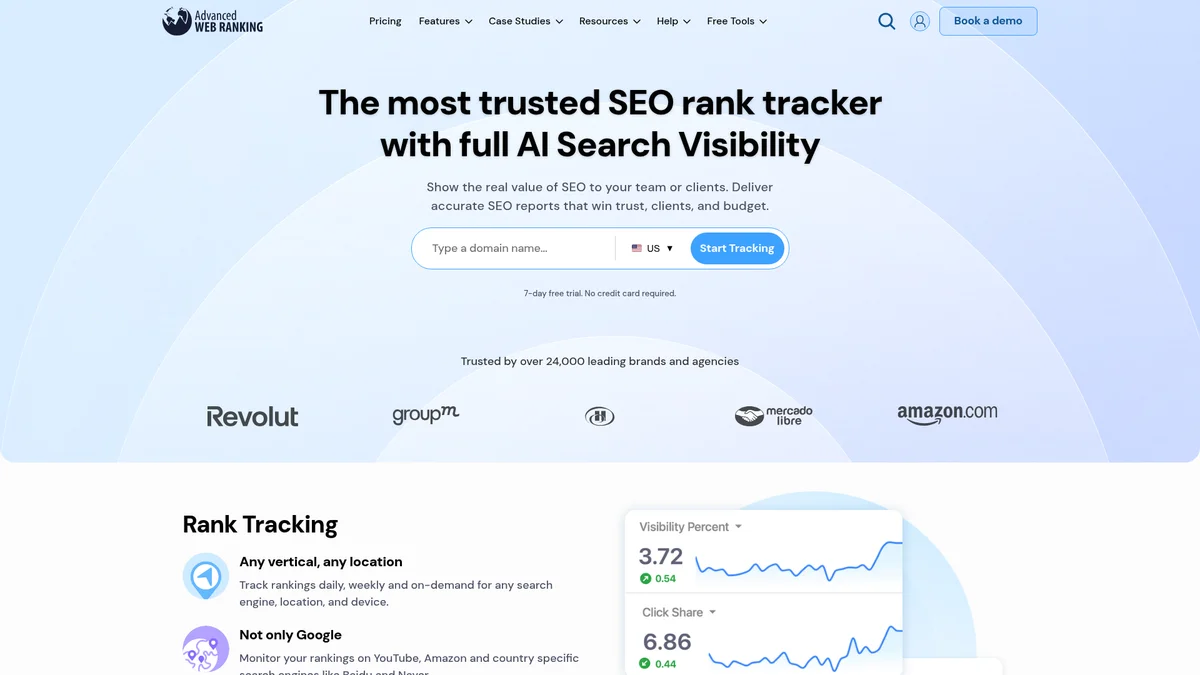
11. Advanced Web Ranking: Best for AI Search Coverage
Starting Price
$49/mo Starter
2,000 KWs
Update Frequency
Daily
4,000+ engines
Accuracy Tier
Strong
User Rating
★★★★☆ 4.6/5
| Plans | Starter $49/mo (2,000 KWs) · Pro $99 · Agency $199 (WL + Looker Studio + API) · Enterprise $499 (35,500 KWs) |
| Update Coverage | Daily on all paid plans · 4,000+ search engines |
| Trial | 30-day money-back guarantee on all plans |
| AI Brand Visibility | 6 engines native: AIO + AI Mode + ChatGPT + Perplexity + Claude + Gemini |
✓ Pros
- AWR is incredibly clear and easy to use. I have been using it for 8 years. It is not complicated, always robust, accurate and always works, making it the most essential SEO tool that we use as part of our reporting.
- Tracks large numbers of keywords for a great price, setup and track multiple projects with ease – incredibly easy to export raw data, they also have the API if needed.
- I love how easy AWR has made it to track my and my clients’ keywords and integrate with Google Analytics and Google Search Console.
✗ Cons
- Despite having greatly improved from the older versions, the interface and ease of use of different kinds of reports is not always great.
- I felt like for a beginner, it could be easy to get lost within it.
- If you need daily tracking, it becomes quite expensive when you track it for multiple domains and countries.
- Positioning: Smaller but loyal r/SEO presence – most discussions come from agency professionals rather than solo SEOs.
- Most-quoted: “The most accurate in the business” for rank tracking; reporting “very clear” and “always accurate.”
- Praise: Strong customer-service reputation (“staff remember stuff about my business and my life”).
- Complaints: (1) Since AWR retired the $49 Starter plan tier, agencies on tight budgets switched to SE Ranking/Nightwatch. (2) Daily tracking for many domains+countries becomes “quite expensive.” Also flagged: no backlink analysis, no site audits, no keyword research – pure rank tracker + reporting platform only.
⚠ Vendor Claim vs. Reality
AWR markets “6 AI engines” tracked – but technically that’s 5 distinct AI surfaces (ChatGPT, Perplexity, Claude, Gemini, AI Overviews) plus Google AI Mode counted separately. AI Overviews and AI Mode are both Google surfaces. The 6-engine claim is technically accurate per AWR’s own counting but slightly inflated marketing-wise. Functionally it’s still the broadest native coverage in the category – just count engines honestly when comparing.
Verdict
The AI search visibility specialist. If your reporting needs to cover both classic SERP positions and AI engine citations under one subscription, AWR is the most cost-efficient option in this roundup.
✓ Choose AWR if
You’re an agency or enterprise team tracking 2,000+ keywords with AI search visibility as a core KPI across multiple AI engines.
✗ Skip AWR if
You’re a solo SEO under 500 keywords – AccuRanker (speed) or SE Ranking (value) deliver better daily-workflow ergonomics for that scale.
| Tool | Starting Price | Update Frequency | Local / Geo-grid | Best for | Reported accuracy tier |
|---|---|---|---|---|---|
| Semrush | $139/mo (SEO plan) | Daily | Basic | Agencies | Strong (daily) |
| AccuRanker | $224/mo (Pro) | On-demand | Basic | Speed + accuracy | Excellent (on-demand) |
| SE Ranking | $129/mo (Core, $103 annual) | Daily | Postal-code | Budget / value | Strong (daily) |
| Nightwatch | €79/~$85/mo (Starter) | Daily | ✅ Geo-grid 107k locations | Local SEO | Excellent local |
| Google Search Console | Free | 2, 3 day delay | ✗ | Beginners / free | Native (Google data) |
| ProRankTracker | $149/mo Starter | Daily + on-demand | ✅ City/ZIP | Local agencies | Standard (daily) |
| SERPWatcher (Mangools) | $44.90/mo ($29.90 annual, Basic) | Daily | ✗ | Simplicity | Standard (daily) |
| Ahrefs | $29/mo (Starter), $129+ (Lite) | Weekly (Daily add-on) | Basic | Research + tracking | Strong (daily) |
| SEO PowerSuite | Free / $299/year (Pro) | Daily (manual refresh) | City-level | Unlimited KWs + budget | Strong (daily) |
| Wincher | $49/mo (Starter) | Daily | ✗ | Small budget | Standard (daily) |
| Advanced Web Ranking | $49/mo (Starter) | Daily | ✅ Local + mobile | AI search coverage | Strong (daily) |
Cost per 1,000 keywords (entry tier, verified May 2026)
Lower is better. Calculated from each vendor’s lowest paid tier ÷ keyword limit × 1,000.
Range shown where vendor has tier flexibility (e.g., AccuRanker $45-$112/1K depending on whether you fill the 2,000 or 5,000 keyword Pro tier ceiling). Color: green = excellent value, yellow = mid-tier, red = premium. SEO PowerSuite has unlimited keywords on Pro – chart shows estimated cost at 5,000-keyword usage point.
Which Rank Tracker Fits Your Specific Use Case?
Generic “best of” lists don’t fit every team. Below are 6 specialized use cases where the right tool is NOT one of the 11 general rank trackers above, but a more focused option covered in dedicated guides. Pick your scenario, then jump to the relevant deep-dive.
Local SEO with Multi-Location Rank Tracking
When you need geo-grid tracking, Google My Business rank, and mobile-vs-desktop split per city, generic rank trackers leave gaps. The dedicated local stack covers radius-based queries, GMB position, and review-impact correlation across 50-state portfolios. See our breakdown of local SEO rank tracking software for multi-location brands.
Agency with Multi-Client Portfolio
Agencies need white-label client dashboards, automated branded reporting, client login portals, and per-team-member usage budgets. Two angles: agency rank tracker selection (feature comparison) and white-label-specific platforms (full rebrand). Compare the best rank trackers for agencies for general agency features, then white-label rank tracking platforms for full client-facing rebrand options.
AccuRanker Users Seeking Alternatives
If you are already on AccuRanker and looking to switch (cost, missing features, or just exploring), there are two starting points. Read our AccuRanker alternatives comparison for a 6-tool roundup with pricing parity, then drill into the head-to-head AccuRanker vs SE Ranking comparison for the most direct competitor matchup with migration notes.
AI Engine Tracking (Google AIO, ChatGPT, Perplexity, Gemini)
Traditional Google rank position is only half the picture in 2026. If you need to track Google AI Overview citation rank, ChatGPT search results, Perplexity sources, or Gemini brand mentions, see our dedicated guide to AI Overview rank tracking tools covering 8 LLM-aware trackers (Beamtrace, Profound, Otterly.ai, AIRankLab, etc.).
Perplexity-Specific Citation Tracking
Perplexity has its own citation model (sources, related questions, follow-ups) that doesn’t map to Google rank. For brand monitoring and source-position tracking on Perplexity specifically, see our deep dive on the best Perplexity rank trackers including coverage of free citation lookup tools.
Developer or Tech Team Building a Custom Stack
If pre-built SaaS rank trackers don’t fit your workflow (custom alerts, internal BI integration, multi-tenant SaaS resell), the API + automation route is cheaper at scale. Use the DataForSEO Labs API for ranking data and n8n for orchestration, see our roundup of the best SEO APIs for developers for the full stack including Bright Data, Apify, and SerpApi alternatives.
If your use case isn’t above (general rank tracking, single-site SEO consultant, or in-house team without multi-client needs), the 11 tools compared in the next sections cover you.
What Advanced Comparisons Matter: Cost, AI Overviews, Local, Automation?
Four cross-tool comparison dimensions that don’t fit neatly into individual tool reviews. Skip these if you’ve already picked a tool from the matrix above; read them if you’re triangulating between 2-3 finalists.What does rank tracking software really cost per 1,000 keywords?
Headline pricing misleads in two ways. It buries the keyword limit and ignores accuracy. “$39/month” sounds affordable until you realize that plan covers 250 keywords, making it roughly $156 per 1,000 keywords tracked. Meanwhile, AccuRanker’s $116/month covers 1,000 keywords and is widely considered the most accurate dedicated rank tracker per G2 + industry reviews. The Accuracy Tax works in both directions: the cheapest cost-per-keyword tool may generate data that costs you more in misallocated SEO decisions. Here’s how all 11 tools in this roundup compare on the metric vendors don’t put on their pricing pages: cost per 1,000 tracked keywords. All prices verified May 2026 – confirm on each tool’s official pricing page as rates change quarterly.| Tool | Entry Plan | Keywords Included | Cost / 1K Keywords | Update Frequency | Accuracy tier |
|---|---|---|---|---|---|
| Google Search Console | Free | Unlimited (own site) | $0 | Daily (2-3 day lag) | Native (Google data) |
| ProRankTracker | $99/mo ($89 annual) | 1,000 | $89-$99 | Daily + on-demand (Agency) | Standard (daily) |
| SE Ranking | $129/mo ($103 annual, Core) | 2,000 | ~$52-$65 | Daily | Strong (daily) |
| AccuRanker | $224/mo (Pro) | 2,000-5,000 | $45-$112 | On-demand (2 sec) | Excellent (on-demand) |
| Mangools (SERPWatcher) | $44.90/mo ($29.90 annual) | 200 | ~$149-$224 | Daily | Standard (daily) |
| Nightwatch | €79/~$85/mo (Starter) | 500 | ~$170 | Daily | Excellent local |
| Ahrefs | $29/mo (Starter) | 750 | ~$39 | Weekly (Daily add-on) | Strong (daily) |
| Semrush | $139/mo (SEO plan) | 500 | ~$280 | Daily | Strong (daily) |
| SEO PowerSuite | $299/year ($24.92/mo) | Unlimited | <$25 (lowest) | Daily (manual) | Strong (daily) |
| Wincher | $49/mo (Starter) | 500 | ~$98 | Daily | Standard (daily) |
| Advanced Web Ranking | $49/mo (Starter) | 2,000 | ~$25 (Pro: ~$20) | Daily/Weekly/Monthly | Strong (daily) |
4 takeaways from May 2026 pricing
- AWR is the cheapest AI-Overview tracker – $49/mo for 2,000 KWs (~$24.50/1K), 6 AI engines native.
- SEO PowerSuite is the absolute cost floor – $299/yr unlimited KWs (~$5/1K at 5K). Trade-off: desktop only, no AI tracking.
- Ahrefs Starter $29/mo (750 KWs) is the 2026 surprise – ~$39/1K, daily via Project Boost, deepest backlink data.
- Semrush is the most expensive per KW – $139/mo on the SEO plan (500 KWs, ~$278/1K), ~3× AccuRanker. You pay for the 55+ tool suite, not better rank data.
Annual billing reshuffles the rankings
| Plan | Monthly | Annual (eff. $/mo) | Save |
|---|---|---|---|
| SE Ranking Core | $129 | $103.20 | 20% |
| Mangools Basic | $44.90 | $29.90 | 33% |
| ProRankTracker Starter | $99 | $89 | 10% |
Methodology Note
Keyword limits and pricing are from each tool’s official pricing page as of May 2026. Entry plan keyword counts reflect the lowest paid tier. For tools with credit-based systems, we used the keyword equivalent at standard daily update frequency. Accuracy tier reflects community + vendor consensus + update cadence (see tier definitions in the comparison table caption above).
Which rank trackers can see what Google AI Overviews show?
The AI Visibility Tax: the hidden cost of using a rank tracker that can’t monitor AI Overview citations. With organic CTR dropping 61% where AI Overviews appear, teams blind to this data are losing traffic without understanding why.AI Engine Coverage Heatmap (verified May 2026)
Green = native tracking included in entry tier. Yellow = available as paid add-on or limited support. Red = not supported.
Scroll horizontally on mobile to see all 6 AI surfaces.
Heatmap based on vendor-published documentation, May 2026. AWR leads on multi-engine native coverage (6/6 in entry tier). SE Ranking covers 5 LLMs at $103/mo Core. Nightwatch tracks AIO + 4 LLMs on all plans. Mangools “AI Search Watcher” is a separate paid SKU, not bundled with SERPWatcher core. Verify on each vendor’s feature page before purchase – landscape shifts quarterly.
Standard vs. Geo-Grid Tracking: Which does your agency need?
Most rank tracking tools show you one position for a keyword, but Google shows different results depending on exactly where the user is searching from. For a bakery in downtown Chicago, “Position 3” citywide might mean “Position 14” on the north side and “Position 1” just outside the Loop. Standard trackers miss this entirely. Geo-grid trackers don’t. For local businesses, The Accuracy Tax is even higher, a tool reporting “Position 3” nationally might show “Position 12” in your actual neighborhood.How Standard Rank Tracking Works
Standard rank tracking checks your website’s position for a keyword from a single location, usually a country, state, or major city, and reports one number. It’s the method used by most tools in this list when you’re tracking national or broad regional keywords. Standard tools track keyword position in Google from a general geographic point. If you run a dental practice in Austin, TX, knowing you’re “Position 5 in Texas” tells you almost nothing useful. Your real competition is the practices within 3, 5 miles of your clinic. A standard tracker reporting “Position 4” for “dentist near me” might actually mean “Position 18” in your specific service neighborhood. That gap is the standard tracking blind spot, and it’s why local businesses frequently feel their SEO “isn’t working” when the real problem is that they’re measuring the wrong location. To build a full local competitive picture, pair your tracking data with our SEO competitor analysis playbook for a complete local baseline. Geo-grid tracking was built specifically to close this gap.What Is Geo-Grid Tracking?
Geo-grid tracking is a location-specific rank monitoring method that divides a city into a grid of GPS-coordinate tracking points and checks your Google Maps ranking at every single point, not just once for the whole city. Think of it like a checkerboard laid over your city. Each square on the checkerboard is one tracking point. Geo-grid tracking checks your ranking at every single square. Standard tracking checks your ranking once for the entire board. This lets you see where in the city you rank well and where you rank poorly, so you can focus your local SEO efforts on the right neighborhoods first. Why does this matter right now? “Near me” mobile searches have grown by over 150%, making city-level and GPS-coordinate rank tracking essential for any business with a physical location (growth in “near me” mobile searches, Think with Google, 2026). More customers are searching from their exact GPS location, and your ranking must reflect those GPS-level realities, not a citywide average.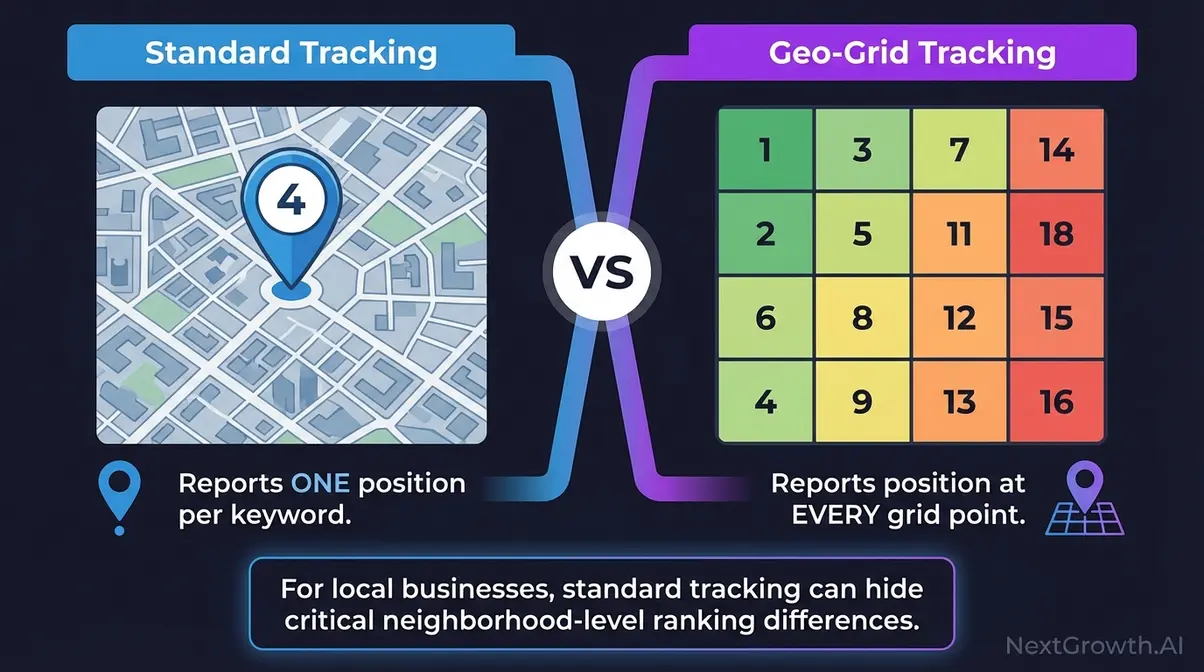
Nightwatch vs. Local Falcon
Nightwatch (introduced above) bundles geo-grid tracking into a full-featured tracker, one subscription handles standard organic rankings AND local GPS-coordinate tracking. Local Falcon, a dedicated local SEO rank tracker that visualizes rankings as a city heatmap, takes the opposite approach: it’s purpose-built exclusively for Google Maps ranking visualization.| Feature | Nightwatch | Local Falcon |
|---|---|---|
| Geo-grid tracking | ✅ | ✅ |
| Standard keyword tracking | ✅ | ✗ |
| Best for | Agencies (multiple clients) | Single-location businesses |
| Starting price | €79/~$85/mo (Nightwatch Starter) | From ~$24/mo (Local Falcon Starter) |
Which Specialized Rank Trackers Cover AI Engines and Niche Use Cases?
If you arrived here searching for a specific AI engine or niche variant of SEO rank tracking software, dedicated single-topic guides go deeper than this pillar comparison. Two are live now – three more ship within the next two weeks.| If you searched for… | What you actually need | Dedicated guide |
|---|---|---|
| AI Overview SEO rank tracking software | A tool flagging when Google AI Overviews trigger for your tracked keywords | Best AI Overview rank tracker → |
| Perplexity SEO rank tracking software | A tool tracking your brand mentions, citations, and source domain inside Perplexity AI answers | Best Perplexity rank tracker → |
| Local SEO rank tracking software | City/ZIP-level geo-grid tracking for multi-location businesses | Best local SEO rank tracker → |
How Do You Choose Between Free and Paid Rank Tracking Software?
Four overlapping decision questions readers face after seeing the tool roundup. Each subsection below answers one – read in order or jump to your question.Are free rank tracking tools actually useful for SEO?
Free Tools That Actually Work
Google Search Console remains the only free rank tracking tool worth using daily. It provides first-party position data directly from Google, no estimation, no sampling. The catch: GSC data has a 2-3 day delay and averages positions across all impressions rather than showing real-time rankings. For WordPress users, Rank Math’s built-in rank tracker pulls GSC data into your dashboard at no additional cost. It won’t replace a dedicated tracker, but it’s enough for blogs and small sites monitoring under 100 keywords. Many trackers integrate with WordPress SEO plugins, see our Rank Math review for setup guidance.Best Budget Trackers Under $50/Month
- Nightwatch ($85/mo Starter, 500 keywords + 5 sites – for white-label upgrade to $170/mo Professional), strong value for local SEO with geo-grid included at every tier
- SERPWatcher by Mangools (~$29.90/mo bundled), includes KWFinder, SERPChecker, and LinkMiner in the same subscription
- Wincher ($49/mo Starter), simplest daily tracker for small businesses who need position monitoring only
When to Upgrade from Free to Paid
Upgrade when any of these apply:- You’re tracking more than 100 keywords: GSC becomes unwieldy at scale
- You need competitor tracking: GSC only shows your own site
- You require daily or on-demand updates: GSC’s 2-3 day delay costs money in competitive niches
- You’re managing client reports: agencies need white-label exports, not GSC screenshots
- You need local geo-grid data: GSC doesn’t show ranking variations by zip code
When should you upgrade from Google Search Console to a paid tool?
Google Search Console is the only rank tracker where data comes directly from Google’s servers. No scraping, no estimation, no interpretation layer – it reports exactly what Google registered for your site across all searches during the selected period. So why does the SEO industry spend millions annually on paid tracking tools alongside it? Because GSC answers a different question than paid tools do. GSC tells you how your site performed across all searches that triggered an impression. Paid tools tell you where a specific keyword ranks right now, from a specific city, on a specific device. Both are useful. Here’s when each one is the right tool for the job:| Situation | GSC Only | Paid Tool |
|---|---|---|
| Solo site, under 100 pages, no competitor tracking needed | Yes | Optional |
| Tracking specific target keywords that haven’t ranked yet | No | Yes |
| Local business tracking city-level or ZIP-code rankings | No | Yes |
| Agency managing 5+ client sites | No | Yes |
| Tracking competitor keyword rankings | No | Yes |
| Need rank data within hours of publishing | No (2-3 day lag) | Yes |
| Tracking AI Overview appearances | No | Yes (select tools) |
| Validating your paid tool’s accuracy against first-party data | Yes (ground truth) | Yes |
How to automate your SEO rank tracking with AI
Rank tracking data is only valuable if you act on it, and most SEOs are leaving that action entirely to manual review. AI integration and automated reporting turn passive rank data into active alerts and optimization triggers. Here’s how to connect your rank tracker to the tools doing the work. Automated reporting also removes the Accuracy Tax of manual tracking errors, when humans pull ranking data by hand, copy-paste mistakes compound the problem. If you want a step-by-step no-code setup, our guide to setting up rank tracking competitor reporting covers the exact workflow: DataForSEO SERP API to Google Sheets, with Slack alerts on position drops.Rank Math + AI: On-Page Sync
Rank Math is a WordPress SEO plugin that shows you live keyword rankings, on-page SEO scores, and Content AI suggestions, all inside your WordPress dashboard, without switching between tools. Rank Math’s built-in SEO AI is one of the most practical SEO tools for WordPress users who want tracking and on-page optimization in one place. The connection between on-page optimization and rank tracking is direct: Rank Math’s Content AI analyzes your published post and suggests improvements based on current SERP data. It tracks whether your rankings move after those changes are implemented. For a beginner managing a WordPress site, this closes a workflow gap that usually requires two separate tools. Key use case: If you publish a post and it ranks at Position 12, Rank Math’s AI will suggest specific changes, adding related keywords, improving heading structure, adjusting content length, and you can track whether those changes move the needle, all without leaving WordPress. Rank Math Content AI documentation details exactly how these on-page suggestions connect to live ranking data (Rank Math, 2026). For a step-by-step technical setup, see our guide on how to automate Rank Math with n8n using its REST API integration. Rank Math handles on-page. The next step is getting your ranking data delivered automatically, without logging in every Monday morning.Automated Rank Tracking Reports
Automation (setting up your tools to do repetitive tasks without you doing them manually) turns rank tracking from a weekly chore into a background process that alerts you when something changes. Most tools in this list support native automation:- SE Ranking: Scheduled PDF reports delivered weekly or monthly by email, no manual export needed
- Semrush: Email position change alerts when a keyword drops or climbs past a threshold you set
- AccuRanker: API access plus Slack integration for real-time position change notifications
White-Label Reporting for Agencies
White-label means the report shows your agency’s logo, brand colors, and domain, not “Semrush” or “SE Ranking.” Your client receives a professional document that looks like your proprietary work, not a vendor’s export. It’s the standard expectation for retained SEO clients, and skipping it makes agencies look less established than they’re.- Which tools include white-label reporting (as of Jan 2026):
- SE Ranking: All plans, fully brandable reports with custom domain options
- Semrush: Agency and Business plans
- ProRankTracker: Built in across all plans, a key differentiator at its price point
How do you choose the right rank tracking software?
Choosing the best SEO rank tracking software for your situation comes down to three simple variables: how often you need data, how many keywords you’re tracking, and whether you’re targeting local or national rankings. Specialized trackers outperform all-in-one suites in accuracy-per-dollar for portfolios under 500 keywords, proving you don’t need enterprise tools for everyday tracking (NextGrowth.AI, 2026).By Update Frequency
Match your update frequency need to the right tool before anything else:- Daily updates (standard): SE Ranking, Nightwatch, Semrush, Wincher, SERPWatcher, sufficient for most content-heavy SEO workflows where rankings shift over days, not hours
- On-demand updates: AccuRanker, use this when you’ve just published a new page or made a technical SEO change and need immediate position feedback, not tomorrow’s data
- Weekly updates (legacy tools): Avoid, insufficient for any active SEO campaign where Google updates run continuously
By Scale: 100 vs. 10,000 Keywords
Your keyword volume determines your real tool cost, not the advertised starting price:- 1, 500 keywords (beginner / small business): SE Ranking Essential, Wincher, SERPWatcher, all affordable and sufficient; don’t pay for enterprise features yet
- 500, 2,000 keywords (growing business / freelancer): SE Ranking Pro, Nightwatch, ProRankTracker, mid-tier tools with daily accuracy and expandable limits
- 2,000, 10,000 keywords (agency / enterprise): AccuRanker, Semrush, Ahrefs, Advanced Web Ranking, costs scale significantly at this level; evaluate API pricing and keyword overage charges carefully before committing
Specialized vs. All-in-One
This is the decision that trips up most beginners, and the AI Overview surfaces it as the most common question in the “rank tracking” query space:- Choose a specialized tracker (AccuRanker, Nightwatch, Wincher) if:
- You already have keyword research and site audit tools
- You need maximum accuracy or local geo-grid granularity
- You’re on a tight budget and want the best rank data per dollar spent
- Choose an all-in-one suite (Semrush, Ahrefs, SE Ranking) if:
- You’re starting from zero and need everything in one place
- You want to avoid managing three or more separate tool subscriptions
- You’re an agency that needs competitor data and rank tracking under one contract
When does rank tracking software fall short?
No tool in this list will fix a broken SEO strategy on its own. Knowing where rank trackers genuinely fall short helps you avoid the most expensive mistakes beginners make, and they’re more common than any vendor’s marketing copy suggests.Common Beginner Mistakes
Pitfall 1, Confusing GSC average position with a real-time rank. A beginner sees “Position 4.2” in Google Search Console and assumes they rank fourth for that keyword. The reality: GSC averages across all searches, devices, and users. You might rank Position 1 for 20% of searches and Position 8 for the remaining 80%, and GSC shows you the blended mean. Treat GSC as a trend indicator over time, not a snapshot of today’s real position. Use a dedicated tracker for the actual number. Pitfall 2, Not distinguishing Free Trial from Free Forever. A common scenario: you sign up for a tool advertised as “free,” assume it’s like Google Search Console, and receive a billing notification 14 days later. Most tools offer “Free Trials” (7, 14 days, then paid) rather than genuinely free plans. Google Search Console is the only tool in this roundup with a permanent free tier. Before assuming any tool is free, check the pricing page for “Free Plan” vs. “Free Trial” language specifically. Pitfall 3, Overpaying for a full suite when you only need one function. A small business owner pays $139/month for Semrush when their entire use case is tracking local rankings for one location. Nightwatch at €79/~$85/month delivers better local accuracy for that exact scenario. Match the tool to the task, overbought tools don’t get used, and unused tools compound the Accuracy Tax by making you feel like “SEO isn’t working” when the tracking itself was never the problem.When a Rank Tracker Isn’t Enough
Stable rankings with dropping traffic signal a click-through rate problem, not a ranking problem. Google Search Console identifies this immediately; a dedicated rank tracker won’t. If you’re stuck between Position 5, 10 on high-value keywords despite consistent technical SEO improvements, a better rank tracker won’t move you. That plateau signals a competitive content gap or a backlink deficit, both require an SEO audit or a targeted content strategy, not faster data refresh rates. That’s the situation our SEO competitor analysis playbook addresses directly.Frequently Asked Questions
What’s the most accurate rank tracking software?
AccuRanker is widely cited as the most accurate dedicated rank tracker across G2 community reviews, Search Engine Land coverage, and Backlinko comparisons. It uses on-demand refresh (results in ~2 seconds) and pulls from the same data centers Google uses to serve results, giving it an advantage over daily-cycle tools. Semrush, SE Ranking, Ahrefs, and AWR all sit in the Strong daily-cycle tier per the same community consensus. “Accuracy” in this context means how closely a tool’s reported position matches what a logged-out incognito searcher would see in real time.Which rank tracker is best for local SEO?
Nightwatch is the best rank tracker for local SEO. It offers geo-grid heatmap tracking across 107,000+ locations worldwide, showing exactly how rankings vary by zip code, not just city. Think of it like a checkerboard overlay on Google Maps: each square shows your position at that precise point. BrightLocal is a strong runner-up for multi-location businesses needing review management alongside rank tracking.Is there free SEO rank tracking software?
Yes, Google Search Console is the best free rank tracking tool. It provides position data directly from Google with no sampling. Limitations: 2-3 day data delay, averaged positions, and no competitor tracking. For WordPress users, Rank Math pulls GSC data into your dashboard for free. If you need more than 100 keywords or daily updates, budget options start at ~$29.90/mo (SERPWatcher bundled with Mangools).How much does rank tracking software cost?
Rank tracking software costs between $0 (Google Search Console, free) and $500+ per month for enterprise plans. Entry-level paid plans start at $29-$49/month (Ahrefs Starter, AWR Starter, Wincher Starter), but what matters more is cost per 1,000 tracked keywords. At entry-level plans for SaaS tools, that ranges from ~$25/1K (AWR) to ~$280/1K (Semrush Pro). SEO PowerSuite breaks the pattern with $299/year for unlimited keywords on its desktop Pro plan. Most cloud tools discount 20-40% on annual billing, which changes the math significantly if you’re committing for a year (SE Ranking drops from $129 to $103/mo, Mangools from $44.90 to $29.90/mo).Should I use Google Search Console or a paid rank tracker?
Use both. Google Search Console gives you free, first-party data directly from Google – it’s the most accurate source for your own site’s historical performance. Paid rank trackers add four things GSC can’t provide: tracking of specific target keywords before they rank, competitor keyword monitoring, city-level or ZIP-code precision for local SEO, and AI Overview appearance tracking. GSC also carries a 2-3 day data delay, which matters for technical SEO testing and post-publish monitoring. The standard practice is to connect both: keep GSC as your accuracy cross-reference and use the paid tool for targeting and competitive data.Conclusion
The best SEO rank tracking software depends on one question: what are you actually trying to measure? An SEO rank tracker software that tracks desktop rankings separately from mobile rankings across 19 SERP features (featured snippets, People Also Ask, knowledge panel, sitelinks, Local Pack, AI Overview) will give you very different data than a basic rank tracker SEO software reporting one position per keyword. Likewise, an enterprise SEO software rank tracker with built-in keyword difficulty scoring, search volume estimates, domain authority benchmarking, and competitor backlink monitoring covers a different workflow than a pure-play daily tracker. Match the depth to your actual decision needs – overbought tools sit unused and compound the Accuracy Tax.- For agencies needing comprehensive reporting: Semrush (Strong daily-cycle accuracy, broadest feature set)
- For accuracy-obsessed SEOs needing real-time data: AccuRanker (Excellent on-demand accuracy reputation, 2-second refresh)
- For growing teams wanting enterprise features at SMB pricing: SE Ranking (Strong daily-cycle accuracy, ~$68/1K keywords)
- For local businesses needing neighborhood-level visibility: Nightwatch (Excellent local accuracy reputation, geo-grid from $85/mo Starter ($170/mo Professional adds white-label))
- For unlimited keywords on a budget: SEO PowerSuite (4-tool desktop bundle, $299/year unlimited KWs)
- For tight budgets: Start with Google Search Console (free) and upgrade when you outgrow it
Ready to start tracking?
Three picks readers act on most after this guide – each links to a free trial with full feature access.
Best value
SE Ranking
$103/mo annual · daily + 5-LLM AI tracking · 14-day no-card trial
Start free trial →Best local
Nightwatch
$85/mo Starter · geo-grid + 5 AI engines native · 14-day no-card trial
Start free trial →Best agency
ProRankTracker
$149/mo Starter · 100% white-label + Looker Studio · $5/7-day Test Drive
Try ProRT →Affiliate links – we earn a commission if you sign up. Rankings reflect editorial judgment, not commission rates (see methodology near the top).
Looking for adjacent tooling? See our best SEO APIs comparison, best website analytics tools roundup, and best SEO reporting tools breakdown. If your strategy is shifting toward AI search engines, our AI search visibility strategy guide and AI search monitoring tools comparison cover the Perplexity + ChatGPT + Gemini + Claude + AI Overview landscape.