Find the Best SEO API Without Wasting Dev Hours & Budget
Disclosure: This post contains affiliate links. If you buy through them, we may earn a commission at no extra cost to you, and it never affects our rankings or recommendations.
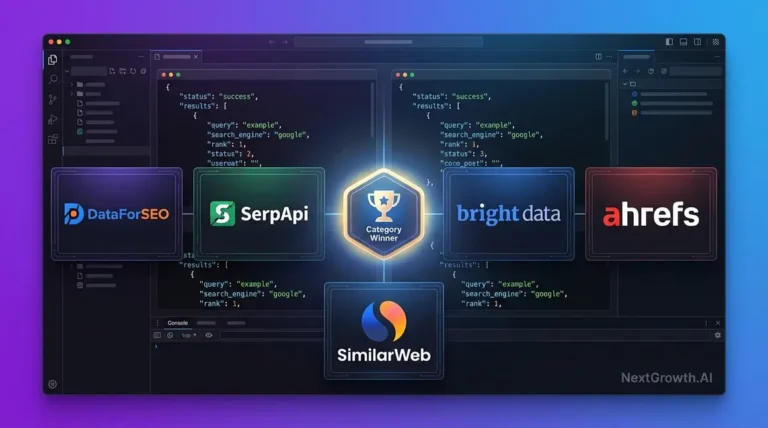
The best SEO API for most developers and agencies is DataForSEO for comprehensive keyword, SERP, and backlink data at pay-as-you-go pricing; SE Ranking API for agencies that want bundled API + SaaS dashboard with native AI engine tracking; ScrapingBee for dedicated SERP scraping; and Google’s free APIs (Search Console, PageSpeed Insights) for technical audits. NextGrowth.ai’s dev team has integrated all three into production workflows and breaks down the trade-offs below. For AI-powered automation, see our guide to the DataForSEO MCP server for AI-native SEO workflows.For a comprehensive guide, see our on-page SEO guide. For WordPress sites, pair your SEO API data with our Rank Math review to automate on-page optimization. You’ve been there. Scrolling through yet another “Top 10 SEO APIs” listicle that reads like a product catalog. Feature bullets. Pricing tiers. Maybe a star rating. But nothing that answers the question actually burning in your mind: Which one should I choose for my specific project? The frustration is real. One developer on Reddit put it perfectly: “I am looking for some API for keyword research. I know Semrush offers it, but maybe you can recommend some other tools dealing with keyword research only.” That’s the problem,most guides assume you want everything, when you might just need one thing done exceptionally well. Choosing the wrong SEO API isn’t just inconvenient. It’s expensive. You’re looking at wasted development hours integrating a tool that doesn’t fit your workflow, budget overruns from pricing models that don’t match your usage patterns, and data quality issues that undermine every decision you make downstream. For agencies managing client portfolios or developers building custom tools, these mistakes compound fast. This guide takes a different approach. Instead of another feature comparison matrix, you’ll find an objective evaluation framework organized by use case,SERP scraping, keyword data, technical audits. You’ll see real-world case studies with verifiable ROI metrics, practical workflow integration guides for platforms like n8n.io, and transparent pricing comparisons that help you predict costs before you commit. By the end, you’ll know exactly which API fits your needs, your budget, and your technical resources. I’ve spent the past year building n8n automation pipelines that pull data from multiple SEO APIs daily, processing keyword research, SERP tracking, and backlink analysis for over 450 articles per month. That hands-on experience across DataForSEO, SerpApi, and direct Google integrations shaped every recommendation in this guide. Looking to automate your SEO workflows? Compare the tools for SEO automation.Key Takeaway The best SEO API for your project depends on your specific use case: DataForSEO for comprehensive keyword and backlink data, ScrapingBee for real-time SERP scraping, and Google’s free APIs for budget-conscious developers.
- DataForSEO offers the most comprehensive all-in-one data stack for programmatic SEO
- ScrapingBee leads in SERP scraping with real browser rendering and proxy rotation
- Google Search Console API and PageSpeed Insights API are free and essential for technical audits
- Pricing ranges from free tiers to enterprise subscriptions,pay-per-request models offer granular cost control
TL;DR
- Best SEO APIs by use case: DataForSEO (enterprise data), SerpApi (real-time SERP), GSC API (free first-party), Moz (backlinks), Screaming Frog (technical audit)
- Pay-per-call beats subscription for most teams spending under $300/mo equivalent, no wasted seat licenses
- Free tiers available: Google Search Console API (unlimited, OAuth), DataForSEO ($50 trial), ValueSERP (100 free/day)
- For AI agents and MCP workflows, DataForSEO’s structured JSON is the cleanest integration, Bright Data works better for raw HTML
- Match the API to your use case first, wrong API costs more in engineering time than in API fees
8
APIs reviewed
$0
GSC API cost
Lowest pay-per-call (DataForSEO, Jun 2026)
5
Use case categories
What Are SEO APIs and How Are They Categorized by Use Case?
What Is an SEO API and Why Does It Matter?
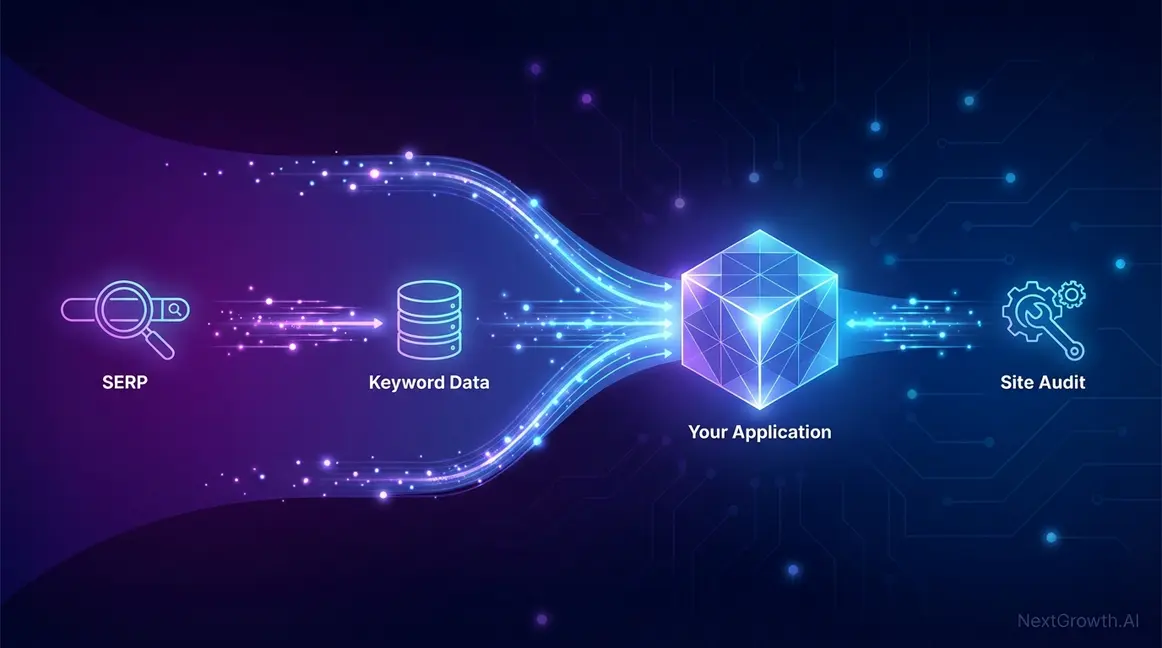
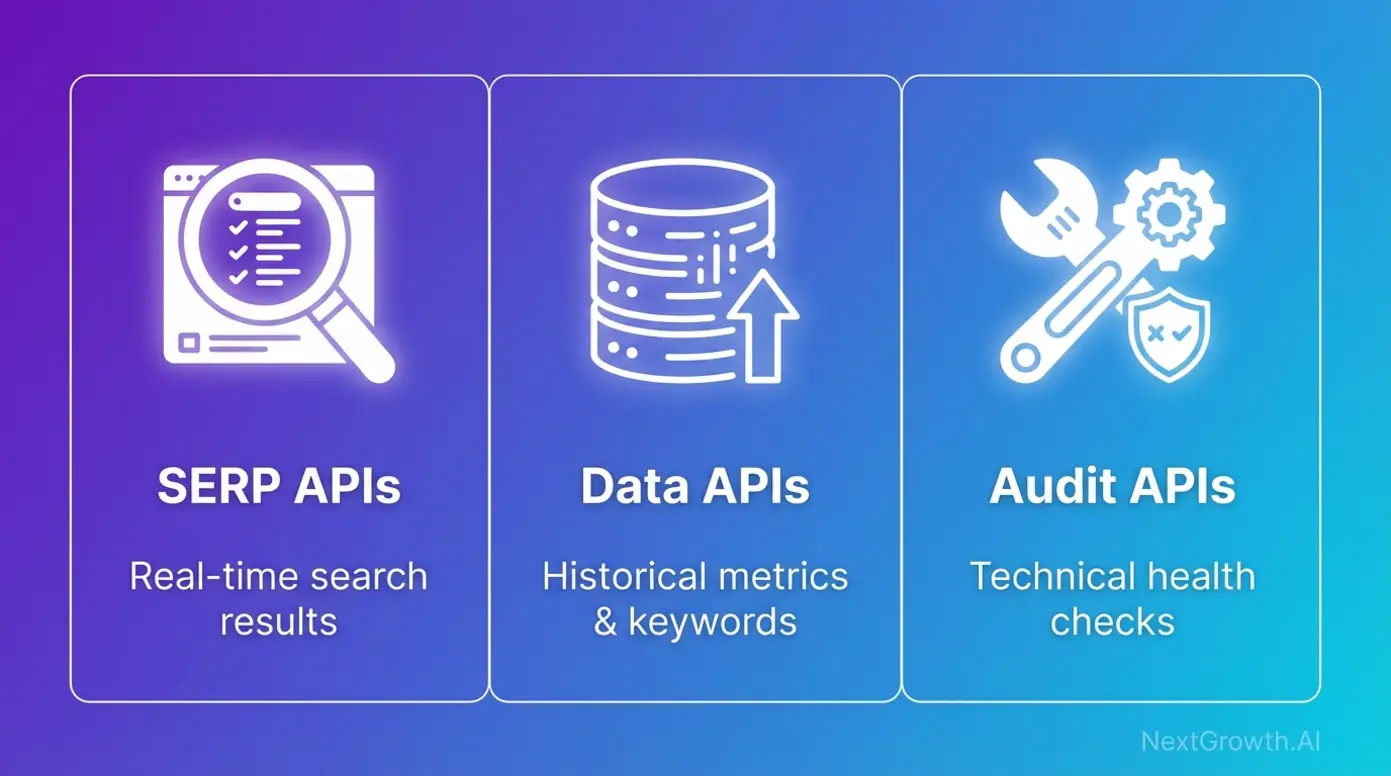
An SEO API provides programmatic access to search engine data,keywords, rankings, backlinks, site metrics,without the need for manual scraping or logging into multiple dashboards. Think of it as a direct pipeline to the data that powers SEO decisions. Why does this matter? Because manual SEO work doesn’t scale. Developers use APIs to build custom dashboards, automated reporting systems, and proprietary tools. Marketers use them to feed data into business intelligence platforms and trigger automated workflows. As Backlinko’s guide to programmatic SEO explains, “Programmatic SEO is the practice of using code to create a large number of targeted landing pages from a data source”,a strategy employed by sites like Zillow and Zapier that would be impossible without API access. Need reporting alongside your API? See our best SEO reporting tools roundup. Now that you understand what SEO APIs do, the next critical step is understanding the three distinct categories,each serving fundamentally different purposes.The Three Core Categories: SERP, Data, and Audit APIs
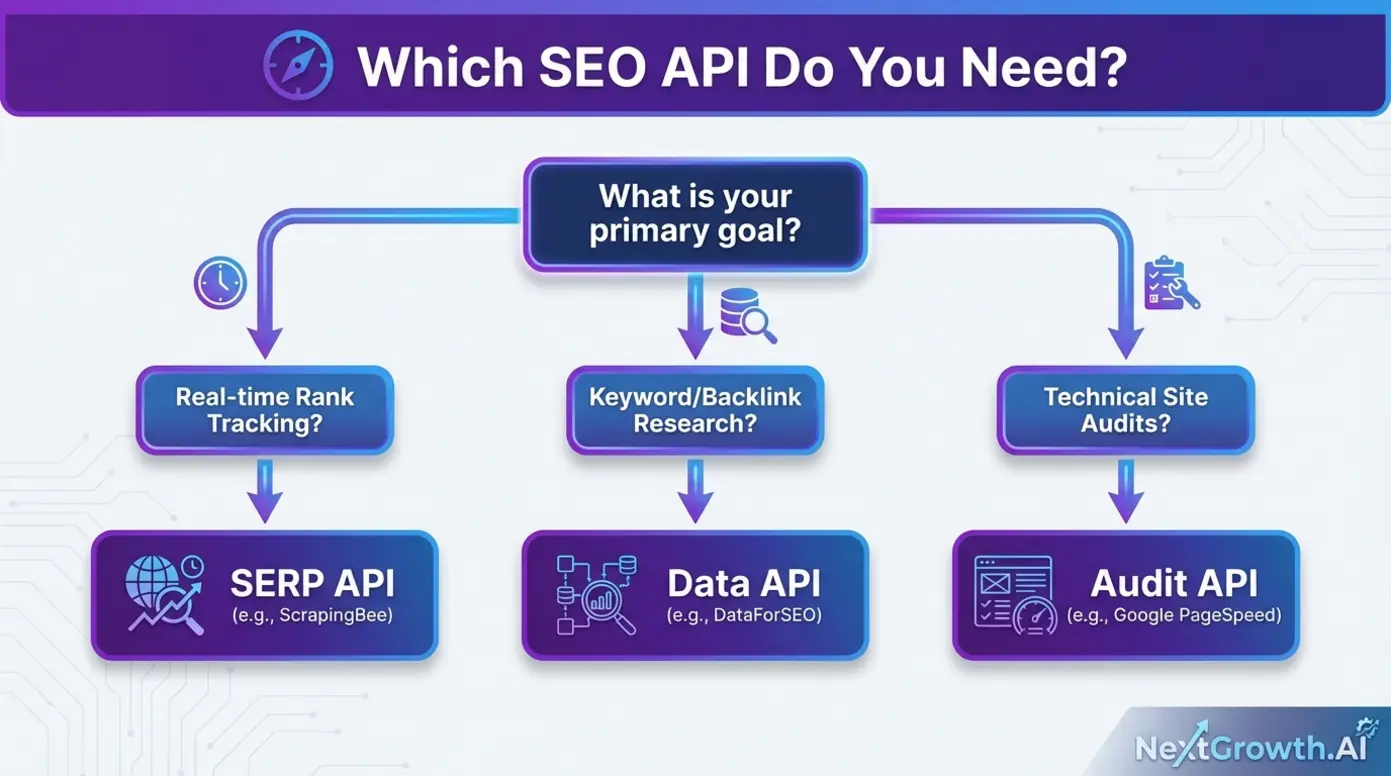
The confusion most guides create stems from lumping all SEO APIs together. In reality, they fall into three distinct categories, each optimized for different workflows:| API Type | Primary Function | Best For |
|---|---|---|
| SERP APIs | Scrape raw search engine result pages in real-time | Rank tracking, competitor SERP monitoring, featured snippet analysis |
| Data APIs | Provide structured historical metrics (keyword volume, backlinks, domain authority) | Building keyword research tools, competitor analysis, backlink auditing |
| Audit APIs | Automate technical site health checks and performance monitoring | Core Web Vitals tracking, site speed optimization, technical SEO audits |
Matching API Types to Your Project Goals
Your project goals determine your API category. Here’s how to match them:- Building a keyword research tool? You need a Data API. DataForSEO and Semrush provide the structured keyword metrics,search volume, difficulty, trends,that power research workflows.
- Monitoring SERP rankings in real-time? You need a SERP API. ScrapingBee and Zenserp handle the technical challenges of scraping live search results without getting blocked.
- Automating site audits? You need an Audit API. Google PageSpeed Insights and Apify’s SEO Checker provide the technical metrics for site health monitoring.
- Budget-conscious and testing concepts? Start with Google’s free APIs. The Search Console API and PageSpeed Insights API cost nothing and provide essential functionality.
Enterprise SEO APIs for Data and Tool Building
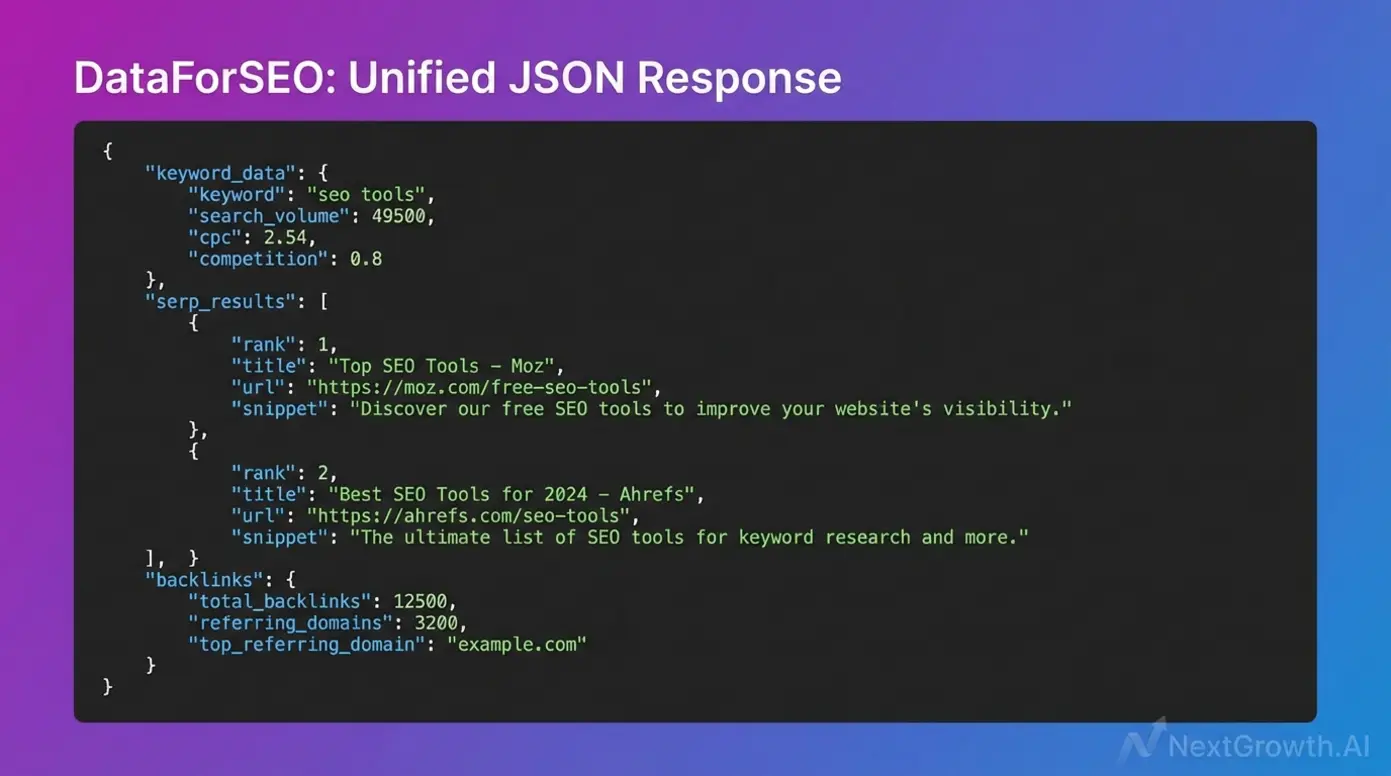
DataForSEO: The Developer’s All-in-One Powerhouse
Semrush API: Enterprise-Grade Analytics at Scale
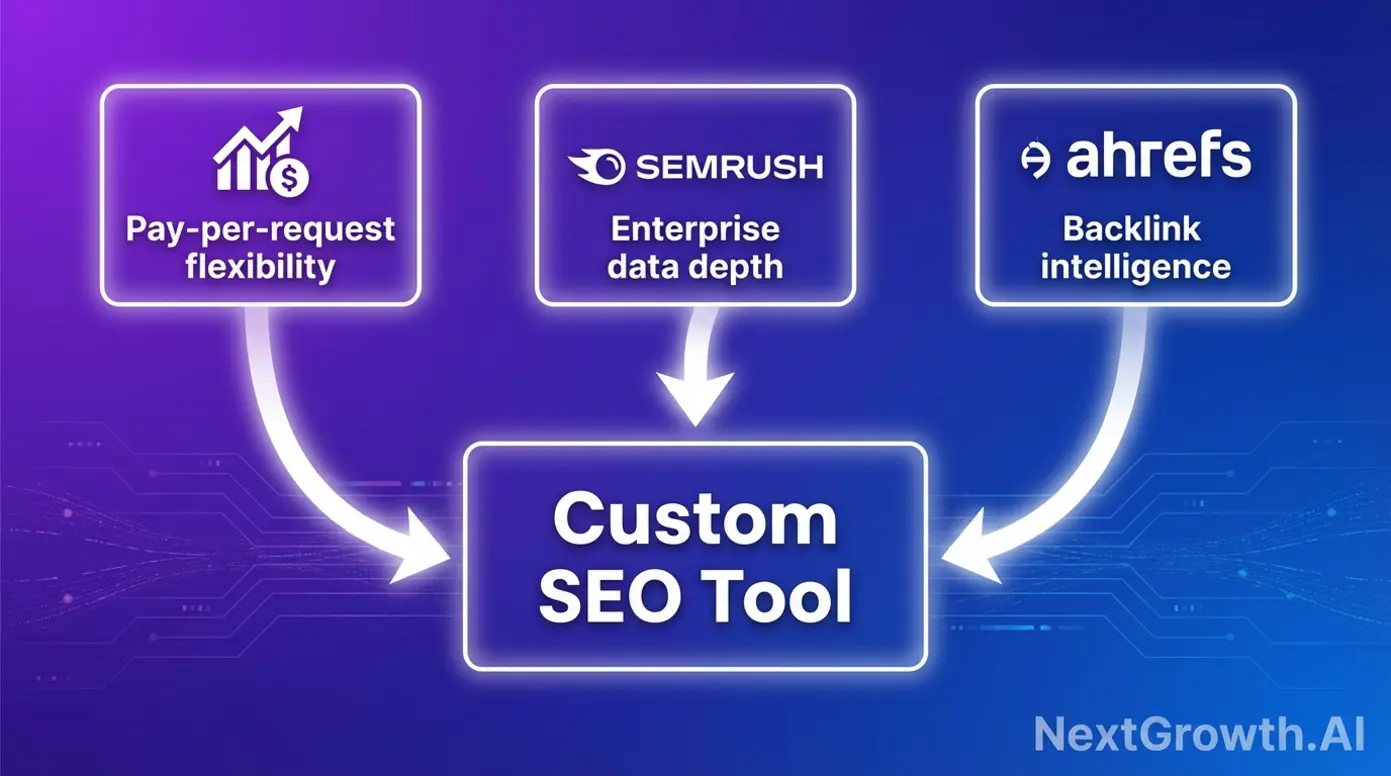
The Semrush API provides programmatic access to one of the largest SEO databases in the industry,keyword analytics, competitor research, domain analytics, and more. For organizations already using Semrush’s platform, the API extends that investment into custom workflows and integrations. The strength here is data depth. Semrush has spent years building its database, and API access lets you tap into that resource for custom applications. The trade-off is pricing: Semrush uses a subscription model, which means predictable costs but less flexibility for variable workloads. Here’s the honest assessment for developers asking “what is the best SEO tool” for their specific needs: if you need keyword research only, DataForSEO may offer more granular cost control than Semrush’s bundled approach. Semrush shines when you need the full suite of enterprise features and are already invested in their ecosystem. For the subscription-level trade-off behind that call, see how the two vendors price the same keyword volume in our SE Ranking vs Semrush comparison. For backlink-focused competitive analysis, Ahrefs offers specialized capabilities.Ahrefs API: Backlink Intelligence for Competitive Modeling
Ahrefs has built its reputation on backlink data, and its API provides access to one of the most comprehensive link databases available. For building backlink analysis tools or competitor monitoring dashboards, Ahrefs’ data quality is difficult to match. The consideration here is access. Ahrefs API access typically requires higher-tier subscriptions, which prices out smaller developers and freelancers. For teams with the budget, the backlink intelligence is exceptional. For those seeking more flexible pricing, DataForSEO offers similar backlink data with pay-per-request options.SE Ranking API: Six Endpoints + SaaS Dashboard in One Subscription
SE Ranking takes a different structural bet than DataForSEO, Semrush, or Ahrefs. It offers standalone API access for teams that need data without the platform, but it also bundles six APIs (Backlinks, Domain Analysis, Keyword Research, Website Audit, AI Search, Project Management) into the same subscription. Your developers get an API key while your account managers get the dashboard, on the same bill. The standout endpoint is the AI Search API, which tracks brand visibility across AI Overviews, AI Mode, ChatGPT, Gemini, and Perplexity. None of the other enterprise-tier APIs in this section offer native LLM tracking, so for teams building AI-search visibility dashboards, this single endpoint is often the decision driver. If you are weighing the platform rather than the endpoints, our hands-on SE Ranking review covers the 2026 plan pricing and where the tool falls short, and the SE Ranking vs Semrush head-to-head runs the per-1,000-keyword cost math. Key Specs: 6 APIs across the full SEO stack | Credit-based pricing, sold standalone from $179/mo on annual billing with no platform subscription required, or +$45/mo as an add-on if you already pay for Core, Growth or Enterprise (SE Ranking API pricing, read 12 Aug 2026) | 1, 10 requests/second by API type | Postman collection + ready-to-use endpoint examples | Official MCP server, n8n integration, Make.com and Looker Studio connectors | 14-day free trial, no credit card.| Option | Price | Credits | Platform subscription needed? |
|---|---|---|---|
| Free trial | $0, 14 days | 100,000 | No, and no credit card |
| Wallet (pay-as-you-go) | $50/mo | 250,000, never expire | No |
| Standalone | $179/mo annual | 1M / year | No |
| Add-on | +$45/mo annual | 250,000 / year | Yes, Core / Growth / Enterprise |
| Enterprise | Custom, from $30 per 1M credits | 120M+ / year | No |
The detail most round-ups get wrong: you do not need an SE Ranking platform subscription to use the API. The Standalone and Wallet options stand on their own, which makes SE Ranking one of the few SaaS-first vendors whose API you can buy like a pure data provider. The add-on only makes sense if you are already paying for the dashboard, and at 250,000 credits a year it is sized for light automation rather than production workloads. Every tier, including the trial, includes MCP access, so an AI assistant can query the endpoints without you writing a client first.
Choose SE Ranking API if: You’re an agency or in-house SEO team that wants API access alongside a ready-to-use dashboard from one subscription, especially if AI engine tracking (AI Overviews, AI Mode/ChatGPT/Gemini/Perplexity) is part of your client reporting. Skip if: You’re a pure-API developer pushing millions of requests per month with no need for the SaaS layer, DataForSEO’s Standard queue costs less per request at that volume. If your primary need is real-time SERP data rather than historical metrics, SERP scraping APIs offer a different approach.SERP Scraping and Rank Tracking APIs Compared
ScrapingBee: Real Browser Rendering for Accurate SERPs
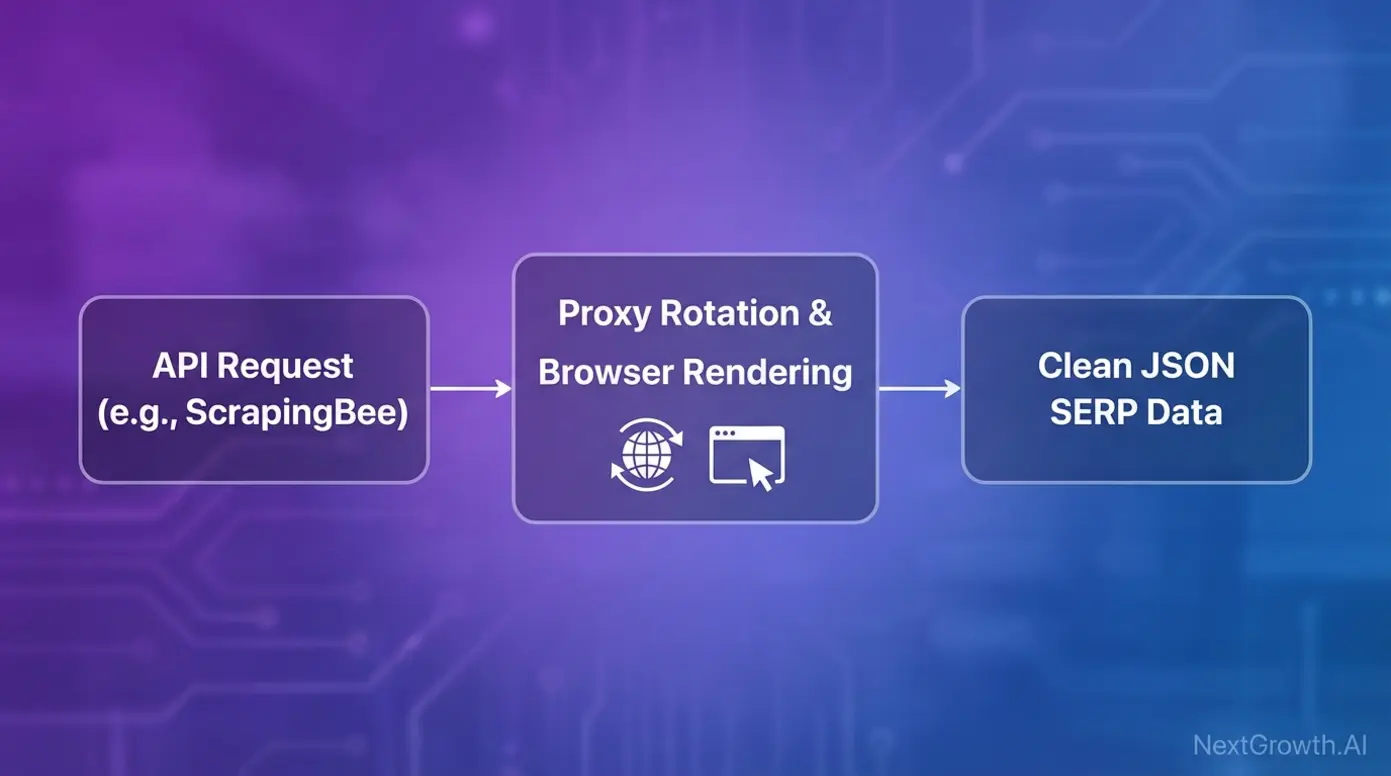
ScrapingBee has emerged as a leading choice for SERP scraping because it solves the core technical challenges that plague DIY solutions. Real browser rendering ensures you capture exactly what users see in search results,not a simplified HTML version that misses dynamic content. The automatic proxy rotation prevents IP blocking, which is critical for any serious rank tracking operation. Without it, your data collection stops the moment Google detects automated access. ScrapingBee handles this infrastructure so you can focus on what you do with the data. Output comes in clean JSON format, ready for integration with your existing systems. For teams needing accurate, fast, and scalable access to SERP data, ScrapingBee delivers on all three. Use cases include rank tracking, competitor SERP monitoring, and featured snippet analysis. For real-time, location-specific results at scale, Zenserp and Bright Data offer complementary capabilities.Zenserp and Bright Data: Real-Time, Location-Specific Results
Zenserp provides a real-time Google Search API with strong infrastructure and budget-friendly entry options. For teams starting out or with moderate volume needs, it offers a solid balance of capability and cost. Bright Data takes a different approach with an enterprise-grade proxy network supporting Google, Bing, Yahoo, and more. For organizations needing multi-search-engine coverage or operating at massive scale, Bright Data’s infrastructure handles the load. Both support geo-specific SERP results, which matters for local SEO monitoring. If you’re tracking rankings across different cities or countries, location targeting is essential. The choice between them often comes down to simplicity versus scale: Zenserp for straightforward Google SERP API needs, Bright Data for enterprise complexity. Once you’re collecting SERP data, the next question is how to integrate it into your existing analytics infrastructure.Integrating SERP Data with BI and ML Pipelines
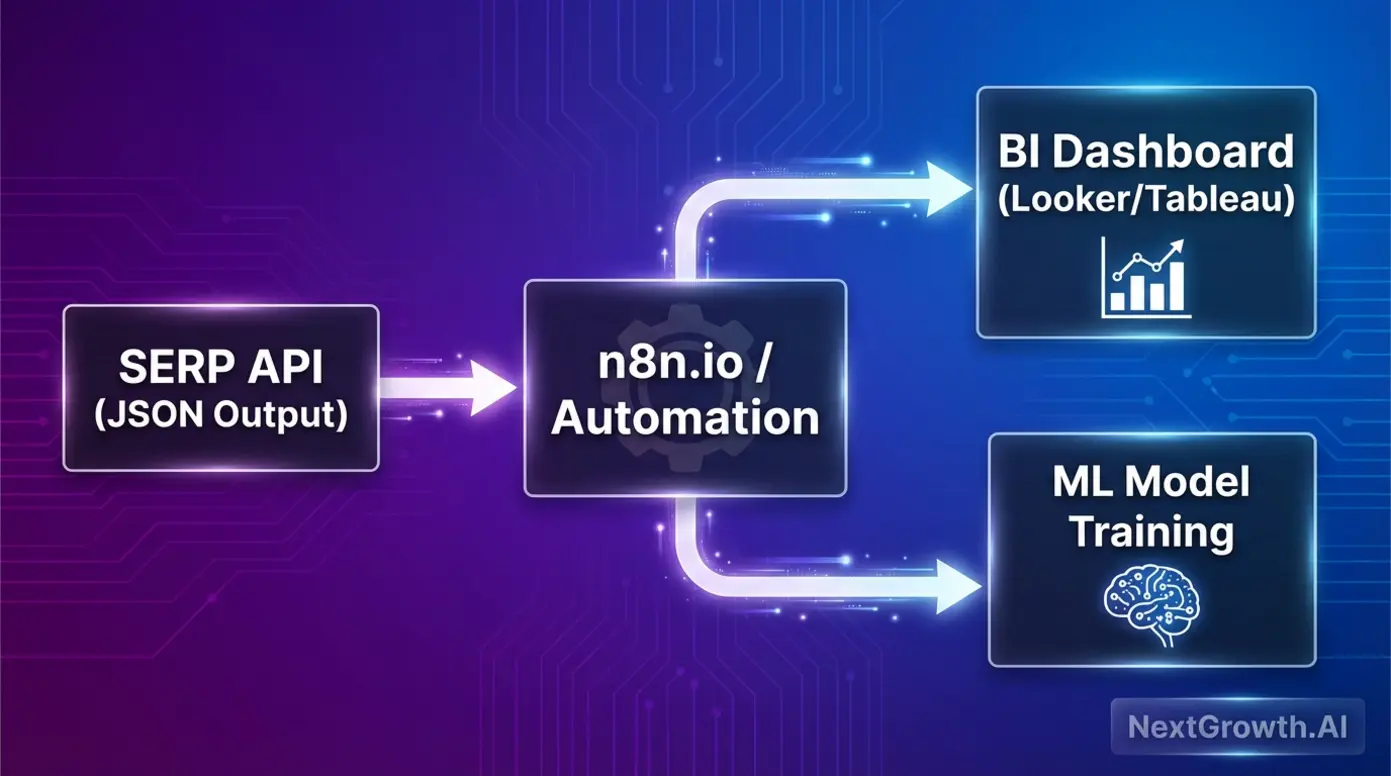
Which APIs Should You Use for Technical SEO Audits and Site Metrics?
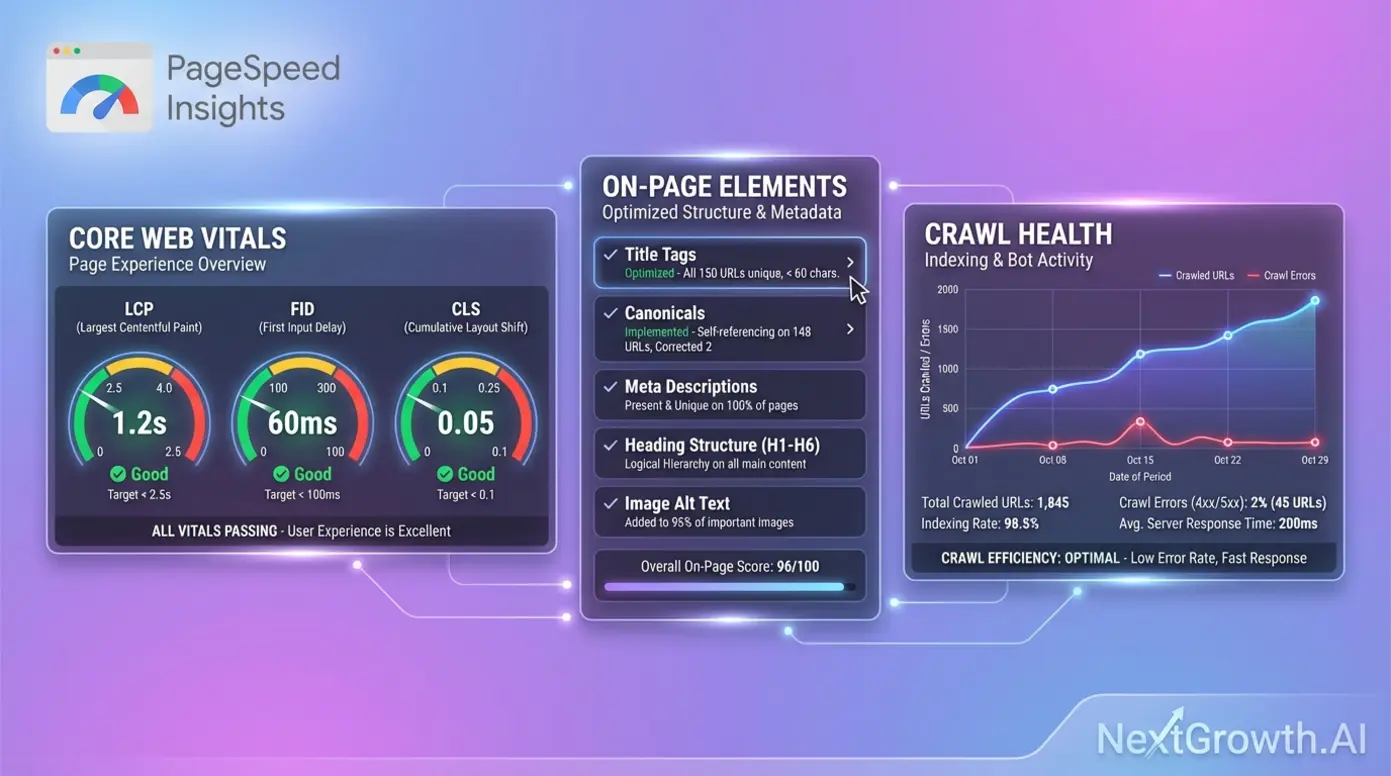
Google PageSpeed Insights API: Automating Core Web Vitals
The Google PageSpeed Insights API is essential for any technical SEO stack,and it’s completely free. Direct access to Google’s own performance metrics means you’re measuring what Google measures: Largest Contentful Paint (LCP), First Input Delay (FID), and Cumulative Layout Shift (CLS). As the official Google Search Console API documentation explains, these tools provide “programmatic access to core functions, allowing users to view, add, or remove properties and sitemaps, and run advanced queries for performance data.” For cost-conscious developers, this is your starting point. Build automated Core Web Vitals monitoring, create custom dashboards, and track performance trends over time,all without spending a dollar on API costs. The SEO checker API functionality covers the metrics that matter most for ranking factors. For comprehensive site audits beyond Core Web Vitals, specialized audit endpoints offer deeper analysis.Site Audit Endpoints: DataForSEO and Apify Options
When you need more than performance metrics, dedicated audit APIs provide comprehensive site crawling and analysis. DataForSEO’s On-Page API delivers structured site auditing data covering title tags, meta descriptions, heading structure, and more. The consistent JSON output integrates cleanly with custom reporting systems, making it a strong choice for the best SEO checker tool workflows. Apify’s SEO Checker takes a developer-focused approach, crawling pages to extract the technical elements that affect SEO: canonical tags, structured data, internal linking patterns. For teams comfortable with code, Apify offers flexibility in how you configure and run audits. The real proof is in scale. As documented in SE Ranking’s MGID success story, “By integrating SE Ranking’s API, advertising platform MGID was able to automate the auditing of over 300 websites per month, identifying and fixing technical errors that led to significant traffic growth.” That’s the SEO analysis API capability that transforms agency operations. For developers and freelancers working with limited budgets, free and low-cost options provide essential functionality without enterprise pricing.What Are the Best Free and Low-Cost SEO APIs?
Not every project needs enterprise-scale data. Freelancers testing concepts, indie developers building side projects, and startups validating ideas all need accessible entry points. The good news: genuinely free options exist, and freemium models let you scale costs with usage.Google’s Free APIs: Search Console and Trends
Google provides several completely free SEO APIs that should be in every developer’s toolkit. The Search Console API gives you programmatic access to your own site’s performance data,impressions, clicks, average position, and indexing status. For monitoring your properties, this is essential and costs nothing. The PageSpeed Insights API (covered earlier) provides Core Web Vitals monitoring at no charge. Build it into your workflow and never pay for basic performance tracking. Announced in July 2025, the Google Trends API is still in alpha as of August 2026. As Google’s announcement explains, it provides “a new method for accessing search trends data with features for consistently scaled data, time range aggregations, and geographical data.” For trend analysis and content planning, this free SEO API opens new possibilities. The limitation: these APIs only provide data about your own properties or public trends. For competitor intelligence, you’ll need paid solutions. Beyond Google’s free options, several providers offer freemium models for testing before committing.Freemium and Pay-As-You-Go Options
The freemium SEO API landscape gives developers room to experiment before committing budget. RapidAPI’s marketplace lists various SEO tools with free tiers,useful for testing concepts and validating that an API meets your needs before scaling up. Authoritas provides developers with a free API key to access its three distinct SEO APIs: the Platform API, the SERPs API, and the Page Structure API. This lets you evaluate their data quality and integration patterns without financial commitment. Open-source options also exist. GitHub repositories offer self-hostable SEO tools for teams comfortable managing their own infrastructure. For those understanding the fair-code automation platform model, self-hosted options provide maximum control. The testing strategy is straightforward: use free tiers to validate concepts, then commit to paid plans when you’ve proven the integration works for your use case. Understanding pricing models helps you predict costs as you scale.Pricing Model Comparison: Subscription vs. Pay-Per-Request
The pricing model you choose affects both cost predictability and flexibility. Here’s how they compare:| Model Type | Pros | Cons | Best For |
|---|---|---|---|
| Subscription (Semrush, Ahrefs) | Predictable monthly costs, often includes platform access | Less flexible, paying for unused capacity | Consistent, high-volume usage |
| Pay-Per-Request (DataForSEO, ScrapingBee) | Granular cost control, pay only for what you use | Costs can spike with unexpected volume | Variable workloads, testing, scaling |
| Hybrid | Flexibility to choose based on usage patterns | Requires more planning | Teams with mixed needs |
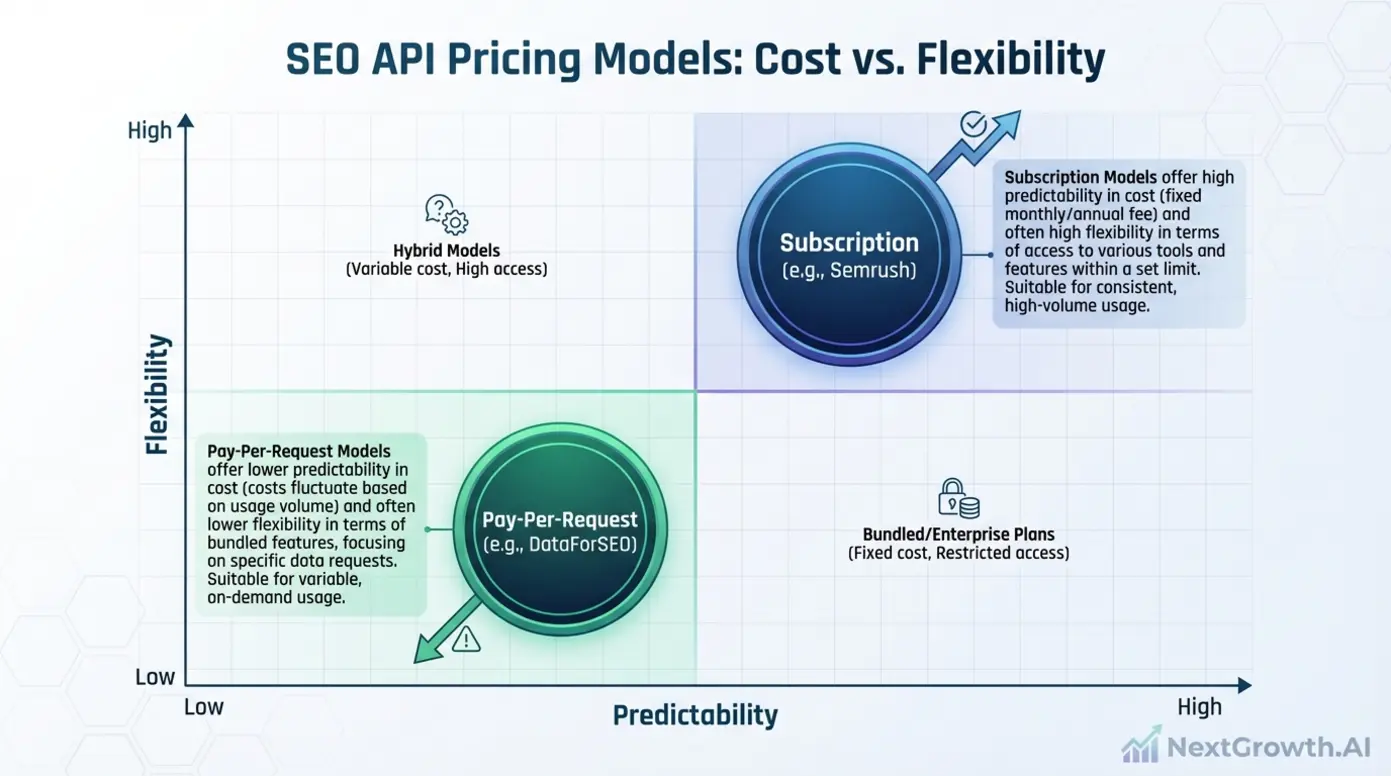
How Do You Choose the Right SEO API?
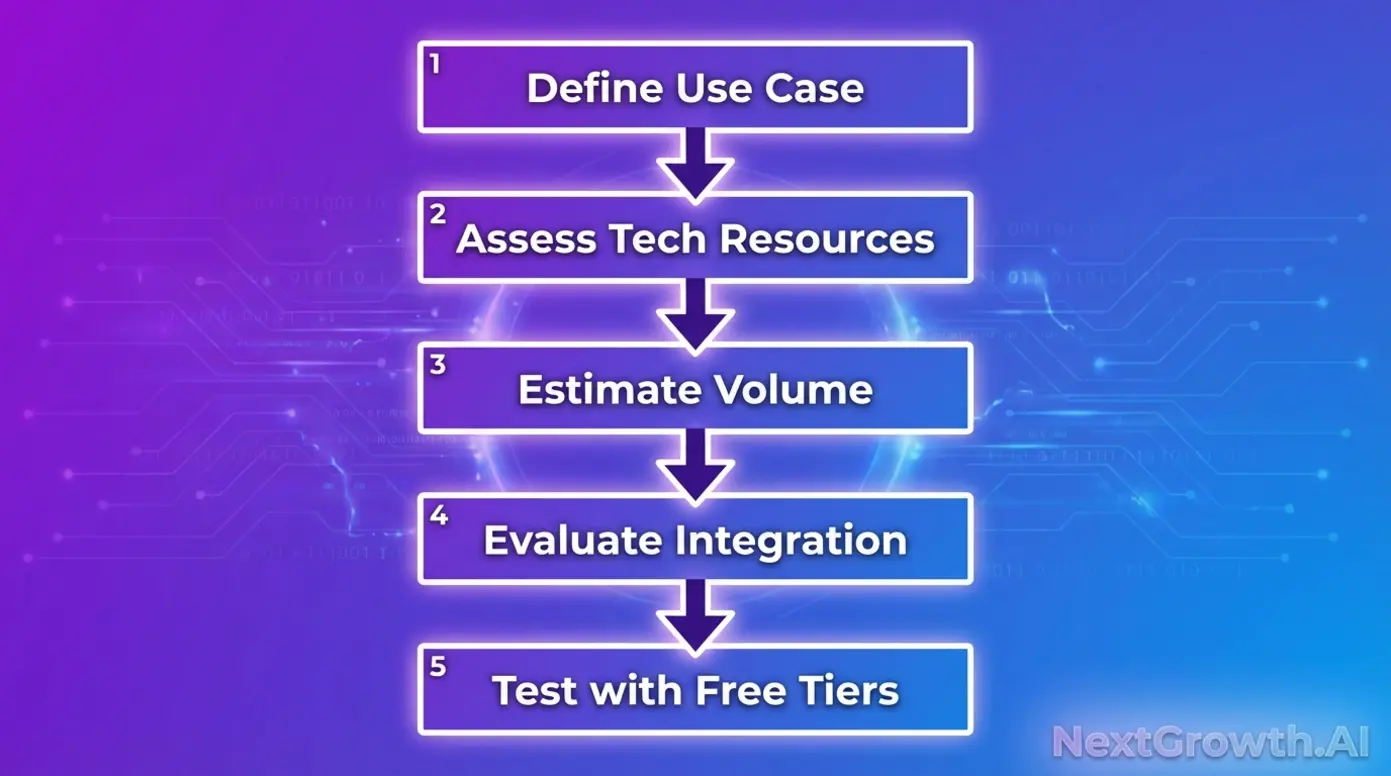
The SEO API Decision Framework
Follow these five steps to identify your best SEO API match:- Define your use case. Are you building rank tracking, keyword research, site audits, or backlink analysis? Your category determines which providers to evaluate.
- Assess your technical resources. Do you have developers who can work with raw APIs, or do you need no-code integration options? This affects which providers are realistic choices.
- Estimate your volume. Low volume favors pay-per-request; high, consistent volume may justify subscriptions. Run the numbers before committing.
- Evaluate integration requirements. What systems does the API need to connect with? Check documentation for SDKs, webhooks, and output formats that match your stack.
- Test with free tiers. Never commit budget without validation. Use free trials and freemium options to confirm the API delivers what you need.
Key Evaluation Criteria: Data Quality, Latency, and Documentation
Beyond the framework, these specific criteria separate good APIs from great ones: Data quality matters more than data quantity. Accuracy of keyword volumes, freshness of backlink data, and SERP rendering fidelity all affect the decisions you make downstream. Ask: does this API’s data match what I see in other trusted sources? Latency determines what’s possible. Real-time applications need fast response times; batch processing can tolerate slower APIs. Test response times under realistic load before committing. Documentation reduces integration time. Comprehensive docs, SDKs in your preferred languages, and working code samples mean faster time to value. Poor documentation is a hidden cost that compounds over your project’s lifetime. Support matters for enterprise users. When something breaks at 2 AM, responsive support justifies premium pricing. Evaluate SLA commitments and response time guarantees. Community indicates maturity. Active developer communities, Stack Overflow discussions, and GitHub activity suggest a reliable, well-maintained product. Once you’ve selected your API, the next challenge is integrating it into your workflow efficiently.Integrating SEO APIs into Your Workflow
Selecting the right API is half the battle. The other half is integrating it into workflows that deliver ongoing value. This section provides the actionable integration guidance that most competitor guides skip entirely.Building Automated Pipelines with n8n.io
n8n.io has become a popular choice for SEO automation because it’s self-hostable, has a free option, and connects to virtually any API through its HTTP Request node. The integration pattern is straightforward. Configure the HTTP Request node with your API endpoint, authentication headers, and request parameters. n8n handles the execution, error handling, and data transformation. Practical workflow examples include:- Automated keyword research: Trigger daily API calls to fetch keyword metrics, filter for opportunities, and populate a spreadsheet or database.
- Scheduled rank tracking: Run SERP API queries on a schedule, compare to previous results, and trigger alerts when rankings change significantly.
- Content optimization triggers: Monitor page performance via audit APIs and automatically flag pages that need attention.