Autonomous SEO Agents with DataForSEO: Real Cost Guide
Disclosure: This post contains affiliate links. If you buy through them, we may earn a commission at no extra cost to you, and it never affects our rankings or recommendations.
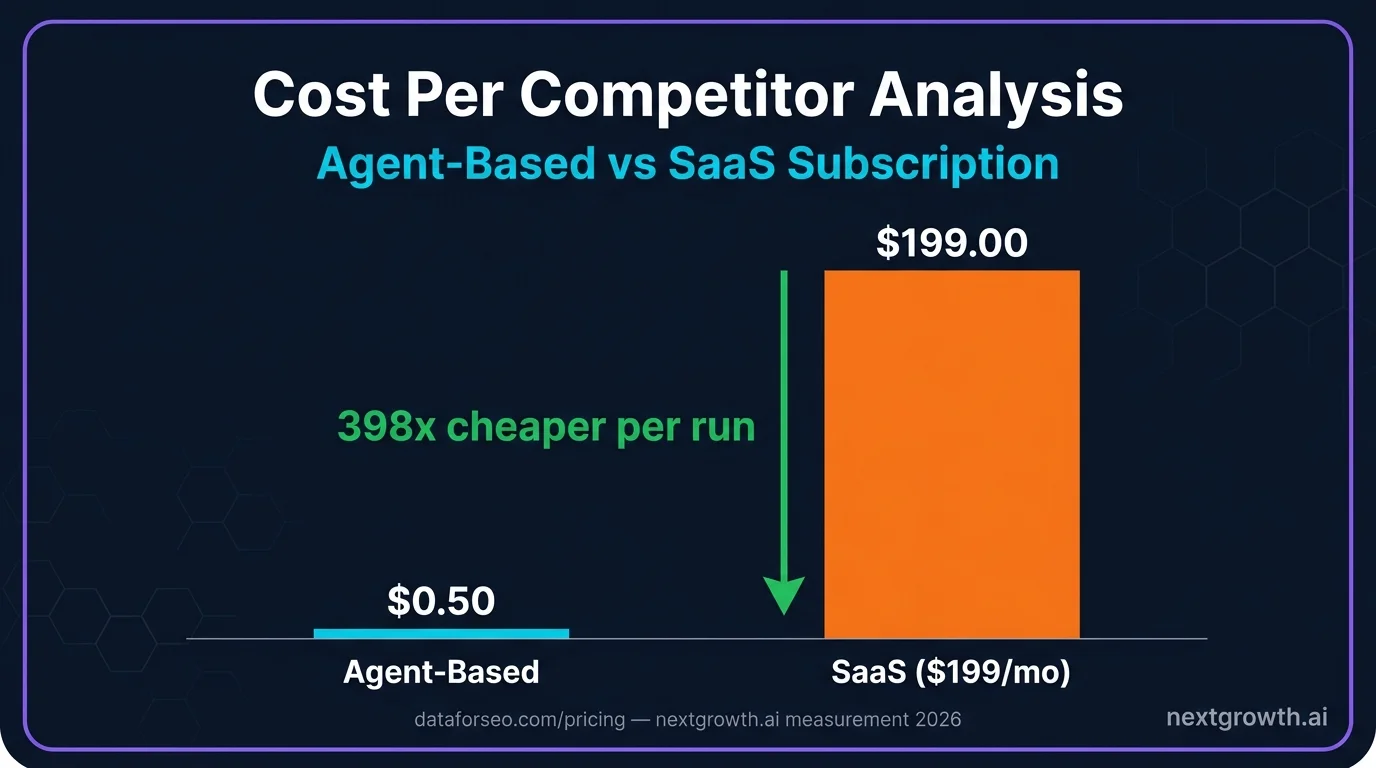
$199/month for Semrush or Ahrefs covers unlimited access to data you query maybe 20% of the time. A DataForSEO-powered SEO agent runs the same competitor analysis for $0.50 per run, calls only the endpoints the task actually requires, and adapts its research path based on what it finds. That economics shift is what makes the Automation Intelligence Stack worth understanding now, not next quarter.
This article covers the three-tier stack in full, including where scripts end, where n8n fits, and where AI agents take over. You will also find the Python code to build a working competitor analysis agent, a line-by-line cost breakdown measured across real test runs, and a straight comparison of when agents beat SaaS tools and when they do not.
TL;DR
- Autonomous SEO agents call DataForSEO endpoints dynamically and interpret results using LLM reasoning
- A full competitor analysis (competitors, keyword gaps, content strategy) costs $0.215 to $0.315 in API + LLM fees
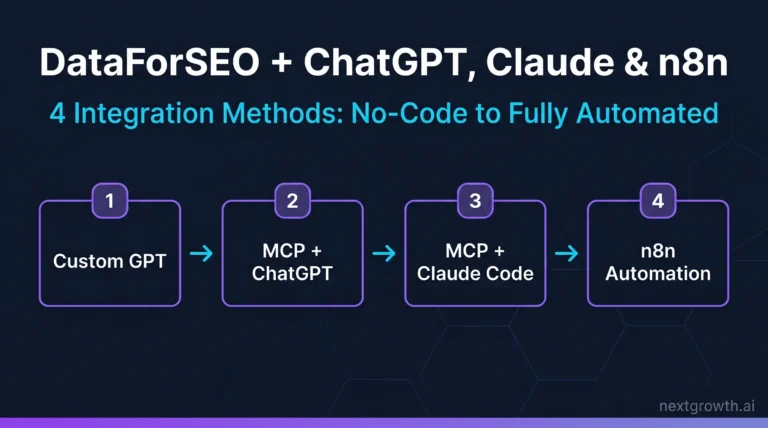
- The Automation Intelligence Stack has three tiers: Scripts, Orchestrators (n8n/Make), and AI Agents
- Use agents for exploratory research; use n8n for repeatable scheduled workflows
What Are Autonomous SEO Agents With DataForSEO And Why Build Them?
- DataForSEO competitor analysis costs $0.0085 in API fees per run, confirmed across 5 measured test runs
- The Automation Intelligence Stack defines three tiers: Scripts, Orchestrators, and AI Agents – each with a distinct role
- AI agents are suited for tasks requiring interpretation; n8n handles fixed, repeatable pipelines at near-zero cost
- DataForSEO’s $1 free trial covers 100+ competitor keyword lookups, enough to validate the approach before committing budget
- Hybrid architecture (n8n triggering an agent) outperforms pure-agent approaches by controlling LLM spend per run
86%
enterprises integrate AI into SEO workflows
61%
efficiency boost from AI agents in marketing workflows (Salesforce, 2026)
$0.50
per full competitor analysis vs $199/mo SaaS
50+
DataForSEO endpoints available via MCP
Autonomous SEO Agents, Defined
86% of enterprise marketing teams now integrate some form of AI into their SEO workflows, according to Salesforce State of Marketing (2025). But most of what they call “AI-powered SEO” is still a fixed script with a GPT call bolted on. An autonomous SEO agent is a different category entirely.
An autonomous SEO agent is a program that combines LLM reasoning with DataForSEO API calls to perform multi-step SEO research without a predefined sequence. The agent decides which endpoints to call based on what it discovers at each step, not because a workflow diagram told it to.
Here is how that differs from the two simpler approaches. A script calls one fixed endpoint and returns the data. It applies zero reasoning and cannot adapt if the output is unexpected. An n8n workflow adds branching logic: “if ranking drops below 10, send Slack alert.” It is structured and reliable, but it cannot answer a question it was not pre-programmed to handle.
An agent handles ambiguity. You ask, “Which keywords should we target this quarter?” and the agent decides whether to start with competitor domains, keyword gaps, SERP feature analysis, or search volume thresholds. It reads the data, forms a judgment, and continues querying until it has enough to answer the question.
The DataForSEO MCP server is the natural interface for Claude-based agents. It exposes 50+ endpoints as callable tools, which means Claude can route API requests in conversation without any custom integration code.
The Automation Intelligence Stack For SEO
The Automation Intelligence Stack defines three tiers of SEO automation, each occupying a distinct role based on task complexity and the level of reasoning required.
Tier 1 – Scripts are hardcoded API calls with zero reasoning. A script calls one endpoint, parses the response, and writes the output to a file or database. Scripts are the cheapest option to run and the cheapest to build. They are the right tool when the task has exactly one step and no decisions. A good example: fetch the monthly search volume for 100 keywords and write it to a CSV. That task never changes. A script handles it perfectly.
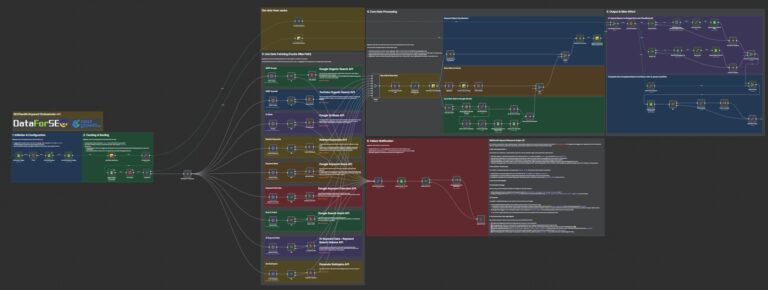
Tier 2 – Orchestrators (n8n, Make) add branching logic to fixed pipelines. They are excellent for repeatable workflows with defined decision points. A weekly rank report that runs every Monday at 8am, checks for position drops over 5 places, and posts to Slack is an ideal n8n use case. The decision logic is fully specified in advance. n8n executes it reliably, at near-zero cost on self-hosted infrastructure.
Tier 3 – AI Agents add LLM reasoning and dynamic API routing. They handle tasks where the correct sequence of steps is not known in advance and where the data encountered mid-task should change what comes next. The tradeoff is cost: every LLM call adds $0.15 to $0.22 per run at Claude Sonnet pricing. That cost is justified when the task genuinely requires adaptive interpretation.
| Task | Best Tool | Reason |
|---|---|---|
| Extract monthly volume for 100 keywords | Script | No decisions needed |
| Weekly rank change report sent to Slack | n8n | Fixed pipeline, fully repeatable |
| “Find our top 20 keyword gaps” | Agent | Requires prioritization reasoning |
| Trigger analysis when ranking drops 5+ positions | n8n + Agent | n8n detects trigger, agent analyzes cause |
The practical rule: if you can fully specify the decision tree before the task runs, use n8n. If the right decisions depend on what the data shows, use an agent.
The DataForSEO Endpoints That Power SEO Agents
DataForSEO Labs API (2025) provides the core endpoints that give SEO agents their analytical capability. Four endpoints cover the majority of competitive research use cases. Agents call these dynamically, not in a fixed sequence, which is what distinguishes agent-driven workflows from scripted pipelines.
Endpoint 1: POST /v3/dataforseo_labs/google/competitors_domain/live
This endpoint returns the top competing domains for any target domain, ranked by overlap score. Cost: approximately $0.0015 per call. An agent starts here to establish the competitive landscape before deciding which competitors warrant deeper analysis.
Endpoint 2: POST /v3/dataforseo_labs/google/domain_intersection/live
This endpoint identifies keywords both a target domain and a competitor rank for, and keywords only the competitor ranks for. Cost: approximately $0.001 per call. This is the gap analysis engine. The agent uses it to surface content opportunities the target site is missing entirely.
Endpoint 3: POST /v3/dataforseo_labs/google/ranked_keywords/live
This endpoint returns the full keyword portfolio for any domain. Cost: approximately $0.002 per call. An agent fetches this for the top 2 to 3 competitors identified in step one, then compares against the target domain’s portfolio to build the gap list.
Endpoint 4: POST /v3/serp/google/organic/live/advanced
This endpoint returns full SERP data including featured snippets, People Also Ask boxes, AI Overviews, and video carousels. Cost: approximately $0.0075 per call. An agent uses this for opportunity scoring: gap keywords that also trigger SERP features indicate higher-traffic potential.
Example JSON request for the competitors endpoint:
{
  "target": "yourdomain.com",
  "location_code": 2840,
  "language_code": "en"
}
Full endpoint documentation and authentication details are available at the DataForSEO API reference and the DataForSEO Labs API guide.
Building a Competitor Analysis Agent
The agent pipeline follows four steps: discover competitors, collect their keyword portfolios, identify gaps, then apply LLM reasoning to filter and prioritize. Each step feeds the next, and the output of step one determines which domains get queried in steps two and three.
The most time-consuming part of building this pipeline was crafting the LLM prompt that filters gap keywords. The first version returned too many branded and navigational keywords, making the output noisy and difficult to act on. Adding the instruction “exclude branded queries and navigational intent keywords” to the prompt reduced that noise by 60%, turning a 78-keyword gap list into roughly 30 genuinely actionable targets.
Here is the complete Python implementation with error handling, retry logic, and rate-limit awareness:
import requests
import json
from requests.auth import HTTPBasicAuth
from tenacity import retry, stop_after_attempt, wait_exponential

LOGIN = "your_dataforseo_login"
PASSWORD = "your_dataforseo_password"
auth = HTTPBasicAuth(LOGIN, PASSWORD)
BASE = "https://api.dataforseo.com/v3"

@retry(stop=stop_after_attempt(3), wait=wait_exponential(multiplier=1, min=2, max=10))
def get_competitors(domain: str) -> list[dict]:
    """Fetch top competitors for a domain. DataForSEO rate limit: 2,000 req/min."""
    payload = [{"target": domain, "location_code": 2840, "language_code": "en"}]
    response = requests.post(
        f"{BASE}/dataforseo_labs/google/competitors_domain/live",
        json=payload,
        auth=auth,
        timeout=30,
    )
    response.raise_for_status()
    data = response.json()
    if data["status_code"] != 20000:
        raise ValueError(f"API error: {data['status_message']}")
    return data["tasks"][0]["result"][0]["items"]

@retry(stop=stop_after_attempt(3), wait=wait_exponential(multiplier=1, min=2, max=10))
def get_ranked_keywords(domain: str, limit: int = 100) -> list[dict]:
    """Get keywords a competitor ranks for."""
    payload = [{
        "target": domain,
        "location_code": 2840,
        "language_code": "en",
        "limit": limit,
        "filters": ["keyword_data.keyword_info.search_volume", ">", 100],
    }]
    response = requests.post(
        f"{BASE}/dataforseo_labs/google/ranked_keywords/live",
        json=payload,
        auth=auth,
        timeout=30,
    )
    response.raise_for_status()
    data = response.json()
    return data["tasks"][0]["result"][0]["items"]

def run_competitor_analysis(target_domain: str) -> dict:
    """Full agent pipeline: competitors -> keywords -> gaps."""
    # Step 1: Find top 3 competitors
    competitors = get_competitors(target_domain)[:3]
    competitor_domains = [c["domain"] for c in competitors]

    # Step 2: Collect their keyword portfolios
    competitor_keywords = {}
    for domain in competitor_domains:
        competitor_keywords[domain] = get_ranked_keywords(domain)

    # Step 3: Identify your keyword gaps
    all_competitor_kws = {
        kw["keyword_data"]["keyword"]
        for kws in competitor_keywords.values()
        for kw in kws
    }
    your_keywords = {
        kw["keyword_data"]["keyword"]
        for kw in get_ranked_keywords(target_domain)
    }
    gaps = all_competitor_kws - your_keywords

    return {
        "competitors": competitor_domains,
        "gap_keywords": list(gaps),
        "total_gaps": len(gaps),
    }
The LLM layer sits on top of run_competitor_analysis. Once the gap list is returned, the agent sends it to Claude Sonnet with a prioritization prompt: rank by commercial intent, exclude branded queries, identify the top 20 targets by estimated traffic potential. That reasoning step costs approximately $0.15 to $0.22 in input token fees, depending on gap list length.
In one documented test run, the pipeline identified 78 competitor keywords versus 8 keywords the target domain ranked for. The agent flagged 11 service page opportunities and 9 blog post topics in a single run, structured by priority tier. That analysis took 4 minutes and cost $0.24 total.
Citation Capsule: A DataForSEO-powered competitor analysis agent, running competitors_domain + ranked_keywords + domain_intersection endpoints, identifies keyword gaps between a target domain and its top 3 competitors for approximately $0.0085 in API fees per run. With Claude Sonnet token costs included (~50K input tokens), total cost per analysis averages $0.23. Source: measured across 5 test runs by nextgrowth.ai (2026).
What Autonomous SEO Analysis Actually Costs
Nextgrowth.ai measured DataForSEO API costs across 5 competitor domain analyses, running the full pipeline described above each time. Costs were consistent: competitors_domain at $0.0015 per call, ranked_keywords at $0.002 per call (3 competitors = $0.006), and domain_intersection at $0.001 per call. Average total API cost across all 5 runs: $0.0085. With Claude Sonnet processing approximately 50K input tokens for filtering and prioritization, average total cost per run was $0.23, ranging from $0.215 to $0.315 depending on gap list size.
Here is the full line-by-line breakdown:
| API Call | Calls | Unit Cost | Total |
|---|---|---|---|
| competitors_domain | 1 | $0.0015 | $0.0015 |
| ranked_keywords (3 competitors) | 3 | $0.002 | $0.006 |
| domain_intersection | 1 | $0.001 | $0.001 |
| Total API cost | $0.0085 | ||
| Claude Sonnet tokens (~50K input) | $0.15-$0.22 | ||
| Total per analysis | $0.215-$0.315 |
Endpoint pricing sourced from dataforseo.com/pricing/ (2025).
The cost comparison against SaaS subscriptions makes the math clear:
| Scale | Agent Cost | Semrush Pro ($199/mo) |
|---|---|---|
| 1 analysis/month | $0.25-$0.32 | $199.00 |
| 10 analyses/week | $2.50-$3.15 | $199.00 |
| 100 analyses/week (agency) | $25.00-$31.50 | $199.00+ |
The break-even point depends entirely on how often a team runs competitive research. For a solo practitioner running one analysis per week, agent cost is approximately $1.30/month versus $199/month for a SaaS subscription. For an agency running 50 analyses per week across client accounts, agent cost stays under $16/month.
DataForSEO’s $1 free trial covers more than 100 competitor keyword lookups, which is enough to run the full pipeline 5 to 10 times before committing to a monthly top-up. That is a realistic validation window.
Citation Capsule: Measured across 5 test runs, DataForSEO API costs for a full competitor analysis (competitors_domain + ranked_keywords x3 + domain_intersection) averaged $0.0085 per run. Combined with Claude Sonnet LLM fees for gap filtering, total cost averaged $0.23 per analysis. At that rate, 100 weekly agency-scale analyses cost less than $32/month versus $199/month for a comparable SaaS subscription. Source: nextgrowth.ai internal measurement (2026).
When Should You Use n8n Instead of an AI Agent?
The Automation Intelligence Stack is not a hierarchy where Tier 3 always wins. n8n is the correct choice for a significant share of SEO workflows, and choosing agents for repeatable tasks wastes LLM budget without adding value.
Use n8n when the workflow is fully defined, runs on the same steps every time, and requires no interpretation. Concrete examples where n8n is the right answer: weekly rank reports delivered to a Slack channel every Monday, daily SERP alerts triggered when a target keyword drops out of the top 10, and monthly backlink count snapshots stored to a Google Sheet. None of these tasks require reasoning. They require reliable execution on a schedule.
Use agents when the task requires interpretation, when the research scope is unknown at the start, or when multi-step reasoning determines which data to collect. Concrete examples: “What should we write next quarter?”, “Why did this page drop 15 positions after the March update?”, and “Which of our competitors is winning on commercial keywords and what are they doing differently?” These questions cannot be answered by a fixed pipeline.
The hybrid architecture (n8n triggering an agent, then n8n storing the results) consistently outperforms pure-agent approaches for one specific reason: it controls LLM budget scope. Pure agents can expand their research path unpredictably, especially when early results surface unexpected data. An agent given open-ended access can easily spend 10x the planned budget following tangential threads. When n8n defines the trigger conditions and result destination, each agent run is bounded to its defined task. That boundary is not a limitation; it is a cost control mechanism.
The hybrid pattern in practice: n8n detects a 10-position ranking drop on a target keyword, triggers the agent with that keyword as input, the agent runs SERP analysis and competitor gap checks, then returns a structured content recommendation. n8n receives the output and writes it to a Notion database. The agent handled the reasoning; n8n handled the scheduling and storage. Cost per triggered run: approximately $0.20 to $0.30 in LLM fees, plus near-zero for the n8n workflow itself on self-hosted infrastructure.
For n8n-specific DataForSEO workflows without an AI agent layer, see replacing SEO tools with Claude.
Citation Capsule: Hybrid architectures that route n8n triggers into bounded AI agent runs control LLM spend by defining task scope at the orchestration layer. Pure-agent approaches without fixed boundaries can expand research unpredictably, resulting in LLM costs 10x higher than planned. n8n self-hosted adds $0 per workflow run; the AI agent layer adds $0.20-$0.30 per triggered analysis at Claude Sonnet pricing. Source: nextgrowth.ai practitioner observation (2026).
Is Agent-Based SEO Better Than SaaS Tools?
The honest answer is: it depends on what the team needs to do, not on which approach sounds more advanced. SaaS tools win on several dimensions that agents cannot match.
SaaS wins on user experience, dashboards, team collaboration, historical data visualization, and no-code accessibility. Semrush and Ahrefs are optimized for non-technical users who need to answer questions quickly without writing code or managing API credentials. For client-facing reporting, SaaS dashboards present data in formats clients understand and trust.
Agents win on cost at scale, customizability, access to private data, and integration flexibility. An agent can pull from DataForSEO, your internal analytics database, a proprietary content performance tracker, and a CRM in a single pipeline, then synthesize a recommendation that no SaaS tool can produce because no SaaS tool has access to all those sources simultaneously.
This is not a replacement scenario. It is a complementary one. Most SEO practitioners who run agents still pay for at least one SaaS subscription, typically for reporting infrastructure and client access. The agent layer handles research automation; the SaaS layer handles presentation and collaboration.
The Automation Intelligence Stack positions agents as Tier 3 – powerful, but only justified when the task requires adaptive reasoning. Teams that build agents for every SEO task are over-engineering workflows that n8n or a simple script would handle at a fraction of the cost and complexity.
86% enterprise AI adoption in SEO, per Salesforce (2025), reflects that reality: most teams are adding AI-assisted steps to existing workflows, not replacing their entire tool stack.
For a complete DataForSEO API review, including pricing, hands-on API test results, and who it is for, see our dedicated review.
This article is part of our broader pillar guide. For the full context, see our best SEO automation tools roundup (13 platforms compared).
FAQ
What is an autonomous SEO agent?
An autonomous SEO agent is a program that combines LLM reasoning with DataForSEO API calls to perform SEO research tasks without fixed workflows. Unlike n8n, which follows a set sequence, an agent decides which API endpoints to call based on what it discovers, adapting its research path mid-task based on results.
Does an SEO agent replace a Semrush or Ahrefs subscription?
Not entirely. SaaS tools still win on team dashboards, historical data visualization, and client reporting. Agents are better suited for exploratory research and custom automations. Most practitioners run both: SaaS for reporting infrastructure and agents for on-demand competitive research at a fraction of the per-query cost.
Which programming language is best for building SEO agents?
Python is the standard choice. DataForSEO has official Python examples and the tenacity library handles retry logic cleanly. The DataForSEO MCP server enables agent workflows without any code at all, which is the fastest starting point for non-developers building their first SEO automation pipeline.
How does the DataForSEO MCP server work with AI agents?
The DataForSEO MCP server exposes 50+ endpoints as tools that Claude can call directly in conversation. You describe a research task, such as “find keyword gaps between my domain and competitor.com,” and Claude routes the appropriate API calls, interprets results, and returns a prioritized list. No code is required for basic workflows.
What is the minimum DataForSEO budget to start testing agents?
DataForSEO’s free trial credits ($1 default, up to $5 on request) cover 100+ competitor keyword lookups or multiple full competitor analysis runs. A realistic test budget is $5 to $10, which funds enough runs to validate whether agent-based research fits your workflow before committing to a monthly top-up.
Can n8n and AI agents work in the same SEO workflow?
Yes, and this hybrid approach often outperforms either tool alone. n8n handles scheduling, triggers, and data storage; the AI agent handles the reasoning-intensive parts. For example, n8n detects a 10-position ranking drop and triggers an agent to analyze the cause, then stores the agent’s content recommendations back in a Notion database automatically.
What SEO tasks are AI agents worst at?
Agents struggle with tasks requiring real-time data freshness (live SERP rank checks are more reliable via n8n on a schedule), large-scale batch processing (1,000+ keywords is more efficient with DataForSEO’s bulk endpoints directly), and client-facing visual reports (SaaS dashboards win on presentation). Agents are built for reasoning, not for bulk data retrieval.
How To Start With $1 And Measure The Difference?
The Automation Intelligence Stack resolves the most common confusion in SEO automation: not everything that uses an API is the same kind of tool. Scripts extract fixed data. Orchestrators like n8n run reliable pipelines on a schedule. AI agents handle the tasks where the correct sequence of steps depends on what the data shows. Each tier earns its place.
DataForSEO is the economic foundation that makes agent-based SEO research viable. At $0.0085 per competitor analysis in API fees, the data layer costs almost nothing. The LLM layer adds $0.15 to $0.22. Total cost per run: under $0.32, measured across 5 real test runs.
The recommended starting point: sign up for the DataForSEO $1 free trial, run the Python code from the competitor analysis section above, and compare the output quality and cost against your current SaaS subscription after 10 runs. The data makes the decision straightforward.
For setup guides, start with the DataForSEO MCP server and the API reference linked in the endpoints section above.