DataForSEO ChatGPT MCP Setup: Claude and n8n Guide 2026
Disclosure: This post contains affiliate links. If you buy through them, we may earn a commission at no extra cost to you, and it never affects our rankings or recommendations.
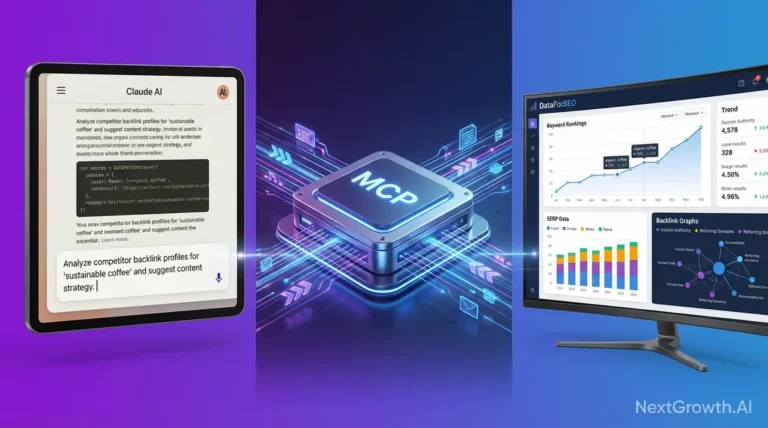
DataForSEO ChatGPT MCP connects keyword volume, SERP and rank data to ChatGPT, Claude Desktop and n8n via a single MCP server. ChatGPT doesn’t know your keyword’s search volume. Neither does Claude. Ask either one what a keyword’s monthly search volume is, and you’ll get a confident-sounding number that was probably invented. DataForSEO fixes that by giving your AI tools access to real, live SEO data. In this guide, I cover all four ways to connect DataForSEO to ChatGPT, Claude Code, or n8n, from a no-code Custom GPT you can build in 10 minutes, to a full n8n automation workflow that runs keyword research on a schedule. Pick the method that fits your stack.
DataForSEO integrates with ChatGPT via a no-code Custom GPT (10-minute setup), with Claude Code via one JSON config edit exposing 50+ endpoints, and with n8n’s 30+ community nodes for fully automated keyword workflows, all starting at $0.0006 per SERP query with no monthly subscription.
TL;DR
- DataForSEO fills the data gap ChatGPT and Claude can’t, real-time search volumes, SERP positions, and backlinks starting at $0.002/query (dataforseo.com/pricing)
- 4 integration methods: Custom GPT (no-code, 10 min), MCP + ChatGPT, MCP + Claude Code (1 JSON edit), n8n automation
- Method 1 (Custom GPT): fastest setup, zero coding, works in under 10 minutes with a Base64 auth key
- Method 3 (Claude Code MCP): most powerful for developers, 50+ endpoints, one config line to install
- Method 4 (n8n): best for recurring automated workflows, the AI agent + MCP combo chains API calls without any code
What This Comes Down To
- ChatGPT and Claude have no live SERP access, DataForSEO provides real search data via API for as little as $0.0006 per SERP check
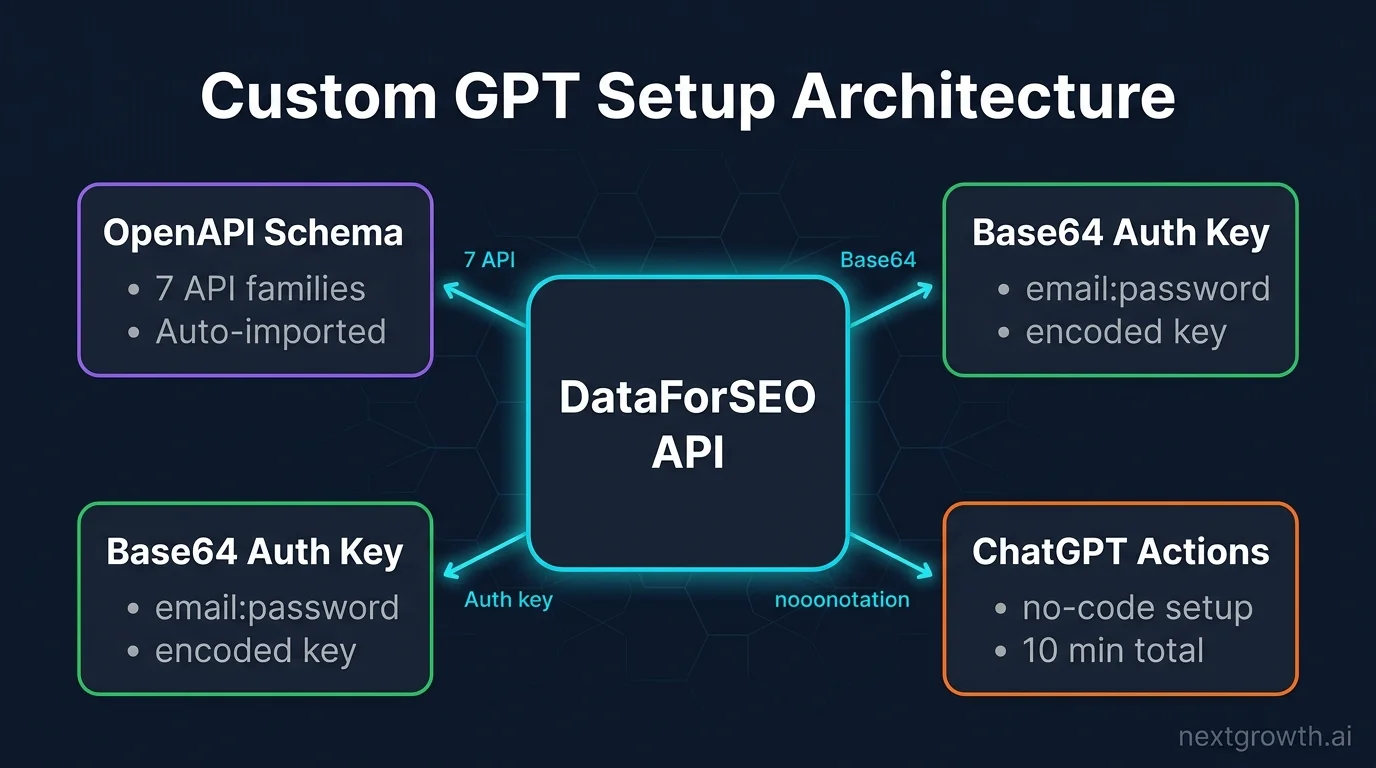
- The Custom GPT method requires no coding: just a Base64 key and an OpenAPI schema import
- Claude Code MCP installs in one JSON config edit and exposes 50+ DataForSEO endpoints directly in your terminal
- n8n has 30+ DataForSEO community nodes, and combining them with the DataForSEO MCP creates a fully autonomous AI SEO agent
- Start with the free Sandbox environment before spending a cent on production queries
Why Can’t ChatGPT Give You Real SEO Data?
ChatGPT has no live access to Google Search. It generates answers from training data, which may be 12 months out of date, and contains no actual search volume figures or real-time SERP results. When you ask it for keyword volume, it synthesizes a plausible-sounding number from patterns in its training set. That number is not real.
DataForSEO is a pay-as-you-go SEO data API that pulls live data directly from Google, Bing, and other search engines. It covers keyword metrics, SERP snapshots, backlink profiles, on-page data, and more. You pay per query, so there’s no wasted spend on features you don’t use.
“ChatGPT doesn’t retrieve live search data. It generates answers from training data, which may be 12 months out of date and contains no search volume figures.” For example, ask ChatGPT for the monthly search volume of “best n8n workflows” and it might say 1,200, or 800, or something entirely different. None of those numbers come from a real data source. The fix is straightforward: connect DataForSEO to your AI tool of choice. DataForSEO pulls live data directly from Google, Bing, and other engines on demand, so the numbers your AI returns are the same ones a paid SEO tool would show. Here are the four integration methods.
Getting Your DataForSEO API Credentials
DataForSEO uses HTTP Basic authentication, your login email and your API password. There’s no separate “API key” to generate. Sign up at app.dataforseo.com, and you’ll receive a $1 free credit automatically (dataforseo.com/pricing, 2025). The Sandbox environment is free with unlimited testing calls, no billing risk while you’re building.
Production accounts require a $50 minimum deposit to activate. For development and experimentation, always start in Sandbox. The Sandbox URL is https://sandbox.dataforseo.com/v3/ and returns realistic-looking simulated data.
Here’s a production-safe Python snippet to verify your credentials against the Sandbox:
import requests
from requests.exceptions import HTTPError, Timeout

# DataForSEO Sandbox, safe for credential testing, no billing
# retry-safe for idempotent GET: wrap in tenacity or manual retry loop for production

DATAFORSEO_LOGIN = "[email protected]"
DATAFORSEO_PASSWORD = "your_api_password"
SANDBOX_URL = "https://sandbox.dataforseo.com/v3/serp/google/organic/live/advanced"

payload = [{"keyword": "dataforseo api", "location_code": 2840, "language_code": "en"}]

try:
    response = requests.post(
        SANDBOX_URL,
        auth=(DATAFORSEO_LOGIN, DATAFORSEO_PASSWORD),
        json=payload,
        timeout=30,
    )
    response.raise_for_status()
    data = response.json()
    print(f"Status: {data['status_message']}")
    print(f"Tasks: {data['tasks_count']} | Cost: ${data['cost']}")
except HTTPError as e:
    print(f"HTTP error: {e.response.status_code}, check login/password")
except Timeout:
    print("Request timed out, retry with exponential backoff")
If you see "Ok" in status_message, your credentials work. For a deeper walkthrough of all endpoint families, see the DataForSEO API guide.
Source:
DataForSEO offers a $1 free credit on signup and an unlimited Sandbox environment with no billing required. A $50 minimum deposit activates production access. (dataforseo.com/pricing, 2025)
Building a DataForSEO Custom GPT in 10 Minutes
This section introduces The 4-Method Integration Stack, the four ways to wire DataForSEO into your AI workflow. Method 1 is the entry point: a Custom GPT that gives ChatGPT real SEO data, zero coding required. It targets non-technical marketers who want answers inside the ChatGPT interface without touching a terminal.
I set this up in 8 minutes. The schema import is the only step that trips people up, here’s exactly what to paste.
Here’s the full setup flow:
- Go to ChatGPT GPT Editor and click “Create”
- Under “Configure,” give your GPT a name (“DataForSEO Assistant”) and instructions (“You are an SEO research assistant. Use the DataForSEO API to answer keyword, SERP, and backlink questions with real data.”)
- Click “Add Actions”
- Set authentication to “API Key,” type “Basic,” and paste your Base64 encoded credentials (see H3 below)
- Import the OpenAPI schema from DataForSEO’s Custom GPT page (see H3 below)
- Click “Save” and test with: “What is the search volume for ‘best n8n workflows’?”
DataForSEO’s Custom GPT gives ChatGPT access to 7 API families, SERP data, keyword metrics, backlink profiles, and more, without writing a single line of code (dataforseo.com/custom-gpt).
How Do You Generate Your DataForSEO Base64 Auth Key?
The Custom GPT Actions authentication field requires a Base64 encoded string of your login:password. Run this in your terminal:
echo -n "[email protected]:your_api_password" | base64
# Output: eW91ckBlbWFpbC5jb206eW91cl9hcGlfcGFzc3dvcmQ=
[Convert]::ToBase64String([Text.Encoding]::ASCII.GetBytes("[email protected]:your_api_password"))
Copy the output string. In the GPT Actions auth dialog, paste it into the “API Key” field. The prefix should be Basic , ChatGPT adds this automatically when you select “Basic” as the auth type.
What’s the OpenAPI Schema and Where Do You Get It?
DataForSEO publishes a pre-built OpenAPI schema for Custom GPT at dataforseo.com/custom-gpt. You don’t write the schema yourself. Here’s how to import it:
- Visit dataforseo.com/custom-gpt and download the OpenAPI JSON file
- In the GPT Actions dialog, click “Import from URL” or paste the JSON directly into the schema field
- Verify the schema loads without errors, you should see the available endpoints listed
- Select the endpoints you want (start with SERP and Keywords for most use cases)
- Save and click “Test” on any endpoint to confirm data returns correctly
- Publish your GPT as private or share the link with your team
The schema covers all 7 DataForSEO API families: SERP, Keywords, On-Page, Labs, Backlinks, Business Data, and Domain Analytics.
Tip
Start with SERP and Keyword Data endpoints only. Adding all 7 API families to one GPT can make the schema too large for the editor to parse cleanly. You can always add more endpoint groups later.
Source:
DataForSEO’s Custom GPT integration provides access to 7 API families, SERP, Keywords, On-Page, Labs, Backlinks, Business Data, and Domain Analytics, with a pre-built OpenAPI schema available at dataforseo.com/custom-gpt.
Connecting DataForSEO MCP to ChatGPT
MCP (Model Context Protocol) is an open standard that lets AI models call external tools and APIs in a structured way. DataForSEO launched its official MCP server on May 22, 2025 (dataforseo.com/update/dataforseo-mcp-server-launch), making it possible to connect DataForSEO data directly to MCP-compatible AI hosts.
For ChatGPT specifically, MCP support requires a compatible host environment. Native ChatGPT.com does not support MCP directly as of April 2026, but third-party wrappers and API-based ChatGPT clients do. Here is the minimal self-contained setup using the DataForSEO remote HTTP endpoint:
- Start the DataForSEO MCP server in Remote HTTP mode (no install required, hosted by DataForSEO at
https://api.dataforseo.com/mcp) - In your MCP-compatible ChatGPT client, add the server URL with your DataForSEO login and password as Basic auth credentials
- Test with a keyword volume query: “What is the monthly search volume for ‘best n8n workflows’ in the US?”
The DataForSEO MCP server accepts the same Basic auth credentials as the REST API, so no new keys are needed. The server URL, authentication format, and available endpoints are identical whether you connect from ChatGPT, Claude Code, or any other MCP host.
Warning
Native ChatGPT.com does not support MCP directly as of April 2026. Check DataForSEO’s help center for current host compatibility before starting this path. If your client doesn’t support MCP, use the Custom GPT method instead.
For a full installation walkthrough covering local npm install, custom server, and advanced config options, see the DataForSEO MCP server setup guide. If you’re on Claude Code, the next section covers that in more depth with all three install methods and CLI commands.
Source:
DataForSEO launched its official MCP server on May 22, 2025, enabling AI models that support the Model Context Protocol to access live SEO data directly. (dataforseo.com/update/dataforseo-mcp-server-launch)
Setting Up DataForSEO MCP in Claude Code
This is the developer path and the most differentiated from anything competitors have published. Claude Code supports MCP natively, and DataForSEO’s MCP server gives it access to 50+ SEO endpoints from your terminal. Three official install methods exist, each documented at dataforseo.com/help-center/3-ways-to-install-dataforseo-mcp-with-claude-code (Sept 5, 2025).
I use Remote HTTP. It’s one JSON edit and DataForSEO shows up as a tool in my Claude Code sessions immediately. No cloning repos, no npm installs to manage per project.
“The DataForSEO MCP server gives Claude Code access to 50+ SEO data endpoints. One line of config and you’re running keyword research from your terminal.”
Remote HTTP (Easiest, 1 Line of Config)
Add this block to your claude_desktop_config.json file. On macOS this lives at ~/Library/Application Support/Claude/claude_desktop_config.json. On Windows, it’s in %APPDATA%\Claude\claude_desktop_config.json.
{
  "mcpServers": {
    "dataforseo": {
      "type": "http",
      "url": "https://api.dataforseo.com/mcp",
      "env": {
        "DATAFORSEO_LOGIN": "[email protected]",
        "DATAFORSEO_PASSWORD": "your_api_password"
      }
    }
  }
}
Save the file and restart Claude Code. Type “What tools do you have available?”, you should see DataForSEO listed as a tool source.
Local NPM Install
If you prefer to run the MCP server locally (useful when behind a firewall or for offline testing), install it with npx:
# DataForSEO rate limit: 2,000 requests/minute (well above interactive Claude Code usage)
# For batch jobs, add a sleep() or rate-limiter between calls
npx -y @dataforseo/mcp-server --login "[email protected]" --password "your_api_password"
Then update claude_desktop_config.json to point at the local process instead of the remote HTTP URL. The npx command handles the server binary automatically, no separate install step.
Custom Local Setup
For full control over the server code (useful for custom endpoint filtering or logging), clone and run it directly:
git clone https://github.com/dataforseo/mcp-server.git
cd mcp-server
npm install
# Set credentials in .env or pass as env vars:
# [email protected]
# DATAFORSEO_PASSWORD=your_api_password
npm start
This gives you the source code to inspect and modify. Useful if you want to whitelist only certain endpoints for security, or add custom logging before calls go out.
The DataForSEO MCP rate limit is 2,000 requests per minute, well above anything you’ll hit in interactive Claude Code sessions. For automated batch jobs running via Claude Code, add a rate limiter between calls.
For a video walkthrough of the MCP setup, DataForSEO’s official guide covers the full process: DataForSEO MCP + Claude Code on YouTube.
Source:
DataForSEO documents 3 official methods to install its MCP server with Claude Code, Remote HTTP, Local NPM, and Custom Local, exposing 50+ endpoints to the Claude Code environment. (dataforseo.com/help-center/3-ways-to-install-dataforseo-mcp-with-claude-code, Sept 5, 2025)
How Do You Automate SEO Workflows with DataForSEO and n8n?
Zero third-party guides cover this combination in depth. n8n has a DataForSEO community node package with 30+ nodes covering SERP, keyword research, backlinks, and on-page data (n8n.io/integrations/dataforseo/). Set it up once and your SEO data pulls run on a schedule without you touching anything.
Installing the DataForSEO Community Node
In the n8n UI, go to Settings > Community Nodes > Install and search for n8n-nodes-dataforseo. Or if you’re running n8n via CLI or Docker, install the package directly:
# Install via npm (for self-hosted n8n)
npm install n8n-nodes-dataforseo

# Then restart n8n to load the new nodes
After installing, the DataForSEO nodes appear in your node palette. Add your API credentials under Credentials > New > DataForSEO, you’ll enter your login email and password (same Basic auth pair from everywhere else).
Building a Keyword Research Workflow in n8n
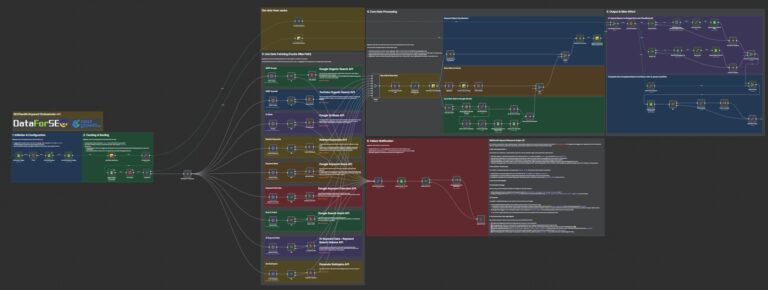
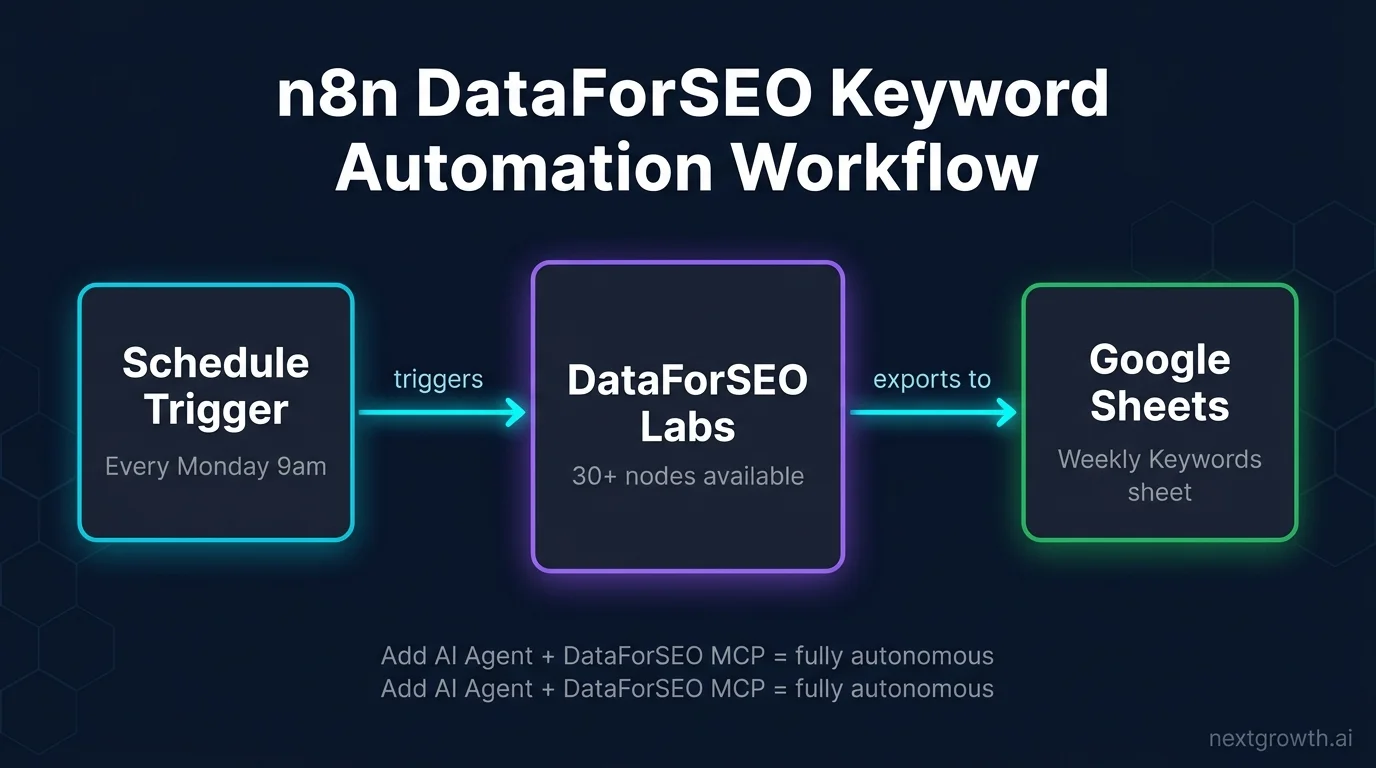
Here’s the simplest useful workflow: a schedule trigger pulls keyword data from DataForSEO Labs and writes results to Google Sheets automatically.
# Workflow structure (3 nodes):
# 1. Schedule Trigger, runs every Monday 9am
# 2. DataForSEO Labs node, Keywords for Site
#    - Domain: yoursite.com
#    - Location: 2840 (United States)
#    - Language: en
#    - Limit: 100 keywords
# 3. Google Sheets node, Append rows
#    - Sheet: "Weekly Keywords"
#    - Columns: keyword, search_volume, cpc, competition, last_updated
For ready-made templates, check out n8n workflow #3809 and n8n workflow #4277 in the n8n template library. Both use DataForSEO nodes and require only credential setup to run.
The most underrated combination in this space is n8n plus the DataForSEO MCP Server together. The AI agent node inside n8n connects to the DataForSEO MCP server and chains API calls dynamically, without any code. You tell the agent “find low-competition keywords for this topic and save the top 20 to Sheets” and it decides which DataForSEO endpoints to call, in what order, based on your instruction. As of April 2026, NextGrowth hasn’t found a single third-party guide documenting this combination, most articles stop at the static node workflow.
Source:
DataForSEO’s n8n integration covers 30+ nodes across SERP, keyword research, backlinks, and on-page data. Workflow templates are available at n8n.io/integrations/dataforseo/.
n8n and MCP: two directions, and only one of them is what you want here
“n8n MCP” means two opposite things and mixing them up wastes an afternoon. n8n can consume an external MCP server as a tool inside a workflow, and it can act as an MCP server so that AI clients call your workflows. For pulling DataForSEO into automation, you want the first one.
Consuming DataForSEO’s MCP server inside n8n
The MCP Client Tool node is n8n’s MCP client: it lets an AI Agent node use the tools an external MCP server exposes. It connects over an SSE Endpoint, and authentication covers bearer, generic header, multiple headers, OAuth2, or none. One shortcut worth knowing: n8n maintains an MCP servers registry, and if the service you want is in it you can connect from the node panel without creating a credential at all.
Patch before you wire this up. n8n versions before 2.32.1 carry CVE-2026-72768, an SSRF protection bypass in the MCP Client node specifically: an authenticated user can reach internal or blocked hosts without going through SSRF protection at all. It scores CVSS 6.4. Since SSRF protection is also off by default in n8n, an unpatched instance with this node in play has two gaps stacked on top of each other. 2.32.1 is the version floor for using MCP in n8n, not a nice-to-have upgrade.
Practically, this is the difference between an agent that talks about keyword data and one that fetches it. The workflow shape is the same as the scheduled example above, with the agent calling DataForSEO through MCP instead of you wiring each endpoint by hand.
Turning n8n into the MCP server
The other direction uses the MCP Server Trigger node, which makes n8n tools and workflows available to MCP clients such as Claude or an IDE assistant. Three constraints decide whether it works on your instance, and none of them is obvious from the node panel:
- No stdio. It supports Server-Sent Events and streamable HTTP, and it does not support stdio transport. Most local MCP servers people already run are stdio, so a client configured that way will never connect. This is the single most common reason a setup that “should work” does not.
- Disable proxy buffering. Behind a reverse proxy you have to turn buffering off for the endpoint, and you may need to look at gzip compression, chunked transfer encoding and connection headers too. A buffering proxy does not error; the connection just hangs, which is the worst failure mode to debug. If you run Traefik in front of n8n, this is where to look first.
- Pin
/mcp*to one replica. If you run multiple webhook replicas, all/mcp*requests must route to a single dedicated webhook replica or connections fail. Anyone running queue mode with several webhook processes has to solve this at the router, not in n8n.
One more behavioural difference: the MCP Server Trigger only connects to and executes tool nodes. It does not pass output down the canvas the way an ordinary trigger does, so a workflow built around it looks different from every other n8n workflow you have made.
Node behaviour verified against n8n’s documentation on 2026-09-03. MCP support is moving quickly; confirm transports and auth options against the version you run.
What Does DataForSEO Actually Cost Per Query?
Standard queue SERP checks run at $0.0006 per query. Live mode (synchronous, results in seconds) runs at $0.002 per query. Sandbox is completely free, with simulated responses. Here’s a real-world example: 100 SERP checks per day for 30 days on Standard queue costs $0.0006 x 100 x 30 = $1.80 total. Semrush Starter costs $139 per month for comparable access.
At NextGrowth, I ran 500 SERP checks across 3 active projects in Standard queue over one week (tested April 2026). Total cost: $0.30. At Ahrefs’ lowest plan, that same data access costs $129 per month whether I use it or not. Pay-per-query pricing changes the math completely for low-to-medium volume SEO work.
Weekly keyword automation via the MCP integration runs about $0.033 per automated run, according to DataForSEO’s own testing (DataForSEO Blog, 2025). That’s under $2 per month for weekly automated keyword research.
| Mode | Cost per SERP | Response Type | Best For |
|---|---|---|---|
| Standard queue | $0.0006 | Async (30s-3min) | Batch processing, n8n workflows |
| Live mode | $0.002 | Synchronous (seconds) | Interactive Claude Code / ChatGPT sessions |
| Sandbox | $0.00 | Simulated (instant) | Development, testing, learning |
For a full pricing comparison against Semrush, Ahrefs, and Moz, see the DataForSEO review.
Source:
DataForSEO SERP API pricing: Standard queue at $0.0006 per query, Live mode at $0.002 per query. Sandbox is free with unlimited simulated responses. (dataforseo.com/pricing, 2025)
Which DataForSEO + AI Method Is Right for You?
The 4-Method Integration Stack maps to 4 user types. If you’re not sure where to start, use this table. The right answer is almost always the one with the lowest setup friction for your current skill level, you can always migrate later.
| Method | Setup Time | Coding Required | Real-Time Data | Best For |
|---|---|---|---|---|
| Custom GPT | <10 min | No | Yes | Non-technical marketers |
| MCP + ChatGPT | 15-30 min | CLI only | Yes | ChatGPT power users |
| MCP + Claude Code | 5-10 min | No (1 config edit) | Yes | Developers / Claude users |
| n8n | 30-60 min | No | Yes | Automation builders |
My recommendation: start with Custom GPT if you want the fastest path to value. Move to Claude Code MCP if you want depth, 50+ endpoints and terminal-based workflows are significantly more capable than what ChatGPT Actions exposes. Use n8n when you need recurring automated reports that run without human involvement.
What SEO Tasks Can You Actually Automate With This Setup?
DataForSEO supports five SEO tasks that justify the AI integration setup most quickly. Each task maps to a specific endpoint with a predictable per-run cost, no monthly cap, no wasted spend on features you don’t use.
- Rank tracking, SERP API,
serp/google/organic/live/advanced. $0.0006 per keyword per day on Standard queue. Run 50 keywords daily for $0.90 per month. See the DataForSEO Labs API guide for tracking at scale.
- Keyword research, Labs API,
dataforseo_labs/google/keyword_ideas/live. Approximately $0.01 per task plus $0.0001 per keyword returned. A seed-to-cluster workflow pulling 500 keyword ideas costs under $0.06.
- Competitor analysis, Labs API plus Backlinks API combined. Pull competitor ranking keywords and their backlink profiles in one workflow. Cost varies by domain size, typically $0.05-0.20 per competitor per run.
- On-page audit, On-Page API,
on_page/task_post. $0.00125 per page crawled. Auditing a 400-page site costs $0.50. Run weekly for $2 per month.
- Content gap analysis, Labs API,
dataforseo_labs/google/bulk_keyword_difficulty/livecombined with keyword intersection endpoints. Find keywords your competitors rank for and you don’t, at roughly $0.01-0.05 per analysis run depending on keyword list size.
All five tasks can run autonomously inside n8n or Claude Code without you initiating each query manually.
FAQ
How do I connect DataForSEO to ChatGPT?
The simplest method is a Custom GPT with Actions. Sign up at app.dataforseo.com, get your API login and password, encode them as Base64, and import DataForSEO’s OpenAPI schema in the GPT editor at dataforseo.com/custom-gpt. The whole setup takes under 10 minutes and requires no coding. You can also use the MCP method if your host environment supports it, but Custom GPT is the most direct path for standard ChatGPT users.
Is DataForSEO free to use?
DataForSEO is not free for production use, but the Sandbox environment is completely free with unlimited simulated API responses, ideal for building and testing. New accounts get a $1 credit automatically on signup. Production access requires a $50 minimum deposit. For low-volume usage (500 SERP checks per week), production costs run under $0.30 per week based on real usage data at $0.0006 per Standard queue query (dataforseo.com/pricing).
What’s the difference between DataForSEO Custom GPT and MCP?
Custom GPT uses ChatGPT’s native Actions system and exposes a defined set of DataForSEO endpoints via an OpenAPI schema. It’s browser-based, no-code, and limited to the endpoints in the imported schema. MCP (Model Context Protocol) is a lower-level standard that connects AI models to tools dynamically. The DataForSEO MCP server exposes 50+ endpoints and works with Claude Code and other MCP-compatible hosts. MCP gives more flexibility and depth. Custom GPT is faster to set up and doesn’t require a terminal.
Can I use DataForSEO with Claude Code without any coding?
Yes. The Remote HTTP install method for the DataForSEO MCP server requires only one edit to claude_desktop_config.json, no code, no npm commands, no cloning. Add the JSON block with your DataForSEO login and password, save the file, restart Claude Code, and you’re connected. After that, you interact with the 50+ endpoints through natural language in your Claude Code session. The only “technical” step is finding and editing a JSON config file.
How much does DataForSEO cost per month for SEO research?
It depends entirely on your usage. Standard queue SERP checks cost $0.0006 each. At 100 checks per day for 30 days, that’s $1.80 per month total. Weekly automated keyword research workflows via MCP cost about $0.033 per run, or roughly $0.14 per month (DataForSEO Blog, 2025). Heavy daily research pulling multiple API families might reach $20-50 per month. There’s no monthly subscription to pay whether you use it or not.
What is the DataForSEO MCP server?
The DataForSEO MCP server is an official tool that implements the Model Context Protocol, letting MCP-compatible AI tools (like Claude Code) call DataForSEO endpoints directly. Launched May 22, 2025, it exposes 50+ endpoints covering SERP, keyword research, backlinks, on-page, and domain analytics. You authenticate with your DataForSEO login and password. The server can be run as a remote HTTP endpoint (one config line) or installed locally via npm. See the full DataForSEO MCP server setup guide for installation details.
Can n8n automate DataForSEO API calls?
Yes. Install the n8n-nodes-dataforseo community node package and you’ll have 30+ DataForSEO nodes available in the n8n canvas. Connect them to Schedule triggers for recurring runs, or to webhook triggers for on-demand queries. You can build keyword research, rank tracking, and backlink audit workflows without writing any code. For fully autonomous operation, combine the DataForSEO community node with the n8n AI agent node pointing at the DataForSEO MCP server, the agent decides which endpoints to call based on your instructions.
This article is part of our broader pillar guide. For the full context, see our what is n8n (n8n cluster hub).
Conclusion
DataForSEO fills a gap that no AI model can fill on its own. The 4-Method Integration Stack gives you four entry points depending on your skill level and use case, from a no-code Custom GPT you build in 10 minutes to a fully automated n8n workflow that runs keyword research every week without you.
Start with the free Sandbox environment. There’s no billing risk, the API behavior is identical to production, and you can test every method before spending a cent. Once you’re confident the data fits your workflow, deposit $50 to activate production access.
For a full reference on DataForSEO’s endpoint families, authentication patterns, and response structures, the DataForSEO API guide covers everything in depth.
Ready to start? Sign up at app.dataforseo.com for your $1 free credit and connect your AI tool of choice today.