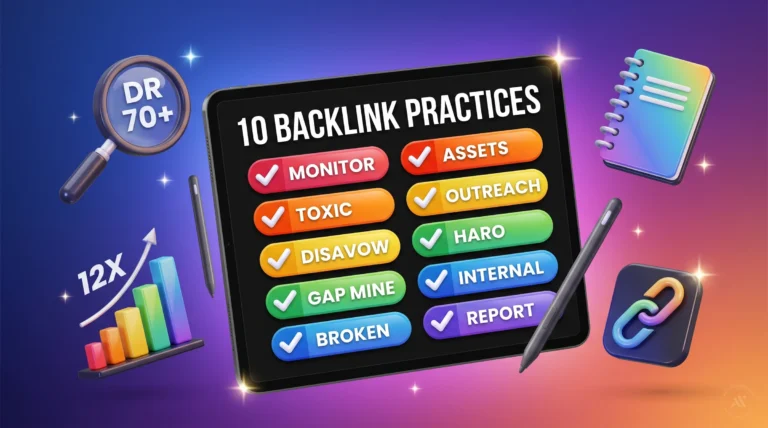
n8n Google Search Console Automation: 8 Workflows 2026
TL;DR
- n8n’s official template library has 8 ready-made GSC workflows covering reporting, indexing, AI audits, and zero-click tracking.
- The GSC API hard limit is 50,000 rows per request. Loop by date, not by page, to avoid hitting it on high-traffic properties.
- Self-hosting n8n on a $20/mo VPS keeps your full SEO automation stack under $22/mo vs. $50-200/mo for managed n8n Cloud.
- The AI agent layer (GSC data + LLM analysis + Slack alerts) is the 2026 upgrade worth building. Raw Sheets dashboards are now table stakes.
- Three things NOT worth building: custom workflows where templates exist, LLM analysis on every pull, and treating the workflow itself as the product.
What This Comes Down To
Reporting is one half of SEO automation in n8n. For the competitive half, see how to automate competitor analysis with n8n and DataForSEO.
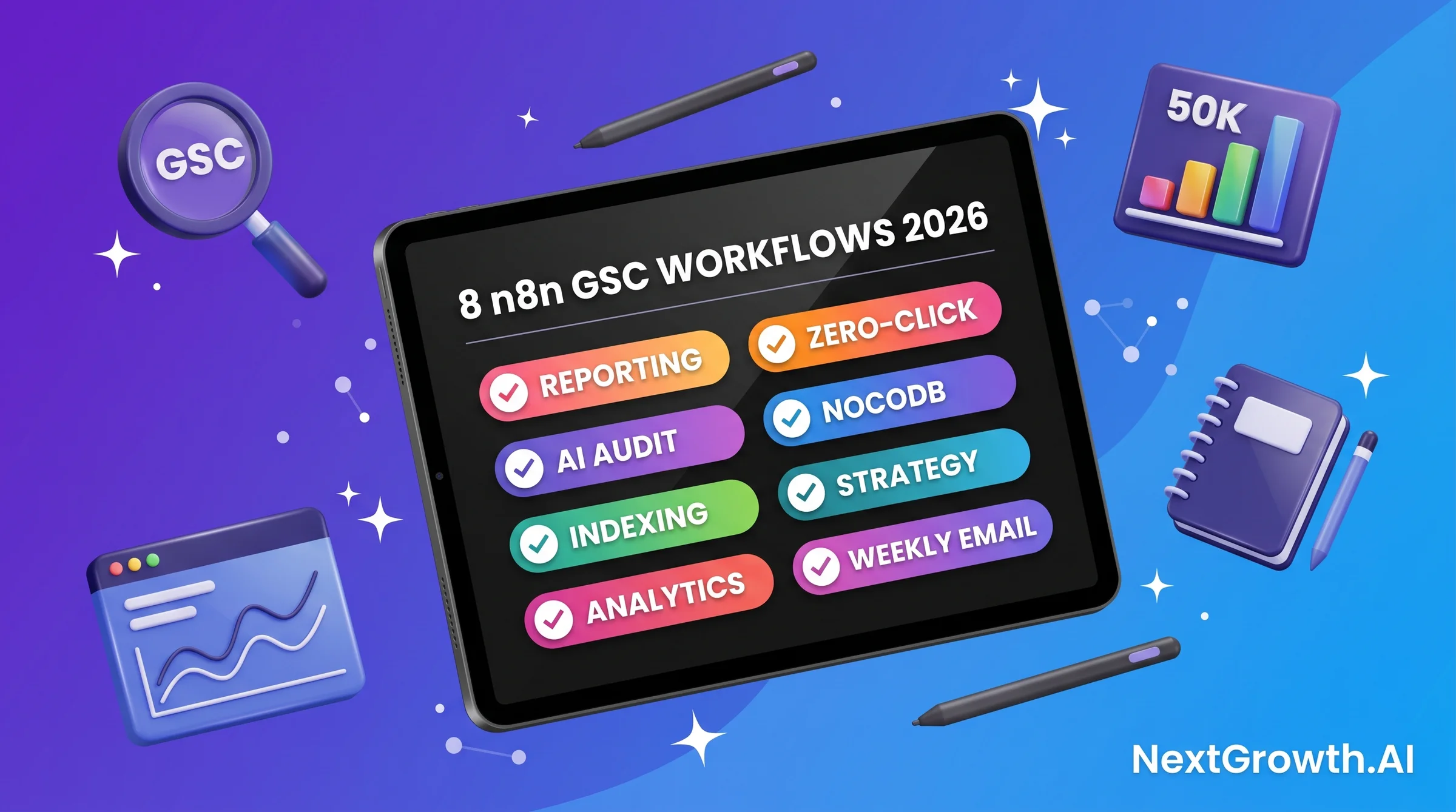
- n8n has 8 official GSC workflow templates (as of May 2026) covering weekly reports, AI traffic-drop audits, indexing API, zero-click queries, and NocoDB exports.
- GSC API enforces a 50,000 rows/request hard limit with a rolling 10-minute load window (Google Developers, 2026).
- NextGrowth.ai runs its full GSC + GA4 + DataForSEO stack for $21.60/mo on self-hosted n8n.
- n8n has 189K GitHub stars and a TypeScript codebase under a fair-code license (GitHub, 2026).
- The biggest 2026 shift: adding an LLM agent layer on top of raw GSC data turns reporting into ranked action lists.
8
Official n8n GSC Templates
50K
Row/Request API Limit
$21.60
/mo Full Stack Cost
189K
n8n GitHub Stars
Why n8n Google Search Console Automation Hits Different in 2026
n8n’s GSC integration isn’t new. What’s new in 2026 is the ecosystem around it. The official template library has grown from scattered community contributions to 8 dedicated GSC workflows. Community activity on r/n8n hit 23 threads related to GSC automation in the last 30 days alone, generating 1,207 upvotes and 695 comments. That’s a clear signal the practitioner base is actually shipping these workflows, not just planning them. The other shift is the AI layer. In 2025, the typical n8n + GSC workflow pushed data to Sheets. In 2026, that same pipeline routes through an LLM agent before output. The Mediology Software team documented this pattern in their 2026 walkthrough: “continuous monitoring with auto-fix triggers” is becoming the expected baseline, not an advanced feature (Mediology Software, 2026). Two other 2026 context points matter here. Google deprecated FAQ rich results on May 7, 2026. If your GSC automation tracks FAQ schema CTR, you need to update those alert thresholds. And Core Web Vitals thresholds remain LCP under 2.5s and INP under 200ms – if your alert workflows still watch the retired FID metric instead of INP, they are watching the wrong signal. This isn’t an exercise in workflow-building for its own sake. The r/n8n consultant post from May 8, 2026 captured the business reality precisely: “I helped a client automate his SEO reporting in n8n. Shared in socials. Got DMs asking me to build it for them. So I did.” That’s the agency layer. Build the skill, sell the output. The demand is real and it’s growing. We’ve built this stack ourselves. The operational data is genuine. Let’s get into it.🟢 BEFORE YOU BUILD ANYTHING
If your GSC automation need fits one of the 8 official n8n templates below, start there. They’re free, maintained, and cover 80% of agency reporting use cases. Custom builds make sense only for edge cases: proprietary scoring, non-standard output destinations, or workflows the template library doesn’t cover. Save custom work for genuine gaps.
The 8 Official n8n GSC Workflow Templates (Use These Before Building From Scratch)
The n8n template library hosts 8 verified GSC workflows as of May 2026. Each is free, maintained by the n8n team or verified contributors, and deployable with your own credentials. (n8n Workflows Library, 2026). Before writing a single Code node, check this list. Here’s the full catalog with honest notes on each: Template #11665 – GSC + GA4 + Google Sheets Reporting. This is the workhorse. It pulls Search Analytics data from GSC, merges it with GA4 session data, and writes both to a Sheets dashboard. Best starting point for weekly reporting automation. Medium complexity: 12-15 nodes. Template #11401 – AI Traffic-Drop Audit to Slack. Compares current vs. prior-period GSC clicks. When a page drops beyond a threshold you set, it sends an LLM-analyzed alert to Slack with candidate causes. This is the “wake me up when something breaks” workflow. High value for agencies managing multiple client properties. Template #11979 – Automated GSC Indexing API. Handles programmatic URL submission to the Google Indexing API. Trigger on new sitemap entries or content publish events. Pair this with your technical SEO checklist for a complete indexing pipeline. Template #5303 – GSC + Analytics Analysis with AI Optimizations. Adds an AI node that analyzes combined GSC and GA4 data and generates optimization recommendations. Good for surfacing underperforming pages with high impression counts and low CTR. Template #7645 – Zero-Click Query Tracking. Tracks queries with high impressions and near-zero clicks. Outputs a prioritized list of titles and meta descriptions to test. Direct input for your content refresh workflow when CTR decay signals are firing. Template #3721 – GSC Data to NocoDB. Routes GSC performance data into NocoDB for teams that prefer a structured database over Sheets. Useful if you’re building a custom SEO dashboard on top of it. Template #11109 – SEO Strategy Reports with SerpAPI + GPT-4 Agent Team. A multi-agent pattern: one agent pulls GSC data, another pulls SerpAPI SERP data, a coordinator agent synthesizes both into a strategic report. More complex, higher cost per run, but produces genuinely useful weekly strategy briefings. Template #3712 – Weekly SEO Reports to Email. The simplest template in this list. Pulls GSC top queries and pages for the week, formats them, emails the report. Good for teams that don’t need Slack integration or AI analysis yet. All 8 templates are documented on the n8n workflows library. Most require only GSC OAuth2 credentials (H2 #3 below) and a destination (Sheets, Slack, or email). Start with #3712 to validate your OAuth setup before moving to more complex templates. —How Do You Connect n8n Google Search Console API? (OAuth2 + Property Setup) to Google Search Console API? (OAuth2 + Property Setup)
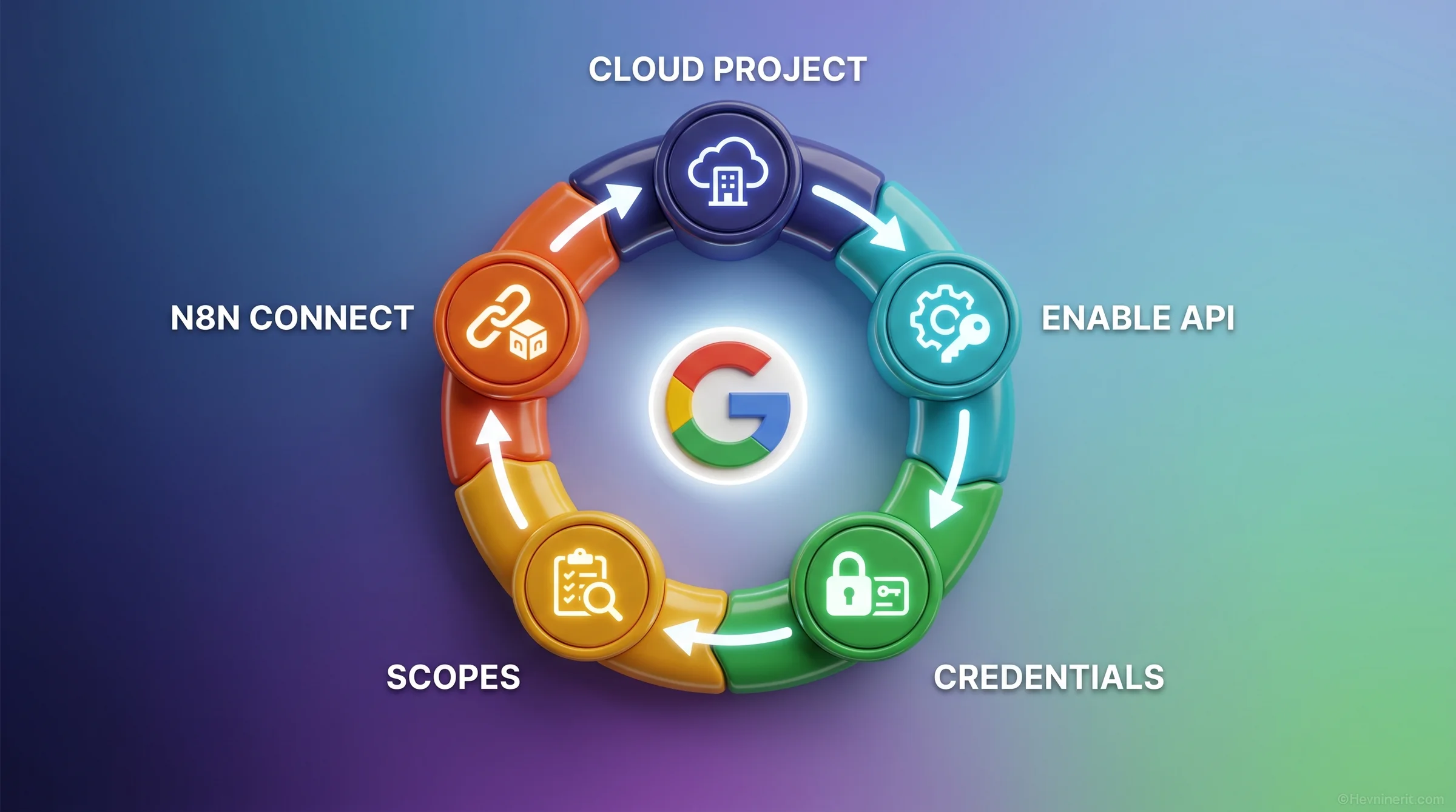
https://your-n8n-instance.com/rest/oauth2-credential/callback.
Step 4: Configure OAuth Consent Screen. Set the app to “External” if you’re connecting to your own GSC properties. Add the scopes you need. For read-only reporting workflows, webmasters.readonly is sufficient. For indexing API submissions, add webmasters.
Step 5: Connect in n8n. In n8n, create a new Google Search Console credential. Paste the Client ID and Client Secret. Click Connect, authenticate, and authorize.
The credentials JSON looks like this once configured:
{
  "oauthTokenData": {
    "access_token": "ya29.a0AfB_byC...",
    "token_type": "Bearer",
    "scope": "https://www.googleapis.com/auth/webmasters.readonly",
    "expiry_date": 1747123456789
  },
  "clientId": "123456789-abc.apps.googleusercontent.com",
  "clientSecret": "GOCSPX-...",
  "authUrl": "https://accounts.google.com/o/oauth2/v2/auth",
  "accessTokenUrl": "https://oauth2.googleapis.com/token",
  "scope": "https://www.googleapis.com/auth/webmasters.readonly"
}sc-domain:example.com for domain properties and https://example.com/ for URL-prefix properties. The most common 403 error we see is a property prefix mismatch. Verify your property type in the GSC interface before hardcoding it in your workflow.
Review credentials every 6-12 months. Google occasionally updates OAuth scope requirements, and an expired or revoked token will silently break your scheduled workflows at the worst possible moment.
—
What Are the GSC API Quota Limits You Actually Hit at Scale?
The GSC API has a 50,000 rows per request hard limit. That sounds like plenty until you start queryingquery + page + device + country dimensions across 90 days for a high-traffic property. You’ll hit the ceiling on a site with 500+ actively ranking pages and a busy query set. (Google Webmaster Tools Limits, 2026).
The quota structure has several layers:
- 50,000 rows per request (hard response limit, not configurable)
- Rolling 10-minute load window (prevents burst flooding)
- Per-site, per-user, per-project QPS/QPM/QPD (queries per second/minute/day)
- Daily quota reset at midnight Pacific Time
page + query + device across 30 days exceeds 50K rows on higher-traffic weeks. The fix is not what most tutorials suggest.
🛠️ ENGINEER’S PERSPECTIVE – THE 50K ROW QUOTA TRAP
- Don’t paginate. Loop by date instead. The GSC API paginates at row 50,001 using a startRow offset, but requesting row 50,001+ on a large property still consumes quota on the first call. The more effective pattern is looping one day at a time: each loop iteration requests that single day’s data. You stay well under 50K per call on almost any property. Per the hackceleration tutorial (dev.to, 2025), loop-by-date adds 30 seconds of wall time per 7-day pull but eliminates the quota error entirely.
- Narrow your dimensions when you need breadth. If you need 90-day data, drop the device dimension. If you need all devices, narrow to top-50 pages. The row count multiplies by each dimension combination, so removing one dimension often cuts the result set by 3-5x.
- Track your daily quota burn in the workflow log. Add a simple Code node after each GSC API call that logs the returned row count to a Sheets cell or n8n variable. When a workflow starts approaching the daily limit on QPS/QPM, you’ll see the pattern before it causes a failure. Silent failures in scheduled workflows are the worst kind.
// n8n Code node: Loop-by-date GSC pull
// Place after a "Split in Batches" node looping over date array

const dateStr = $input.first().json.date; // e.g. "2026-05-12"
const siteUrl = "sc-domain:nextgrowth.ai";

const payload = {
  startDate: dateStr,
  endDate: dateStr,
  dimensions: ["query", "page"],
  rowLimit: 25000,          // well under the 50K hard limit
  startRow: 0
};

// Append to accumulated results in workflow variable
const existing = $vars.gscRows || [];
const newRows = $input.all().map(item => ({
  date: dateStr,
  query: item.json.keys?.[0] || "",
  page: item.json.keys?.[1] || "",
  clicks: item.json.clicks || 0,
  impressions: item.json.impressions || 0,
  ctr: item.json.ctr || 0,
  position: item.json.position || 0
}));

return [{ json: { rows: [...existing, ...newRows], dateProcessed: dateStr } }];Building the GSC + GA4 + Sheets Weekly Reporting Workflow
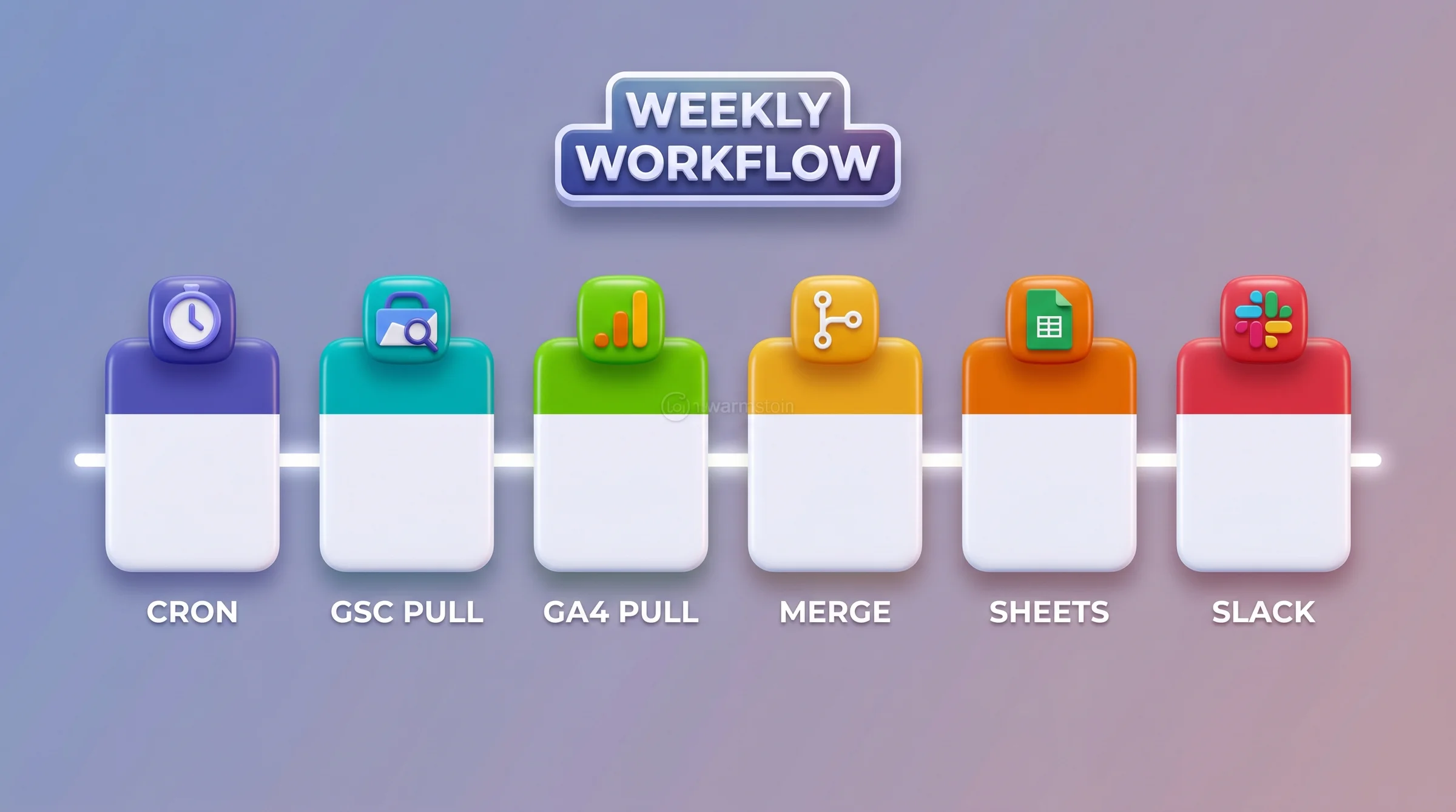
https://nextgrowth.ai/rank-tracking-best-practices/). GA4 returns them as relative paths (/rank-tracking-best-practices/). Normalize to relative paths in the merge Code node before joining, or your merge will produce mostly empty rows.
After the merge, write to a Google Sheet with an upsert pattern: match on date + page, update if exists, append if new. This keeps the Sheet clean for rolling 13-week analysis without duplicate rows. The SEO analytics reporting guide covers the Sheets schema design in more detail if you want a structured template.
The final step: a conditional check for traffic anomalies. We flag any page that dropped more than 20% week-over-week on clicks. Flagged pages get a Slack message with the URL, current clicks, prior-week clicks, and delta percentage. This is the “2-3 actionable alerts per week” pattern we mentioned in the intro. 14 alerts/week total, most informational, 2-3 worth acting on.
The whole workflow runs in under 3 minutes wall time for 73 pages. At 500+ pages it likely takes 8-12 minutes on the loop-by-date pattern. Still well within reasonable Cron scheduling for a weekly run.
—
The AI Agent Layer on n8n Google Search Console Data: Adding LLM-Powered Analysis to GSC Data
Raw GSC data tells you what happened. An LLM agent tells you why it matters and what to do about it. The 2026 pattern adds a language model node between data collection and output. Template #11401 implements the traffic-drop version. The Marvomatic free template (YouTube, Nov 2025) implements ranking opportunity detection. (Marvomatic, 2025). The AI agent layer has three components in practice: Data preparation. Aggregate the GSC rows into a structured summary: top 20 pages by impressions, top 20 queries by clicks, pages with CTR below 2%, pages with position between 6-15 (the “page 2 trap”). This summary is the context you pass to the LLM. Sending 25,000 raw rows to GPT-4 is expensive and wasteful. Sending a 500-word structured summary is efficient. The analysis prompt. This is where the work lives. A good prompt specifies the output format, the type of analysis expected, and the constraints. Here’s the prompt template we use at NextGrowth.ai for the weekly GSC analysis agent:You are an SEO analyst reviewing weekly Google Search Console data.
SITE: nextgrowth.ai
DATE RANGE: {{weekStart}} to {{weekEnd}}
TOTAL CLICKS: {{totalClicks}} (vs {{priorClicks}} prior week)
TOTAL IMPRESSIONS: {{totalImpressions}}
TOP TRAFFIC DROPS (pages down 20%+ week-over-week):
{{trafficDropsList}}
PAGE 2 OPPORTUNITY PAGES (position 6-15, impressions > 200):
{{page2OpportunityList}}
HIGH IMPRESSION / LOW CTR PAGES (CTR < 2%, impressions > 500):
{{lowCTRList}}
Task: For each category above, provide:
1. The most likely cause (1 sentence)
2. The recommended action (1-2 sentences, specific)
3. Priority: HIGH / MEDIUM / LOW
Format as a JSON array of objects with keys:
url, category, cause, action, priority
Return only valid JSON. No markdown wrapper.Self-Hosting n8n Google Search Console Workflows: The $20/mo VPS Tier: The $20/mo VPS Cost Ceiling for Agencies
The cost argument for self-hosted n8n is straightforward. At agency scale, managed n8n Cloud runs $50-200/mo depending on execution count and team seats. Self-hosted n8n on a $20/mo Hetzner VPS brings that down to $21.60/mo for our full stack. (Hetzner Cloud, 2026). Here’s our exact monthly cost breakdown at NextGrowth.ai, running since November 2025:- Hetzner CX22 VPS: $20.00/mo (2 vCPU, 4GB RAM, 40GB SSD)
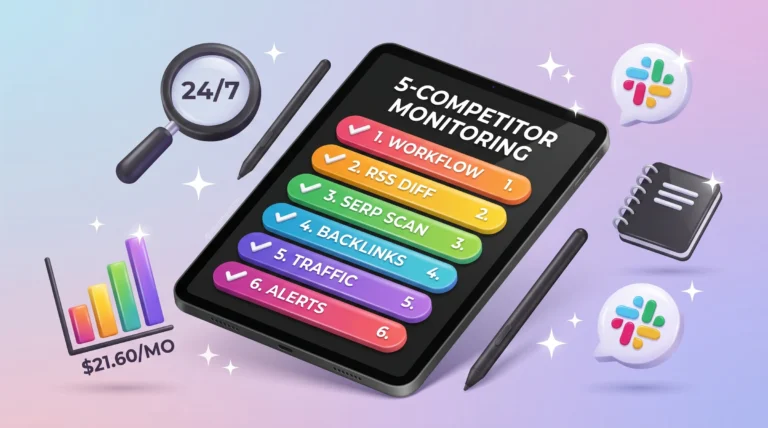
- DataForSEO SERP scans: $1.10/mo (5-competitor monitoring, 2x daily)
- Firecrawl sitemap diffs: $0.50/mo (weekly crawl for content change detection)
- GSC API: $0.00 (free under quota for our traffic level)
- Total: $21.60/mo
When NOT to Build This: 3 Anti-Patterns from the 2026 Community Pulse
Nick Saraev’s YouTube video on n8n automation (453K views, 14.5K likes) makes a point worth taking seriously: “automation skills have an expiration date.” (Nick Saraev, 2026). The value is moving to the business problem layer, not the workflow-building layer. Here’s what that means for GSC automation specifically. Anti-pattern 1: Building from scratch when a template covers it. The 8 official templates in H2 #2 above cover weekly reporting, traffic-drop alerts, indexing submissions, zero-click tracking, NocoDB export, and AI-enhanced strategy reports. If your need fits any of these, deploying the template takes 20 minutes. Building a custom equivalent takes 4-8 hours. The ROI math only works if you have a genuine edge case the templates don’t address: a proprietary scoring model, an unusual data destination, or a custom integration the template library doesn’t support. Anti-pattern 2: Running LLM analysis on every GSC data pull. Adding a GPT-4 node to your daily GSC pull because it sounds impressive is a real cost drain. At $0.02-0.05 per analysis run, daily runs cost $7-18/mo in LLM credits alone for data that mostly looks the same day-to-day. The pattern that works: run raw data pulls daily for the Sheets dashboard, run LLM analysis only on the weekly anomaly detection pass. Reserve AI for the question “what needs human attention this week,” not “what did we see today.” Anti-pattern 3: Treating the workflow JSON as the product. The rank tracking workflow is infrastructure. The product is the SEO insight it surfaces, the decision it enables, or the client reporting it automates. Agencies that charge for “n8n workflow setup” as a one-time deliverable are selling the wrong thing. The durable value is the ongoing SEO intelligence operation: the alerts that catch traffic drops before clients notice, the content decay signals that trigger refresh projects, the competitive monitoring that surfaces SERP shifts overnight. These three anti-patterns come up repeatedly in the r/n8n threads from the last 30 days. The consultant community is learning them the hard way. Save yourself the iteration. The legitimate sweet spot for custom builds: you need GSC data feeding a proprietary scoring model, or you’re connecting to a client CRM that no template covers, or you’re building the agency service layer that Saraev describes as the durable value. That’s where custom n8n work is worth the investment. Everything else, start with templates. —FAQ
What’s the easiest way to start with n8n Google Search Console automation?
Start with template #3712 (weekly SEO reports to email) from the n8n workflows library. It requires only GSC OAuth2 credentials and an email address. Setup takes under 30 minutes. Once you’ve validated your OAuth connection works, move to template #11665 (GSC + GA4 + Sheets) for a full reporting stack. Starting simple confirms your credential setup before you invest time in complex workflows.How do I avoid hitting the GSC API 50,000 row limit?
Loop by date rather than requesting large date ranges in one call. A single-day query on most properties returns well under 50,000 rows even with multiple dimensions. Per Google’s API documentation, the limit is a hard response ceiling, not a quota you can increase. The loop-by-date pattern from the hackceleration tutorial adds about 30 seconds per 7-day pull but eliminates limit errors entirely on properties under 500 daily ranking pages.Is self-hosted n8n worth it for a solo SEO consultant?
At $20/mo for a Hetzner VPS vs. $50/mo for n8n Cloud Starter, self-hosting saves $30/mo or $360/yr. The break-even point is whether you’re comfortable with Docker and basic Linux administration. If you are, the self-hosted setup is straightforward and you get unlimited workflow executions. If you’re not, n8n Cloud removes the ops overhead and the $30/mo premium is reasonable. The DataForSEO API guide covers the full self-hosted stack setup if you want to go that route.Can I add multiple GSC properties to one n8n workflow?
Yes. Use a Split in Batches node with an array of property IDs, then run your GSC HTTP request node once per property. Each iteration uses the same OAuth credentials as long as the Google account has access to all properties. This is the pattern for agency workflows monitoring 5-15 client sites from a single n8n instance. Output rows to separate Sheets tabs or separate NocoDB tables per property for clean client-level reporting.What does the AI agent layer actually cost per month?
For a weekly GSC analysis run using GPT-4o-mini, budget $0.02-0.05 per run, or roughly $0.10-0.20/mo per site. At 10 client sites, that’s $1-2/mo in LLM costs for the AI layer. The bigger cost is OpenAI API overhead if you route daily pulls through GPT-4 – that can run $7-18/mo per site unnecessarily. Use GPT-4o-mini for weekly summarization, reserve GPT-4 for the deeper monthly strategy reports from template #11109, and you keep the AI layer well under $5/mo for a typical agency portfolio.Does n8n work with GSC domain properties vs. URL-prefix properties?
Both types work. Usesc-domain:example.com format for domain properties (verified via DNS) and https://example.com/ for URL-prefix properties. The property format goes in the siteUrl field of your GSC API request payload. Domain properties return more complete data because they aggregate across all protocols and subdomains. If you own the DNS verification, use domain properties for complete picture. The most common setup error is mixing formats within the same workflow.
—
Conclusion
From CSV Exports to Agent-Driven SEO Operations The shift from manual GSC exports to agent-driven SEO operations isn’t a technology story. It’s an operational one. The 8 official n8n templates exist now. The GSC API quota structure is documented and workable once you understand the loop-by-date pattern. The AI agent layer is proven and cheap. The $20/mo VPS infrastructure is stable and well-documented. What separates teams that ship this from teams that plan to: starting with templates instead of custom builds, being honest about what the AI layer should and shouldn’t touch, and treating the automation as operational infrastructure rather than a one-time project. The complete SEO best practices guide covers where GSC automation fits in the broader SEO operations stack. The SEO analytics reporting guide goes deeper on the Sheets schema and GA4 + GSC merge patterns. Your Monday morning CSV export routine ends here. Pick one template from the list in H2 #2, get OAuth connected this week, and run it. The pattern compounds from there.Editorial Review Approach
This article is written by the NextGrowth.ai team based on first-party operational data from our self-hosted n8n instance running since November 2025. Workflow cost data ($21.60/mo), alert frequency (14/week median), and quota behavior (18,000-25,000 rows for nextgrowth.ai) are observed from our live production stack. External sources are cited inline with links to primary documentation. We do not have a commercial relationship with n8n, Google, Hetzner, or any tool mentioned in this article. No vendor was previewed or paid for coverage.
QUICK DECISION GUIDE
Which path is right for you?
- Start with official templates (#3712, #11665, #11401) – Your need matches a template use case. You want working automation in under an hour. You’re new to GSC API integration.
- Build a custom workflow – You have a proprietary scoring model. Your output destination isn’t Sheets, Slack, email, or NocoDB. You’re building an agency service layer with recurring client deliverables that no template covers.
- Use managed n8n Cloud ($50-200/mo) – You need zero ops overhead. You’re not comfortable with Docker or Linux. You’re running under 10 client workflows and the $30/mo Cloud premium is acceptable compared to VPS management time.