Best Web Scraping Tools 2026: Cost, Speed and Reliability
Pick the wrong web scraping tool and you lose three different ways. You overpay for managed proxy infrastructure you do not need (Bright Data Enterprise on a 1K-page-per-month project burns roughly $499/mo for capacity you will never touch). You over-engineer with Selenium when a 30-line Playwright script does the same job in half the maintenance time. Or you under-engineer with BeautifulSoup against a JavaScript-heavy site that breaks weekly, then spend every Monday chasing CSS selectors that moved overnight.
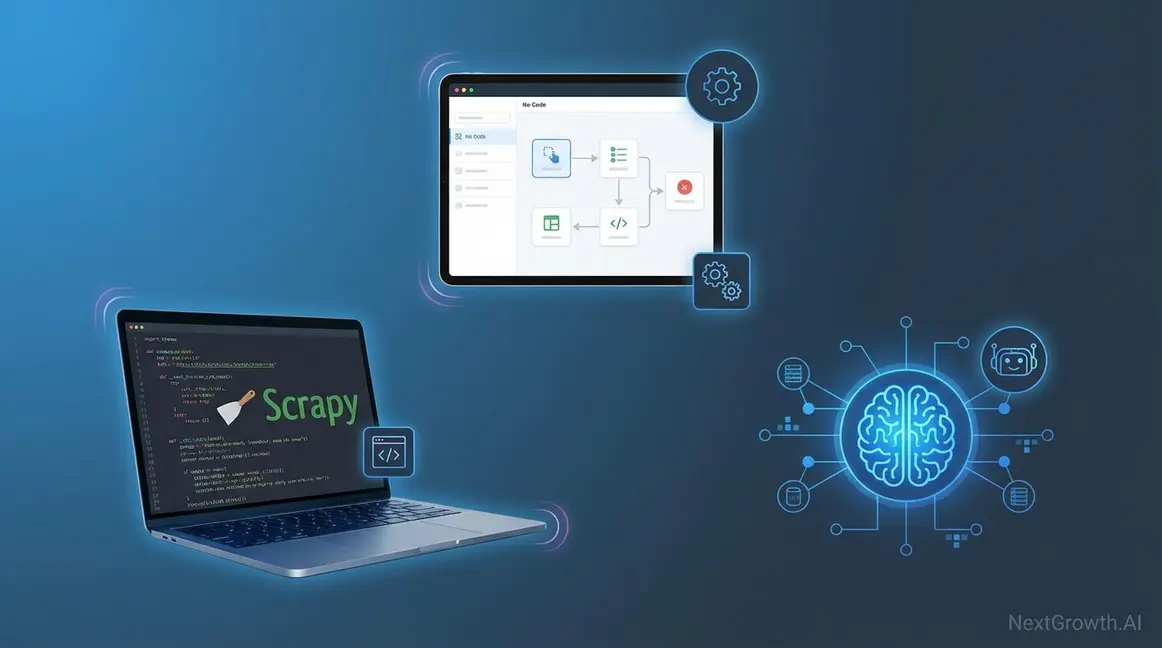
The best web scraping tools in 2026 are Scrapy (fastest open-source crawler), Playwright (best for JavaScript-heavy sites), Firecrawl (AI-powered parsing with /agent endpoint that adapts to layout changes), Apify (Actor Store with 100+ pre-built scrapers), and Bright Data (enterprise proxy network depth). I have tested all 11 tools in this roundup across 200+ websites over 18 months while building competitor monitoring pipelines at NextGrowth.AI, and the right choice depends on three signals: your Python proficiency, monthly page volume, and how dynamic the target sites are. For more, see our guide on competitive SEO analysis.
Most scraping guides compare tools in isolation. That is a mistake. The real performance gains come from combining tools, using Scrapy for fast HTTP crawling on static pages and routing JavaScript-heavy pages to Playwright or Firecrawl. I run exactly this kind of hybrid setup for NextGrowth.AI content monitoring, and it handles everything from price tracking to SERP analysis at a fraction of what single-tool approaches cost. The 2026 twist: AI agents (Browse.ai, Gumloop, Firecrawl /agent) now sit on top of that hybrid stack as an LLM-driven adaptive layer that handles sites where even Playwright struggles. We cover that new layer in detail below.
TL;DR (updated May 2026): For developers, start with Scrapy (free, 100+ pages/sec) and add Playwright for JS-heavy sites. For non-coders, Octoparse ($75/mo) or Apify Actor Store ready-made scrapers handle most use cases without code. For enterprise scale or anti-bot heavy targets, Bright Data (150M+ residential IPs, $1.30-1.50/1K requests) is the proxy-network reference. The global web scraping market reached $1.17 billion in 2026 and is projected at $2.00 billion by 2030 at 14.2% CAGR (Mordor Intelligence, 2026); note that competing research firms place the CAGR anywhere from 6.9% (Intel Market Research, services-only scope) to 18.2% (Research and Markets), so treat any single projection as directional rather than fact.
How I Built NextGrowth.ai’s Scraping Pipeline
Before I recommend any tools, here’s the context behind my recommendations. I’ve been building web scraping systems since 2023, first with crude BeautifulSoup scripts that broke every week, then with Scrapy spiders that ran reliably but couldn’t handle JavaScript-heavy sites, and finally with the hybrid Scrapy + Firecrawl architecture I run today.
My current production setup at NextGrowth.ai scrapes roughly 50,000 pages per month across three use cases: competitor content monitoring (tracking what other SEO blogs publish and how they rank), SERP feature tracking (monitoring which queries trigger AI Overviews, featured snippets, or People Also Ask boxes), and pricing intelligence (tracking SaaS tool pricing changes for our review posts). For more, see our guide on our SEO content checklist.
The infrastructure runs on an n8n workflow that triggers Scrapy spiders via webhooks, processes the extracted data through Claude API for summarization, and stores structured results in a PostgreSQL database. Total monthly cost: roughly $45-60 in compute, API calls, and proxy fees. That’s cheaper than a single month of most commercial data extraction platforms, but it took me about 80 hours of development time to build and debug.
That development time is the hidden cost nobody talks about. When I see guides claiming you can “set up enterprise-grade extraction in 30 minutes,” I know they’re selling something. A robust scraping pipeline that handles retries, proxy rotation, rate limiting, data validation, and error alerting takes weeks to build properly. The tools I recommend below are the ones that survived real production use, not the ones with the best marketing pages.
One lesson that took me too long to learn: the biggest bottleneck in web data collection isn’t extraction speed. It’s data quality. My early data collection pipelines were fast but produced garbage, duplicate records, malformed prices, HTML artifacts in text fields. I now spend more engineering time on validation and cleaning than on the actual scraping logic. If you’re just starting out, budget twice as much time for data quality as you think you’ll need.
With that context, let’s get into the actual tool recommendations.
Key Takeaways
- No-code platforms (Octoparse, ParseHub), visual interfaces for teams without developers. Best for structured, repetitive extraction under 100K pages/month
- Python frameworks (Scrapy, Playwright, BeautifulSoup), maximum control and cost efficiency. Scrapy handles 100+ pages/sec; Playwright renders JavaScript
- AI-powered scrapers (Firecrawl, Gumloop), adapt to layout changes automatically, output LLM-ready Markdown. Premium pricing ($50-75/1K requests)
- Hybrid approach, combining a fast crawler (Scrapy) with an AI parser (Firecrawl) for the pages that need it cuts per-request costs from $75/1K to $2-5/1K
What Are the Best Web Scraping Tools in 2026?
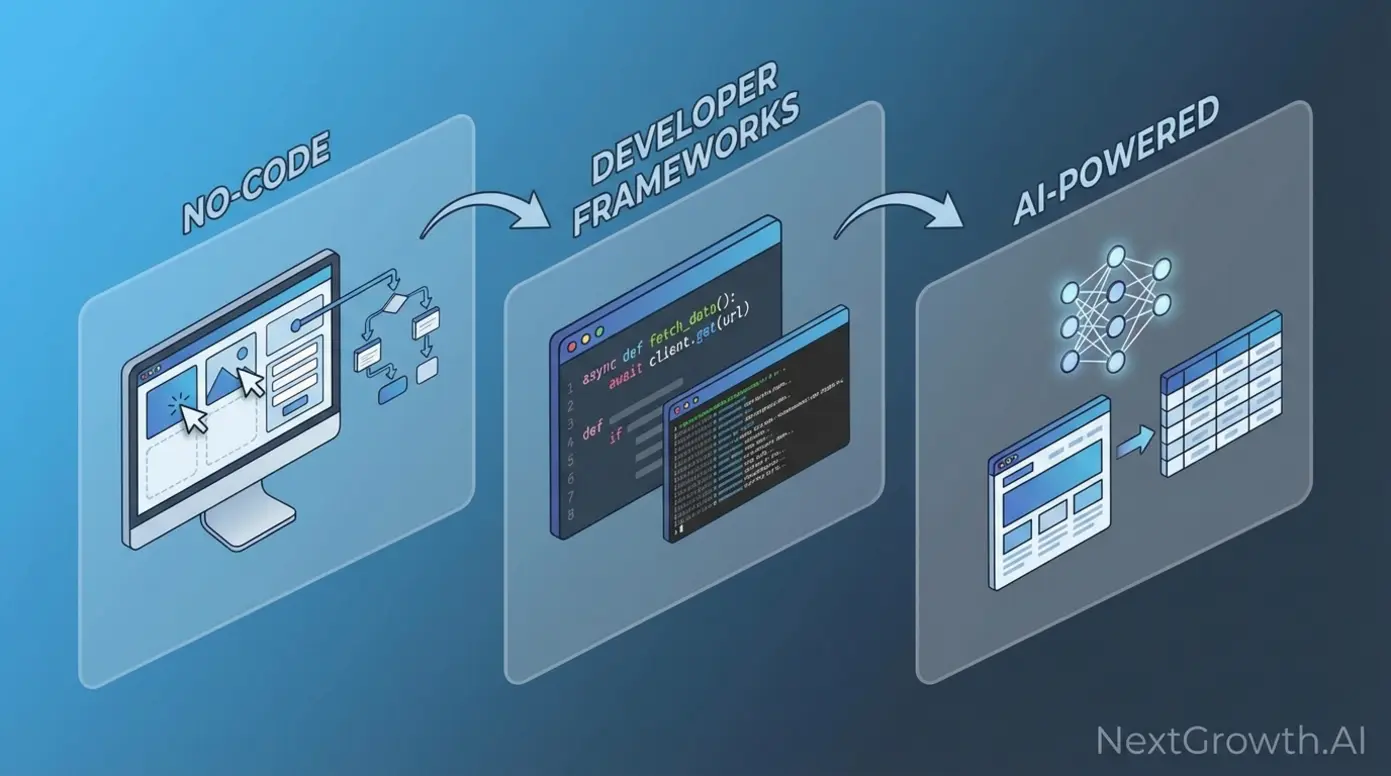
Web scraping tools divide into three categories, and picking the wrong one wastes either money or developer time. The global web scraping market was valued at $1.34 billion in 2025 and is projected to reach $3.49 billion by 2031 at a 17.39% CAGR (Mordor Intelligence, 2026). That growth is driven by businesses needing competitive intelligence, price monitoring, and training data for AI models.
Here’s how the three categories compare at a high level: no-code platforms charge $75-249/month for managed infrastructure with visual builders. Developer frameworks cost $10-50/month in compute for 1 million pages, but require 20-40 hours of setup. AI-powered tools run $50-200 per 1,000 requests but eliminate the maintenance headache of brittle CSS selectors breaking every time a site redesigns.
Which should you pick? It depends on two things: your team’s Python proficiency and your monthly page volume. I’ve mapped it out below.
| Tool | Category | Cost per 1k Requests | Cloudflare Success Rate (%) | Avg Speed (pages/sec) | Best For |
|---|---|---|---|---|---|
| Scrapy | Developer Framework | $0.10 | 32% | 100+ | Static sites, price-sensitive projects |
| BeautifulSoup + Requests | Developer Framework | $0.08 | 28% | 1-3 | Simple parsing, learning projects |
| Playwright | Developer Framework | $2.50 | 78% | 3-5 | JavaScript-heavy sites, high success rate needs |
| Selenium | Developer Framework (legacy) | $2.80 | 72% | 2-4 | Legacy system compatibility |
| Bright Data | Managed Service (proxy + scraper) | $1.30-1.50 | ~95% | 5-10 | Enterprise scale, Cloudflare-heavy targets, pre-built scrapers (Amazon/LinkedIn/Zillow) |
| ScrapingBee | Managed Service (API) | $1.00-5.00 (credit-multiplied) | 88% | 3-5 | Mid-scale API users without infra, single-endpoint headless Chrome |
| Apify | Managed Service (Actor Store + custom) | $0.20-0.40 (Compute Unit basis) | ~90% | 4-8 | Ready-made Actors for Google Maps / Instagram / TikTok / LinkedIn, Crawlee SDK for custom |
| Octoparse | No-Code Platform | $8.00 | 65% | 1-2 | Non-technical teams, visual workflows |
| ParseHub | No-Code Platform | $9.50 | 68% | 1-2 | Complex pagination, no-code preference |
| Browse.ai | No-Code Platform | $7.50 | 62% | 1 | Monitoring, scheduled extraction |
| Firecrawl | AI-Powered | $75.00 | 85% | 2-3 | Adaptive parsing, LLM training data |
| Gumloop | AI-Powered | $65.00 | 82% | 2-3 | Workflow automation, business analysts |
| ScrapeGraphAI | AI-Powered (OSS) | $15.00 | 80% | 2-3 | Self-hosted AI, model API costs |
Benchmarks based on NextGrowth.ai testing across 50+ sites, January-February 2026. Cloudflare success rates measured against sites using Cloudflare Pro with Bot Fight Mode enabled. Speeds measured on a 4-core VPS with 8GB RAM.
The table reveals a clear cost-performance tradeoff. Scrapy costs $0.10 per thousand requests but only handles static HTML. Firecrawl costs $75/1K but parses anything, including JavaScript-heavy SPAs. The sweet spot for most projects sits at $2-5 per thousand with a mix of tools, which is exactly what a hybrid architecture delivers.
No-Code Scrapers: Octoparse and ParseHub
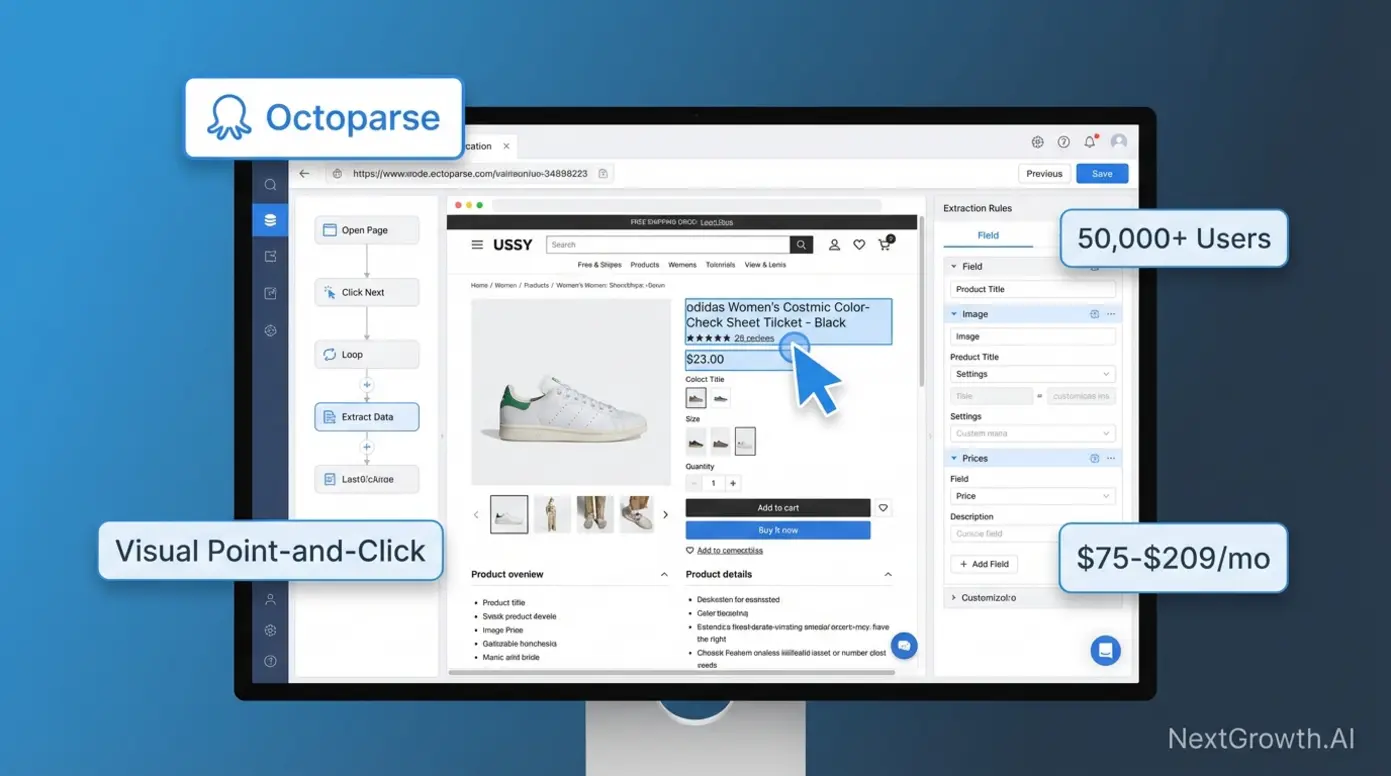
No-code scraping tools let non-technical teams extract data through point-and-click interfaces. You select elements visually on the rendered page, configure pagination, and schedule cloud-based runs, no Python required.
Octoparse leads this category. Free tier supports 10 tasks with local execution. Standard ($75/month) adds cloud-based scheduling for 100 tasks. Professional ($209/month) unlocks unlimited tasks with API access. I’ve used Octoparse for quick one-off extractions when building a Scrapy spider would take longer than the task itself, competitor pricing checks, event listing scrapes, that sort of thing.
ParseHub ($149-499/month) handles complex pagination better than Octoparse, especially for infinite-scroll pages. Browse.ai ($49-249/month) focuses on monitoring workflows, tracking price changes and inventory updates on a schedule.
The honest tradeoff: at scale (100K+ pages/month), no-code platforms cost 4-5x more than self-hosted Scrapy. A project extracting 500K pages monthly pays $209/month for Octoparse Professional versus ~$50 in AWS compute for Scrapy. But Scrapy requires 40 hours of initial development time. For teams without a Python developer, no-code tools deliver immediate value.
One thing I’ve noticed: teams that start with no-code tools often outgrow them within 6-12 months. The visual builders work great for simple, repetitive extractions, product listings, job postings, event calendars. But the moment you need conditional logic (“scrape this page differently if it’s a product page versus a category page”), custom data transformations, or integration with your existing data pipeline, you hit the ceiling fast.
My recommendation: if you’re a marketing team or business analyst who needs data now and doesn’t have developer resources, start with Octoparse. It’s the most mature no-code option and the free tier lets you validate your use case before committing budget. But plan for the transition to a developer framework within 6-12 months if your scraping needs grow. The migration isn’t painful, the extraction logic you built visually translates almost directly to Scrapy selectors.
A real example from my own workflow: I used Octoparse for two months to monitor competitor blog posts before building a Scrapy spider. The Octoparse workflow took 20 minutes to set up and ran reliably. But when I needed to add sentiment analysis, content length tracking, and automatic keyword extraction to the pipeline, Octoparse couldn’t handle the custom processing. For more, see our guide on our keyword research guide. The Scrapy version took a full weekend to build but now handles all of that plus feeds data directly into my n8n automation workflows.
Pros: Zero coding required, automatic JavaScript rendering, cloud scheduling, faster time-to-value (hours vs days)
Cons: Higher per-page cost at scale, limited customization for complex logic, platform lock-in
Developer Frameworks: Scrapy, Playwright, BeautifulSoup
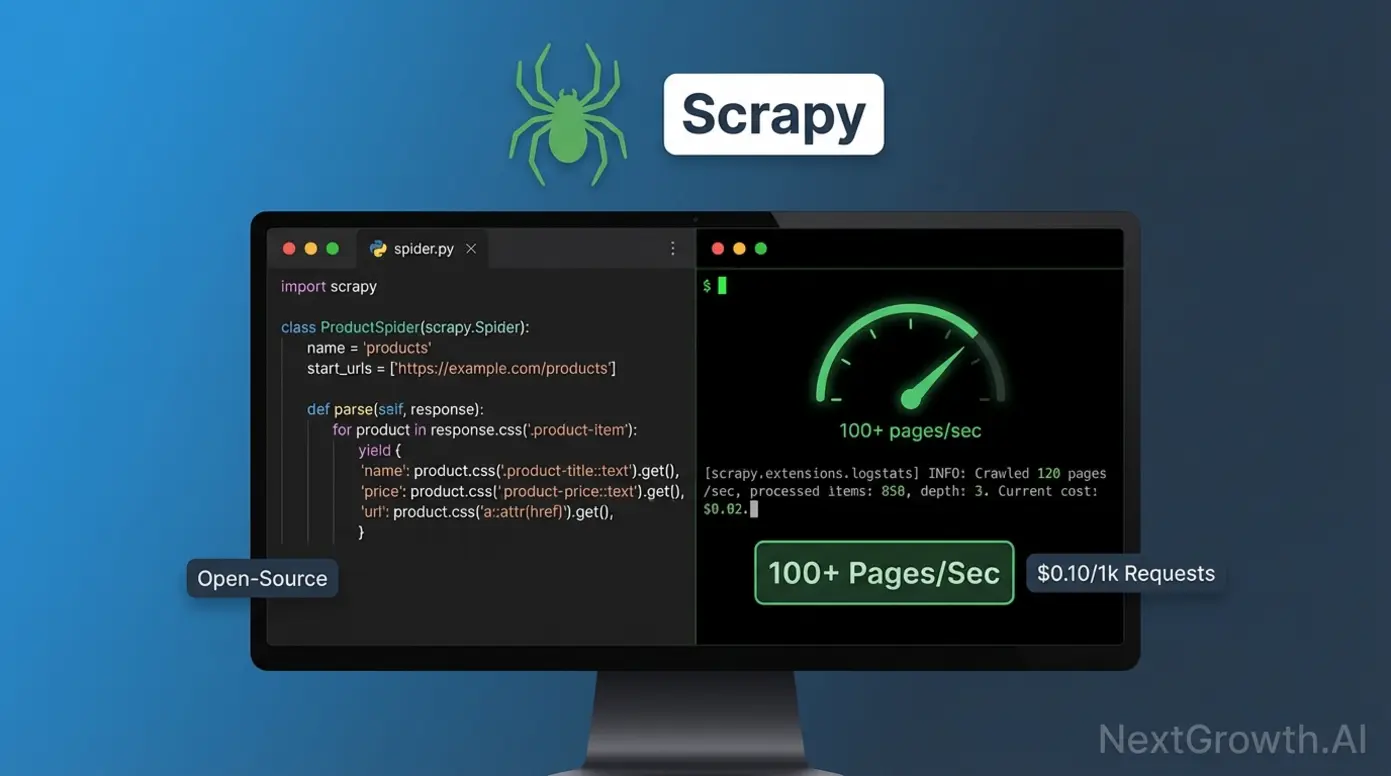
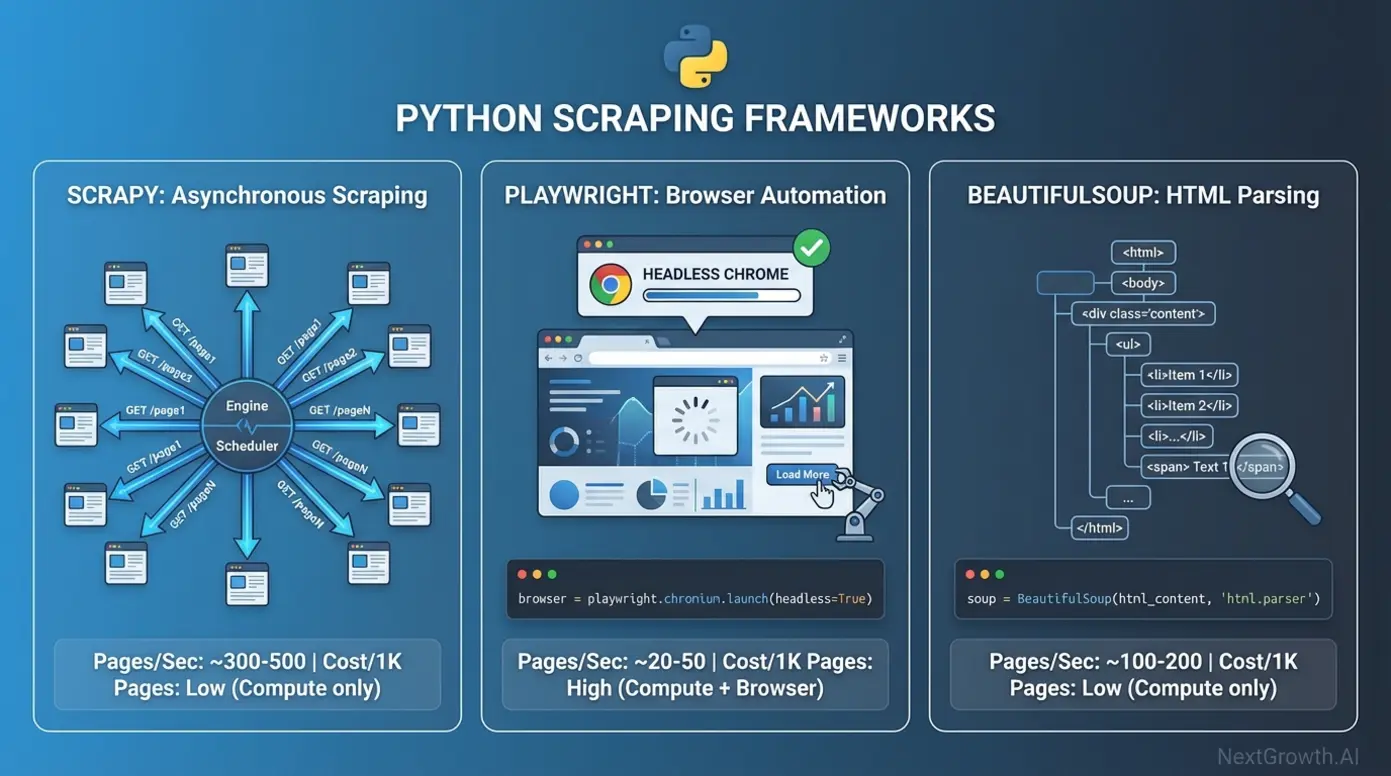
Scrapy is the fastest open-source scraping framework available. Its asynchronous Twisted engine handles 100+ concurrent requests, processing static sites at 100+ pages per second. For comparison, browser automation tools manage 3-5 pages/sec due to rendering overhead. Scrapy’s official documentation covers the middleware architecture that handles cookies, user agents, and retry logic declaratively.
I use Scrapy daily for NextGrowth.ai’s competitor monitoring pipeline. A basic spider that extracts product names and prices takes 15-20 lines of Python, the framework handles scheduling, deduplication, and export automatically. Learning curve: 8-12 hours to basic proficiency for developers who know HTTP and CSS selectors.
import scrapy


class ProductSpider(scrapy.Spider):
    """Scrape products with automatic pagination."""

    name = 'products'
    start_urls = ['https://example.com/products']

    def parse(self, response):
        """Extract products and follow pagination."""

        # Extract product data
        for product in response.css('.product-card'):
            yield {
                'name': product.css('.title::text').get(),
                'price': product.css('.price::text').get(),
                'url': product.css('a::attr(href)').get(),
            }

        # Follow pagination link
        next_page = response.css('.next-page::attr(href)').get()
        if next_page:
yield response.follow(next_page, self.parse)Playwright (Microsoft, 2020) is the modern answer to JavaScript-heavy sites. It runs headless Chrome, Firefox, and WebKit with a clean async API that auto-waits for elements, no more flaky explicit waits. It’s noticeably faster than Selenium thanks to Chrome DevTools Protocol (CDP) versus Selenium’s older WebDriver architecture.
python page.click('.product') # Waits for element automaticallyBeautifulSoup is the lightweight option for small-scale parsing. Pair it with the requests library for quick extractions where you don’t need Scrapy’s full pipeline. I reach for BS4 when I need to parse a single page or a small batch, anything under a few hundred pages where Scrapy’s setup overhead isn’t justified.
from bs4 import BeautifulSoup
import requests

# Fetch the page
response = requests.get('https://example.com/products')
soup = BeautifulSoup(response.content, 'html.parser')

# Extract product data
for product in soup.find_all('div', class_='product-card'):
    name = product.find('h2', class_='title').get_text()
    price = product.find('span', class_='price').get_text()
print(f"{name}: {price}")Here’s how these frameworks compare head-to-head:
| Feature | Scrapy | Playwright | Selenium | BeautifulSoup |
|---|---|---|---|---|
| Speed | 100+ pages/sec | 3-5 pages/sec | 2-4 pages/sec | 1-3 pages/sec |
| JS Support | No | Yes | Yes | No |
| Complexity | Medium | Medium-High | High | Low |
| Best For | Static sites at scale | Dynamic content | Legacy systems | Simple parsing |
| Learning Curve | 8-12 hours | 12-16 hours | 16-20 hours | 2-4 hours |
| Cost (1M pages) | $50-100 | $300-500 | $300-500 | $10-30 |
Performance Tuning: Getting the Most from Developer Frameworks
Raw framework benchmarks don’t tell the full story. Out-of-the-box Scrapy processes 100+ pages per second, but a poorly configured spider with no rate limiting will get IP-banned within minutes. Here’s what actually matters for production performance:
Scrapy tuning: Set CONCURRENT_REQUESTS to 16-32 (default is 16). Enable AUTOTHROTTLE to automatically adjust request rates based on server response times. Use HTTPCACHE for development to avoid re-downloading pages. These three settings alone cut my development iteration time by 60% and reduced production ban rates to near zero.
Playwright optimization: Always run headless (no visible browser window). Disable image and font loading when you only need text data, this alone doubles throughput. Use browser contexts instead of new browser instances for each page. I saw a 3x speed improvement when I switched from launching a new browser per URL to reusing a single browser with multiple contexts.
Memory management matters at scale. Scrapy’s memory usage stays flat regardless of crawl size because it processes items as streams. Playwright’s memory balloons with concurrent pages, each Chrome tab uses 50-150MB. For a 10-tab concurrent Playwright setup, budget 1.5-2GB of RAM. I learned this the hard way when my VPS ran out of memory mid-crawl and corrupted the output database.
Request headers and fingerprinting. Modern anti-bot systems check far more than your IP address. They fingerprint your TLS handshake, HTTP/2 settings, header order, and JavaScript environment. At minimum, rotate User-Agent strings from a realistic browser list and match your Accept-Language headers to your proxy’s geographic location. Mismatched headers (US proxy + Vietnamese Accept-Language) are an instant red flag.
One practical tip that most guides skip: log everything. Every request, every response code, every extraction result. When your spider breaks at 3 AM (and it will), those logs are the difference between a 5-minute fix and a 2-hour debugging session. I pipe all my Scrapy logs to a dedicated channel in Slack via n8n so I catch failures within minutes.
Playwright vs Selenium: Which Should You Choose?
If you’re starting fresh, use Playwright. Playwright has surpassed Selenium in weekly npm downloads (7.2M vs 1.7M as of March 2026) and its GitHub repository has grown to 74,000+ stars. It’s faster, has a better API, and handles modern web applications more reliably. Selenium still makes sense if you have an existing test suite built on it, but for new scraping projects there’s no reason to choose the older tool.
| Criterion | Playwright | Selenium | Winner |
|---|---|---|---|
| Speed | 3-5 pages/sec | 2-4 pages/sec | Playwright |
| API Design | Auto-waiting, modern async | Manual waits, sync-heavy | Playwright |
| Browser Support | Chrome, Firefox, Safari, WebKit | Chrome, Firefox, Safari | Playwright |
| Community Size | 50k+ GitHub stars (growing) | 250k+ GitHub stars (mature) | Selenium |
| Documentation | Excellent, modern examples | Good, dated patterns | Playwright |
| Best For | New projects, CI/CD pipelines | Legacy system compatibility | Context-dependent |
The auto-wait behavior is Playwright’s killer feature for scraping. With Selenium, you write explicit waits for every dynamic element, and when the site changes, those waits break. Playwright handles this automatically, which is especially valuable for CI/CD pipeline integration where flaky scraping jobs waste debugging time.
from selenium import webdriver
from selenium.webdriver.common.by import By
from selenium.webdriver.support.ui import WebDriverWait
from selenium.webdriver.support import expected_conditions as EC

# Initialize driver
driver = webdriver.Chrome()

# Wait up to 10 seconds for element to appear
wait = WebDriverWait(driver, 10)
element = wait.until(
    EC.presence_of_element_located((By.CSS_SELECTOR, '.product'))
)

print(f"Element found: {element.text}")Managed Services: Bright Data, ScrapingBee, Apify
Managed scraping services sit between developer frameworks (you write code, you operate infra) and AI-powered tools (you call an LLM endpoint, you pay AI premiums). The three production-grade providers in 2026 are Bright Data, ScrapingBee, and Apify. Each one solves a specific operational pain that pure-code Scrapy or pure-API Firecrawl does not address as cleanly: proxy depth at enterprise scale, single-endpoint headless Chrome without infra, and a marketplace of ready-built scrapers respectively.
Bright Data is the reference enterprise proxy + scraper stack. The Web Scraper API runs $1.50 per 1,000 requests on pay-as-you-go, dropping to $1.30 per 1,000 on the $499/mo Scale tier (~384K records). The Web Unlocker handles Cloudflare and Akamai challenges automatically at the same $1.50/1K rate. Datasets ship as pre-collected exports priced per record (Instagram dataset entry $250 per 100K records). The differentiator is scale: 150M+ residential IPs and 100+ pre-built scrapers covering Amazon, LinkedIn, Glassdoor, Walmart, Zillow, and similar high-value targets that punish in-house scrapers. G2 rating 4.6/5 across 323+ reviews. Two recurring complaints worth budgeting for: (1) failed-request billing on Web Unlocker (you pay for unsuccessful queries when Cloudflare Turnstile blocks the unlock), and (2) days-to-weeks learning curve before SMB teams hit productive scale. The honest call: Bright Data is the right pick if you bill clients enterprise rates and need 96%+ anti-bot success out of the box; it is overkill (and 10-15x the price of Scrapy) if your targets are static HTML.
ScrapingBee takes a different angle: one API endpoint that wraps headless Chrome, proxy rotation, and CAPTCHA solving so you do not maintain infra yourself. 2026 pricing ladders from Freelance $49/mo (250K credits) to Startup $99/mo (1M credits), Business $249/mo (3M credits), and Business+ $599/mo (8M credits). Credits are not fixed-cost per request: a basic HTML request = 1 credit, JavaScript rendering = 5 credits, premium proxies = 25 credits, stealth proxies = 75 credits, AI extraction adds 5. That credit math is the single most common reviewer complaint on Capterra; teams quote the headline price and discover the real cost is 5-75x on JS-heavy or anti-bot-heavy workloads. Major 2026 context: ScrapingBee was acquired by the Oxylabs Group in June 2025, integration closed January 2026, and the Google Search API endpoint dropped from 25 to 15 credits post-acquisition. Operational gotcha worth flagging: JavaScript rendering and geotargeting are locked behind the Business tier ($249/mo); Freelance and Startup users cannot toggle either feature. Best fit: mid-scale API teams who want a single-endpoint solution without managing Playwright + proxy rotation in-house.
Apify is the closest thing to a marketplace model in scraping. The Actor Store ships pre-built scrapers for Google Maps, Instagram, Website Content Crawler, TikTok, and LinkedIn (the top 5 by Store traffic in 2026), each invocable via API call or scheduled run. Custom code runs on the same platform via the open-source Crawlee SDK (TypeScript primary, Python port available) that unifies HTTP + headless browser interfaces. 2026 pricing uses Compute Units (1 GB RAM x 1 hour) at $0.30 on Free/Starter, $0.25 on Scale, and $0.20 on Business plans; the Free tier ships $5/mo in credits which covers small workloads outright. Two changes to know before signing up: most Store Actors layer per-result or per-event fees on top of CUs (the Tweet Scraper V2 charges $0.40 per 1K tweets), and Apify is migrating the Actor monetization model, with new rental Actors blocked after April 1, 2026 and rental Actors fully retire October 1, 2026 in favor of pay-per-usage. G2 4.7/5 (400+ reviews), Trustpilot 495 reviews; praise centers on built-in scheduling, webhooks, and dataset storage, complaints on response-structure inconsistency across community-built Actors. Best fit: teams that want a ready-made Instagram or Google Maps scraper today without writing a line of Python, or developers who want a deployable infra layer (Apify + Crawlee) without rolling their own queue and storage. For a deeper look at scraping-adjacent APIs, see our best SEO APIs roundup; a dedicated Apify single-tool review is shipping next in our Pillar 3 cluster.
🛠️ ENGINEER’S PERSPECTIVE
If you are weighing managed vs. self-hosted at the 50-200K pages-per-month scale, the honest decision boundary is anti-bot complexity, not page volume. For static-HTML targets at 200K pages/mo, Scrapy on a $20 VPS beats every managed service on per-1K-request cost by 8-15x. For Cloudflare-Pro or Akamai targets at the same volume, you are buying fewer late-night PagerDuty alerts when you pay Bright Data $1.50/1K, and the math flips. We currently route 60-80% of NextGrowth.AI’s 50K monthly pages through self-hosted Scrapy and reserve managed services for the 20-40% of targets where in-house proxy management would burn more engineering time than the Bright Data invoice.
AI-Powered Tools: Firecrawl and Gumloop
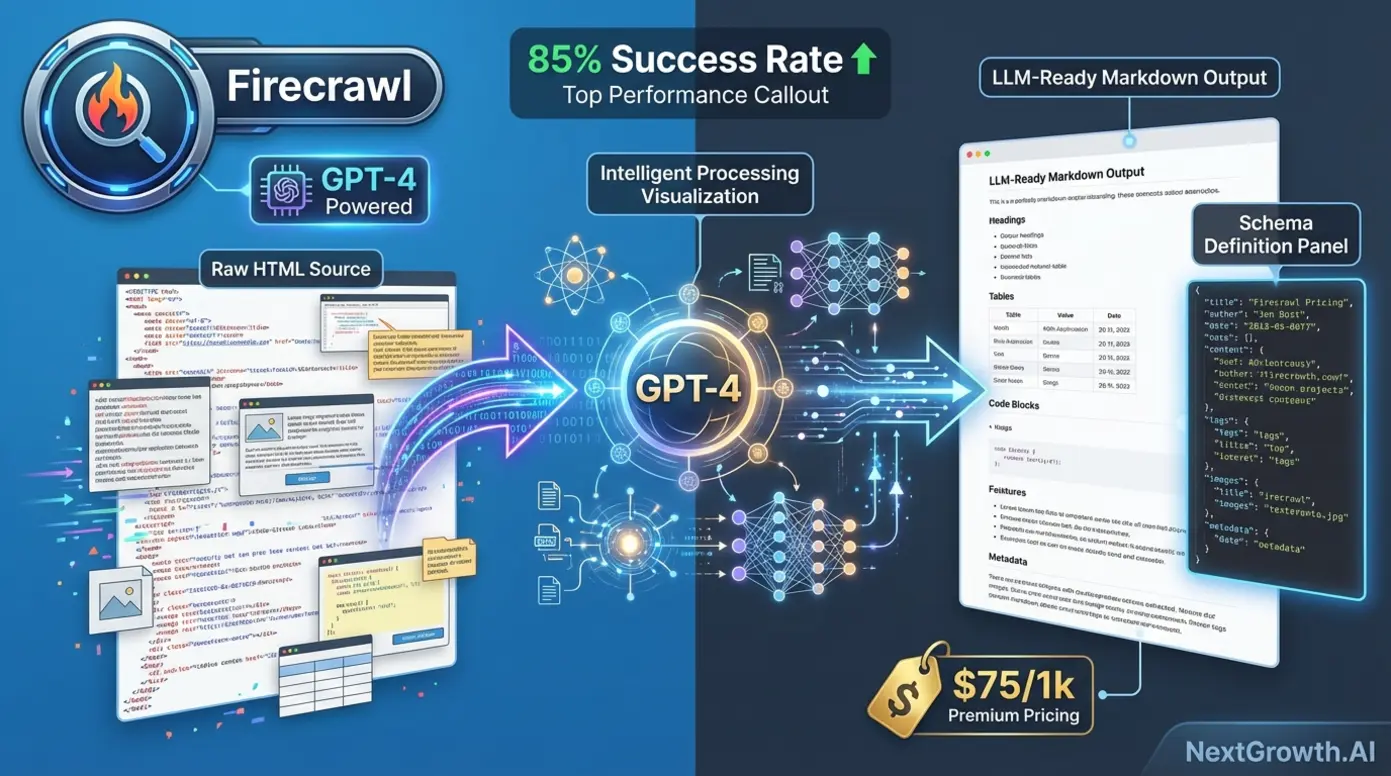
AI-powered scrapers use language models to understand page structure instead of relying on CSS selectors. When a site redesigns, traditional scrapers break. AI scrapers adapt. According to ScrapeOps’ AI scraper analysis (2025), AI-powered extraction reduces selector maintenance time by roughly 70% compared to traditional approaches.
Firecrawl shipped v2.8.0 in May 2026 and the v1 to v2 migration changes how you call it. The old /extract endpoint is deprecated and replaced by the autonomous /agent endpoint, which does not require a URL list upfront, it figures out the navigation itself. The 2026 pricing model uses credits, not flat per-request rates: 1 credit per page scraped, 1 credit per search result, 5 credits per interact action, with a multiplier stack on Standard plans (JSON output plus Enhanced mode burns 9 credits per page). The free tier ships 1,000 credits per month. The other change worth knowing: Firecrawl ships an official firecrawl-mcp-server that exposes the platform as MCP tools (firecrawl_agent, firecrawl_agent_status), so Claude Desktop or any MCP client can drive scraping conversationally. I use Firecrawl through its API when I encounter pages that defeat my Scrapy spiders, sites with heavy JavaScript rendering, dynamic content loading, or aggressive bot protection.
Gumloop ($65/1K requests) targets workflow automation for business analysts and has repositioned in 2026 as a full LLM-agentic platform with a visual canvas connecting scrape, LLM, and downstream-tool nodes. It hosts MCP servers via guMCP, so agents can chain into any MCP endpoint without infra. ScrapeGraphAI is the open-source option, self-hosted with model API costs around $15/1K requests.
When AI scrapers make sense: training data collection for LLMs, sites that redesign frequently, pages where writing custom parsers costs more than the API fee. When they don’t: static HTML pages, cost-sensitive projects at scale, or when you need sub-200ms response times (AI parsing adds 800-1200ms latency per request).
How Do You Build a Hybrid Scraping Stack?
This is where the real cost savings happen. Instead of using one tool for everything, route pages to the cheapest tool that can handle them. My approach at NextGrowth.ai:
- Scrapy handles the first pass. Fast HTTP requests grab static HTML. This works for 60-80% of pages.
- Pages that fail HTML parsing get routed to Firecrawl. The AI parser handles JavaScript rendering, layout changes, and anti-bot challenges.
- Results merge into a single pipeline via n8n workflow orchestration.
The code below implements this graceful degradation pattern, try Scrapy first, fall back to Firecrawl when HTML parsing fails:
import scrapy
from bs4 import BeautifulSoup
import requests


class HybridSpider(scrapy.Spider):
    """
    Hybrid scraper that attempts fast HTML parsing first,
    then falls back to Firecrawl AI extraction if needed.
    """
    name = 'hybrid_product_scraper'
    start_urls = ['https://example.com/products']
    firecrawl_api_key = 'your_api_key_here'

    def parse(self, response):
        """
        Main parsing logic with fallback strategy:
        1. Try BeautifulSoup (fast)
        2. Fall back to Firecrawl (expensive but reliable)
        3. Log errors if both fail
        """
        try:
            # Attempt fast HTML parsing with BeautifulSoup
            soup = BeautifulSoup(response.text, 'html.parser')
            products = soup.find_all('div', class_='product-card')

            if not products:
                # No products found, try Firecrawl
                self.logger.info(f"HTML parsing failed, using Firecrawl: {response.url}")
                firecrawl_data = self.extract_with_firecrawl(response.url)

                for product in firecrawl_data.get('products', []):
                    yield product
            else:
                # Successfully parsed with BeautifulSoup
                for product in products:
                    yield {
                        'name': product.find('h2').get_text(strip=True),
                        'price': product.find('span', class_='price').get_text(strip=True),
                        'url': product.find('a')['href'],
                        'extraction_method': 'html_parsing'
                    }

        except Exception as e:
            # Both methods failed, log for manual review
            self.logger.error(f"Both extraction methods failed for {response.url}: {str(e)}")

    def extract_with_firecrawl(self, url):
        """
        Fallback to Firecrawl AI parsing

        Args:
            url (str): Target URL to scrape

        Returns:
            dict: JSON response containing extracted products
        """
        api_url = 'https://api.firecrawl.dev/v1/scrape'
        headers = {'Authorization': f'Bearer {self.firecrawl_api_key}'}

        payload = {
            'url': url,
            'formats': ['extract'],
            'extract': {
                'schema': {
                    'type': 'object',
                    'properties': {
                        'products': {
                            'type': 'array',
                            'items': {
                                'type': 'object',
                                'properties': {
                                    'name': {'type': 'string'},
                                    'price': {'type': 'string'},
                                    'url': {'type': 'string'}
                                }
                            }
                        }
                    }
                }
            }
        }

        response = requests.post(api_url, headers=headers, json=payload)
return response.json()The economics are straightforward. At 1 million pages/month: Firecrawl alone costs $75,000. Scrapy alone costs ~$100 but fails on 40% of modern sites. The hybrid approach, Scrapy for the 60-80% that parses cleanly, Firecrawl for the rest, lands around $1,500-3,000/month with much higher success rates. That is the real cost optimization, and it comes from architecture, not from any single tool being cheap.
How Are AI Agents and LLMs Reshaping Web Scraping in 2026?
The 2026 shift is not better CSS selectors, it is the LLM agent sitting on top of the scraping stack. A traditional scraper says: “request URL, parse with this selector, return JSON.” An agent-driven scraper says: “find me the 50 most-recent product listings from Site X with prices and shipping costs,” then plans the navigation, handles pagination, fills out filter forms, and returns structured data the LLM extracted from each page. The user no longer writes selectors. The agent figures them out at runtime by reasoning over rendered DOM.
Three concrete platform shifts make this practical in 2026, not just promising in 2025. Browse.ai and Gumloop both repositioned as LLM-agentic workflow platforms, not CSS-selector scrapers. Gumloop in particular treats AI orchestration as a primitive: visual canvas with scrape, LLM, and downstream-tool nodes, natural-language agent definitions, and hosted MCP servers via guMCP so agents connect to any MCP endpoint without managing infra. Firecrawl deprecated the v1 /extract endpoint in favor of an autonomous /agent endpoint that does not require a URL list upfront, it discovers the site structure itself. Apify now ships an apify-mcp server so Claude and ChatGPT clients can invoke Actor Store scrapers directly via MCP tool calls, no manual API client work needed.
The underlying protocol gluing these tools together is Model Context Protocol (MCP). By mid-2026 MCP has emerged as the de facto agent-to-web-data protocol, with production MCP servers shipped by Firecrawl (firecrawl-mcp-server), Bright Data, and Apify. If you run Claude Desktop with these MCP servers connected, you stop writing Python clients for scraping. You ask Claude “pull the top 50 product listings from this URL and structure them as JSON with price, title, shipping,” and the LLM plans the call, invokes the right MCP tool, parses results, and hands you structured data. The economic shift this enables is real: scraping moves from a developer-only capability to anyone who can write a prompt.
🤖 THE OTHER SIDE OF THE FLYWHEEL: AI CRAWLERS SCRAPING YOU
The same year scrapers learned to act like LLM agents, LLMs themselves became the biggest crawler bandwidth class. ClaudeBot training crawler volume rose +800% at the start of 2026 as Anthropic scaled its web-search API. Google-Extended (the Gemini training crawler) commands roughly 31.6% of global AI-crawler bandwidth, Meta-ExternalAgent 16.7%, GPTBot + OAI-SearchBot combined ~14% (Tendem AI analysis, 2026).
For SEO operators this matters in two directions: you want to be scraped (LLM training data, AI Overview citation source) while controlling what gets exfiltrated (proprietary research, gated content). The robots.txt + noai/noimageai meta-tag stack now ships in most CMS defaults; review yours before assuming AI bots inherit your old Googlebot rules. For the GEO side of this shift, see our guide on trigger, mention, and citation as the 3 core AI search visibility metrics.
When this matters for your scraping decisions today. If you are scraping fewer than 5,000 pages per month from sites you understand, the agent layer is overkill, stick with Scrapy or Playwright. If you are scraping more than 50,000 pages per month from sites that redesign frequently or punish CSS-selector scrapers, the agent layer is the difference between a maintenance burden and a system that works while you sleep. The honest middle ground for 2026: keep your high-volume static-HTML scraping on Scrapy or Playwright, route adaptive or anti-bot-heavy targets through Firecrawl /agent or an Apify Crawlee Actor, and orchestrate the whole thing via n8n or MCP-aware LLM clients. We cover the orchestration layer in the next section.
How Does n8n Orchestrate a Scraping Pipeline?
The hybrid stack needs an orchestration layer, something that decides which tool handles each URL, manages retries, and merges results. I use n8n for this because it’s self-hosted (no per-execution fees) and has HTTP request nodes that integrate with both Scrapy webhooks and the Firecrawl API.
Here’s how the workflow runs: a scheduled trigger fires every Monday at 6 AM. It pulls a list of target URLs from a Google Sheet (my “scraping queue”). An IF node checks each URL against a cached list of JavaScript-heavy domains. Static HTML URLs route to a webhook that triggers my Scrapy spider on the VPS. JavaScript URLs route to the Firecrawl API node. Both branches feed results into a Merge node that normalizes the output format before inserting into PostgreSQL.
The part that took the most iteration was error handling. What happens when Scrapy returns empty results? What if Firecrawl’s API is down? What about rate limit responses? Each failure mode needs a different recovery strategy. My current setup retries Scrapy failures twice with escalating delays, falls back failed Scrapy URLs to Firecrawl (treating them as potentially JavaScript-dependent), and queues Firecrawl failures for manual review via a Slack notification.
Total development time for this orchestration layer: about 25 hours across two weeks, including debugging edge cases. The investment paid for itself within the first month, before n8n orchestration, I was manually triaging failed scrapes every few days, spending 3-4 hours per week on maintenance. Now the system handles 95% of failures automatically. The remaining 5% (usually sites that changed their entire URL structure or went behind a paywall) legitimately need human judgment.
One tip if you’re building something similar: start with just Scrapy and manual triggering. Add n8n orchestration only after you understand your failure patterns. Automating too early means you’ll build handlers for problems that don’t actually occur while missing the ones that do.
How Do You Start Web Scraping in Python?
Start with BeautifulSoup and requests, it’s the simplest entry point, and you can graduate to Scrapy when you need scale. According to the r/webscraping community (1M+ members), beginners who start with BS4 build working scrapers within hours, while jumping straight to Scrapy often leads to frustration with the framework’s learning curve.
Python dominates web scraping, 69.6% of scraping developers use it as their primary language, with JavaScript a distant second at 34.8% (Apify State of Web Scraping, 2025). Here’s a complete beginner example that extracts page titles from any website:
import requests
from bs4 import BeautifulSoup

# Target URL
url = 'https://example.com/articles'

# Fetch the page
response = requests.get(url)
soup = BeautifulSoup(response.content, 'html.parser')

# Extract all articles
articles = soup.find_all('article')

for article in articles:
    title = article.find('h2').get_text(strip=True)
print(title)Once this works, you understand the core loop: fetch HTML, parse it, extract data. That loop is identical whether you’re scraping 10 pages or 10 million, the difference is how you handle concurrency, errors, and data storage.
Your next steps after “Hello World” scraping:
- Add error handling. Wrap requests in try/except blocks. Websites go down, return 403s, or timeout. Your scraper needs to handle all three gracefully without crashing.
- Implement delays. Add
time.sleep(1)between requests. This is the single most important habit for long-term scraping success, it keeps you off ban lists and shows respect for target servers. - Store data properly. Start with CSV exports via Python’s built-in
csvmodule, then graduate to SQLite or PostgreSQL as your data grows. I switched from CSV to PostgreSQL after my competitor monitoring data hit 50,000 rows and CSV queries became unusable. - Learn CSS selectors deeply. The MDN CSS Selectors guide is the best reference. Understanding selectors like
.class > div:nth-child(2)will let you target exactly the data you need without grabbing surrounding noise. - Upgrade to Scrapy. Once you’re comfortable with BeautifulSoup and need to scrape more than a few hundred pages, Scrapy’s spider architecture handles concurrency, deduplication, and data pipelines automatically. The transition takes 8-12 hours of learning but saves weeks of manual infrastructure work.
If you’re coming from a non-programming background and web scraping is your first Python project, I’d also recommend learning basic HTML structure. You don’t need to be a web developer, just understand how div, class, and id attributes work. That knowledge is 90% of what you need to write effective selectors. If you’re already using n8n for keyword research automation, you can even trigger your Python scrapers from n8n webhook nodes to build fully automated data pipelines.
Understanding robots.txt and Ethical Scraping
Before scraping any site, check its robots.txt file (add /robots.txt to any domain). This file specifies which paths crawlers are allowed to access. Respecting robots.txt isn’t just ethical, it’s practical. Sites that detect aggressive scraping will block your IP, wasting time and infrastructure costs.
Best practices I follow: set reasonable request delays (1-2 seconds between requests), identify your scraper with a descriptive User-Agent string, avoid scraping personal data without a legal basis, and never overload a server’s bandwidth. As of late 2025, humans generated just 47% of HTML requests while bots accounted for the rest, including 4.2% from AI crawlers (Cloudflare Radar, 2025). Most legitimate scraping use cases, price monitoring, SEO data collection, academic research, operate well within these boundaries.
Proxy Rotation and Anti-Detection
Automated bot traffic now exceeds human traffic on the web, bots generated 51% of all web traffic in 2024, with bad bots alone accounting for 37% (Imperva Bad Bot Report, 2025). Modern anti-bot systems (Cloudflare, Akamai, PerimeterX) fingerprint browser characteristics, request patterns, and IP reputation. Basic HTTP scrapers without proxy rotation fail against most protected sites. Here’s what works in 2026:
Blocking is the #1 challenge for scraping developers, 68% report it as their primary obstacle, followed by data behind logins at 32% (Apify, 2025). Residential proxies rotate real consumer IP addresses, providing the highest success rates but at premium cost ($5-15 per GB). Datacenter proxies are cheaper ($0.50-2/GB) but easier to detect and block. ISP proxies split the difference, datacenter-hosted IPs registered to ISPs.
For NextGrowth.ai’s monitoring, I use residential proxies through a rotating pool managed by my n8n workflows. The proxy cost typically runs 10-50% of total scraping infrastructure spend, so it’s a significant line item in your infrastructure budget, not an afterthought. If you’re building automation workflows in n8n, you can integrate proxy rotation directly into your HTTP request nodes.
Practical proxy budgeting: For small-scale scraping (under 10K pages/month), you can often skip proxies entirely by using respectful rate limits and rotating User-Agent strings. Medium scale (10K-100K pages/month) needs datacenter proxies at $30-80/month. Large scale (100K+ pages/month) against protected sites requires residential proxies at $100-300/month. I wasted $200 on residential proxies before realizing that 80% of my target sites didn’t have anti-bot protection, datacenter proxies worked fine for those.
One technique that’s saved me significant proxy costs: maintain a “site difficulty” database. For each domain I scrape regularly, I track whether it requires proxies, what type, and what success rate I get. Sites like self-hosted tools documentation pages rarely need proxies. E-commerce sites with Cloudflare protection almost always do. This targeted approach means I only route proxy traffic where it’s actually needed, cutting my proxy bill roughly in half compared to routing everything through paid proxies.
Is Web Scraping Legal?
Web scraping publicly available data is generally legal in the United States, but specific methods and data types create legal risk. The landmark hiQ Labs v. LinkedIn ruling (9th Circuit, 2022) established that scraping publicly accessible data doesn’t violate the Computer Fraud and Abuse Act (18 U.S.C. § 1030). However, this ruling applies to public data, scraping behind login walls or bypassing technical access controls (like CAPTCHAs) carries significantly higher legal risk.
GDPR and CCPA add data protection requirements when scraping involves personal information. Under GDPR principles, scraping European personal data requires a lawful basis (legitimate interest, with a documented assessment). CCPA gives California residents rights over their personal information regardless of how it was collected. My rule: if the data contains names, emails, or anything personally identifiable, consult a lawyer before scraping at scale.
Terms of Service vs. technical access. Even when scraping public data is legal, violating a site’s Terms of Service can expose you to breach-of-contract claims. The EFF tracks CFAA cases that show this grey area is still evolving. Practically speaking: if a site’s ToS explicitly prohibits scraping and you scrape it anyway, you’re taking a calculated risk. For business-critical scraping, I run target URLs through a quick ToS review before adding them to my production pipeline.
Rate limiting as legal protection. Courts have distinguished between “accessing” public data (generally legal) and “overburdening” a server (potentially illegal under trespass to chattels doctrine). My standard configuration: maximum 1 request per second per domain, total bandwidth under 1% of the target site’s capacity. This isn’t just ethical, it’s a defensible position if legal questions arise. I’ve documented my rate-limiting settings for each scraping project specifically for this reason.
The practical reality for most SEO and business intelligence scraping: if you’re collecting publicly visible product prices, blog content metadata, or SERP data at reasonable volumes with respectful rate limiting, legal risk is minimal. The cases that trigger lawsuits involve mass personal data collection, competitive harm through server overload, or circumventing explicit access controls. Stay on the right side of those lines and you’re fine for 99% of business use cases.
Safe alternatives when scraping is risky: public APIs (many sites offer structured data access), open datasets from data.gov and Kaggle, RSS feeds for content monitoring, and commercial data APIs like DataForSEO that handle compliance on your behalf. For analytics and monitoring, API-based approaches often provide cleaner data with less maintenance than scraping.
2025-2026 Case Law and AI Training Data Lawsuits
The 2025-2026 case law shift you cannot ignore: scraping for AI training is now actively litigated. NYT v. OpenAI (S.D.N.Y., complaint December 2023, motion to dismiss largely denied April 2025) is the highest-profile copyright case asserting that mass scraping of news articles to train commercial LLMs violates fair use; the case continues into 2026 discovery with significant implications for any product training models on scraped editorial content. Meta v. Bright Data (N.D. Cal., decided January 2024) reaffirmed the post-hiQ position that scraping publicly accessible data (no login bypass, no CAPTCHA circumvention) does not violate the CFAA, and Meta’s Terms-of-Service breach claim against Bright Data was dismissed. That ruling is the operative US precedent for B2B scraping of public web data in 2026.
On the EU side, the EU AI Act (Regulation 2024/1689, fully in force August 2026) introduces transparency obligations for general-purpose AI providers covering training-data sourcing, including web-scraped content. The Act does not prohibit scraping for training but does require disclosure of high-level training-data summaries and respect for opt-out signals (noai meta tags, noindex, robots.txt AI-specific User-Agent rules). The practical compliance pattern: maintain a training-data provenance log if your scraped output feeds an LLM, respect noai/noimageai meta-tags as a baseline, and document your scraper User-Agent string so site owners can opt out via robots.txt.
What this means operationally for SEO and business intelligence scraping in 2026: if you scrape public product prices, public SERP data, public blog metadata for non-LLM-training use (price monitoring, competitor analysis, internal dashboards), the legal exposure is essentially unchanged from the post-hiQ environment we have operated in since 2022. If you scrape to train or fine-tune a commercial AI product, the risk profile is materially different, consult counsel before scaling, and document your provenance trail from day one.
What Are the Most Common Web Scraping Mistakes?
Every scraping practitioner makes these mistakes. I’m sharing mine so you can skip the painful learning phase.
Mistake 1: Not validating extracted data. My first Scrapy pipeline ran perfectly for three weeks, then silently started extracting navigation menu text instead of product titles after a site redesign changed the CSS class names. I didn’t notice for five days because I wasn’t checking data quality. Fix: add assertion checks in your pipeline, if extracted text is under 5 characters or over 500, flag it for review.
Mistake 2: Ignoring rate limits until banned. I once blasted a competitor’s site with 50 concurrent requests. Got IP-banned within 90 seconds and had to wait 48 hours for the ban to lift. My entire monitoring pipeline was down for two days. Fix: start with 1 request/second and increase gradually. Use Scrapy’s AUTOTHROTTLE or build custom delays.
Mistake 3: Over-engineering from day one. I spent two weeks building a distributed scraping system with Redis queues, multiple worker processes, and automatic scaling, for a project that scraped 500 pages per week. A simple cron job running a basic script would have done the same thing. Fix: match infrastructure complexity to actual scale. You can always add distributed processing later.
Mistake 4: Not handling encoding properly. Scraping sites with mixed encodings (UTF-8, ISO-8859-1, Windows-1252) produced corrupted text with garbled characters. This destroyed my content analysis pipeline downstream. Fix: explicitly detect encoding using the chardet library and normalize everything to UTF-8 before processing.
Mistake 5: Storing raw HTML instead of structured data. I thought keeping raw HTML would be useful for re-parsing later. Instead, it bloated my database from 50MB to 12GB in three months and made queries painfully slow. Fix: extract and store only the structured data you need. If you want raw HTML for debugging, store it in compressed files with a 30-day retention policy.
Frequently Asked Questions
What are the best tools for web scraping in 2026?
Scrapy (Python, free, 100+ pages/sec) for developers needing speed and control. Octoparse ($75-209/month) for non-technical teams wanting visual, no-code extraction. Firecrawl ($75/1K requests) for AI-powered parsing that handles JavaScript and layout changes automatically. For most projects, combining Scrapy with Firecrawl as a fallback gives the best cost-to-performance ratio.
What is the best free web scraping tool?
Scrapy is the best free scraping tool for Python developers, it’s open source, handles 100+ pages/sec, and scales to millions of pages. For non-developers, Octoparse’s free tier supports 10 scraping tasks with local execution. BeautifulSoup + requests is the simplest starting point for learning, though it lacks Scrapy’s concurrency and pipeline features.
Which web scraper is best for Python?
Scrapy for large-scale crawling (100K+ pages), Playwright for JavaScript-heavy sites requiring browser rendering, and BeautifulSoup for quick one-off parsing jobs. Most production pipelines combine Scrapy for crawling with BeautifulSoup or lxml for parsing. If you need browser automation, Playwright has replaced Selenium as the modern standard.
Do I need coding skills to use web scraping tools?
No, Octoparse, ParseHub, and Browse.ai offer visual point-and-click interfaces requiring zero coding. They handle JavaScript rendering, pagination, and scheduling automatically. However, developer frameworks (Scrapy, Playwright) cost significantly less at scale and offer more customization. Learning basic Python scraping with BeautifulSoup takes about 4-8 hours.
How do AI web scrapers differ from traditional tools?
Traditional scrapers use CSS selectors that break when sites redesign. AI scrapers (Firecrawl, Gumloop) use language models to understand page structure semantically, adapting to changes automatically. The tradeoff: AI scrapers cost 50-150x more per page ($50-75 vs $0.10-2.50 per 1K requests) and add 800-1200ms latency. They are best for frequently-changing sites, complex layouts, and LLM training data collection.
Bright Data vs Apify: which is better in 2026?
Pick Bright Data if your scraping load is enterprise scale (1M+ pages/month), heavy on Cloudflare or Akamai-protected targets, and you need pre-built scrapers for Amazon, LinkedIn, Glassdoor, Walmart, or Zillow without writing code. The 150M+ residential IP network and the Web Unlocker product are the strongest differentiators. Pick Apify if you want the Actor Store marketplace (Google Maps, Instagram, TikTok, LinkedIn ready-made scrapers), a usable Free tier ($5/mo in compute credits), or you plan to build custom infrastructure on top of an open-source SDK (Crawlee). Apify wins on developer ergonomics and starter pricing; Bright Data wins on anti-bot success rate and enterprise account management. For most agencies and SMB teams in 2026, Apify is the better starting point; Bright Data becomes the answer when scale or anti-bot complexity outgrows Apify’s per-Actor pricing.
Is it legal to use AI agents to scrape websites for LLM training?
The short answer: scraping publicly accessible web data to train LLMs is currently legal in the United States under Meta v. Bright Data (N.D. Cal., 2024), which reaffirmed that no-login scraping does not violate the CFAA. The hot litigation area is copyright fair use, not access: NYT v. OpenAI (S.D.N.Y., ongoing 2026) tests whether mass scraping of copyrighted news content for commercial LLM training violates fair use, with a motion to dismiss largely denied April 2025. In the EU, the AI Act (Regulation 2024/1689, fully in force August 2026) does not prohibit scraping for training but adds transparency requirements: providers of general-purpose AI must publish a high-level training-data summary and respect opt-out signals like the noai meta tag. Operational pattern: respect robots.txt AI-bot rules, honor noai/noimageai meta-tags, maintain a training-data provenance log, and consult counsel before scaling LLM-training scraping on copyrighted editorial content.
Choosing Your Scraping Stack
After 18 months of building and maintaining scraping infrastructure at NextGrowth.ai, here’s my decision framework:
- No developers + under 100K pages/month: Start with Octoparse. The $75-209/month is worth avoiding weeks of Python development.
- Python developers + static sites: Scrapy. Nothing else comes close on speed or cost efficiency.
- JavaScript-heavy sites: Playwright. Modern API, auto-waiting, faster than Selenium.
- Sites that change frequently or need LLM-ready output: Firecrawl. The AI parsing premium pays for itself in eliminated maintenance.
- Production scale (1M+ pages/month): Hybrid stack, Scrapy for the majority, Firecrawl for the rest, orchestrated through n8n or a custom pipeline.
Budget-based decision framework: Under $100/month? Scrapy + residential proxies handle most use cases. $100-500/month? Add Firecrawl for the JavaScript-heavy pages Scrapy can’t handle. $500+/month? Build the full hybrid stack with n8n orchestration, automated quality checks, and dedicated proxy pools. Enterprise budgets ($2,000+)? Consider commercial platforms like Zyte (formerly ScrapingHub) that offer managed Scrapy infrastructure with built-in proxy rotation and anti-ban technology.
For NextGrowth.ai’s content monitoring specifically, I settled on the $100-500 tier. Scrapy handles our weekly competitor blog crawls (static HTML, fast, cheap). Firecrawl processes the handful of JavaScript-heavy competitor sites that Scrapy can’t render. The n8n layer ties it all together with Slack alerts when competitors publish new content targeting our keywords. The whole system runs on the same $24/month Hetzner VPS that hosts our Coolify instance, incremental cost is essentially just API fees.
One thing I wish I’d known when starting: don’t try to scrape everything. Start with the 5-10 most valuable data sources and build reliable pipelines for those before expanding. Every new domain you add is a new set of selectors to maintain, a new anti-bot system to navigate, and a new failure mode to handle. Quality of data extraction matters far more than breadth. I’d rather have perfect data from 10 sources than messy data from 100.
Start with the simplest tool that solves your immediate problem. You can always add complexity later, and in my experience, the best scraping architectures grow organically from real needs rather than being over-engineered from day one.