What Is Coolify? Self-Host PaaS Guide for 2026 (v4.0)
TL;DR
- Coolify is a free, open-source PaaS you install on any VPS. Git-push deploys, automatic SSL, and Docker isolation, all on your hardware.
- v4.0 launched May 18, 2026 with a redesigned dashboard and native multi-server orchestration. Ollama is now a first-class service. The new Coolify MCP Server adds Claude Code integration.
- Real cost on Hetzner CCX13: €5.99/month for 4 vCPU / 8GB RAM / 40GB NVMe. Our hosting bill dropped from ~$150/month on managed platforms to under $30/month.
- Not a fit for SOC 2 / HIPAA workloads or teams with zero sysadmin bandwidth.
- Full install guide: step-by-step Coolify VPS install.
What This Comes Down To
- What is Coolify: An open-source self-hosted PaaS alternative to Heroku, Netlify, and Vercel, running on servers you provision.
- v4.0 is a major release: Redesigned UI, multi-server orchestration, 280+ one-click services, and the Coolify MCP Server shipped May 18, 2026.
- 55,689 GitHub stars confirms broad adoption (coollabsio/coolify, May 2026).
- Real entry point cost: €5.99/month on Hetzner CCX13 covers a production-grade self-hosted stack.
- Coolify has a CVE on record (CVE-2026-31431) and requires ongoing maintenance. Factor that in before deploying regulated workloads.
v4.0
Launched May 18, 2026
56K
GitHub Stars
280+
One-Click Services
€5.99
Hetzner CCX13/mo
What Is Coolify? (v4.0 Definition + 2026 Capabilities)
Coolify is an open-source, self-hosted PaaS that hit 55,689 GitHub stars in May 2026, making it one of the fastest-growing infrastructure tools on GitHub (coollabsio/coolify). It gives developers a Heroku-style Git-push deployment workflow, complete with automatic SSL, database management, and a visual dashboard, all running on servers you own. You pay for the VPS. The software is free.By 2026, the community framing has quietly shifted. In 2023 and 2024, “Heroku alternative” was the dominant shorthand. Now the phrase you see in high-upvote threads is “self-hosted Vercel.” A May 2026 post on r/Hosting_World captures this precisely. The post, “I finally got Coolify working as my self-hosted Vercel and here is the exact setup,” walked through the full configuration. The framing matters because Vercel users are now Coolify’s clearest migration audience, not Heroku users.
At its core, what is Coolify doing behind the scenes? It wraps Docker and Traefik into a managed interface. When you push code to a connected GitHub or GitLab branch, Coolify pulls the repo and builds a container. It then configures reverse proxy routing, provisions an SSL certificate from Let’s Encrypt, and starts the container. Health checks run on a configurable interval. If the container fails, you get an alert. The whole pipeline mirrors what Heroku does, minus the $25/month per dyno. The v4.0 launch on May 18, 2026 was significant enough that ByteGrad published a dedicated video: “Coolify v4.0 IS FINALLY HERE, Self-hosting Next.js / Ollama / n8n on VPS will never be the same” (YouTube). The title isn’t hyperbole. V4 introduced native multi-server orchestration and Ollama as a first-class deployment target, two features that were previously manual workarounds. For developers self-hosting LLMs like Llama 3 or Mistral alongside their web apps, this is a practical shift. What does Coolify support in 2026? The catalog now includes 280+ one-click deployable services, up from ~200 in v3. This spans databases (PostgreSQL, MySQL, MongoDB, Redis, ClickHouse, DragonFly) and workflow tools (n8n, Activepieces). It also covers CMS platforms (WordPress, Ghost), observability stacks (Grafana, Prometheus), and AI inference engines (Ollama). For teams running n8n queue mode on self-hosted infra, the service catalog alone saves hours of manual Docker Compose work.What Coolify Is Not
Coolify is not a VPS provider. You must procure a server from Hetzner, DigitalOcean, Vultr, or any cloud provider before installing it. Coolify is the control layer you run on top of that server. The common question “where is Coolify installed?” has a direct answer: on a Linux server you already control.
Coolify v4.0 Core Features and Architecture
Coolify is an open-source, Docker-based PaaS that handles Git auto-deploy and automatic SSL via Let’s Encrypt. Reverse proxying runs through Traefik or Caddy – all managed from one dashboard. It supports 280+ one-click services, multi-language deployment (Node.js, Python, Go, Ruby, PHP), and native Git integration with GitHub and GitLab.
Coolify v4.0 ships with Git auto-deploy, automatic TLS via Let’s Encrypt, and built-in database provisioning for PostgreSQL/MySQL/MongoDB/Redis. It also includes Docker-based service isolation, native multi-server orchestration, and the new MCP Server for programmatic control. The GitHub repo shows 575+ contributors and 753 open issues as of May 2026 (coollabsio/coolify), confirming active development but also a meaningful maintenance backlog.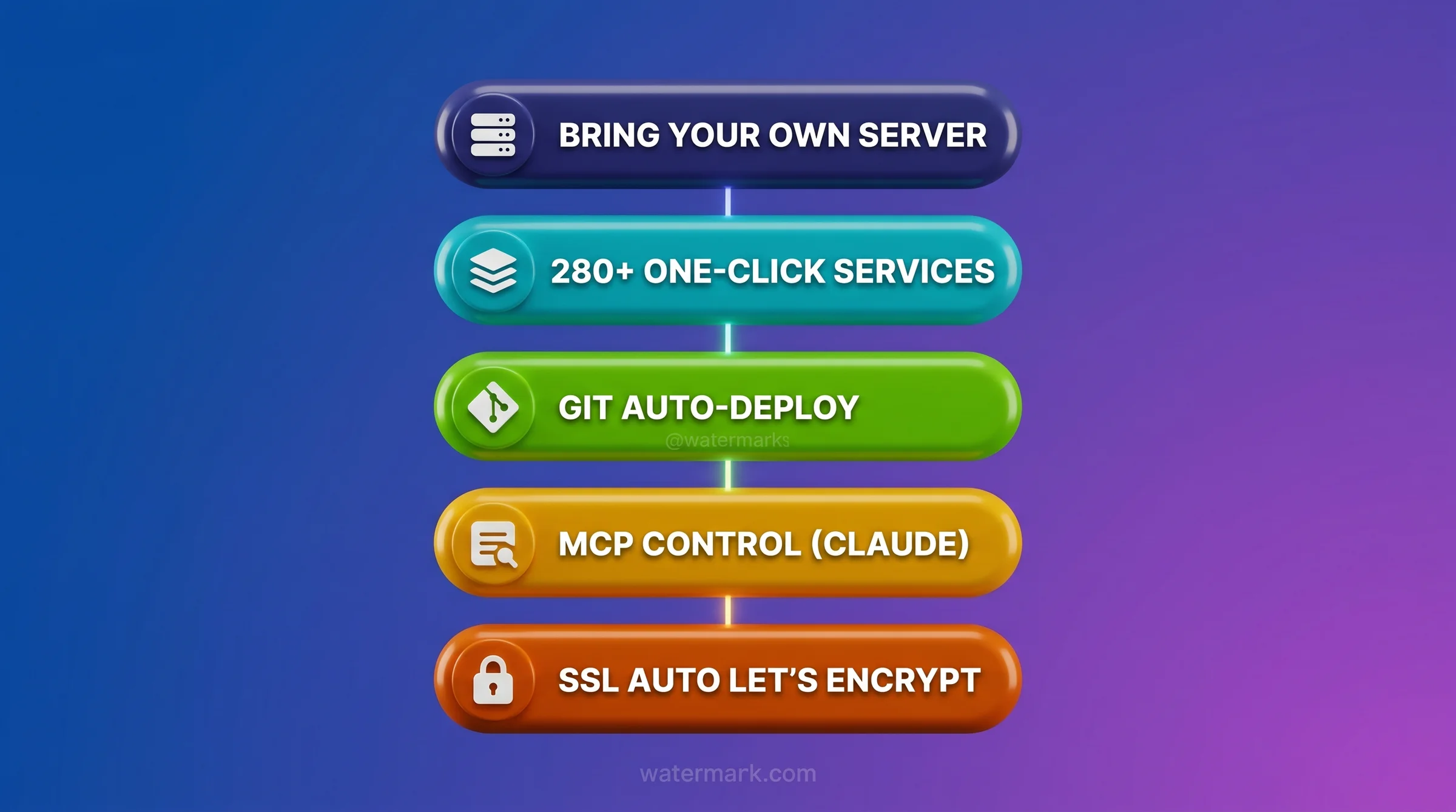
Git Auto-Deploy: The Core Workflow
Connect a GitHub or GitLab repository and specify the branch. Every push triggers a build and deploy sequence. Coolify handles the Dockerfile build or uses Nixpacks for projects without one. The deploy log streams in real time in the dashboard. In practice, the workflow is close to Vercel, the difference is the target is your own VPS instead of a shared cloud.Database Management: One-Click Provisioning
Databases get their own container with volume-based persistence. Coolify exposes the connection string in the dashboard and lets you configure automated backups to S3-compatible storage. In our stack, we run n8n against a Coolify-managed PostgreSQL instance. The built-in backup scheduler has saved us on two occasions when we needed to roll back to a clean state after a bad migration.SSL and Reverse Proxy: Traefik Handles It
Traefik runs as a sidecar and manages all routing. You assign a domain in the dashboard. Coolify generates the Let’s Encrypt certificate and routes traffic to the correct container. The process takes about 60 seconds from domain assignment to HTTPS live. One caveat: if your DNS propagation is slow, the certificate challenge can fail. Check DNS first.Multi-Server Orchestration (v4.0 Addition)
V4 introduced proper multi-server support at the dashboard level. In v3, managing deployments across multiple VPS instances required separate Coolify installs with no unified view. V4 lets you add multiple remote servers via SSH key and manage all of them from one control panel. This is the feature that makes Coolify viable for small agencies running per-client infrastructure.Citation:
Coolify has 55,689 GitHub stars, 575+ contributors, and 280+ one-click deployable services as of May 2026. The project is PHP-backed and MIT-licensed. The v4.0 release on May 18, 2026 added native multi-server orchestration and Ollama first-class support. Source: coollabsio/coolify on GitHub, May 2026.
How Coolify’s Bring-Your-Own-Server Model Works
Coolify’s Bring-Your-Own-Server model requires only an SSH connection to your server. It runs on any Ubuntu or Debian VPS from Hetzner, Hostinger, Vultr, DigitalOcean, or Linode, and on homelab hardware including Raspberry Pi 4+ and mini-PCs. You’re never locked into a specific cloud provider because Coolify only needs SSH access to manage deployments.
Coolify’s BYOS model means you connect any VPS from any provider via SSH, and the platform manages deployments on that server. You pay only for the VPS hardware, typically €5-10/month from Hetzner, DigitalOcean, or Vultr. A Reddit thread on r/CloudVPS confirmed that the Hetzner CCX13 at €5.99/month (4 vCPU / 8GB RAM / 40GB NVMe) runs Coolify production workloads reliably with room to spare. Here’s how the model works in practice. You rent a VPS from Hetzner or DigitalOcean. You run the Coolify install script. The script installs Docker, configures the Coolify service, and opens the dashboard at port 8000. From there, you can add additional remote servers by providing their IP and an SSH key. Coolify SSHs into the remote server when deploying, builds containers there, and manages them over the same connection. The BYOS architecture is what makes the cost math work. Heroku’s Basic dyno costs $7/month with 512MB RAM. A single Hetzner CX22 at €3.99/month gives you 2 vCPU / 4GB RAM and can run 10-15 small containerized services simultaneously. We’ve deployed Coolify on CX22, CX32, and CCX13 instances. For most indie developers and small teams, the CCX13 is the sweet spot.curl -fsSL https://cdn.coollabs.io/coolify/install.sh | bashhttp://your-server-ip:8000 to complete the initial setup. For the full step-by-step walkthrough with firewall configuration, see our Coolify VPS installation guide.
One important point: the BYOS model requires you to understand your own server environment. A GitHub issue from the Coolify repo documented installer failures on systems with read-only root filesystems, where the installer attempts to write to /data. If you’re running a non-standard Linux setup, review the official Coolify docs before running the install script.
Self-Hosted vs. Coolify Cloud: Which Option Fits Your Team?
Is Coolify free or paid? Self-hosted Coolify is free forever under the MIT license. You pay only for the VPS you install it on. Coolify Cloud starts at $5/month per managed server, where the Coolify team handles panel updates but you still own and pay for the underlying server. Both options give you full data ownership.
Self-hosted Coolify is free, open-source software you manage on your own server. Coolify Cloud costs $5/month per server managed and has the Coolify team handle panel updates. In our experience running self-hosted for eight months, the tipping point is 10 hours per month of operational time. Once a single project or client crosses that threshold, the maintenance cost outweighs the subscription savings. We’d recommend Coolify Cloud at that point. Here’s the distinction that matters: even with Coolify Cloud, you still provide the VPS. The cloud subscription pays for someone else to manage the Coolify control panel itself, not the underlying servers. Your apps, databases, and their data stay on hardware you control. This is different from Heroku or Vercel, where they own the infrastructure entirely.| Feature | Self-Hosted (Free) | Coolify Cloud ($5/mo) |
|---|---|---|
| Cost | Free (VPS cost only) | $5/month + VPS cost |
| Panel Updates | You manage manually | Managed by Coolify team |
| Server Management | Your responsibility | Your responsibility |
| Data Control | 100% on your servers | 100% on your servers |
| Best For | Developers with basic Linux skills | Teams who want hands-off panel management |
ENGINEER’S PERSPECTIVE, SELF-HOST VS CLOUD OPERATIONAL REALITIES
- The 2 AM problem is real. Self-hosted wins on cost at €5.99/month vs Coolify Cloud’s $5/month subscription, but you own every broken Docker network at 2 AM. Cloud doesn’t fix your app, it just means someone else restarts the panel. You still debug containers.
- 10 hours per month is the crossover. If any single project consumes more than 10 hours of operational time per month, Cloud’s $5/month subscription is cheaper than your time. For most indie developers with 2-4 services, self-hosted stays below that threshold.
- Start self-hosted, migrate on friction. The software is identical. Start free, accumulate experience, and upgrade to Cloud exactly when the maintenance overhead becomes a distraction from shipping. There’s no penalty for switching.
What’s New in Coolify v4.0? (Launched May 2026)
Coolify v4.0 launched on May 18, 2026 with breaking changes from v3. It introduced a redesigned dashboard, native multi-server orchestration, and 280+ one-click services – up from ~200 in v3. Ollama became a first-class deployment target, and the Coolify MCP Server added programmatic control via Claude Code. The v3-to-v4 migration requires a database backup before upgrade per the official release notes. Within 48 hours of launch, ByteGrad’s Hostinger-sponsored video hit significant view counts and r/coolify logged six install and upgrade threads.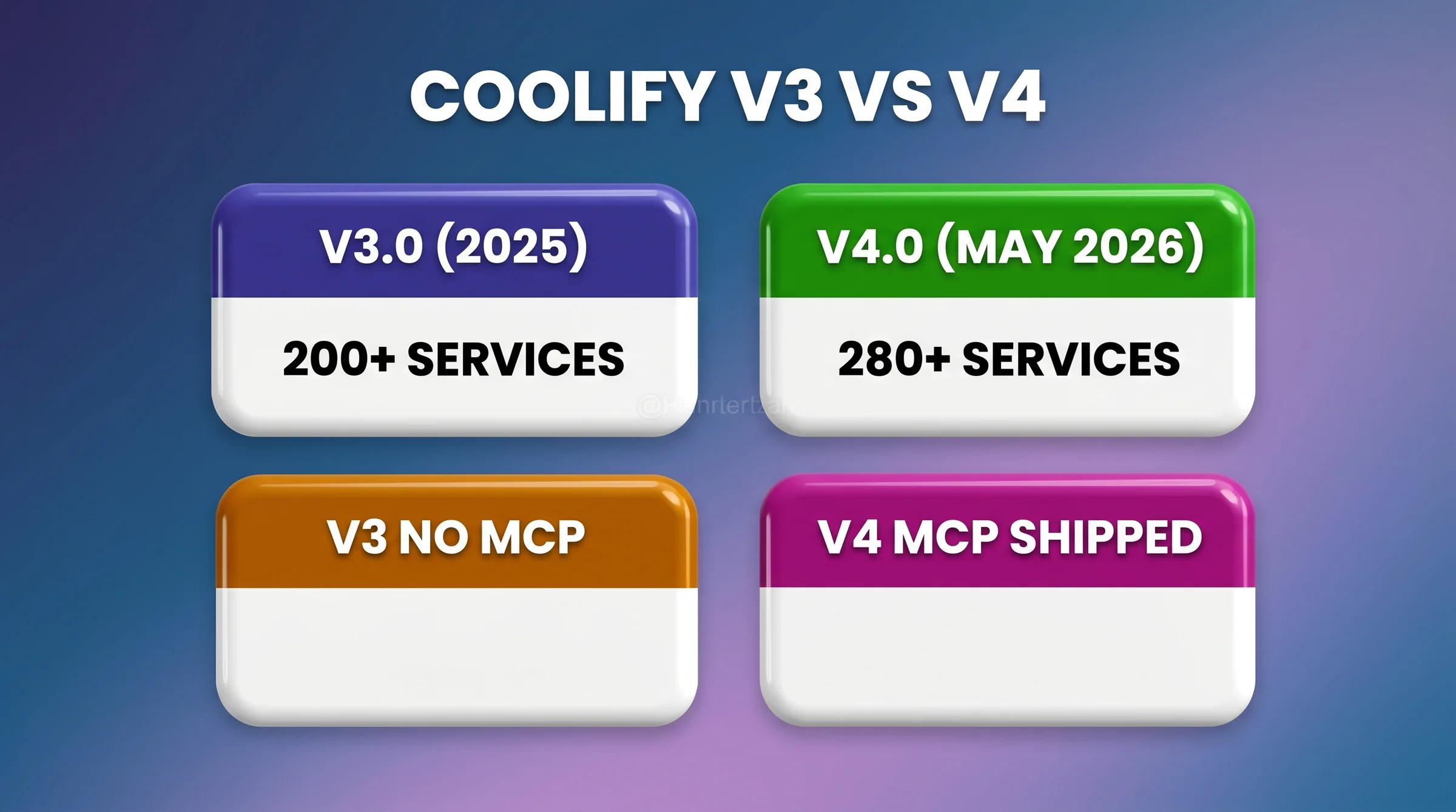
Citation:
Coolify v4.0 launched May 18, 2026 with a redesigned dashboard and native multi-server orchestration. It expanded to 280+ one-click services – up from ~200 in v3 – and added Ollama first-class support plus the Coolify MCP Server. The v3-to-v4 migration path requires a database backup before upgrade. ByteGrad published a dedicated YouTube walkthrough (youtube.com/watch?v=uZnWMQb7nus) within hours of release.
Coolify v4.1.0: Railpack, Audit Logging, and Official MCP (May 2026)
Coolify v4.1.0 shipped in May 2026 as a fast-follow to the v4.0 launch, adding three features that address gaps in the original v4.0 release. The full changelog is at coolify.io/changelog.
Railpack build pack. Railpack is a new build option alongside Nixpacks and Docker. It supports build-time environment variables, configuration merging across multiple config sources, and multi-stage builds. For projects with complex build pipelines that Nixpacks doesn’t handle cleanly, Railpack is the answer. You select the build pack per-application in the Coolify dashboard under the Build settings tab.
Structured audit logging. v4.1.0 adds a log stream that captures every API mutation, webhook event, and authentication or authorization outcome. This is the first Coolify feature aimed directly at teams with compliance or debugging requirements. Audit logs are queryable from the Coolify admin panel. If you’ve been logging API activity externally as a workaround, this replaces that pattern.
Instance-level MCP server (read-only). Coolify v4.1.0 ships an official, instance-level Model Context Protocol (MCP) server. This is separate from community-built alternatives like forsonny/Coolify-MCP-Server-for-Claude-Code on GitHub and masonator/coolify-mcp on npm. Both predated the official release and offer broader scopes, including deploy and admin operations. The official v4.1.0 MCP is intentionally read-only. If you need deploy or admin write scope from Claude Code, the community servers still cover that. For the full comparison, see our Coolify MCP for Claude Code deep-dive.
Coolify MCP Server: Natural Language Deployment via Claude Code
The Coolify MCP Server shipped May 18, 2026, alongside v4.0. It gives Claude Code users programmatic and CLI control over their Coolify instances via natural language (r/mcp announcement). This is the biggest workflow shift for self-hosted deployment since Coolify v1 introduced Git auto-deploy. Instead of SSHing into a server to manage containers, you describe what you want in plain English and Claude Code handles the Coolify API calls.To be precise about what shipped when: the Model Context Protocol (MCP) is an open standard for connecting AI agents to external systems. The official v4.1.0 MCP server is read-only, bundled with Coolify itself. Community servers (forsonny/Coolify-MCP-Server-for-Claude-Code, masonator/coolify-mcp) add deploy and admin write scope and predate the official release. ByteGrad’s Hostinger-sponsored video “Coolify v4.0 IS FINALLY HERE” was posted May 18, 2026 (BYTEGRAD discount code). It confirms that Coolify plus MCP plus AI agents is a workflow VPS providers are now paying creators to teach. For the full scope comparison, see our Coolify MCP Claude Code guide.
Here’s the practical workflow. You’re working in Claude Code. Your staging branch needs a fresh deploy with a new PostgreSQL database attached, running migrations before the service starts, and exposed at a staging subdomain. In the pre-MCP workflow, that’s four or five separate steps across the Coolify dashboard and your terminal. With the MCP Server, you describe the outcome and it handles the API sequence. The setup is one configuration block in your Claude Code MCP config file:{
"mcpServers": {
"coolify": {
"command": "npx",
"args": ["-y", "@coollabsio/coolify-mcp"],
"env": {
"COOLIFY_BASE_URL": "https://your-coolify-instance.com",
"COOLIFY_API_TOKEN": "your-api-token-here"
}
}
}
}Tip: Coolify MCP + Ollama
If you’ve deployed Ollama via Coolify’s one-click service, the MCP Server lets you manage that deployment from Claude Code alongside your inference requests. One Claude Code session can both interact with your local LLM and manage the infrastructure running it. That’s a tight feedback loop that wasn’t possible before v4.0.
Securing and Managing Coolify in Production
Production Coolify servers need UFW firewall hardening and SSH key authentication – no password login. You also need regular Coolify binary updates and a cloud-level firewall as the first line of defense. A Sysdig 2024 report found that 76% of organizations run containers with known vulnerabilities. Self-hosting compounds that risk because you own the patching responsibility. After eight months managing three production Coolify servers, here’s our honest Day 2 checklist. Start with your cloud provider’s network firewall, not just UFW. Docker directly manipulatesiptables in ways that can bypass local UFW rules. Hetzner’s Cloud Firewall, DigitalOcean’s Droplet Firewall, and similar features sit above the OS and block traffic before it reaches the server. Set allowlist rules: SSH (port 22 from your IP only), HTTP (80), HTTPS (443), and Coolify’s dashboard port (8000, restricted to your IP). Block everything else at the network level.
The second layer is SSH key hardening. Disable password authentication in /etc/ssh/sshd_config by setting PasswordAuthentication no. Use Ed25519 keys. Add your key to ~/.ssh/authorized_keys and confirm you can log in before cutting off password access. This single step eliminates the majority of brute-force vectors against your server.
Keep Coolify itself updated. Check the Coolify releases page on GitHub for new versions. The update process runs from the Coolify dashboard under Settings > Updates. Major version updates (like v3 to v4) require more care, including a database backup before starting.
Security Note: CVE-2026-31431
A CVE was disclosed in 2026 affecting Coolify installations that fail to start after certain Linux kernel updates (r/coolify thread: fix_coolify_not_starting_after_linux_update). Check the official Coolify docs for the patched version and migration steps before performing OS-level kernel updates on production servers.
Troubleshooting: The Unhealthy Container Problem
The most common issue for new Coolify users is seeing an “unhealthy” container status. This means the application failed its health check. Coolify sends a periodic HTTP request to the container’s health endpoint. If the app crashes on startup or listens on the wrong port, the container gets flagged as unhealthy. The same happens if startup takes longer than the health check interval allows. Debugging sequence: first, open the Coolify dashboard and click through to the deployment logs. Application crash errors appear there immediately. Second, verify that the port configured in Coolify’s application settings matches the port your app listens on. Third, some apps have a long startup time – common with JVM services or Next.js builds. For those, increase the health check interval in the application settings under Advanced. A GitHub issue discussion on the Coolify repo covers more edge cases for complex health check scenarios.The Coolify Stack Patterns the Community Actually Uses
Most Coolify guides stop at the install. The real-world decision is what you compose around Coolify after it’s running. Based on r/selfhosted, r/homelab, and Hacker News threads from the last 30 days, four stack patterns dominate.
Coolify + Hetzner (the indie default). Hetzner is the most-cited VPS provider in Coolify threads, with the CCX13 ARM at €5.99/month as the standard reference point. The combination is documented in a 2026-04-27 Hacker News post, “Self-hosting isn’t scary: a practical guide with Coolify and Hetzner.” It’s backed up by r/selfhosted’s “How do you deploy your side projects?” (31 comments, May 2026). Coolify on Hetzner was the single most-recommended answer in that thread. For a full provider comparison including Hostinger, Vultr, and DigitalOcean, see our best VPS for Coolify roundup.
Coolify + Tailscale + Cloudflare (the secure-by-default stack). Tailscale puts the Coolify dashboard behind a private VPN, so port 8000 is never exposed to the public internet. Cloudflare handles public DNS and DDoS shielding for the services you do expose. This pattern is well-documented in r/selfhosted’s “Guidance with tailscale + coolify + cloudflare” (May 2026). It adds roughly 30 minutes of setup but removes a meaningful attack surface from the default Coolify install. For the Cloudflare reverse proxy configuration in detail, see our Coolify reverse proxy guide.
Coolify + Proxmox + homelab (the home-server stack). Running Coolify inside a Proxmox LXC container on a homelab machine is the dominant pattern for developers who already own hardware. Common setups include a Thinkcentre, mini-PC, or old laptop you want to put to work. An r/homelab thread from May 2026, “New Thinkcentre, coolify with proxmox,” shows what a single instance can handle. The author runs n8n, waha, openclaw, and openwebui via OpenRouter all on one Coolify instance inside Proxmox. The constraint is uptime: homelab hardware doesn’t have a cloud provider’s SLA. Most teams keep stateless services here and back critical data off-site.
Coolify + Cloudflare R2 + Restic (the backup stack). Cloudflare R2 has zero egress fees, making it a cost-effective backup target compared to S3 or Backblaze B2 for frequently restored data. Restic handles incremental encrypted backups from the VPS to R2. Coolify’s built-in database backup scheduler points to the R2 bucket. This stack is covered in full in our Coolify backup setup guide.
The Coolify install is the easy part. What you compose it with is the actual stack decision.
When Is Coolify NOT the Right Choice? Risks and Considerations
Coolify requires basic Linux and Docker knowledge, doesn’t provide enterprise SLAs, and has a real maintenance overhead of 2-4 hours per month. It’s not appropriate for SOC 2, HIPAA, or PCI DSS regulated workloads without significant additional hardening. After Heroku eliminated its free tier in November 2022, self-hosting tools saw a surge in adoption from developers who underestimated that maintenance cost. Don’t make the same mistake. The hidden cost calculation matters. The software license is free, but your time isn’t. At 2-4 hours per month of maintenance, and valuing your time at a modest $50/hour, that’s $100-200/month of real cost. Add it to the VPS bill. Compare that to a $29/month Railway subscription with zero maintenance overhead. For many solo developers shipping their first product, Railway or Render is the better call until the project generates enough revenue to justify the infrastructure investment. Compliance is the hard boundary. If your application handles health data (HIPAA), payment card data (PCI DSS), or needs SOC 2 Type II certification, self-hosting introduces real audit risk. Managed platforms handle that compliance overhead natively; a $6/month VPS does not. Coolify has no compliance certifications. The infrastructure is yours, including the audit trail requirements. For these workloads, the cost savings don’t offset the compliance engineering required.Quick Decision Guide
Use Coolify self-hosted if: You’re comfortable with basic Linux administration, spending $50+ monthly on Heroku/Vercel/Railway, and can tolerate 2-4 hours/month maintenance.
Use Coolify Cloud if: Same profile but want hands-off panel updates and worth the $5/month to not think about Coolify upgrades.
Skip Coolify if: You need SOC 2 / HIPAA compliance, enterprise SLAs, 24/7 support contracts, or you have zero sysadmin background and can’t afford the learning curve.
Beginner Reassurance
Don’t be intimidated by “self-hosting.” If you can rent a VPS and run a one-line install command, you can get Coolify running. The dashboard handles the complexity of Docker and SSL configuration. You don’t need to know how Traefik works to deploy your first app. Start with a single app on a Hetzner CX22, get comfortable, then expand. Most developers deploy their first working Coolify application within 30 minutes of starting the install.
FAQ: Coolify in 2026
What is Coolify used for?
Coolify is used to self-host applications, databases, and services on your own VPS with a Heroku-style developer experience. You connect a Git repository, push code, and Coolify handles the Docker build, SSL certificate, domain routing, and health monitoring. The 280+ one-click service catalog as of v4.0 covers databases, workflow tools, CMS platforms, and AI inference engines like Ollama (coollabsio/coolify, May 2026).Is Coolify really free?
Yes. The self-hosted version is 100% free and MIT-licensed. You pay only for the VPS hardware. Coolify Cloud charges $5/month per server managed, which covers panel update management but not the underlying server cost. The Hetzner CCX13 at €5.99/month is a common starting point for teams who want reliable self-hosted infrastructure without breaking the free tier of managed platforms (r/CloudVPS).How does Coolify compare to Heroku in 2026?
Both platforms provide Git-push deployment, automatic SSL, and managed databases. Heroku runs on their infrastructure and charges per dyno, starting at $7/month for a Basic dyno with 512MB RAM. Coolify runs on your server and is free, but you manage the host. A Hetzner CX22 at €3.99/month gives more raw resources than a Heroku Basic dyno at nearly double the price. The cost differential widens with scale, but Heroku’s managed reliability has real value for regulated or SLA-sensitive workloads. For a full head-to-head, see our Coolify vs Dokploy comparison, which also benchmarks against other self-hosted alternatives.What databases does Coolify support?
Coolify v4.0 supports PostgreSQL, MySQL, MariaDB, MongoDB, Redis, ClickHouse, DragonFly, and KeyDB via one-click provisioning. All databases run in isolated Docker containers with volume persistence. Automated backup scheduling to S3-compatible storage is built in. Connection strings are exposed in the dashboard immediately after provisioning. For production databases, configure automated backups before deploying application data.Is Coolify secure for production use?
Coolify can be production-secure with proper hardening, but the default installation is not hardened. CVE-2026-31431 was disclosed in 2026, affecting installs after certain Linux kernel updates (details on r/coolify). Required hardening steps: cloud-level firewall, SSH key authentication, disabled password login, and regular Coolify version updates. Docker’s interaction withiptables can bypass local UFW rules, making a cloud-level network firewall non-optional for production. Coolify carries no compliance certifications.