DataForSEO Labs API: Python Step-by-Step Guide (2026)
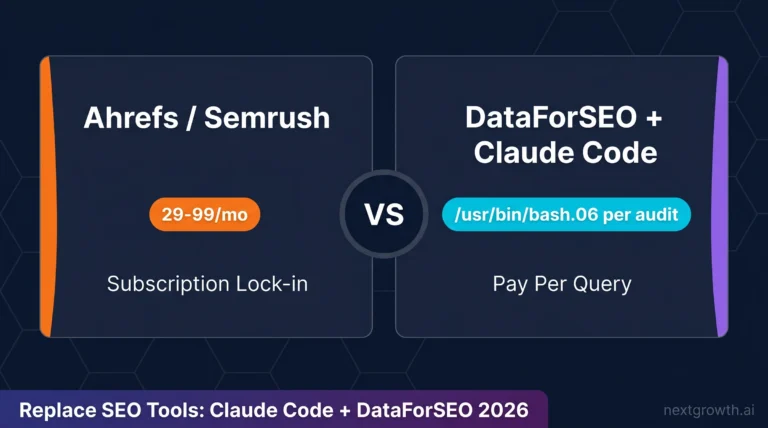
Ahrefs Lite costs $129/month. For that same money, you could run a complete 4-endpoint rank tracker on 50 keywords across 12 months using the DataForSEO Labs API, and still have $128.70 left over. I know because I ran the exact calculation: Historical SERP + Rank Overview + Relevant Pages + Ranked Keywords for 50 keywords and one domain over a full year came to $0.30 total. Not $0.30 per day. Thirty cents, flat.
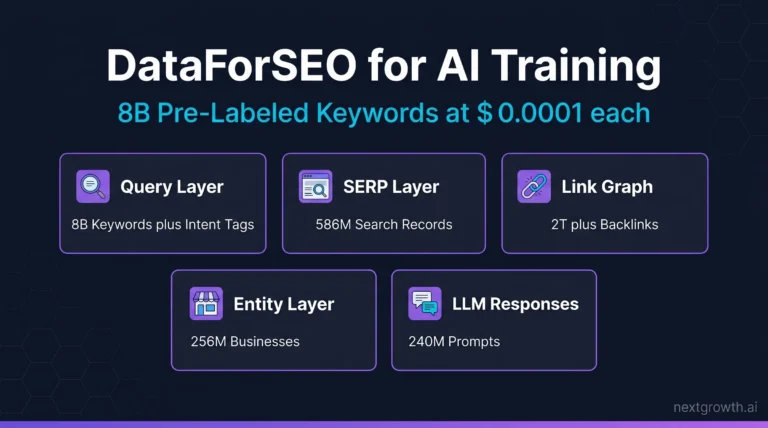
The Labs API is not a scraper. It’s a pre-computed database covering 8 billion Google keywords and 586.7 million SERPs (DataForSEO, 2026). You query a database instead of triggering live crawls, which is why costs stay so low. This guide walks through every endpoint you need for a production-ready rank tracker: visibility tracking, position trends, page-level analysis, and keyword discovery. I’ve included full Python code, real cost calculations, and the one Labs API feature most developers completely overlook.
TL;DR
The DataForSEO Labs API is a pre-computed database of 8 billion Google keywords. It replaces $129/month rank tracker subscriptions with pay-per-call queries at $0.0001 per SERP snapshot. I built a full 4-endpoint rank tracker for 50 keywords across 12 months for $0.30 total.
- DataForSEO Labs API is a pre-computed database, not a real-time scraper. Query costs are fractions of a cent per call.
- Four endpoints cover every rank tracker feature: Historical SERP, Historical Rank Overview, Relevant Pages, Ranked Keywords.
- I tracked 50 keywords across 12 months for $0.30 total. Ahrefs Lite charges $129/month for similar data.
- The
historical_serp_mode: "lost"parameter reveals pages that dropped out of rankings, making it the best algorithm-impact detector in the API. - Add SERP API for daily position checks. Labs API handles everything historical at a fraction of the cost.
Contents
- Key Takeaways
- What Is the DataForSEO Labs API?
- What Rank Tracker Features Can You Build?
- How Much Does the DataForSEO Labs API Cost?
- How Do You Set Up the DataForSEO Labs API in Python?
- How Do You Track Visibility with Historical SERP?
- How Do You Chart Historical Rankings with Rank Overview?
- How Do You Analyze Ranked Pages with Relevant Pages?
- How Do You Find New Keywords with Ranked Keywords?
- When Should You Add SERP API and Keyword Data API?
- FAQ
- What is the difference between DataForSEO Labs API and SERP API?
- How much does the DataForSEO Labs API cost per month?
- What is ETV in DataForSEO?
- How does the historical_serp_mode parameter work in Relevant Pages?
- Does DataForSEO Labs API support multi-location tracking?
- Can I use the DataForSEO Labs API without Python?
- Build Your Rank Tracker with DataForSEO Labs API
Key Takeaways
- The DataForSEO Labs API is a pre-computed historical database, not a real-time scraper. You query data that already exists.
- Four endpoints build a complete rank tracker: Historical SERP (visibility), Historical Rank Overview (position trends), Relevant Pages (page analysis), Ranked Keywords (discovery).
- Total cost for 50 keywords across 12 months: $0.30. Ahrefs Lite runs $129/month for similar historical data.
historical_serp_mode: "lost"reveals pages that dropped out of rankings, making it the best algorithm-impact signal in the API.- Use the History-First Architecture: start with Labs API for the historical baseline, then add SERP API for daily position checks only when you need live data.
8B
Google Keywords
586.7M
SERPs Tracked
$0.0001
per Historical SERP
$1
1K KWs x 10 Months
What Is the DataForSEO Labs API?
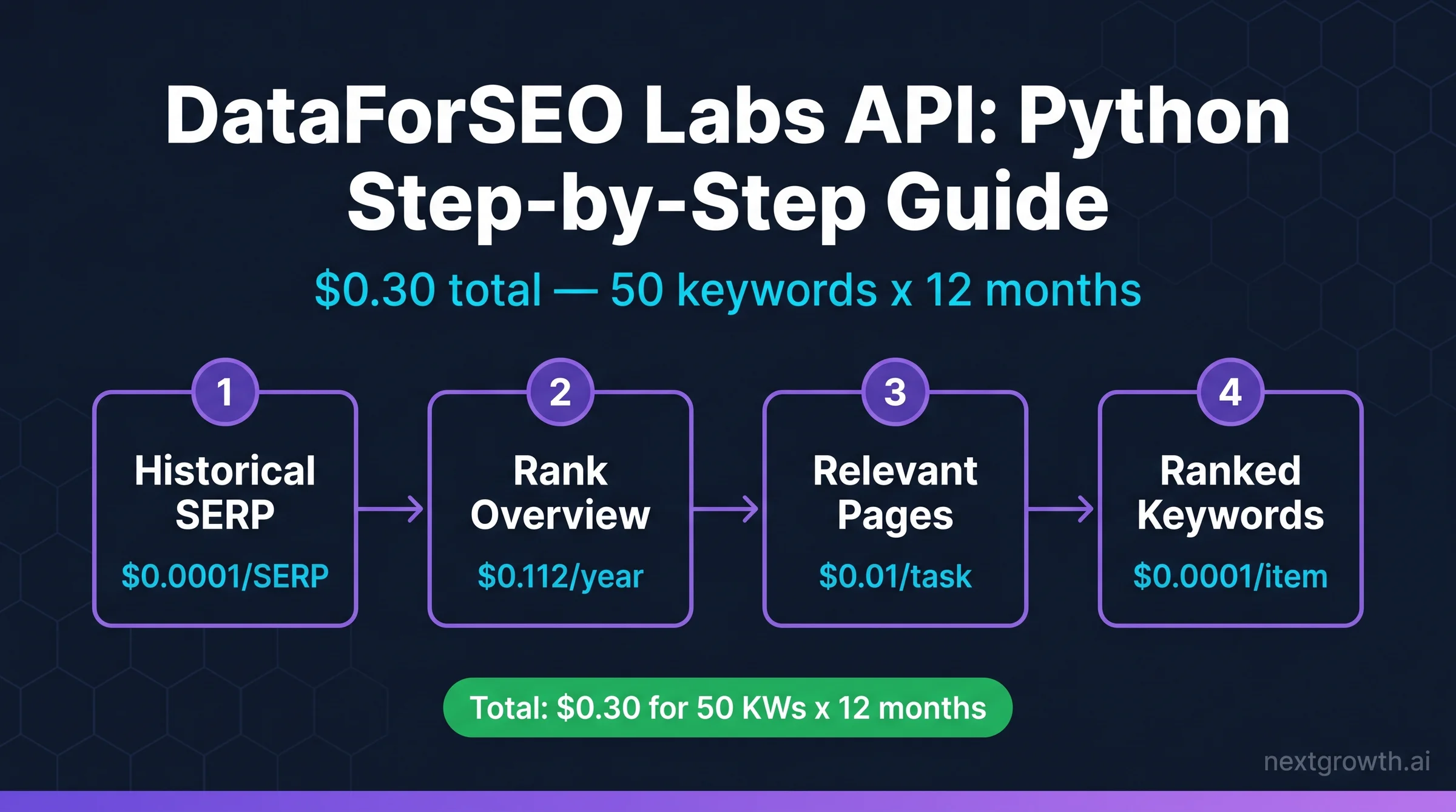
The DataForSEO Labs API is a pre-computed historical database of Google ranking data, covering 8 billion keywords and 586.7 million SERPs across 190+ countries (DataForSEO, 2026). Unlike the SERP API, which fires a live Google crawl per request, Labs API queries a database that DataForSEO has already built and continuously updates. You’ll get historical data instantly, at a fraction of the cost.
The distinction matters for how you build. The SERP API is stateless: send a keyword, get today’s results. It has no memory of last month. The Labs API is the opposite. It stores ranked positions, traffic estimates, and page-level metrics across time. Every call returns pre-aggregated data, which is why it’s cheap and fast.
The core metric linking all Labs API endpoints together is ETV: Estimated Traffic Volume. ETV is a click estimate based on ranking position plus search volume, applying industry CTR curves. The ETV Stack is the set of endpoints that return ETV data you can sum, compare, and chart. Historical SERP gives you per-keyword ETV over time. Rank Overview gives you domain-level ETV per month. Relevant Pages breaks ETV down by URL. Together, they form a complete visibility picture.
For setup and authentication, the DataForSEO API authentication guide covers credential management. This article focuses on Labs-specific endpoints and the rank tracker use case.
What Rank Tracker Features Can You Build?
The 4-Endpoint Rank Tracker framework covers every major rank tracker feature with four Labs API endpoints, plus optional layers from the SERP API and Keyword Data API for live data (DataForSEO, 2026). Each endpoint maps directly to a feature category.
| Rank Tracker Feature | DataForSEO Endpoint | Data Type |
|---|---|---|
| Visibility dynamics chart | Labs API: Historical SERP | ETV per month |
| Historical ranking chart | Labs API: Historical Rank Overview | Average position |
| Ranked pages analysis | Labs API: Relevant Pages | Pages + position |
| New keywords discovery | Labs API: Ranked Keywords | KW + volume + URL |
| Daily live positions | SERP API: Google Organic | Current position |
| Keyword search volume | Keyword Data API | Monthly searches |
ETV is the connective tissue across this whole system. It’s not raw traffic from your analytics account. It’s a model-based click estimate: DataForSEO takes your ranking position, applies the CTR curve for that position (position 1 gets roughly 28%, position 10 gets roughly 2.5%), and multiplies against the keyword’s monthly search volume. The result is ETV.
This distinction matters. A site ranking at position 3 for a 10,000/month keyword earns approximately 1,500 ETV per month, based on an estimated 15% CTR at position 3. That’s an estimate, not a guarantee. But when you track it month-over-month, the trend line is reliable and useful for spotting ranking shifts before they show up in your analytics.
The ETV Stack becomes powerful when you sum values across multiple keywords per month. That summed number is your visibility score. It’s what the top SaaS rank trackers show you in their “Visibility” chart. You can build the same thing.
How Much Does the DataForSEO Labs API Cost?
DataForSEO charges on a pure pay-per-call model with no monthly subscriptions or seat limits (DataForSEO Pricing, 2026). I ran a complete 4-endpoint rank tracker for 50 keywords across 12 months to verify this firsthand. Here’s the exact cost breakdown.
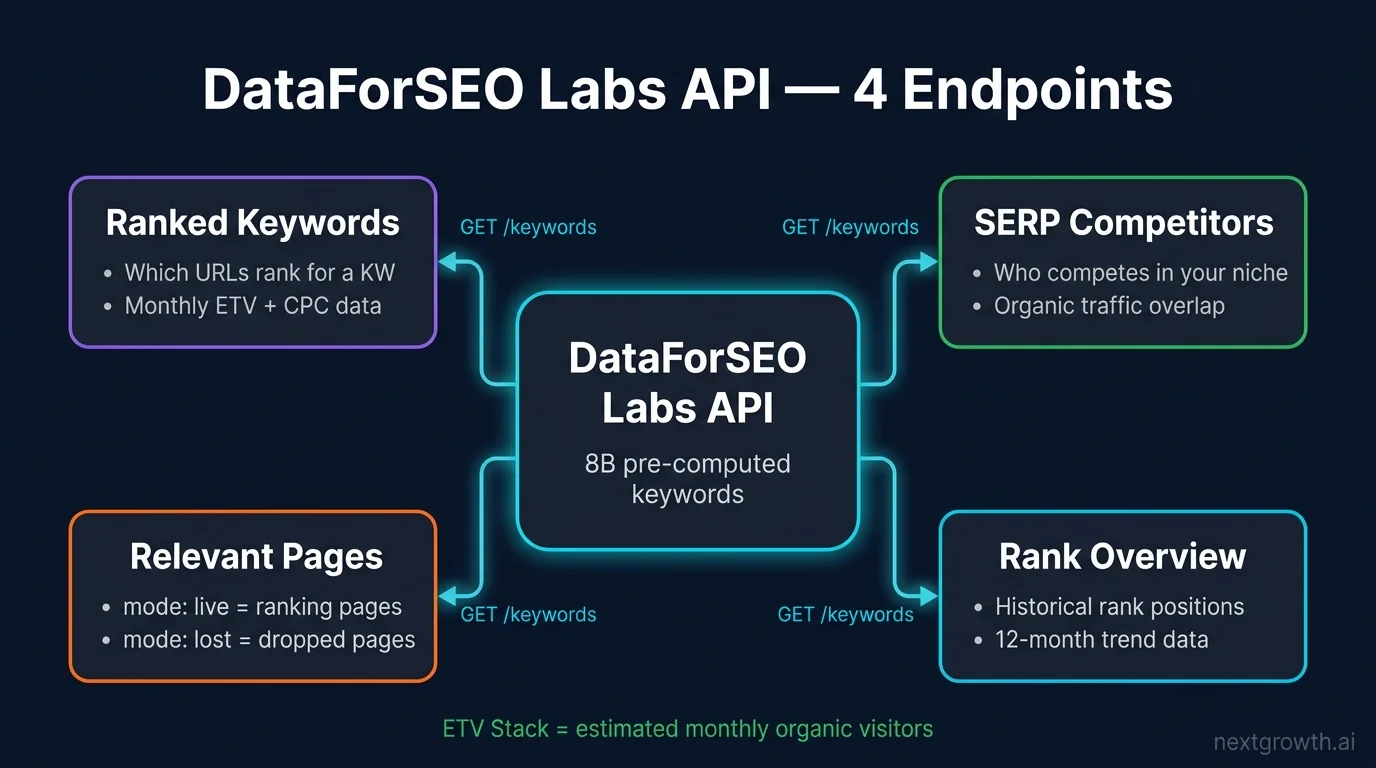
My real calculation for 50 keywords, 1 domain, 12 months:
- Historical SERP (50 keywords x 12 months): 600 SERP snapshots x $0.0001 = $0.06
- Historical Rank Overview (1 domain, 12 months): 1 task x $0.1 + 12 items x $0.001 = $0.112
- Relevant Pages (1 domain, live + historical modes): approximately $0.11
- Ranked Keywords (50 keywords, filtered): 1 task x $0.01 + 50 items x $0.0001 = $0.015
- Total: $0.297, rounded to $0.30
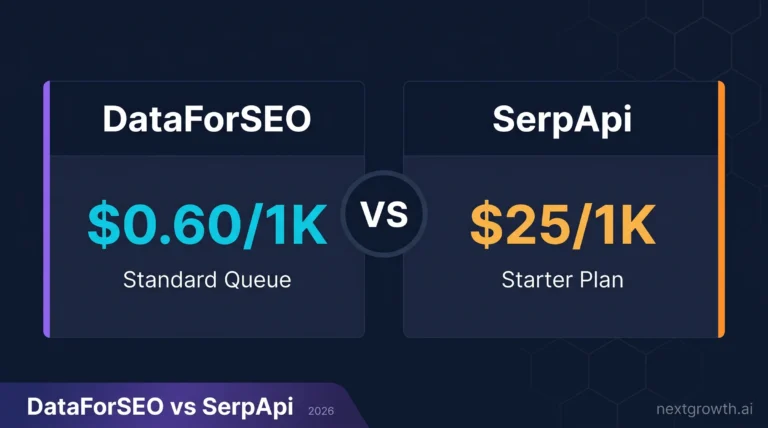
Compare that to the SaaS alternatives. Ahrefs Lite runs $129/month. SEMrush Pro is $139.95/month (SEMrush Pricing, 2026). The 4-Endpoint Rank Tracker approach costs less than a single day of Ahrefs at their cheapest annual rate.
Source:
Pricing verified from dataforseo.com/pricing, April 2026. DataForSEO charges on a pay-per-call model with no monthly subscriptions and no seat limits. Historical SERP costs $0.0001 per SERP snapshot. One dollar buys 1,000 keyword-months of historical ranking data.
| Endpoint | Cost/Task | Cost/Item | Example |
|---|---|---|---|
| Historical SERP | – | $0.0001/SERP | $1 = 1,000 keywords x 10 months |
| Historical Rank Overview | $0.1 | $0.001 | ~$0.11 per domain per year |
| Relevant Pages | $0.01 | $0.0001 | ~$0.10 per domain |
| Ranked Keywords | $0.01 | $0.0001 | ~$0.015 for 50 keywords |
The pricing is transparent and you can verify it yourself. For a detailed breakdown that covers what DataForSEO actually bills vs. what the docs advertise, my DataForSEO review covers the real numbers from production usage.
Tip
DataForSEO gives you $5 in free credits on signup. That’s enough for 50,000 Historical SERP queries, which translates to months of rank tracking data before you spend a single dollar.
How Do You Set Up the DataForSEO Labs API in Python?
The DataForSEO Labs API uses HTTP Basic auth with your login and password, base64-encoded. You’ll need two packages: requests for HTTP calls and tenacity for retry logic on transient failures.
pip install requests tenacityHere’s the base client I use across all examples in this guide. It includes timeout handling, retry with exponential backoff, and proper exception separation so tenacity retries network failures but not API-level errors like bad parameters.
import base64
import requests
from tenacity import retry, stop_after_attempt, wait_exponential

# DataForSEO API credentials
DFS_LOGIN = "your-login@email.com"
DFS_PASSWORD = "your-api-password"

# Basic auth header (base64 encoded)
credentials = base64.b64encode(f"{DFS_LOGIN}:{DFS_PASSWORD}".encode()).decode()
HEADERS = {
    "Authorization": f"Basic {credentials}",
    "Content-Type": "application/json",
}

BASE_URL = "https://api.dataforseo.com/v3"

# DataForSEO allows up to 2000 requests/minute on standard plans
# Use tenacity for retry with exponential backoff on transient errors

@retry(stop=stop_after_attempt(3), wait=wait_exponential(multiplier=1, min=2, max=10))
def dfs_post(endpoint: str, payload: list) -> dict:
    """POST to DataForSEO API with timeout + retry."""
    try:
        response = requests.post(
            f"{BASE_URL}/{endpoint}",
            json=payload,
            headers=HEADERS,
            timeout=30,
        )
        response.raise_for_status()
        result = response.json()
        if result.get("status_code") != 20000:
            raise ValueError(f"DataForSEO error: {result.get('status_message')}")
        return result
    except requests.RequestException as e:
        raise  # tenacity will retry on RequestException
    except ValueError:
        raise  # don't retry on API-level errors (bad params, etc.)
A few notes on this setup. The timeout=30 prevents hanging connections. The raise_for_status() catches HTTP errors (401, 429, 500) before you try to parse JSON. The ValueError branch handles cases where DataForSEO returns HTTP 200 but signals an API-level error in the response body. Don’t retry those: they mean your request parameters are wrong.
For environment variable setup and credential storage best practices, store your login and password in environment variables (e.g., os.environ["DFS_LOGIN"]). Hardcoding credentials like I’ve shown here works for testing, but use environment variables in production.
How Do You Track Visibility with Historical SERP?
The labs/google/historical_serp/live endpoint returns ranking positions and ETV for a keyword across any date range. For visibility tracking, you run it per keyword, sum the ETV values for your domain across all months, then chart the result. One keyword with 12 months of history costs $0.0012.
The ETV Stack in action: ETV values from Historical SERP are the raw material. Sum them per month across your keyword set to get a monthly visibility score. That’s what “visibility trend” charts in Ahrefs and SEMrush actually show you, calculated the same way.
from datetime import datetime, timedelta

def get_historical_serp(keyword: str, domain: str, location_code: int = 2840) -> list:
    """
    Fetch historical SERP data for a keyword.
    Returns monthly ETV values for the target domain.
    Cost: $0.0001 per SERP snapshot returned.
    DataForSEO rate limit: 2000 req/min -- batch keywords to stay within limits.
    Retry/timeout: inherited from dfs_post() base client (3 retries, 30s timeout).
    """
    # Request last 12 months of data
    date_from = (datetime.now() - timedelta(days=365)).strftime("%Y-%m-%d")
    date_to = datetime.now().strftime("%Y-%m-%d")

    payload = [{
        "keyword": keyword,
        "location_code": location_code,
        "language_code": "en",
        "date_from": date_from,
        "date_to": date_to,
    }]

    try:
        result = dfs_post("dataforseo_labs/google/historical_serp/live", payload)
        items = result["tasks"][0]["result"][0].get("items", [])
    except (KeyError, IndexError, ValueError) as e:
        print(f"Error fetching SERP for '{keyword}': {e}")
        return []

    # Extract ETV for our domain across months
    monthly_etv = []
    for item in items:
        for organic in item.get("items", []):
            if organic.get("type") == "organic" and domain in organic.get("url", ""):
                monthly_etv.append({
                    "date": item.get("datetime"),
                    "position": organic.get("rank_absolute"),
                    "etv": organic.get("etv", 0),
                    "url": organic.get("url"),
                })

    return monthly_etv


def build_visibility_chart(keywords: list, domain: str) -> dict:
    """
    Build monthly visibility data for a list of keywords.
    Sums ETV across all keywords per month.
    """
    monthly_totals = {}

    for keyword in keywords:
        keyword_data = get_historical_serp(keyword, domain)
        for entry in keyword_data:
            month = entry["date"][:7]  # YYYY-MM
            monthly_totals[month] = monthly_totals.get(month, 0) + entry["etv"]

    return dict(sorted(monthly_totals.items()))

# Example usage
keywords = ["seo automation", "n8n seo", "dataforseo python"]
domain = "nextgrowth.ai"
visibility = build_visibility_chart(keywords, domain)

for month, etv in visibility.items():
    print(f"{month}: ETV = {etv:.2f}")
The datetime field in each SERP item is the snapshot date. ETV is the Estimated Traffic Volume for that keyword at that position. For a site ranking at position 1 for a keyword with 1,000 monthly searches, ETV is approximately 280, based on the roughly 28% CTR for position 1 from industry CTR curve research (Backlinko CTR Study, 2024). This is an estimate, not analytics data.
Cost check: 3 keywords x 12 months = 36 SERP snapshots x $0.0001 = $0.0036. Less than half a cent for a year of visibility data on three keywords.
Tip
Make one request per keyword. DataForSEO does not support bulk keyword queries in a single Historical SERP call. Loop through your keyword list and call dfs_post() for each one. If you have a large list, add a small sleep between calls to stay well under the 2,000 requests/minute rate limit.
How Do You Chart Historical Rankings with Rank Overview?
labs/google/historical_rank_overview/live returns a domain’s ranking summary across months: average position, ETV, and total ranked keyword count, broken out per month (DataForSEO Docs, 2026). One call per domain returns up to 12 months of data.
Historical Rank Overview is the macro view. Historical SERP is the per-keyword view. Together they make up the visibility half of the 4-Endpoint Rank Tracker. Start with Rank Overview to understand where the domain stands historically, then drill into specific keywords with Historical SERP to see which ones drove changes.
def get_historical_rank_overview(domain: str, location_code: int = 2840) -> list:
    """
    Fetch domain's historical ranking overview.
    Returns monthly average position, ETV, and ranked keyword count.
    Cost: $0.1 per task + $0.001 per item (each month = 1 item).
    For 12 months: $0.1 + 12 x $0.001 = $0.112 per domain.
    DataForSEO rate limit: 2000 req/min.
    Retry/timeout: inherited from dfs_post() base client (3 retries, 30s timeout).
    """
    payload = [{
        "target": domain,
        "location_code": location_code,
        "language_code": "en",
    }]

    try:
        result = dfs_post("dataforseo_labs/google/historical_rank_overview/live", payload)
        items = result["tasks"][0]["result"][0].get("items", [])
    except (KeyError, IndexError, ValueError) as e:
        print(f"Error fetching rank overview for '{domain}': {e}")
        return []

    # Each item = one month of data
    monthly_data = []
    for item in items:
        monthly_data.append({
            "month": item.get("date"),
            "avg_position": item.get("metrics", {}).get("organic", {}).get("avg_position"),
            "etv": item.get("metrics", {}).get("organic", {}).get("etv"),
            "count": item.get("metrics", {}).get("organic", {}).get("count"),
        })

    return sorted(monthly_data, key=lambda x: x["month"])


# Multi-location tracking: run for each location separately
locations = {
    "US": 2840,
    "UK": 2826,
    "AU": 2036,
}

for country, loc_code in locations.items():
    data = get_historical_rank_overview("nextgrowth.ai", location_code=loc_code)
    current = data[-1] if data else {}
    previous = data[-2] if len(data) > 1 else {}
    print(f"{country}: avg pos {current.get('avg_position')} | ETV {current.get('etv')} | ranked {current.get('count')} KWs")
    if previous:
        etv_change = current.get("etv", 0) - previous.get("etv", 0)
        print(f"  ETV change vs prior month: {etv_change:+.1f}")
The History-First Architecture is the principle behind how I structure every rank tracker build. You start with Historical Rank Overview to establish baseline. Then you layer per-keyword detail (Historical SERP) and per-page detail (Relevant Pages) on top. Most developers do this backwards: they start with daily SERP polling, then realize months later they have no historical baseline to compare against.
When I first set up Historical Rank Overview for nextgrowth.ai, I expected to need daily polling to build up historical data. Instead, one API call returned 12 months of monthly summaries, pre-computed and ready. I didn’t need to poll anything or wait for data to accumulate. That’s the Labs API difference: it’s not a real-time scraper building up a dataset over time. It’s a pre-computed analytics engine with the history already there.
Cost for multi-location tracking: 3 locations x $0.112 per domain = $0.336 for a full year of US/UK/AU ranking history. Compare that to any SaaS rank tracker charging $50-100/month per domain for multi-location coverage.
How Do You Analyze Ranked Pages with Relevant Pages?
labs/google/relevant_pages/live returns which pages on your domain are ranking, for how many keywords, and at what positions (DataForSEO Docs, 2026). The critical parameter is historical_serp_mode, and most developers use it wrong.
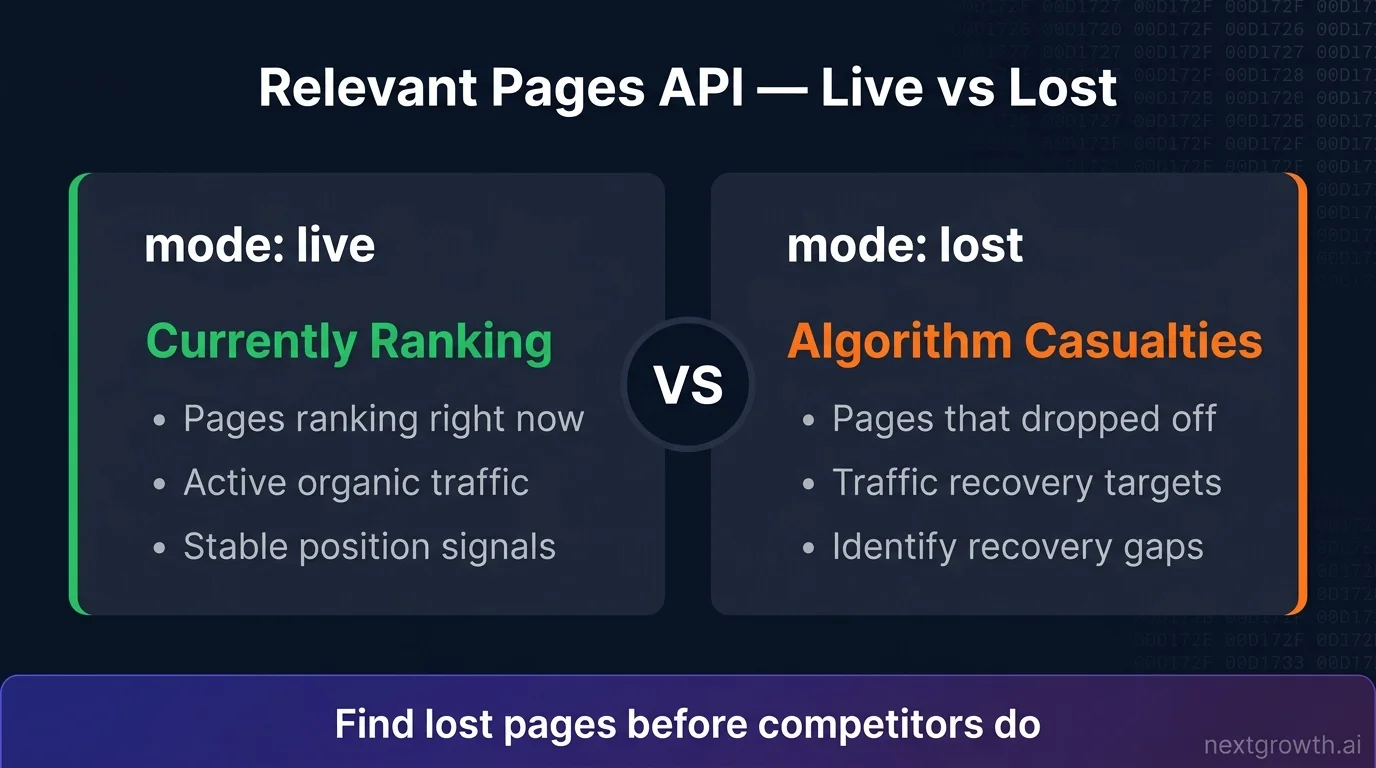
Here’s what the documentation doesn’t emphasize enough: historical_serp_mode controls two fundamentally different data views. Set it to "live" and you get pages currently ranking in Google’s top 100. Use this for a “Top Ranking Pages” chart. Set it to "lost" and you get pages that dropped out of rankings during your specified date range. That’s the algorithm impact detector. Most developers use "live" for everything and never discover the "lost" mode exists.
The "lost" mode is where you find algorithm casualties. A page that ranked for 50 keywords in March and appears in your "lost" results in April took a hit. That’s a signal worth investigating before your whole site follows.
def get_relevant_pages(domain: str, mode: str = "live", location_code: int = 2840) -> list:
    """
    Fetch ranked pages for a domain.
    mode: "live" = currently ranking pages
          "lost" = pages that left rankings (algorithm impact detection)
    Cost: $0.01/task + $0.0001/item.
    DataForSEO rate limit: 2000 req/min.
    """
    if mode not in ("live", "lost"):
        raise ValueError(f"Invalid mode '{mode}'. Use 'live' or 'lost'.")

    payload = [{
        "target": domain,
        "location_code": location_code,
        "language_code": "en",
        "historical_serp_mode": mode,
        "order_by": ["metrics.organic.etv,desc"],
        "limit": 100,
    }]

    try:
        result = dfs_post("dataforseo_labs/google/relevant_pages/live", payload)
        items = result["tasks"][0]["result"][0].get("items", [])
    except (KeyError, IndexError, ValueError) as e:
        print(f"Error fetching relevant pages for '{domain}' (mode={mode}): {e}")
        return []

    pages = []
    for item in items:
        pages.append({
            "url": item.get("url"),
            "etv": item.get("metrics", {}).get("organic", {}).get("etv", 0),
            "count": item.get("metrics", {}).get("organic", {}).get("count", 0),
            "avg_position": item.get("metrics", {}).get("organic", {}).get("avg_position"),
        })

    return pages


# Top ranking pages (for "Top Pages" bar chart)
top_pages = get_relevant_pages("nextgrowth.ai", mode="live")
print("Top 5 pages by ETV:")
for page in top_pages[:5]:
    print(f"  {page['url']}: ETV={page['etv']:.1f}, {page['count']} keywords, avg pos {page['avg_position']:.1f}")

# Lost pages (for "Monthly Ranked Pages Change" chart)
lost_pages = get_relevant_pages("nextgrowth.ai", mode="lost")
print(f"\nPages that left rankings: {len(lost_pages)}")
for page in lost_pages[:3]:
    print(f"  {page['url']}: was ranking for {page['count']} keywords")
The History-First Architecture applies here at the page level. You now know which pages drive ETV (live mode) and which pages have lost rankings (lost mode). Both pieces are necessary for a complete rank tracker. Live mode tells you what’s working. Lost mode tells you what broke.
How Do You Find New Keywords with Ranked Keywords?
labs/google/ranked_keywords/live returns every keyword your domain ranks for, along with position, search volume, and the specific URL ranking for each term (DataForSEO Docs, 2026). This is the “New Keywords” table in any rank tracker. It also exposes keyword opportunities you didn’t know you were ranking for.
def get_ranked_keywords(domain: str, location_code: int = 2840, filters: list = None) -> list:
    """
    Fetch all keywords the domain currently ranks for.
    filters: optional DataForSEO filter arrays, e.g.:
      [["keyword_data.keyword_info.search_volume", ">", 100]]
    Cost: $0.01/task + $0.0001/item.
    DataForSEO rate limit: 2000 req/min.
    Pagination: use 'offset' param for domains with 1000+ keywords.
    """
    payload = [{
        "target": domain,
        "location_code": location_code,
        "language_code": "en",
        "order_by": ["ranked_serp_element.serp_item.rank_absolute,asc"],
        "limit": 100,
        "offset": 0,
    }]

    if filters:
        payload[0]["filters"] = filters

    try:
        result = dfs_post("dataforseo_labs/google/ranked_keywords/live", payload)
        items = result["tasks"][0]["result"][0].get("items", [])
    except (KeyError, IndexError, ValueError) as e:
        print(f"Error fetching ranked keywords for '{domain}': {e}")
        return []

    keywords = []
    for item in items:
        serp_element = item.get("ranked_serp_element", {}).get("serp_item", {})
        kw_data = item.get("keyword_data", {}).get("keyword_info", {})
        keywords.append({
            "keyword": item.get("keyword"),
            "position": serp_element.get("rank_absolute"),
            "url": serp_element.get("url"),
            "search_volume": kw_data.get("search_volume", 0),
            "cpc": kw_data.get("cpc", 0),
        })

    return keywords


# Practical example: find high-volume keywords ranking in top 20
high_value = get_ranked_keywords(
    domain="nextgrowth.ai",
    filters=[
        ["keyword_data.keyword_info.search_volume", ">", 100],
        ["ranked_serp_element.serp_item.rank_absolute", "<=", 20],
    ]
)

print(f"High-value keywords (vol>100, pos<=20): {len(high_value)}")
for kw in high_value[:5]:
    print(f"  '{kw['keyword']}': pos {kw['position']}, {kw['search_volume']}/mo, {kw['url']}")
The 4-Endpoint Rank Tracker is now complete. Historical SERP handles visibility trends, Historical Rank Overview covers position averages, Relevant Pages maps page performance, and Ranked Keywords surfaces the full keyword universe. You've got everything a $129/month SaaS rank tracker gives you, built on a system that costs pennies per run.
For domains ranking for 1,000+ keywords, use the offset parameter to paginate. DataForSEO returns up to 1,000 items per request, so a domain with 3,500 ranked keywords needs four calls with offsets at 0, 1000, 2000, and 3000.
Tip
The filters parameter saves money. If you only care about keywords with search volume above 100 and positions in the top 20, filter server-side instead of fetching everything and filtering in Python. DataForSEO charges per item returned, so tighter filters mean lower costs.
When Should You Add SERP API and Keyword Data API?
Add the SERP API when you need daily position updates. Labs API data is monthly, so it can't tell you where you rank today (DataForSEO, 2026). Add the Keyword Data API only if you need volume refreshed against live Google Ads data. For most rank tracker builds, the volume that comes back inside Ranked Keywords results is accurate enough, and you won't need a separate call.
Daily live positions use serp/google/organic/live/advanced. Cost is approximately $0.0006 per keyword per day. For 50 keywords checked daily, that's $0.03/day or about $0.90/month. Still far cheaper than any SaaS plan.
Search volume accuracy. Labs API returns volume estimates from its database. For precise monthly search volume refreshed against Google Ads data, use keywords_data/google_ads/search_volume/live. The DataForSEO Keyword Research API guide covers the full Keywords Data workflow including trend data and search intent classification. For most rank tracker use cases you don't need a separate call, volume comes back inside Ranked Keywords results automatically.
| Feature | API | Update Frequency | Cost |
|---|---|---|---|
| Visibility chart | Labs: Historical SERP | Monthly | $0.0001/SERP |
| Position trends | Labs: Historical Rank Overview | Monthly | $0.112/domain/year |
| Ranked pages | Labs: Relevant Pages | Monthly | ~$0.10/domain |
| New keywords | Labs: Ranked Keywords | Monthly | ~$0.015/50 KWs |
| Daily positions | SERP: Google Organic | Daily (on demand) | $0.0006/keyword/day |
| Search volume | Keyword Data API | Monthly | Included in Labs |
The History-First Architecture in full: start with Labs API historical data to understand what happened over the past year. Layer SERP API on top for what's happening today. This way you build a rank tracker that's both deep and current, without spending $0.0006 per keyword per day on historical insights you could get for $0.0001 total.
If you're using Claude Code or n8n, the MCP server setup guide covers installing the DataForSEO MCP to query all three APIs without writing HTTP code directly. For multi-platform workflows combining ChatGPT Custom GPTs, Claude Code, and n8n automation, the DataForSEO AI integration guide covers all three setups side by side. Both are faster ways to prototype queries before building a production Python client.
FAQ
What is the difference between DataForSEO Labs API and SERP API?
The SERP API scrapes Google in real time. You send a keyword, it returns the current search results page. The Labs API is a pre-computed database of historical ranking data across billions of keywords. Use the SERP API when you need today's live rankings. Use the Labs API when you need trend data, historical visibility, or competitive analysis across months. Labs API costs roughly 6x less per query than SERP API for historical data you only need to fetch once.
How much does the DataForSEO Labs API cost per month?
There is no monthly fee. Labs API charges per call: $0.0001 per Historical SERP snapshot, $0.1 per Historical Rank Overview task. I tracked 50 keywords across 12 months for $0.30 total. For most rank tracker use cases, your monthly Labs API spend will be under $5 unless you're tracking thousands of domains or refreshing data more frequently than monthly. DataForSEO's $5 signup credit covers months of initial testing.
What is ETV in DataForSEO?
ETV stands for Estimated Traffic Volume. It's a click estimate calculated from organic ranking position and search volume, using CTR curves by position. A page ranking at position 1 for a 1,000/month keyword earns roughly 280 ETV, based on the approximately 28% CTR at position 1 (Backlinko CTR Study, 2024). ETV is a model-based estimate, not raw analytics data. It's best for comparing visibility trends over time, not predicting exact traffic numbers.
How does the historical_serp_mode parameter work in Relevant Pages?
historical_serp_mode controls what data the Relevant Pages endpoint returns. Set it to "live" to get pages currently ranking in Google's top 100, sorted by ETV. Set it to "lost" to get pages that dropped out of rankings during your specified date range. The "lost" mode is the most underused feature in the Labs API. When a core Google update runs, your lost pages list spikes. That spike tells you exactly which pages were hit, before the traffic drop shows up in Google Analytics.
Does DataForSEO Labs API support multi-location tracking?
Yes. Pass a location_code parameter to any Labs API endpoint. DataForSEO covers 50,000+ locations globally (DataForSEO, 2026). For multi-country tracking, make separate requests per location code: 2840 for the US, 2826 for the UK, 2036 for Australia. There's no extra cost structure for multi-location. You pay per API call regardless of which country you query.
Can I use the DataForSEO Labs API without Python?
Yes. DataForSEO provides official client libraries for PHP, C#, Java, and TypeScript. You can also call the REST API directly with any HTTP client using Basic authentication. For no-code setups, DataForSEO has official nodes for n8n and Make that expose Labs API endpoints without writing code. The n8n integration is particularly useful for scheduled monthly rank tracking runs, the DataForSEO + n8n integration guide walks through the setup end to end.
Build Your Rank Tracker with DataForSEO Labs API
The 4-Endpoint Rank Tracker built on DataForSEO Labs API covers everything a custom rank tracker needs: visibility trends via Historical SERP, position charts via Historical Rank Overview, page analysis via Relevant Pages, and keyword discovery via Ranked Keywords. The total cost for 50 keywords and 12 months of tracking: $0.30.
This is what the History-First Architecture looks like in practice. Historical data first, pre-computed by DataForSEO's database, available with a single API call. Daily live data only when you actually need it, from the SERP API, at $0.0006 per query. Never paying subscription prices for data you can access on demand for fractions of a cent.
The one feature worth double-checking if you take nothing else from this guide: set historical_serp_mode: "lost" in your Relevant Pages calls. That's where algorithm casualties show up, and it's the signal most developers miss entirely.
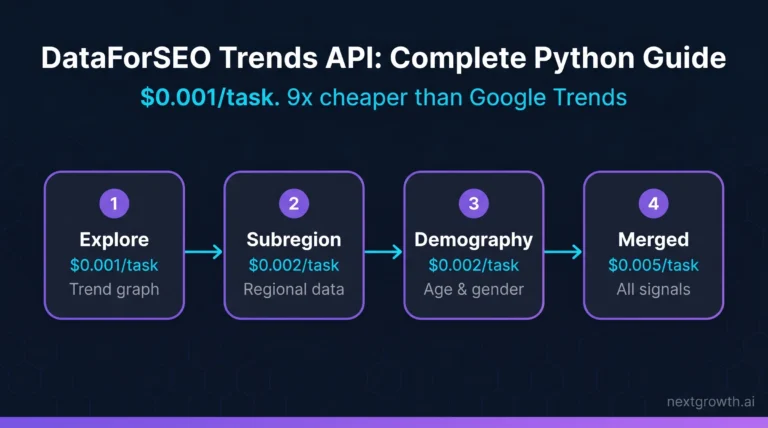
Extend your rank tracker further: The DataForSEO On-Page API adds crawl-based technical audits to your visibility data, broken links, Core Web Vitals, duplicate content, at $0.000125 per page. The DataForSEO Backlinks API layers domain authority signals on top at $0.05 per 1,000 links. For keyword trend analysis beyond historical SERPs, see the DataForSEO Trends API guide. And if you track YouTube or Bing alongside Google, the YouTube API and Bing API use the same authentication and client code from this guide.
If you want to skip the HTTP layer, the DataForSEO MCP server exposes all four endpoints directly from Claude Code or n8n. For a broader comparison of DataForSEO against alternatives, the DataForSEO alternatives guide covers how it stacks up against Semrush, Ahrefs, and other APIs by feature and cost.