Find the Best SEO API Without Wasting Dev Hours & Budget
The best SEO API for most developers and agencies is DataForSEO for comprehensive keyword, SERP, and backlink data at pay-as-you-go pricing; ScrapingBee for dedicated SERP scraping; and Google’s free APIs (Search Console, PageSpeed Insights) for technical audits. NextGrowth.ai’s dev team has integrated all three into production workflows and breaks down the trade-offs below. For AI-powered automation, see our guide to the DataForSEO MCP server for AI-native SEO workflows.Disclosure: This post contains affiliate links. If you purchase through our links, we may earn a commission at no extra cost to you. We only recommend tools we’ve tested and use ourselves. For a comprehensive guide, see our on-page SEO guide. For WordPress sites, pair your SEO API data with our Rank Math review to automate on-page optimization.
You’ve been there. Scrolling through yet another “Top 10 SEO APIs” listicle that reads like a product catalog. Feature bullets. Pricing tiers. Maybe a star rating. But nothing that answers the question actually burning in your mind: Which one should I choose for my specific project?
The frustration is real. One developer on Reddit put it perfectly: “I am looking for some API for keyword research. I know Semrush offers it, but maybe you can recommend some other tools dealing with keyword research only.” That’s the problem—most guides assume you want everything, when you might just need one thing done exceptionally well.
Choosing the wrong SEO API isn’t just inconvenient. It’s expensive. You’re looking at wasted development hours integrating a tool that doesn’t fit your workflow, budget overruns from pricing models that don’t match your usage patterns, and data quality issues that undermine every decision you make downstream. For agencies managing client portfolios or developers building custom tools, these mistakes compound fast.
This guide takes a different approach. Instead of another feature comparison matrix, you’ll find an objective evaluation framework organized by use case—SERP scraping, keyword data, technical audits. You’ll see real-world case studies with verifiable ROI metrics, practical workflow integration guides for platforms like n8n.io, and transparent pricing comparisons that help you predict costs before you commit. By the end, you’ll know exactly which API fits your needs, your budget, and your technical resources.
I’ve spent the past year building n8n automation pipelines that pull data from multiple SEO APIs daily — processing keyword research, SERP tracking, and backlink analysis for over 450 articles per month. That hands-on experience across DataForSEO, SerpApi, and direct Google integrations shaped every recommendation in this guide.
Looking to automate your SEO workflows? Compare the tools for SEO automation.
Key Takeaway
The best SEO API for your project depends on your specific use case: DataForSEO for comprehensive keyword and backlink data, ScrapingBee for real-time SERP scraping, and Google’s free APIs for budget-conscious developers.
- DataForSEO offers the most comprehensive all-in-one data stack for programmatic SEO
- ScrapingBee leads in SERP scraping with real browser rendering and proxy rotation
- Google Search Console API and PageSpeed Insights API are free and essential for technical audits
- Pricing ranges from free tiers to enterprise subscriptions—pay-per-request models offer granular cost control
Contents
- What Are SEO APIs and How Are They Categorized by Use Case?
- Which SEO APIs Are Best for Enterprise Data and Tool Building?
- SERP Scraping & Rank Tracking Automation
- Which APIs Should You Use for Technical SEO Audits and Site Metrics?
- Free & Low-Cost SEO API Solutions
- How to Choose the Right SEO API for Your Project
- Workflow Integration: Connecting APIs to Your Stack
- When SEO APIs May Not Be the Right Choice
- Frequently Asked Questions
- Your Next Steps: Building Your SEO API Stack
What Are SEO APIs and How Are They Categorized by Use Case?
Before diving into specific tools, you need a clear mental model of what SEO APIs actually do—and more importantly, which type solves your particular problem. This foundational understanding prevents the most common mistake: choosing a powerful tool that’s powerful at the wrong thing.
What Is an SEO API and Why Does It Matter?
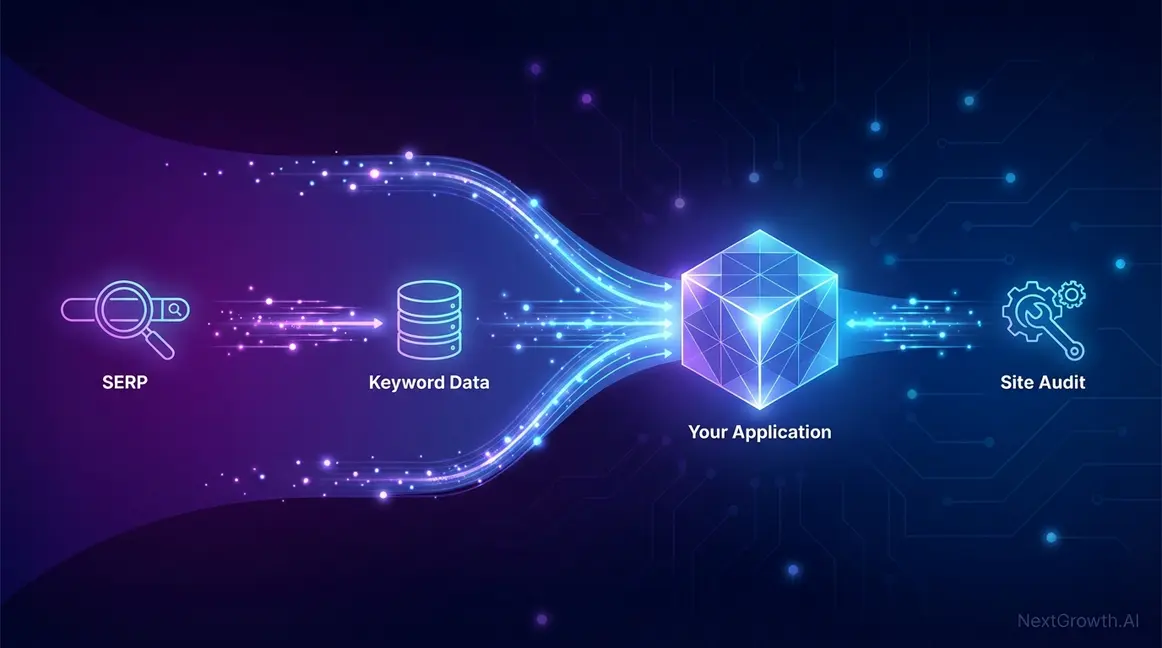
An SEO API provides programmatic access to search engine data—keywords, rankings, backlinks, site metrics—without the need for manual scraping or logging into multiple dashboards. Think of it as a direct pipeline to the data that powers SEO decisions.
Why does this matter? Because manual SEO work doesn’t scale. Developers use APIs to build custom dashboards, automated reporting systems, and proprietary tools. Marketers use them to feed data into business intelligence platforms and trigger automated workflows. As Backlinko’s guide to programmatic SEO explains, “Programmatic SEO is the practice of using code to create a large number of targeted landing pages from a data source”—a strategy employed by sites like Zillow and Zapier that would be impossible without API access.
Need reporting alongside your API? See our best SEO reporting tools roundup.
Now that you understand what SEO APIs do, the next critical step is understanding the three distinct categories—each serving fundamentally different purposes.
The Three Core Categories: SERP, Data, and Audit APIs
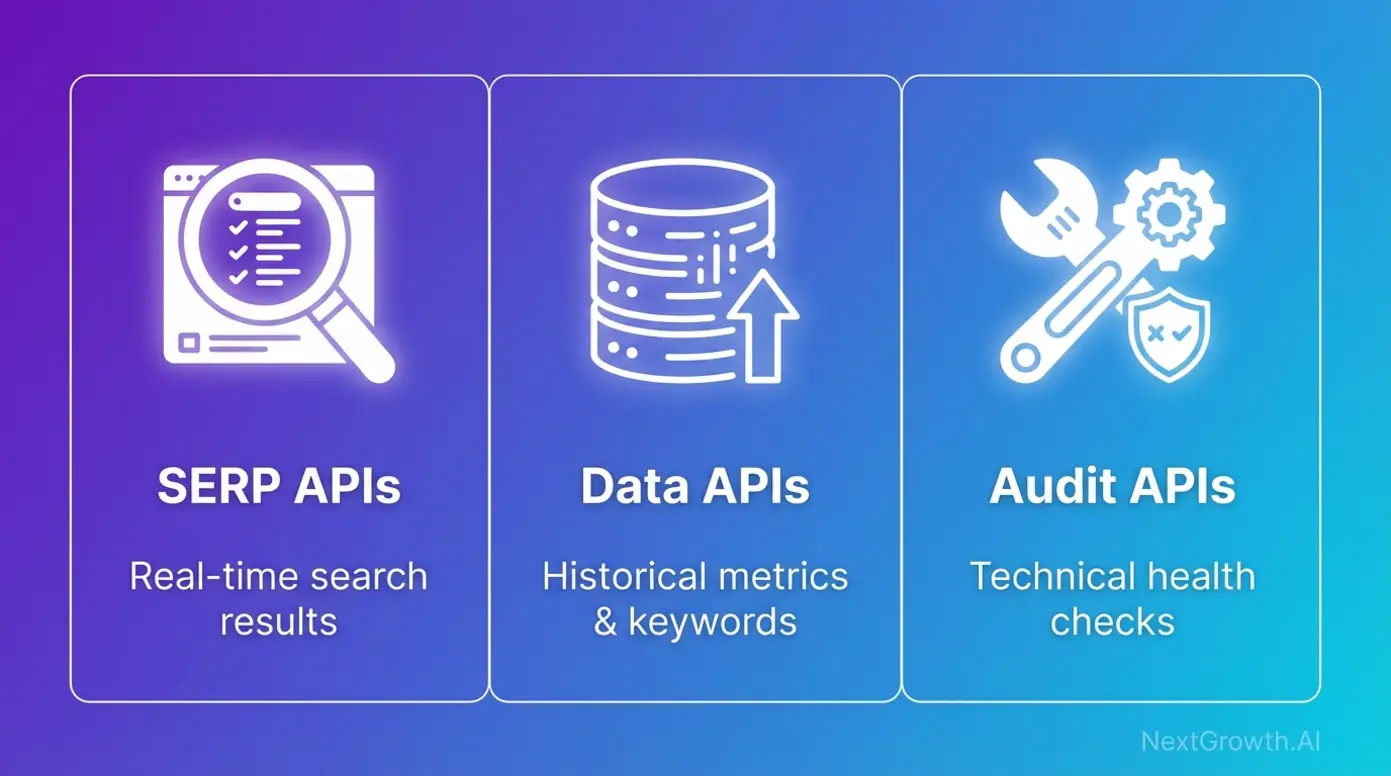
The confusion most guides create stems from lumping all SEO APIs together. In reality, they fall into three distinct categories, each optimized for different workflows:
| API Type | Primary Function | Best For |
|---|---|---|
| SERP APIs | Scrape raw search engine result pages in real-time | Rank tracking, competitor SERP monitoring, featured snippet analysis |
| Data APIs | Provide structured historical metrics (keyword volume, backlinks, domain authority) | Building keyword research tools, competitor analysis, backlink auditing |
| Audit APIs | Automate technical site health checks and performance monitoring | Core Web Vitals tracking, site speed optimization, technical SEO audits |
SERP APIs like ScrapingBee and SerpApi handle the messy work of scraping Google’s search results while managing proxy rotation and browser rendering. Data APIs like DataForSEO and Semrush give you access to massive databases of pre-processed SEO metrics. Audit APIs like Google PageSpeed Insights automate the technical checks that keep your site healthy.
With these categories clear, let’s examine the top providers in each—starting with enterprise-grade data APIs for building custom SEO tools.
Matching API Types to Your Project Goals
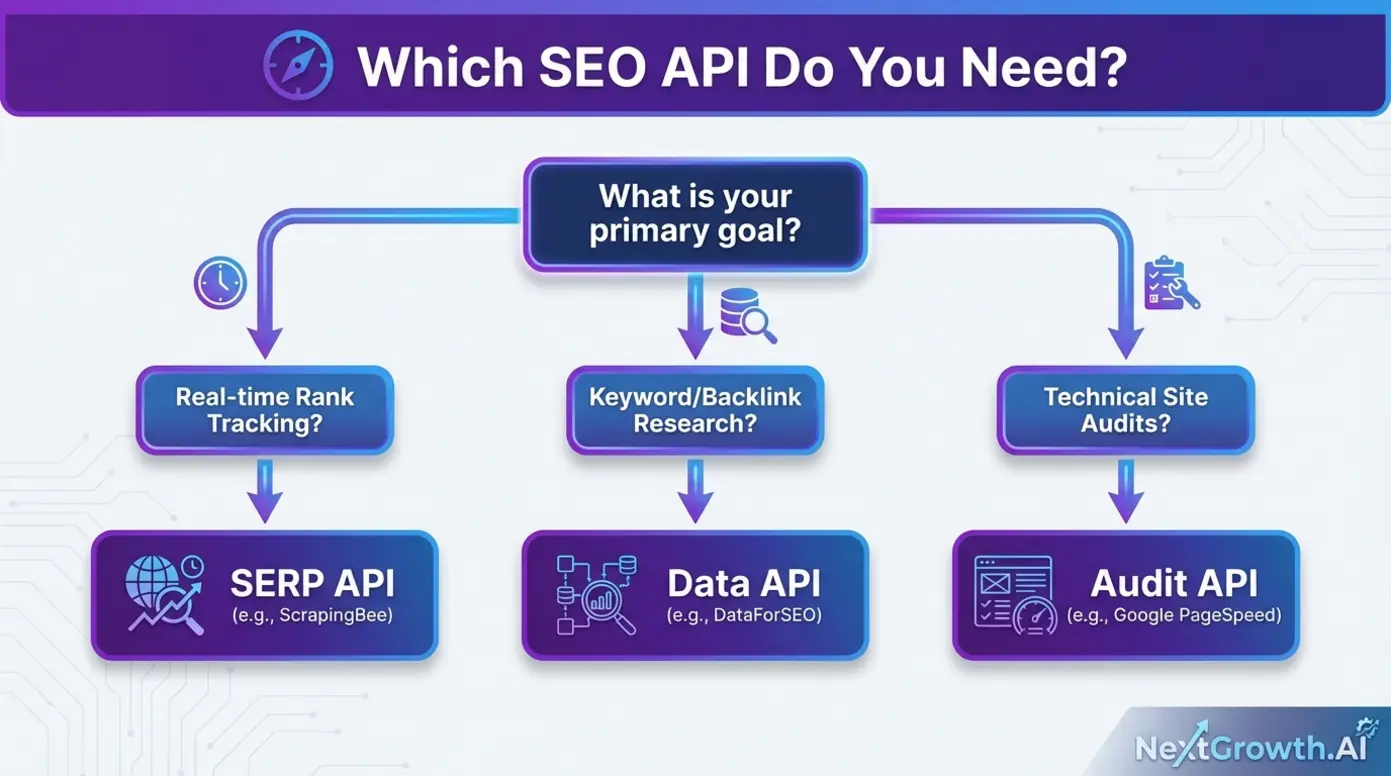
Your project goals determine your API category. Here’s how to match them:
- Building a keyword research tool? You need a Data API. DataForSEO and Semrush provide the structured keyword metrics—search volume, difficulty, trends—that power research workflows.
- Monitoring SERP rankings in real-time? You need a SERP API. ScrapingBee and Zenserp handle the technical challenges of scraping live search results without getting blocked.
- Automating site audits? You need an Audit API. Google PageSpeed Insights and Apify’s SEO Checker provide the technical metrics for site health monitoring.
- Budget-conscious and testing concepts? Start with Google’s free APIs. The Search Console API and PageSpeed Insights API cost nothing and provide essential functionality.
Let’s start with the APIs that power enterprise SEO operations and custom tool building.
Which SEO APIs Are Best for Enterprise Data and Tool Building?
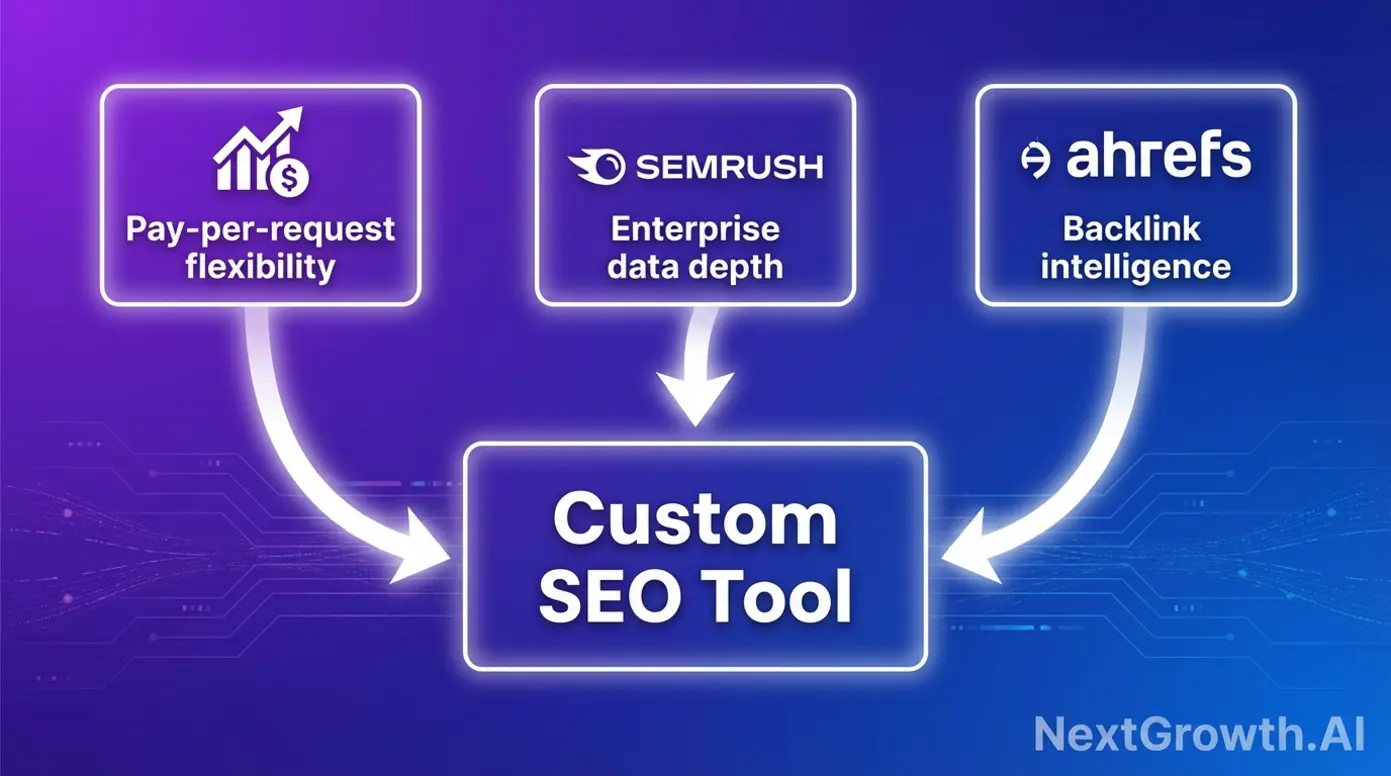
When you’re building custom SEO tools or need programmatic access to massive keyword and backlink databases, enterprise data APIs are your foundation. These providers have invested years in building comprehensive data infrastructure—your API access lets you use that investment without building it yourself.
DataForSEO: The Developer’s All-in-One Powerhouse
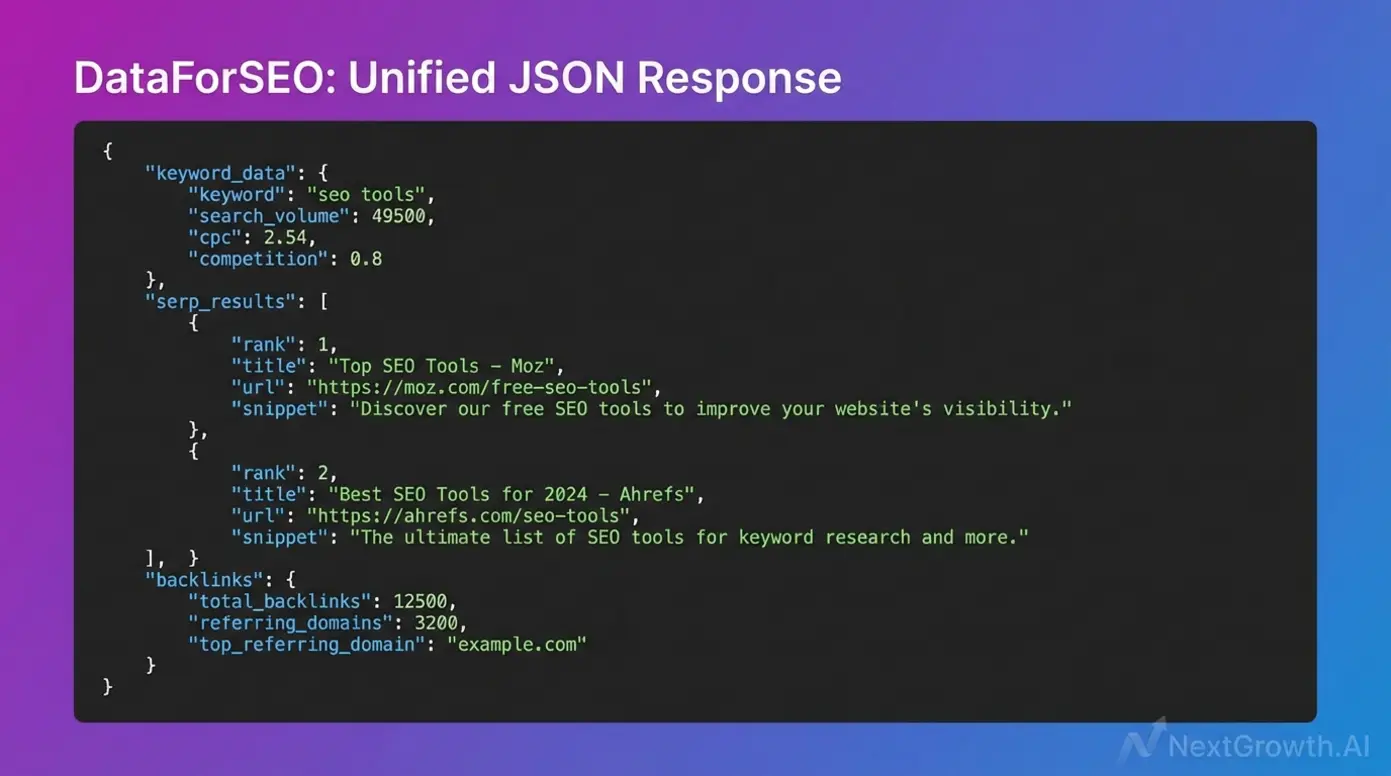
DataForSEO has become the go-to choice for developers building custom SEO tools, and for good reason. Its comprehensive API stack covers keywords, SERPs, backlinks, and on-page data through a unified interface with structured JSON responses.
What sets DataForSEO apart for programmatic SEO workflows is its developer-first approach. The documentation is extensive, the response formats are consistent, and the pay-as-you-go pricing model provides the granular cost control that technical teams demand. You’re not locked into monthly minimums—you pay for exactly what you use.
The real-world impact is documented. As detailed in DataForSEO’s case study with GMB Crush, the local SEO tool integrated multiple DataForSEO APIs—including On-Page, SERP, and Backlinks APIs—to provide comprehensive data for optimizing Google Business Profiles. This kind of multi-API integration demonstrates the platform’s flexibility for building a bespoke keyword research machine.
For teams already invested in enterprise SEO platforms, the Semrush API offers a different value proposition.
Semrush API: Enterprise-Grade Analytics at Scale
The Semrush API provides programmatic access to one of the largest SEO databases in the industry—keyword analytics, competitor research, domain analytics, and more. For organizations already using Semrush’s platform, the API extends that investment into custom workflows and integrations.
The strength here is data depth. Semrush has spent years building its database, and API access lets you tap into that resource for custom applications. The trade-off is pricing: Semrush uses a subscription model, which means predictable costs but less flexibility for variable workloads.
Here’s the honest assessment for developers asking “what is the best SEO tool” for their specific needs: if you need keyword research only, DataForSEO may offer more granular cost control than Semrush’s bundled approach. Semrush shines when you need the full suite of enterprise features and are already invested in their ecosystem.
For backlink-focused competitive analysis, Ahrefs offers specialized capabilities.
Ahrefs API: Backlink Intelligence for Competitive Modeling
Ahrefs has built its reputation on backlink data, and its API provides access to one of the most comprehensive link databases available. For building backlink analysis tools or competitor monitoring dashboards, Ahrefs’ data quality is difficult to match.
The consideration here is access. Ahrefs API access typically requires higher-tier subscriptions, which prices out smaller developers and freelancers. For teams with the budget, the backlink intelligence is exceptional. For those seeking more flexible pricing, DataForSEO offers similar backlink data with pay-per-request options.
If your primary need is real-time SERP data rather than historical metrics, SERP scraping APIs offer a different approach.
SERP Scraping & Rank Tracking Automation
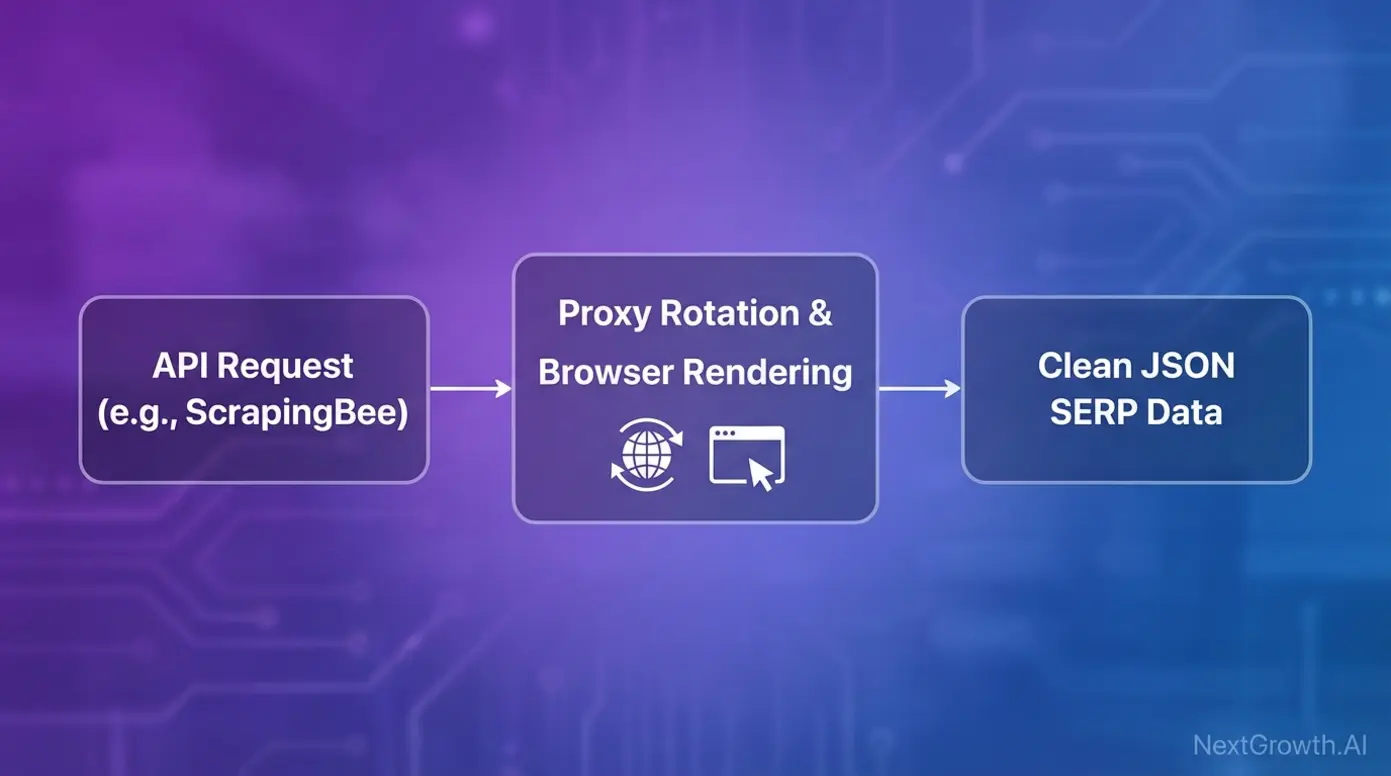
Real-time rank tracking presents unique technical challenges. Google actively blocks automated scraping, CAPTCHAs interrupt data collection, and browser rendering differences can skew results. SERP APIs solve these problems so you don’t have to build the infrastructure yourself.
For rank monitoring, check our best rank tracking software comparison.
ScrapingBee: Real Browser Rendering for Accurate SERPs
ScrapingBee has emerged as a leading choice for SERP scraping because it solves the core technical challenges that plague DIY solutions. Real browser rendering ensures you capture exactly what users see in search results—not a simplified HTML version that misses dynamic content.
The automatic proxy rotation prevents IP blocking, which is critical for any serious rank tracking operation. Without it, your data collection stops the moment Google detects automated access. ScrapingBee handles this infrastructure so you can focus on what you do with the data.
Output comes in clean JSON format, ready for integration with your existing systems. For teams needing accurate, fast, and scalable access to SERP data, ScrapingBee delivers on all three. Use cases include rank tracking, competitor SERP monitoring, and featured snippet analysis.
For real-time, location-specific results at scale, Zenserp and Bright Data offer complementary capabilities.
Zenserp and Bright Data: Real-Time, Location-Specific Results
Zenserp provides a real-time Google Search API with strong infrastructure and budget-friendly entry options. For teams starting out or with moderate volume needs, it offers a solid balance of capability and cost.
Bright Data takes a different approach with an enterprise-grade proxy network supporting Google, Bing, Yahoo, and more. For organizations needing multi-search-engine coverage or operating at massive scale, Bright Data’s infrastructure handles the load.
Both support geo-specific SERP results, which matters for local SEO monitoring. If you’re tracking rankings across different cities or countries, location targeting is essential. The choice between them often comes down to simplicity versus scale: Zenserp for straightforward Google SERP API needs, Bright Data for enterprise complexity.
Once you’re collecting SERP data, the next question is how to integrate it into your existing analytics infrastructure.
Integrating SERP Data with BI and ML Pipelines
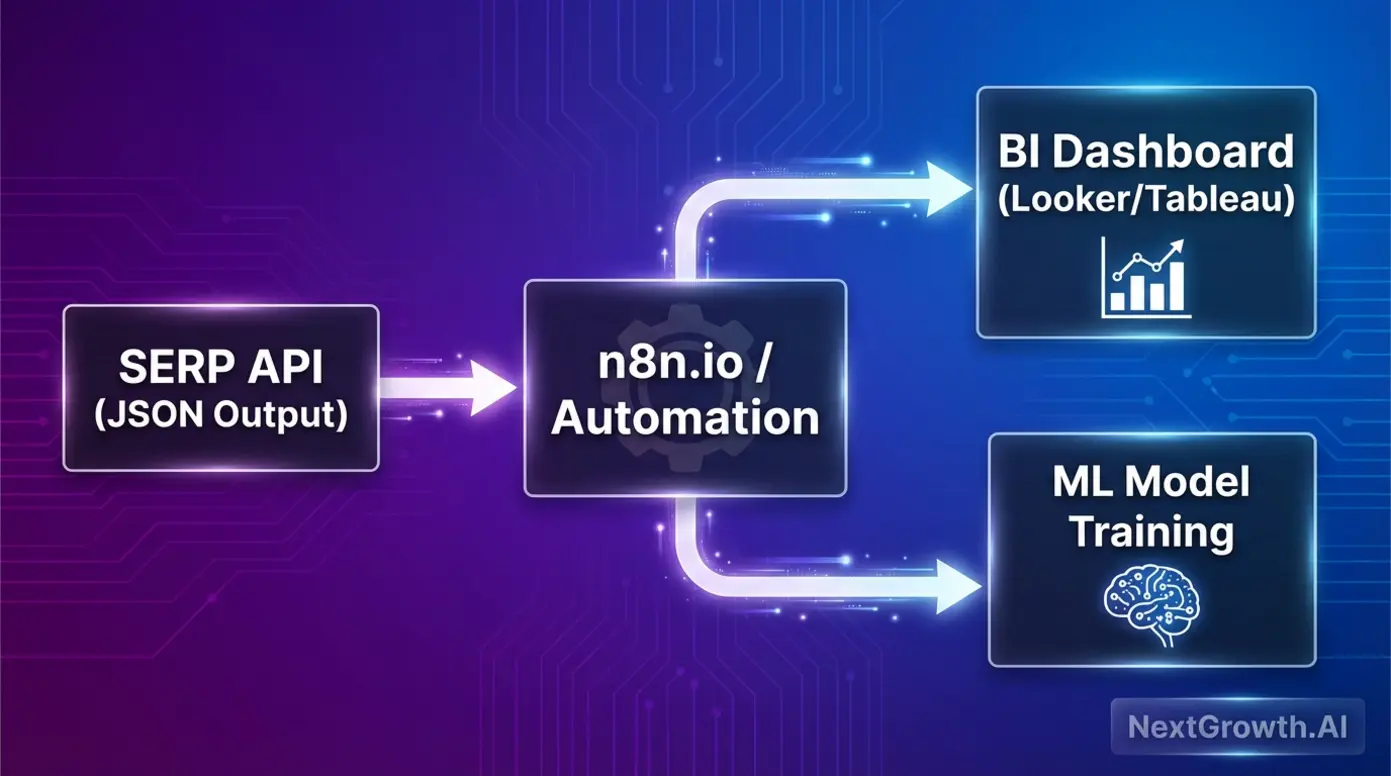
Raw SERP data becomes valuable when it feeds into decision-making systems. The integration patterns here transform API output into actionable intelligence.
For business intelligence, SERP data feeds into dashboards built on Looker, Tableau, or custom solutions. Track ranking trends over time, correlate with traffic changes, and visualize competitive movements—all automated through API connections.
Machine learning applications are emerging. Training models on ranking patterns enables predictive SEO—understanding which content changes are likely to improve positions before you make them. This is where an autonomous system for producing content at scale becomes powerful.
Automation platforms like n8n.io connect SERP APIs to your broader workflow. Trigger alerts when rankings drop, automatically generate reports, or feed data into content optimization systems. The JSON output from most SERP APIs integrates smoothly with these platforms.
Beyond SERP and keyword data, technical SEO audits require their own specialized APIs.
Which APIs Should You Use for Technical SEO Audits and Site Metrics?
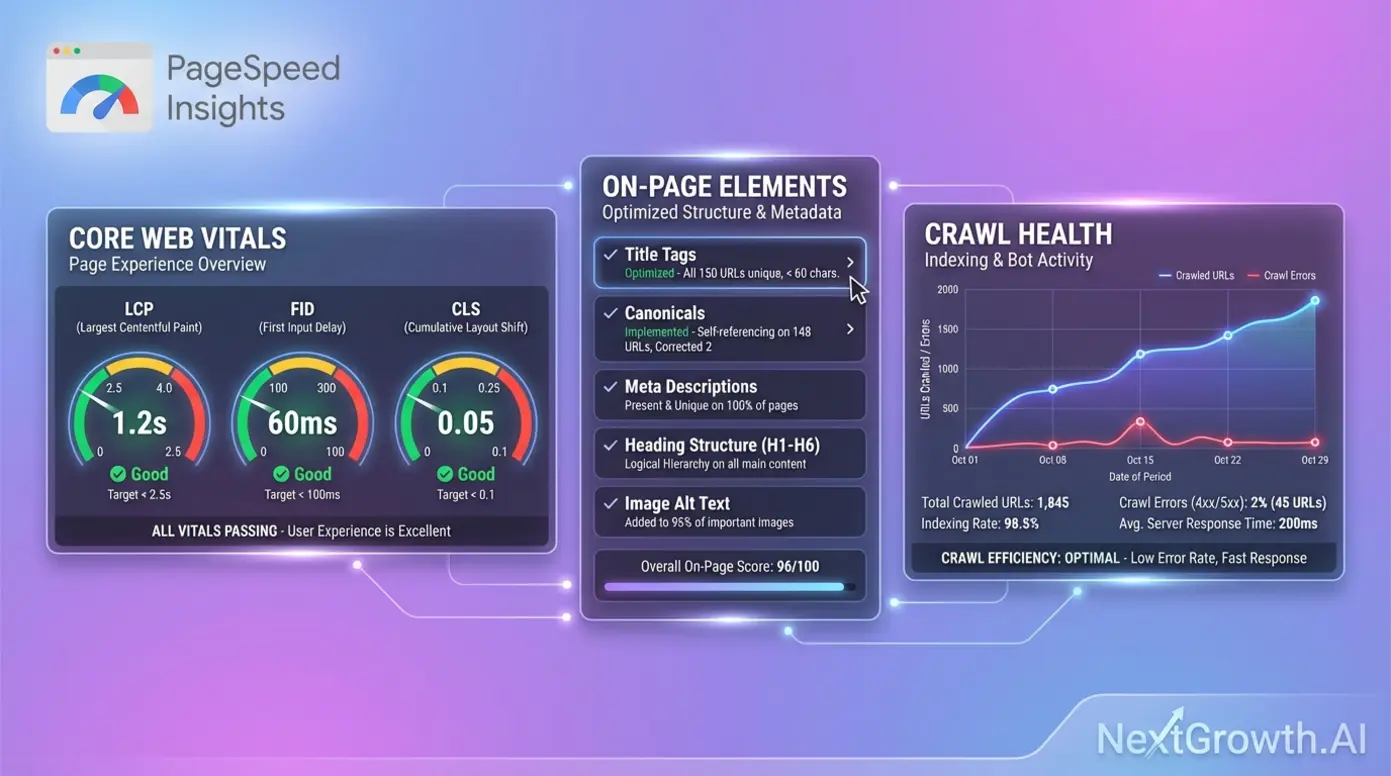
Technical SEO health determines whether your content can even compete. Core Web Vitals affect rankings, crawl errors prevent indexing, and site speed impacts user experience. Technical audit APIs automate the monitoring that catches problems before they hurt performance.
Google PageSpeed Insights API: Automating Core Web Vitals
The Google PageSpeed Insights API is essential for any technical SEO stack—and it’s completely free. Direct access to Google’s own performance metrics means you’re measuring what Google measures: Largest Contentful Paint (LCP), First Input Delay (FID), and Cumulative Layout Shift (CLS).
As the official Google Search Console API documentation explains, these tools provide “programmatic access to core functions, allowing users to view, add, or remove properties and sitemaps, and run advanced queries for performance data.”
For cost-conscious developers, this is your starting point. Build automated Core Web Vitals monitoring, create custom dashboards, and track performance trends over time—all without spending a dollar on API costs. The SEO checker API functionality covers the metrics that matter most for ranking factors.
For comprehensive site audits beyond Core Web Vitals, specialized audit endpoints offer deeper analysis.
Site Audit Endpoints: DataForSEO and Apify Options
When you need more than performance metrics, dedicated audit APIs provide comprehensive site crawling and analysis.
DataForSEO’s On-Page API delivers structured site auditing data covering title tags, meta descriptions, heading structure, and more. The consistent JSON output integrates cleanly with custom reporting systems, making it a strong choice for the best SEO checker tool workflows.
Apify’s SEO Checker takes a developer-focused approach, crawling pages to extract the technical elements that affect SEO: canonical tags, structured data, internal linking patterns. For teams comfortable with code, Apify offers flexibility in how you configure and run audits.
The real proof is in scale. As documented in SE Ranking’s MGID success story, “By integrating SE Ranking’s API, advertising platform MGID was able to automate the auditing of over 300 websites per month, identifying and fixing technical errors that led to significant traffic growth.” That’s the SEO analysis API capability that transforms agency operations.
For developers and freelancers working with limited budgets, free and low-cost options provide essential functionality without enterprise pricing.
Free & Low-Cost SEO API Solutions
Not every project needs enterprise-scale data. Freelancers testing concepts, indie developers building side projects, and startups validating ideas all need accessible entry points. The good news: genuinely free options exist, and freemium models let you scale costs with usage.
Google’s Free APIs: Search Console and Trends
Google provides several completely free SEO APIs that should be in every developer’s toolkit.
The Search Console API gives you programmatic access to your own site’s performance data—impressions, clicks, average position, and indexing status. For monitoring your properties, this is essential and costs nothing.
The PageSpeed Insights API (covered earlier) provides Core Web Vitals monitoring at no charge. Build it into your workflow and never pay for basic performance tracking.
New in 2025, the Google Trends API entered alpha. As Google’s announcement explains, it provides “a new method for accessing search trends data with features for consistently scaled data, time range aggregations, and geographical data.” For trend analysis and content planning, this free SEO API opens new possibilities.
The limitation: these APIs only provide data about your own properties or public trends. For competitor intelligence, you’ll need paid solutions.
Beyond Google’s free options, several providers offer freemium models for testing before committing.
Freemium and Pay-As-You-Go Options
The freemium SEO API landscape gives developers room to experiment before committing budget.
RapidAPI’s marketplace lists various SEO tools with free tiers—useful for testing concepts and validating that an API meets your needs before scaling up.
Authoritas provides developers with a free API key to access its three distinct SEO APIs: the Platform API, the SERPs API, and the Page Structure API. This lets you evaluate their data quality and integration patterns without financial commitment.
Open-source options also exist. GitHub repositories offer self-hostable SEO tools for teams comfortable managing their own infrastructure. For those understanding the fair-code automation platform model, self-hosted options provide maximum control.
The testing strategy is straightforward: use free tiers to validate concepts, then commit to paid plans when you’ve proven the integration works for your use case.
Understanding pricing models helps you predict costs as you scale.
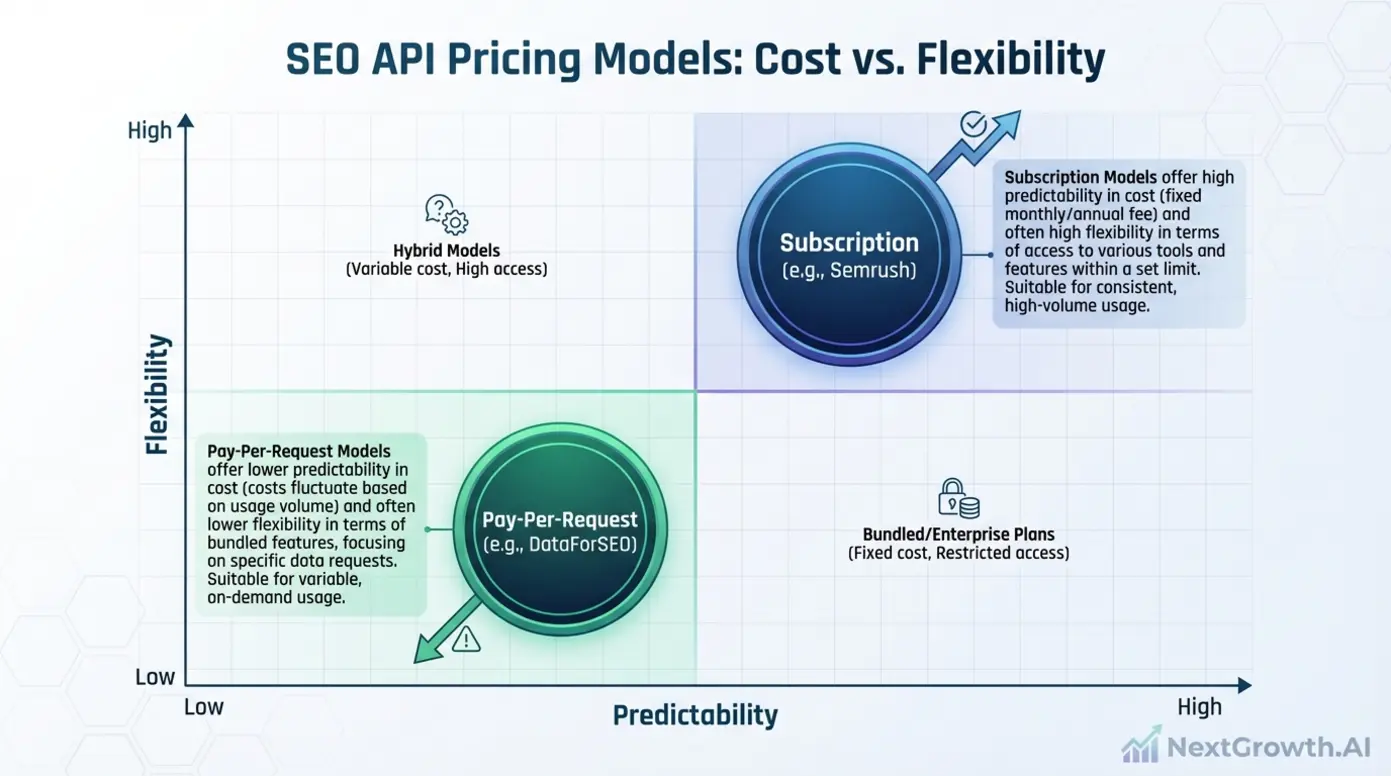
Pricing Model Comparison: Subscription vs. Pay-Per-Request
The pricing model you choose affects both cost predictability and flexibility. Here’s how they compare:
| Model Type | Pros | Cons | Best For |
|---|---|---|---|
| Subscription (Semrush, Ahrefs) | Predictable monthly costs, often includes platform access | Less flexible, paying for unused capacity | Consistent, high-volume usage |
| Pay-Per-Request (DataForSEO, ScrapingBee) | Granular cost control, pay only for what you use | Costs can spike with unexpected volume | Variable workloads, testing, scaling |
| Hybrid | Flexibility to choose based on usage patterns | Requires more planning | Teams with mixed needs |
The granular cost control of pay-per-request models appeals to developers who want to match costs precisely to usage. Subscription models work better when you have predictable, consistent needs and want budget certainty.
With a clear understanding of options and pricing, let’s establish a framework for making your final decision.
How to Choose the Right SEO API for Your Project
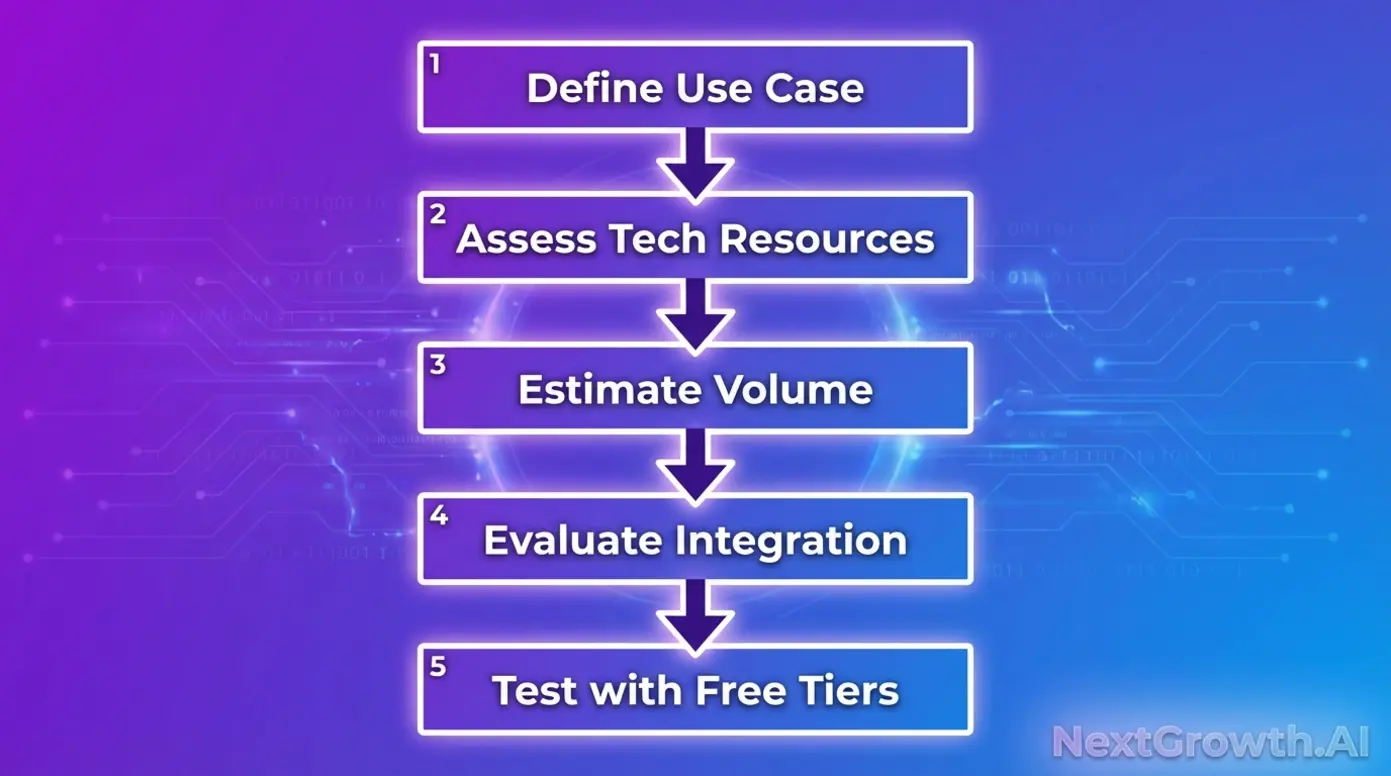
Decision paralysis kills projects. With dozens of APIs across three categories, you need a systematic approach to narrow options quickly. This framework replaces gut feeling with structured evaluation.
The SEO API Decision Framework
Follow these five steps to identify your best SEO API match:
- Define your use case. Are you building rank tracking, keyword research, site audits, or backlink analysis? Your category determines which providers to evaluate.
- Assess your technical resources. Do you have developers who can work with raw APIs, or do you need no-code integration options? This affects which providers are realistic choices.
- Estimate your volume. Low volume favors pay-per-request; high, consistent volume may justify subscriptions. Run the numbers before committing.
- Evaluate integration requirements. What systems does the API need to connect with? Check documentation for SDKs, webhooks, and output formats that match your stack.
- Test with free tiers. Never commit budget without validation. Use free trials and freemium options to confirm the API delivers what you need.
This framework cuts through marketing claims and focuses on fit. Within this framework, certain evaluation criteria deserve deeper examination.
Key Evaluation Criteria: Data Quality, Latency, and Documentation
Beyond the framework, these specific criteria separate good APIs from great ones:
Data quality matters more than data quantity. Accuracy of keyword volumes, freshness of backlink data, and SERP rendering fidelity all affect the decisions you make downstream. Ask: does this API’s data match what I see in other trusted sources?
Latency determines what’s possible. Real-time applications need fast response times; batch processing can tolerate slower APIs. Test response times under realistic load before committing.
Documentation reduces integration time. Comprehensive docs, SDKs in your preferred languages, and working code samples mean faster time to value. Poor documentation is a hidden cost that compounds over your project’s lifetime.
Support matters for enterprise users. When something breaks at 2 AM, responsive support justifies premium pricing. Evaluate SLA commitments and response time guarantees.
Community indicates maturity. Active developer communities, Stack Overflow discussions, and GitHub activity suggest a reliable, well-maintained product.
Once you’ve selected your API, the next challenge is integrating it into your workflow efficiently.
Workflow Integration: Connecting APIs to Your Stack
Selecting the right API is half the battle. The other half is integrating it into workflows that deliver ongoing value. This section provides the actionable integration guidance that most competitor guides skip entirely.
Building Automated Pipelines with n8n.io
n8n.io has become a popular choice for SEO automation because it’s self-hostable, has a free option, and connects to virtually any API through its HTTP Request node.
The integration pattern is straightforward. Configure the HTTP Request node with your API endpoint, authentication headers, and request parameters. n8n handles the execution, error handling, and data transformation.
Practical workflow examples include:
- Automated keyword research: Trigger daily API calls to fetch keyword metrics, filter for opportunities, and populate a spreadsheet or database.
- Scheduled rank tracking: Run SERP API queries on a schedule, compare to previous results, and trigger alerts when rankings change significantly.
- Content optimization triggers: Monitor page performance via audit APIs and automatically flag pages that need attention.
The benefit is scale. What takes hours manually becomes a background process that runs while you focus on strategy. For a deeper dive, see our guide on automating the entire research cycle.
Real-world case studies demonstrate the tangible ROI of API integration.
Case Study: How SE Ranking’s API Automated 300+ Site Audits
Theory is useful. Proof is better. The MGID case study demonstrates what’s possible when API integration is done right.
The challenge: MGID, an advertising platform, needed to audit over 300 websites monthly. Manual auditing at that scale is impossible—the labor cost alone would be prohibitive, and human error would compromise data quality.
The solution: They integrated SE Ranking’s API to automate technical audits. The API handled the crawling, analysis, and reporting that would have required a team of specialists.
The result: As documented by SE Ranking, the integration enabled them to identify and fix technical errors at scale, leading to significant traffic growth across their portfolio.
The lesson: API integration isn’t just about efficiency—it’s about capability expansion. Tasks that are impossible manually become routine with the right automation. The ROI isn’t just time saved; it’s outcomes that wouldn’t exist otherwise.
While SEO APIs offer powerful capabilities, understanding their limitations helps you make informed decisions.
When SEO APIs May Not Be the Right Choice
Honest assessment builds trust. SEO APIs are powerful tools, but they’re not perfect solutions for every situation. Understanding limitations helps you avoid frustration and make better decisions.
Limitations and Alternative Approaches
Data accuracy variance is real. API data may differ from what you see in native tools like Google Search Console or Semrush’s web interface. The databases update at different intervals, and methodologies vary. Always validate API data against trusted sources before making major decisions.
Rate limits constrain high-volume applications. Most APIs throttle requests to manage infrastructure load. If you’re building applications that need millions of queries, you’ll hit these limits. Plan your architecture accordingly, and consider caching strategies to reduce redundant calls.
Cost at scale can surprise you. Pay-per-request pricing offers granular control, but costs compound quickly at high volumes. Run projections before committing, and monitor usage closely during scaling phases.
Learning curve exists for all APIs. Even with good documentation, integration takes developer time. If your team lacks technical resources, consider whether no-code alternatives or managed solutions might be more practical.
When to Consider Professional Guidance
Some situations warrant expert help:
Complex integrations involving multiple API sources feeding into custom analytics platforms benefit from architectural planning. A data architect can design systems that scale efficiently and maintain data integrity.
Enterprise scale changes the economics. When monthly API costs exceed certain thresholds, direct partnerships with data providers may offer better rates than standard API pricing. Negotiating custom contracts requires understanding your use.
Compliance requirements add complexity. GDPR, data residency concerns, and industry-specific regulations may require legal review of how you collect, store, and process API data.
If your API integration involves sensitive data or enterprise-scale operations, consulting with a data architect or legal professional can prevent costly mistakes.
Frequently Asked Questions
What is the best SEO API for SERP scraping in 2025?
ScrapingBee is widely considered the top choice for SERP scraping in 2025 due to its real browser rendering and automatic proxy rotation. These features ensure you capture exactly what users see in search results while avoiding IP blocking. Other strong options include Zenserp for real-time results and SerpApi for specialized search features. Your choice depends on volume requirements and budget constraints.
Which API is best for building SEO tools with keyword data?
DataForSEO is the industry standard for developers building SEO tools, offering a massive stack of endpoints for keyword suggestions and rank tracking. Its pay-as-you-go pricing model provides granular cost control, making it accessible for both indie developers and enterprises. The Semrush API is also a top choice for accessing vast databases of competitor and keyword analytics. Choose DataForSEO for flexibility or Semrush if you’re already invested in their ecosystem.
Are there free SEO APIs available?
Yes, Google provides several completely free SEO APIs including the Search Console API, PageSpeed Insights API, and the new Google Trends API (alpha). These free options provide access to your own site’s performance data, Core Web Vitals metrics, and search trends. Platforms like RapidAPI also list various freemium SEO tools with limited free tiers. Free APIs are ideal for testing concepts before committing to paid solutions.
What is the difference between a SERP API and an SEO Data API?
A SERP API scrapes raw search engine result pages in real-time, while an SEO Data API provides structured historical metrics like keyword volume and domain authority. SERP APIs (ScrapingBee, SerpApi) handle proxy rotation and browser rendering to capture live search results. SEO Data APIs (DataForSEO, Ahrefs) offer pre-processed, structured data from their own databases. Choose based on whether you need real-time rankings or historical analytics.
Which SEO API is best for technical site audits?
For technical SEO audits, the Google PageSpeed Insights API is essential for automating Core Web Vitals monitoring—and it’s completely free. For comprehensive site auditing beyond Core Web Vitals, DataForSEO’s On-Page API and Apify’s SEO Checker offer detailed crawl data including title tags, meta descriptions, and canonical tags. SE Ranking’s API has been used to automate audits of 300+ websites monthly. Combine Google’s free API with a paid solution for complete coverage.
DataForSEO stands out as a top choice for pay-as-you-go SEO data, but it is not the only option. For a focused comparison of DataForSEO against other providers, see our DataForSEO Alternatives guide covering cost, API speed, and use-case fit.
Not sure which API fits your stack? Contact us — we’ve integrated most of these and can point you in the right direction.
Your Next Steps: Building Your SEO API Stack
You now have what most SEO API guides fail to provide: a clear framework for decision-making, not just a list of features.
The key takeaways are straightforward. First, match API type to use case—SERP APIs for real-time rankings, Data APIs for keyword and backlink intelligence, Audit APIs for technical health monitoring. Second, choose pricing models that fit your usage patterns—pay-per-request for flexibility, subscriptions for predictability. Third, always validate with free tiers before committing budget.
This guide delivers what competitors don’t: the objective, use-case-driven evaluation framework that helps you choose the best SEO API for your specific needs. Not the “best” in some abstract ranking, but the best for what you’re actually trying to build.
Your next step is clear. Identify your primary use case from the three categories. Test with Google’s free APIs or provider free tiers. Then scale with the provider that matches your technical resources, volume requirements, and budget constraints. The right API choice accelerates everything that follows.