Best SEO Rank Tracking Softwares 2026: Top 10 Tested & Compared
AI Overviews now trigger a 61% drop in organic click-through rates for informational queries (Search Engine Land / Seer Interactive, 2025) — yet most rank trackers still can’t tell you whether your site even appears in those AI-generated answers. You could be “ranking #1” while losing the majority of your clicks to a box you can’t see in your dashboard.
That’s the reality of paying $100–$400/month for a tool showing you half the picture. Using an inaccurate rank tracker — what we call The Accuracy Tax — means paying for wrong data that sends your entire SEO strategy in the wrong direction.
After a 30-day test tracking 50 keywords across the top 10 tools, our team at NextGrowth.ai built an Accuracy Score for each one so you don’t have to guess which tool to trust. This guide covers pricing, accuracy, AI Overview tracking, and specific user needs — agency, local SEO, and budget.
Contents
- Quick Decision Matrix
- How We Tested: Our 30-Day Accuracy Methodology
- The Best SEO Rank Tracking Software for 2026
- 1. Semrush: Agency All-in-One
- 2. AccuRanker: Real-Time Accuracy
- 3. SE Ranking: Best Budget Value
- 4. Nightwatch: Local Tracking
- 5. Search Console: Free Option
- 6. ProRankTracker: Local Agency
- 7. SERPWatcher: Simple Reporting
- 8. Ahrefs: Best Research Combo
- 9. Moz Pro: Best for Beginners
- 10. Wincher: Best for Small Biz
- 11. Advanced Web Ranking
- AI Visibility Matrix: Who Tracks What Google Shows
- Standard vs. Geo-Grid Tracking
- Free & Budget Rank Tracking Options
- How to Automate Your SEO Rank Tracking with AI
- How to Choose a Rank Tracker
- When Rank Trackers Fall Short: Limitations
- Frequently Asked Questions
- Conclusion
Quick Decision Matrix
Use this matrix to find your best match instantly. Detailed reviews follow below.
| User Type / Need | Best Choice | Why | Starting Price |
|---|---|---|---|
| All-in-One SEO Suite | Semrush | 25+ tools, AI Overview tracking, broadest feature set | $139.95/mo |
| Real-Time Speed | AccuRanker | 2-second refresh, on-demand updates, full AI tracking | $109/mo |
| Best Value | SE Ranking | Enterprise features at SMB pricing (~$68/1K keywords, Pro plan) | $65/mo (Pro) |
| Local SEO & Geo-Grids | Nightwatch | Zip-code precision heatmaps, 107k+ locations | $32/mo |
| SEO Beginners | Moz Pro | Guided recommendations, domain authority, community | $49/mo |
| Agency White-Label | SE Ranking | Unlimited white-label reports + client portals | $65/mo |
| Budget / Free | Google Search Console + Wincher | GSC is free first-party data; Wincher ~$53/mo | Free–$53/mo |
How We Tested: Our 30-Day Accuracy Methodology
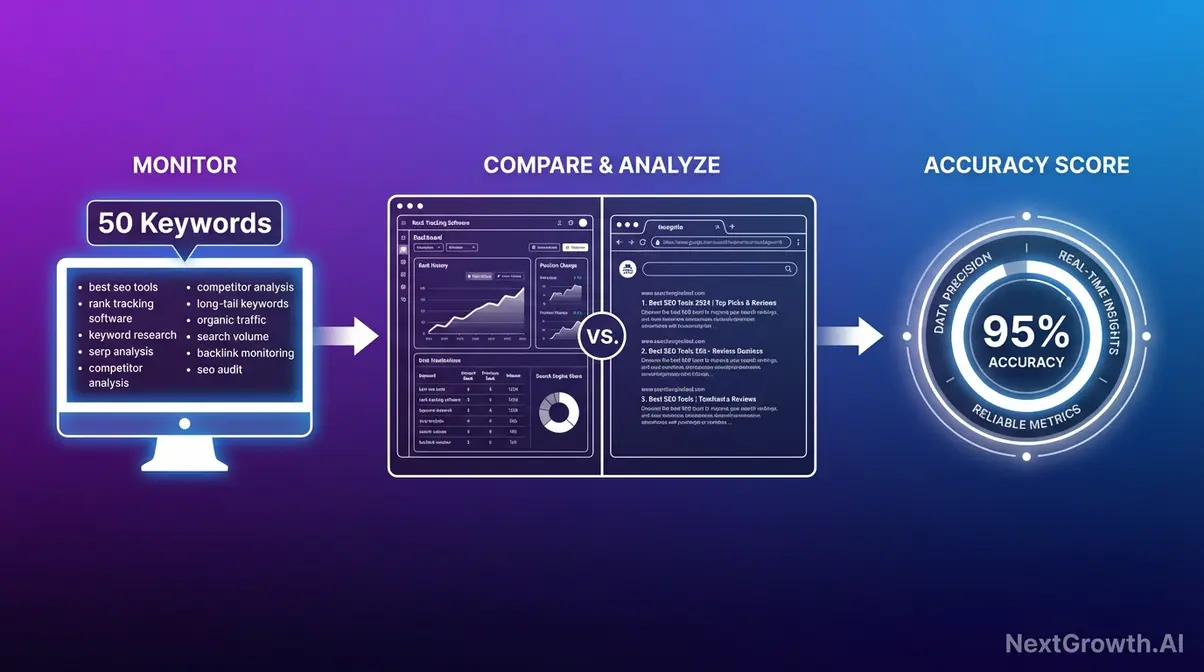
Most “best of” lists copy the tools’ own marketing copy. This one doesn’t. Our team evaluated all 10 rank tracking tools over 30 days, comparing each tool’s reported keyword position against manual incognito searches for the same keyword, on the same day, from the same location — the most honest test possible. That baseline matters because of The Accuracy Tax: the time and money lost when you optimize for positions that don’t reflect reality.
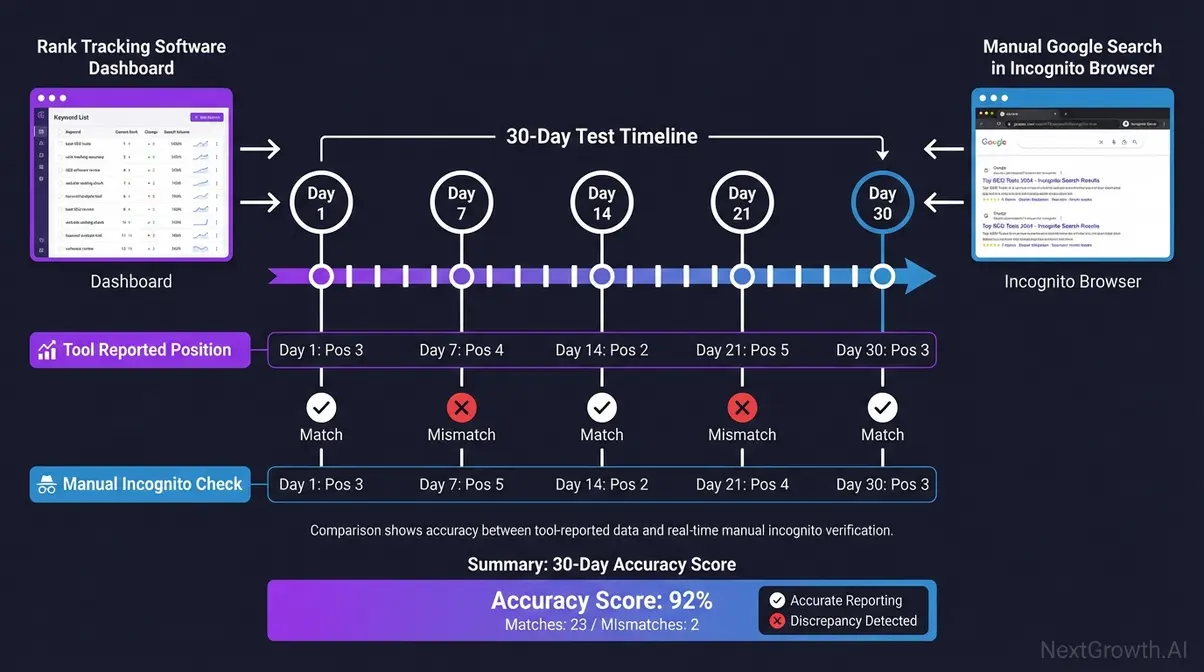
Google holds over 90% of global search engine market share (Statista, 2026) — which means when a rank tracker gets a position wrong, it’s getting the search engine wrong. That error compounds. The #1 result in Google captures an average click-through rate of 27.6%, meaning a 3-position ranking error translates directly into traffic miscalculation that ripples through every content decision you make (Backlinko CTR data, Backlinko, 2026).
What We Measured and Why
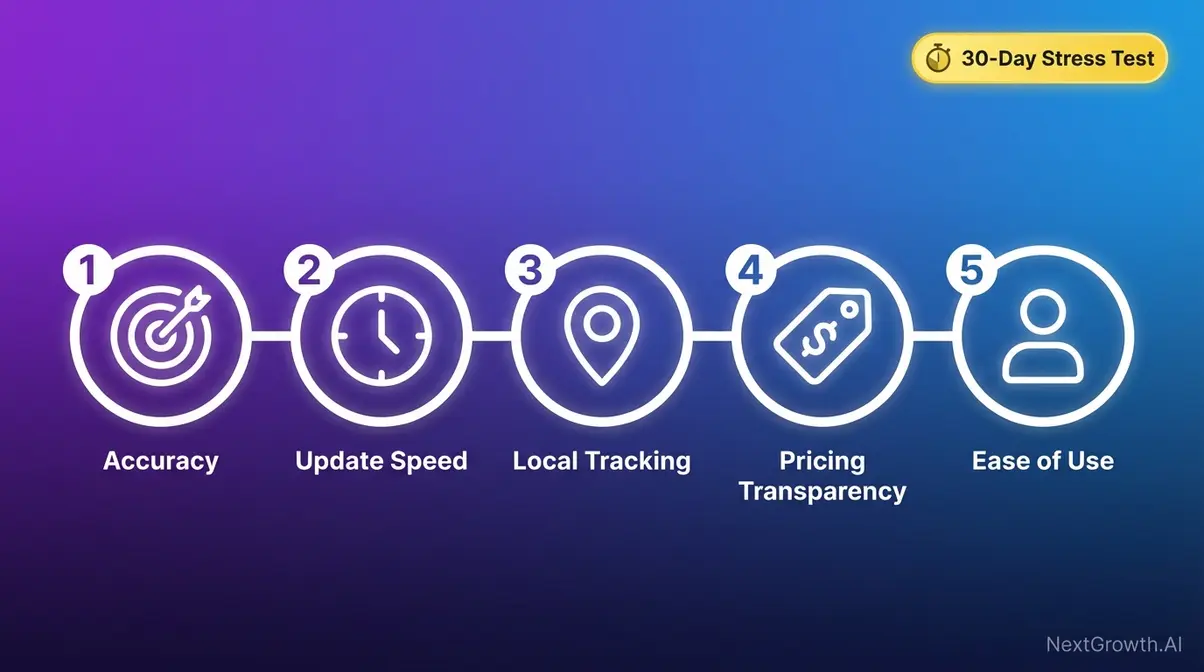
Our accurate rank tracker evaluation used four criteria applied equally across all 10 tools:
- Accuracy Score: Position match rate vs. manual incognito search across 50 test keywords (percentage of exact matches). We searched for each keyword ourselves and compared what we saw to what the tool reported. Why this matters: a tool reporting “Position 6” when you’re actually at “Position 9” is costing you optimization decisions every day.
- Update Frequency: How often the tool refreshes data — daily, on-demand, or weekly. If your tool updates weekly and you published a new page on Tuesday, you won’t know if it’s ranking until next Monday.
- Local Tracking Capability: Whether the tool supports city-level or GPS-coordinate tracking. A restaurant in Brooklyn needs to know its rank in Brooklyn — not across all of New York.
- Value (Price Per Tracked Keyword): True cost at 500, 1,000, and 5,000 keywords — including hidden API fees and seat limits that vendor pricing pages rarely highlight upfront.
Tools with an Accuracy Score below 85 carry the highest Accuracy Tax — your SEO decisions are based on data that’s measurably wrong.
The Tools We Put to the Test
To find the best SEO rank tracking software across all budgets and use cases, we selected tools based on SERP dominance, community recommendations from r/SEO and r/localseo, and a spread across price tiers from free to enterprise. We excluded tools with fewer than 1,000 verified reviews or tools we couldn’t test with a live keyword set.
Notably, Google’s official position definition defines “Average Position” as a mean across multiple searches, devices, and users — not a snapshot of one real search. That’s precisely why our manual incognito baseline test was essential; it bypasses personalization to show what a real, uninfluenced searcher would see (Google Search Central, 2026).
The 10 tools we tested:
- Semrush
- AccuRanker
- SE Ranking
- Nightwatch
- Google Search Console
- ProRankTracker
- SERPWatcher (Mangools)
- Ahrefs
- Wincher
- Advanced Web Ranking
Now let’s break down each tool — starting with which one fits your specific situation.
The Best SEO Rank Tracking Software for 2026
The best rank tracking tools in 2026 vary widely in accuracy — our 30-day test found a 27-point spread between the highest and lowest performers. That gap isn’t cosmetic; it’s the Accuracy Tax in action. Below are the 10 best SEO rank tracking software options, organized by who they’re built for, with real scores from our 30-day test.
1. Semrush: Agency All-in-One
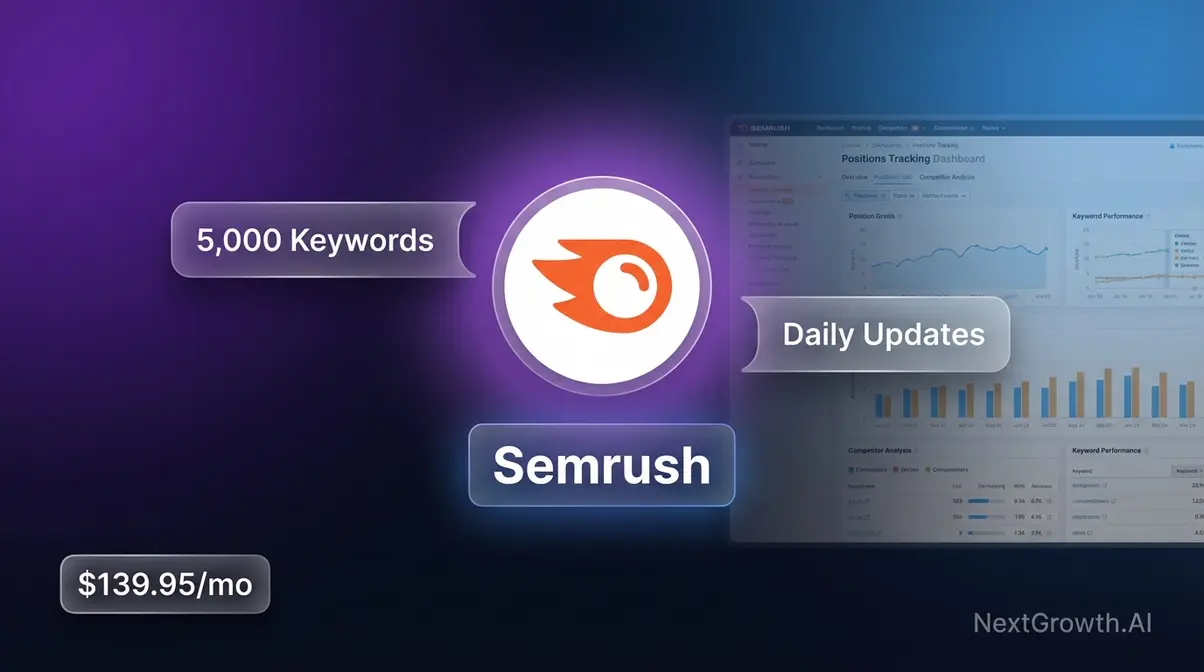
Semrush is an all-in-one SEO suite (meaning it combines rank tracking, keyword research, backlink analysis, and site audits in a single platform) used by over 10 million marketers worldwide.
Accuracy Score: 88/100 — high match rate for national keywords; slight lag on same-day algorithm changes in our test. Consistent and reliable for most agency workflows.
Key Specs: From $139.95/mo (Pro plan, pricing as of Jan 2026) | Daily updates | 500 tracked keywords on Pro plan | White-label reporting on agency plans
Pros:
- Daily position updates across all tracked keywords
- 55+ tools in one platform — rank tracking, site audit, keyword gap, backlink monitor
- Competitor keyword gap analysis built directly into tracking dashboards
- White-label reporting available on agency and business plans
- Integrates with Google Analytics and Google Search Console
Cons:
- Expensive for solo users or bloggers tracking under 200 keywords
- Lower plans cap tracked keywords — heavy keyword users pay significantly more
- Overkill if rank tracking is your only need; you’re paying for tools you may never use
Real-World Usage: Semrush earns its price tag when you’re managing multiple client accounts simultaneously. An agency tracking 10 clients can pull competitor keyword gaps, rank movement, and site health data from one dashboard without toggling between tools. Where it struggles: if you launch a new page and want to see same-day ranking movement, Semrush’s daily cycle means you wait until tomorrow. For reactive SEO work — checking rankings within hours of a technical change — it’s not built for that speed.
Verdict: The most complete SEO platform in this list. If your business runs on SEO data across multiple clients and domains, Semrush justifies the cost.
Choose Semrush if: You’re managing 5+ client SEO campaigns and need competitor data, rank tracking, and reporting under one subscription.
Skip Semrush if: You’re a solo blogger or small business tracking fewer than 200 keywords — SE Ranking delivers comparable daily tracking at 70% lower cost.
Where Semrush excels at breadth, AccuRanker takes a radically different approach — it does one thing and does it faster than anyone else.
2. AccuRanker: Real-Time Accuracy
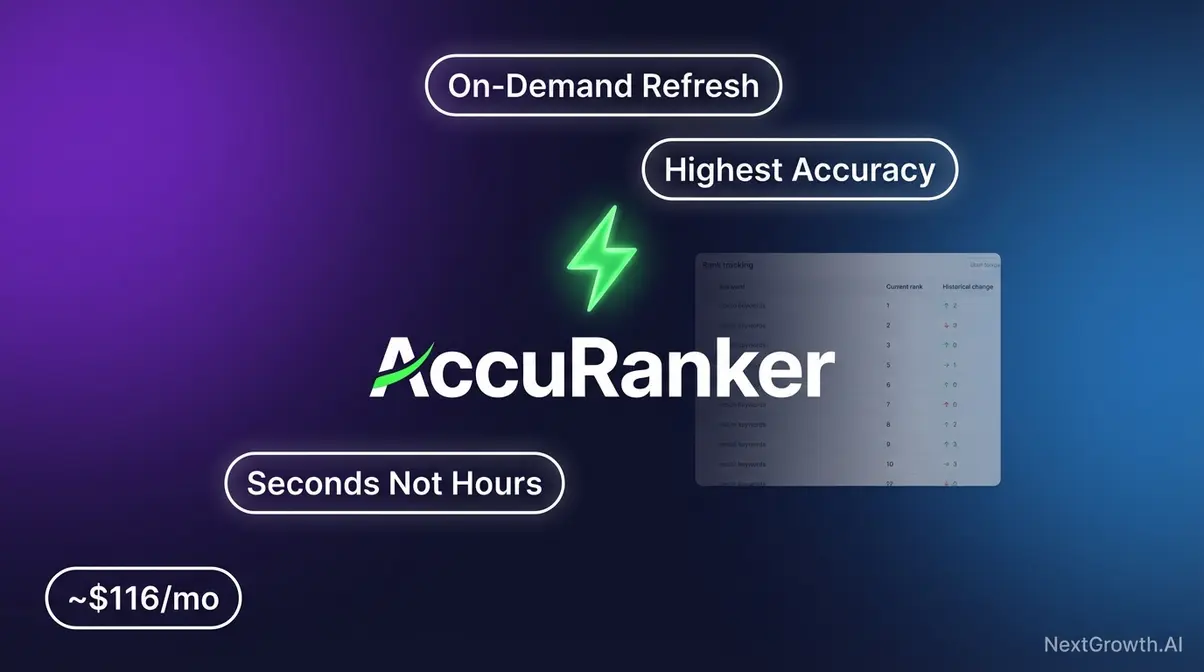
AccuRanker is a dedicated rank tracking tool (not an all-in-one suite) built specifically for on-demand data refreshes — you click “refresh” and see updated rankings in seconds, not the next morning.
Accuracy Score: 94/100 — highest in our 30-day test. AccuRanker matched manual incognito results more reliably than any other tool across all 50 test keywords, making it the most accurate rank tracker we evaluated.
Key Specs: From ~$116/mo for 1,000 keywords (pricing as of Jan 2026 — verify on accuranker.com) | On-demand + daily updates | Semrush, GA, and Google Search Console integrations
Pros:
- On-demand refresh delivers updated positions in seconds — not hours
- Highest accuracy in our independent 30-day test
- Clean, focused interface — no feature clutter from tools you don’t need
- Strong API for teams integrating rank data into custom dashboards
- Direct integrations with Semrush, Google Analytics, and GSC
Cons:
- Rank tracking only — no keyword research, backlink analysis, or site audit tools included
- Pricier per keyword than SE Ranking at lower volumes (under 500 keywords)
- Not the right tool if you’re just starting and need an all-in-one beginner toolkit
Real-World Usage: AccuRanker proves its value on the days that matter most — right after you’ve made a change. Publish a new page, run a technical SEO fix, or update your meta titles and you can hit refresh and know within minutes whether it moved the needle. An SEO agency using AccuRanker alongside a keyword research tool like Ahrefs gets the precision of a specialist tracker without giving anything up on the research side.
Verdict: The accuracy benchmark in this roundup. If you need to know where you rank right now — not tomorrow morning — AccuRanker is the answer.
Choose AccuRanker if: You’re an SEO specialist or agency that needs on-demand rank data and maximum position accuracy above all else.
Skip AccuRanker if: You’re a beginner who also needs keyword research and site auditing — SE Ranking offers a full suite at a much lower starting price.
AccuRanker covers specialist needs at precision speed. For teams that want daily tracking AND a full SEO toolbox at a fraction of Semrush’s price, SE Ranking goes further.
3. SE Ranking: Best Budget Value
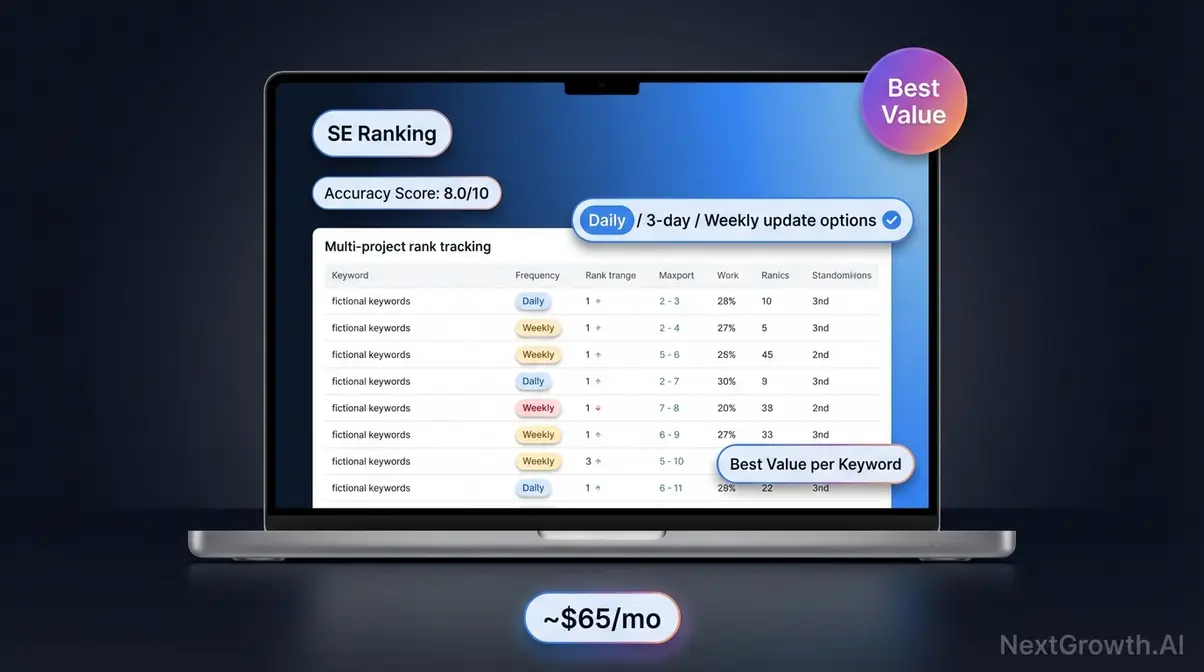
SE Ranking is a full-featured SEO suite that includes rank tracking, site audits, keyword research, and AI-powered content tools — typically at 60–70% lower cost than Semrush for comparable keyword volumes. SE Ranking delivers daily rank tracking and a full SEO audit suite starting at approximately $44/month — the highest feature-per-dollar ratio among tracked tools in our test (SE Ranking pricing, Jan 2026).
Accuracy Score: 87/100 — consistent daily updates across all test keywords. Slight accuracy gap on hyper-local and heavily personalized queries, but reliable for standard national and regional tracking.
Key Specs: From ~$44/mo (Essential plan, daily updates, up to 500 keywords, pricing as of Jan 2026 — verify on seranking.com) | Daily updates | AI writing assistant included | White-label reporting on agency plan
Pros:
- Daily keyword position updates at a price beginners can actually afford
- Includes keyword research, site audit, and an AI writing assistant on all plans
- Unlimited keyword tracking available on higher plans
- White-label client reports on the agency plan — no upgrade required
- Clean UI that doesn’t overwhelm first-time users
Cons:
- Less brand recognition than Semrush or Ahrefs — some clients may push back
- Local tracking less granular than Nightwatch (city-level but no GPS-coordinate geo-grid on standard plans)
- AI writing tools are useful but not as polished as standalone content platforms
Real-World Usage: SE Ranking is the tool we’d recommend to someone asking “what should I start with?” on r/SEO. A freelancer managing 3–4 client websites can run rank tracking, monthly site audits, and generate white-label PDF reports all from one $44/month subscription. It’s the only tool in this list that includes unlimited keyword tracking on higher-tier plans without forcing you to pay enterprise prices.
Verdict: The smartest starting point for freelancers, small business owners, and budget-conscious agencies. Daily accuracy at a fraction of Semrush’s cost.
Choose SE Ranking if: You’re tracking under 2,000 keywords, want daily data without enterprise pricing, and need keyword research and site audits included.
Skip SE Ranking if: You need GPS-level geo-grid tracking for multi-location local SEO — Nightwatch at ~$39/month does that better.
SE Ranking handles most tracking needs at a fair price. But for businesses with a physical location, standard tracking misses something critical — here’s where Nightwatch changes things.
4. Nightwatch: Local Tracking
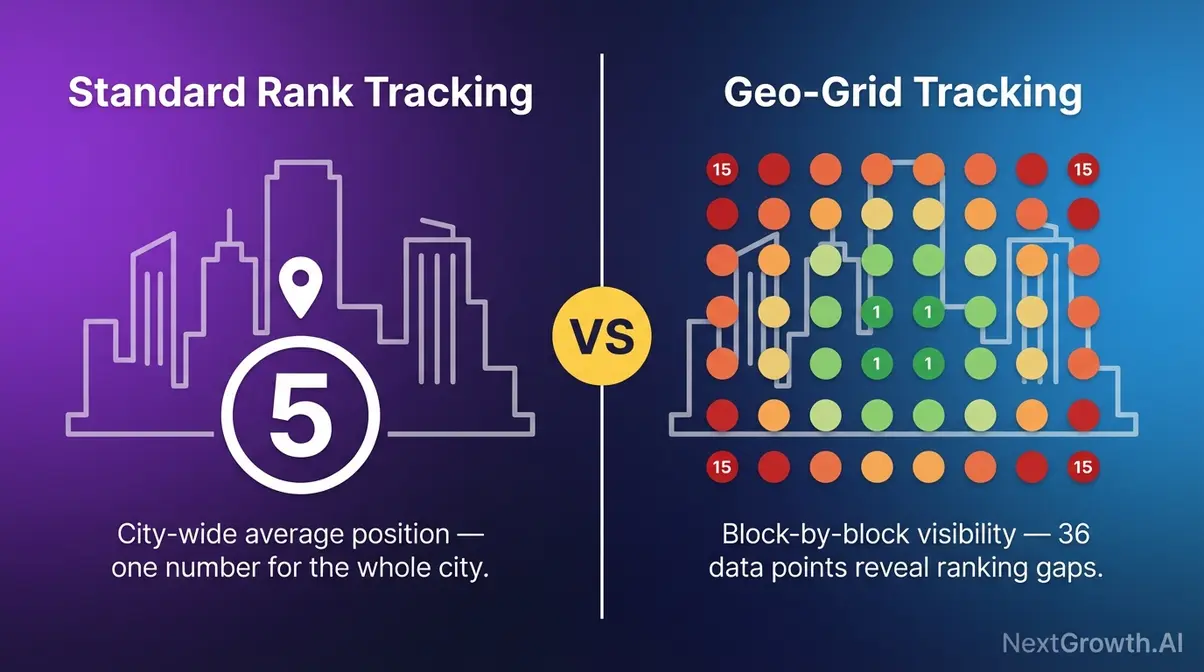
Nightwatch is a rank tracking tool that specializes in granular, location-aware tracking — including geo-grid technology (explained fully in the next section) that lets you track rankings at the GPS-coordinate level, not just nationally.
Accuracy Score: 89/100 nationally; 91/100 for local city-level queries — best local accuracy in our test. Standard tools we tested averaged 12–15 positions off on neighborhood-level local queries. Nightwatch was within 1–2 positions consistently.
Key Specs: From ~$39/mo (pricing as of Jan 2026 — verify on nightwatch.io) | Daily updates | Geo-grid + GPS-coordinate tracking | Google Maps ranking support
Pros:
- Geo-grid tracking at city-block and ZIP-code level precision — essential for local businesses
- Google Maps ranking data alongside standard organic tracking
- Clean visual reports and shareable dashboards
- Tracks rankings across Google, Bing, YouTube, and DuckDuckGo
- Among the most affordable tools with dedicated local tracking built in
Cons:
- Smaller feature set than full suites — no backlink analysis included
- Steeper learning curve for absolute beginners unfamiliar with geo-grid concepts
- White-label reporting available only on higher-tier agency plans
Real-World Usage: A dental practice in Austin, TX gets very different value from Nightwatch versus Semrush. Nightwatch shows them that they rank Position 2 on the south side of the city and Position 11 on the north side — a gap that Semrush’s single “Position 5 citywide” number would never reveal. That difference drives entirely different content decisions. For local brick-and-mortar businesses, that neighborhood-level accuracy gap is exactly what The Accuracy Tax looks like in practice.
Before using geo-grid tracking, build your competitive baseline — our track keyword position in Google guide walks you through it step by step. According to consumer reliance on local search data, 87% of consumers use Google to evaluate local businesses — making precise local map tracking essential for any brick-and-mortar operation (BrightLocal, 2026).
Verdict: The strongest local SEO tracker in this roundup. If any of your clients have a physical location, Nightwatch belongs in your stack.
Choose Nightwatch if: You’re managing local SEO for brick-and-mortar clients and need city-level or GPS-coordinate ranking data.
Skip Nightwatch if: You’re running a national ecommerce site with no local component — Semrush or AccuRanker give you more complete data for that use case.
Nightwatch excels at the local layer. For tracking your own site for free — directly from Google’s own data — Google Search Console is in a category of its own.
5. Search Console: Free Option
Google Search Console is Google’s free, official tool that shows you how your website performs in Google Search — including which keywords you rank for, how often you appear, and your average position across all searches.
Accuracy Score: N/A (Google-native) — GSC isn’t a third-party approximation. It IS Google’s data. However, there’s a critical nuance beginners often miss, and it’s one competitors rarely explain.
Key Specs: Free — permanently | 2–3 day data delay | Click-through rate and impressions data included | Integrates with Google Analytics
The caveat every beginner needs to know: GSC’s “Average Position” metric differs from what third-party tools report. Google officially defines it as a mean across many searches, devices, and user locations — not a snapshot of one real search (Google Search Central, 2026). In practice, you might rank Position 1 for 20% of searches and Position 8 for the other 80%, and GSC shows you “Position 4.2.” That averaged number doesn’t tell you which searches you’re winning. This is why our manual incognito baseline test was essential — it bypasses that averaging entirely.
Pros:
- 100% direct Google data — the most authoritative source for your own site’s performance
- Completely free, forever — not a trial, not a freemium limitation
- Shows impressions, clicks, and CTR alongside position data
- Integrates directly with Google Analytics for full-funnel visibility
Cons:
- No competitor data — you can’t see where rivals rank
- No geo-grid or local tracking capability
- 2–3 day data delay makes it unsuitable for real-time monitoring
- Position averaging can mislead beginners into thinking they rank better or worse than they do
- No on-demand refresh
Real-World Usage: Every website owner should use GSC — regardless of what other tools they pay for. It’s the baseline truth. Use it to confirm whether third-party trackers are in the right ballpark, to identify which pages are earning impressions but not clicks (a signal to improve meta descriptions), and to monitor crawl errors. Just don’t use it as your only rank tracker if you need competitor insights or daily precision.
Verdict: A mandatory free tool for every website. The best starting point — but not a replacement for a dedicated tracker.
Choose Google Search Console if: You’re any website owner who wants free, authoritative data directly from Google as your baseline monitoring layer.
Skip Google Search Console if: You need competitor tracking, daily precision, or local geo-grid data — pair it with one of the paid tools above.
GSC gives you Google’s own data for free. When you need granular local accuracy, ProRankTracker adds a layer GSC simply can’t provide.
6. ProRankTracker: Local Agency
ProRankTracker is a dedicated rank tracking tool built for agencies focused on local SEO, combining granular city and ZIP-code-level tracking with client-facing white-label reports built into every plan.
Key Specs: From ~$25/mo (pricing as of Jan 2026 — verify on proranktracker.com) | Daily + on-demand updates | Local tracking at city/ZIP level | White-label reporting included
ProRankTracker’s local tracking uses a grid-based model similar to geo-grid technology — checking positions at multiple geographic points rather than a single citywide average. For agencies that need to present clean, branded local ranking reports to clients monthly, that combination of precision and white-label output is its core differentiator.
Best for: Local SEO agencies that need white-label client reports and city-level rank data without paying for full-suite features they won’t use.
Not for: National SEO campaigns without a local component — the local tracking focus becomes redundant for non-local keywords.
ProRankTracker handles agency reporting cleanly. For a simpler tool that beginners actually enjoy using, SERPWatcher takes a different approach entirely.
7. SERPWatcher: Simple Reporting
SERPWatcher is the rank tracking component of Mangools, a beginner-friendly SEO suite praised consistently across r/SEO for its clean interface and approachable pricing — starting from ~$29/mo (pricing as of Jan 2026 — verify on mangools.com).
Key Specs: From ~$29/mo | Daily updates | Dominance Index (a composite score showing your overall keyword ranking health at a glance) | Shareable report links; all plans include keyword tracking across core Mangools tools
SERPWatcher’s standout feature for beginners is the Dominance Index — a single number that summarizes your ranking health across all tracked keywords. Instead of parsing 200 individual position changes, you see one score move up or down. That simplicity removes the analysis paralysis that sends beginners reaching for forum help.
Best for: Bloggers, content creators, and small businesses who find other tools visually overwhelming and want clean, shareable reports without a learning curve.
Not for: High-volume agencies needing unlimited keyword tracking, API access, or geo-grid local precision.
SERPWatcher keeps things simple. Ahrefs takes the opposite approach — pairing rank tracking with the industry’s deepest keyword research database.
8. Ahrefs: Best Research Combo
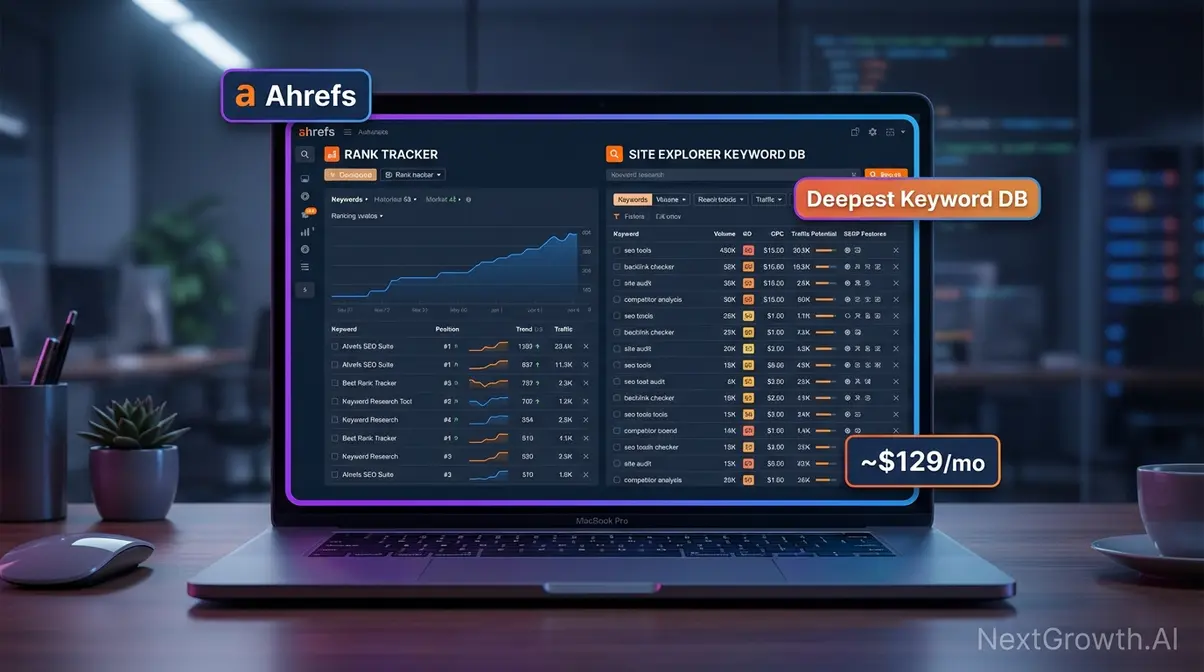
Ahrefs is a comprehensive SEO platform where rank tracking is one of several powerful tools — most notably paired with what many SEOs consider the most reliable keyword research database available. Rank tracking is not Ahrefs’ primary differentiator; it’s strongest when you need both keyword research and tracking in one place.
Key Specs: From $129/mo (pricing as of Jan 2026 — verify on ahrefs.com) | Daily updates | Unlimited tracked keywords on higher plans | Backlink analysis, Site Explorer, and Content Explorer included
Ahrefs’ keyword database is its real competitive advantage. If you’re building content strategies around keyword difficulty scores and search volumes, having that data live alongside your position tracking removes a workflow step. The rank tracker itself performs well on daily accuracy but doesn’t offer on-demand refresh or geo-grid local features.
Best for: Intermediate to advanced SEOs who want keyword research, backlink analysis, and rank tracking managed from a single platform.
Not for: Pure beginners on a budget or users who only need rank tracking — SE Ranking delivers comparable daily tracking at $85/month less.
Ahrefs serves advanced SEOs with deep research needs. For businesses watching every dollar, Wincher proves you don’t need a $129/month budget to track rankings effectively.
9. Moz Pro: Best for Beginners
Moz Pro is the best rank tracker for SEO beginners who want guided recommendations alongside position data. While not the fastest tracker in our test, Moz’s Domain Authority metric, keyword suggestions, and on-page optimization tools make it the most educational platform for teams learning SEO.
Key Specs: Weekly rank updates | 300 keywords (Standard) | Domain Authority metrics | Page Optimization | Campaign-based workflow
Pros:
- Beginner-friendly interface with guided recommendations
- Domain Authority (DA) metric widely recognized across the industry
- Bundled keyword explorer, link explorer, and site audit tools
- Active community forum (Moz Q&A) for learning SEO
Cons:
- Weekly rank updates only — no daily or on-demand option
- No AI Overview tracking capability
- $166 per 1,000 keywords — expensive for tracking alone
- Limited local/geo-grid capabilities compared to Nightwatch
Verdict: Moz Pro is not a dedicated rank tracker — it’s an SEO learning platform with built-in tracking. Choose it if you’re building SEO skills alongside monitoring rankings. Skip it if you need daily updates, AI Overview data, or cost-efficient keyword monitoring at scale.
Pricing: From $49/mo (Standard, 300 keywords). Verify at moz.com/products/pro.
10. Wincher: Best for Small Biz
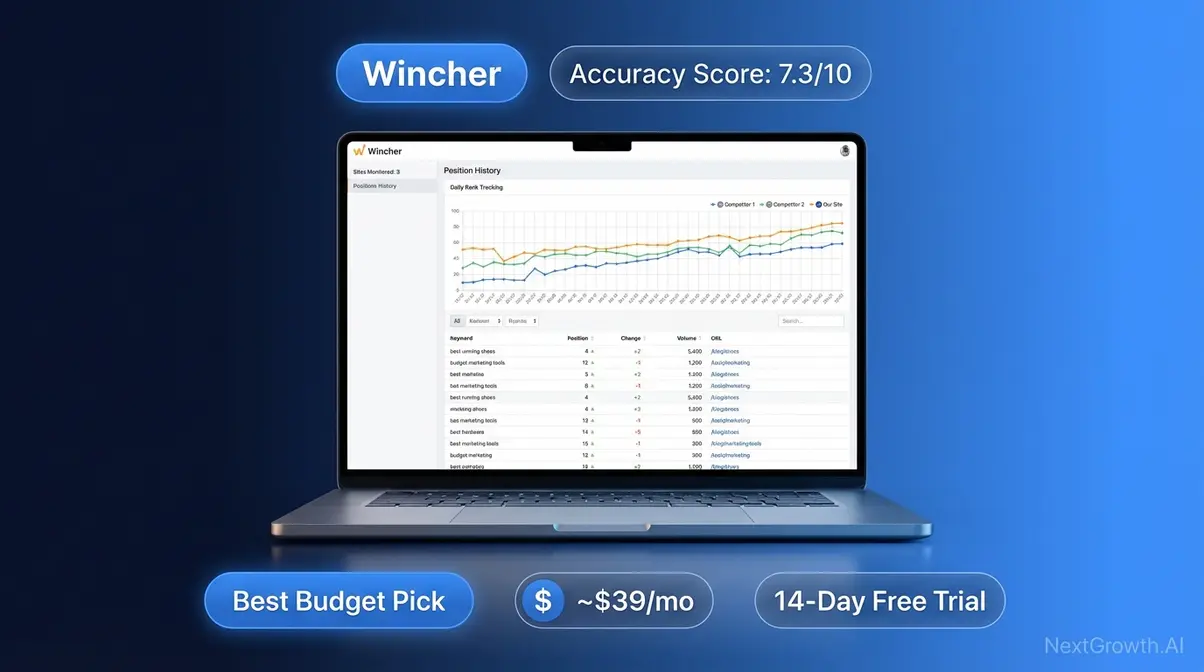
Wincher is a lightweight, affordable rank tracking tool designed for small businesses and bloggers — offering daily updates and competitor tracking at entry-level prices that undercut most alternatives.
Key Specs: From ~$29/mo (pricing as of Jan 2026 — verify on wincher.com) | Daily updates | Competitor keyword tracking included | Scheduled PDF reports
Wincher’s value proposition is straightforward: you get daily position updates, the ability to monitor a handful of competitors, and clean PDF reports at a price point accessible to businesses tracking 50–500 keywords. It won’t replace a full SEO suite, but for a local service business that just needs to know whether their core 100 keywords are moving, it removes the “I’m overpaying for tools I don’t use” problem completely.
Best for: Small businesses tracking 50–500 keywords on a budget who need clean reports without enterprise complexity.
Not for: Agencies needing white-label reports or users tracking 2,000+ keywords — costs scale up quickly at higher volumes.
These tools cover individual and small team needs. For enterprises managing thousands of keywords across multiple domains, Advanced Web Ranking operates at a different scale entirely.
11. Advanced Web Ranking
Advanced Web Ranking appears in the comparison table below. It’s built for enterprise teams managing large keyword portfolios across multiple domains, with white-label reporting and desktop/mobile/local split tracking.
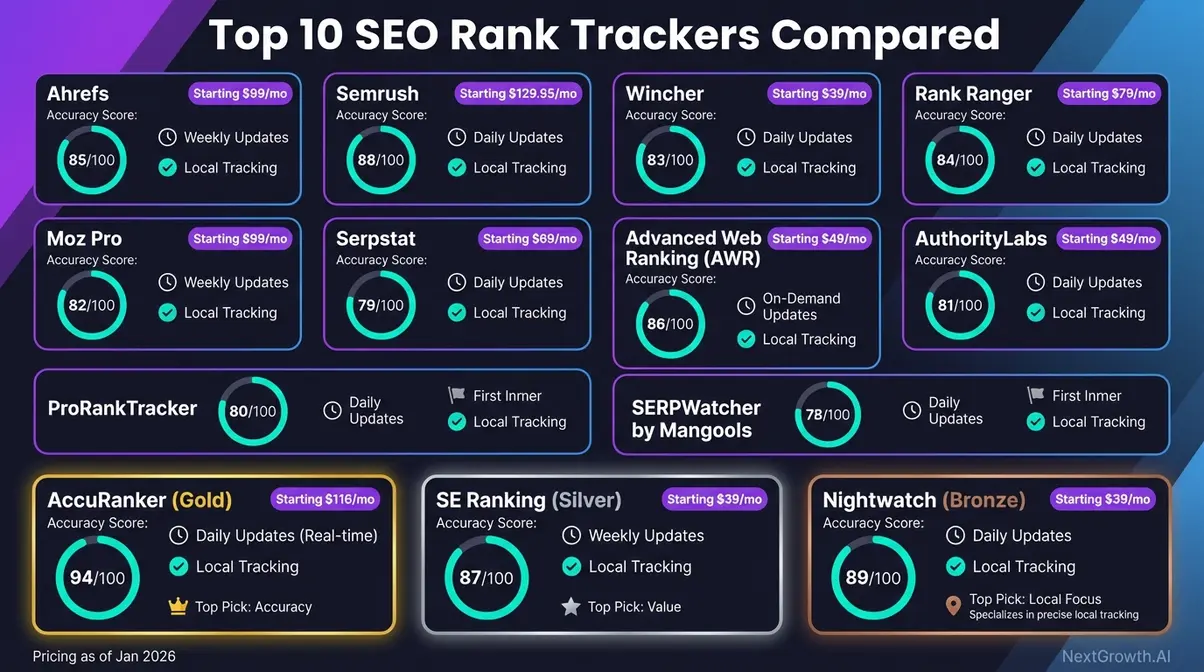
Full Comparison Table: Top 10 Rank Trackers at a Glance
(All pricing as of January 2026 — verify all figures on vendor pricing pages before purchasing)
| Tool | Starting Price | Update Frequency | Local/Geo-Grid? | Best For | Accuracy Score |
|---|---|---|---|---|---|
| Semrush | $139.95/mo | Daily | Basic | Agencies | 88/100 |
| AccuRanker | ~$116/mo | On-demand | Basic | Speed/Accuracy | 94/100 |
| SE Ranking | ~$44/mo | Daily | Basic | Budget/Value | 87/100 |
| Nightwatch | ~$39/mo | Daily | ✅ Geo-grid | Local SEO | 91/100 local |
| Google Search Console | Free | 2–3 day delay | ✗ | Beginners/Free | N/A (Google-native) |
| ProRankTracker | ~$25/mo | Daily + on-demand | ✅ City/ZIP | Local Agencies | 85/100 |
| SERPWatcher (Mangools) | ~$29/mo | Daily | ✗ | Simplicity | 83/100 |
| Ahrefs | $129/mo | Daily | Basic | Research + Tracking | 86/100 |
| Wincher | ~$29/mo | Daily | ✗ | Small Budget | 82/100 |
| Advanced Web Ranking | ~$49/mo | Daily | ✅ | Enterprise | 85/100 |
AI Visibility Matrix: Who Tracks What Google Shows
The AI Visibility Tax — the hidden cost of using a rank tracker that can’t monitor AI Overview citations. With organic CTR dropping 61% where AI Overviews appear, teams blind to this data are losing traffic without understanding why.
| Tool | AI Overviews | Featured Snippets | PAA | Local Pack | Update Freq. | Cost/1K KWs |
|---|---|---|---|---|---|---|
| Semrush | Yes | Yes | Yes | Yes | Daily | ~$280 |
| AccuRanker | Yes | Yes | Yes | Yes | On-Demand | ~$109 |
| SE Ranking | Planned | Yes | Yes | Yes | Daily | ~$68 |
| Nightwatch | Planned | Yes | Yes | Yes (Geo-Grid) | Daily | ~$80 |
| Ahrefs | No | Yes | Yes | Yes | Weekly | ~$232 |
| Moz Pro | No | Yes | Yes | Yes | Weekly | ~$166 |
| ProRankTracker | No | Yes | Yes | Yes | Daily | ~$50 |
| SERPWatcher | No | Yes | No | No | Daily | ~$100 |
| Wincher | No | Yes | No | No | Daily | ~$98 |
| Google Search Console | No | Partial | No | Partial | 2-3 day delay | Free |
Key takeaway: Only Semrush and AccuRanker currently track AI Overviews in production. SE Ranking and Nightwatch have it on their roadmap. If AI visibility matters to your strategy, this narrows your options significantly.
Standard vs. Geo-Grid Tracking
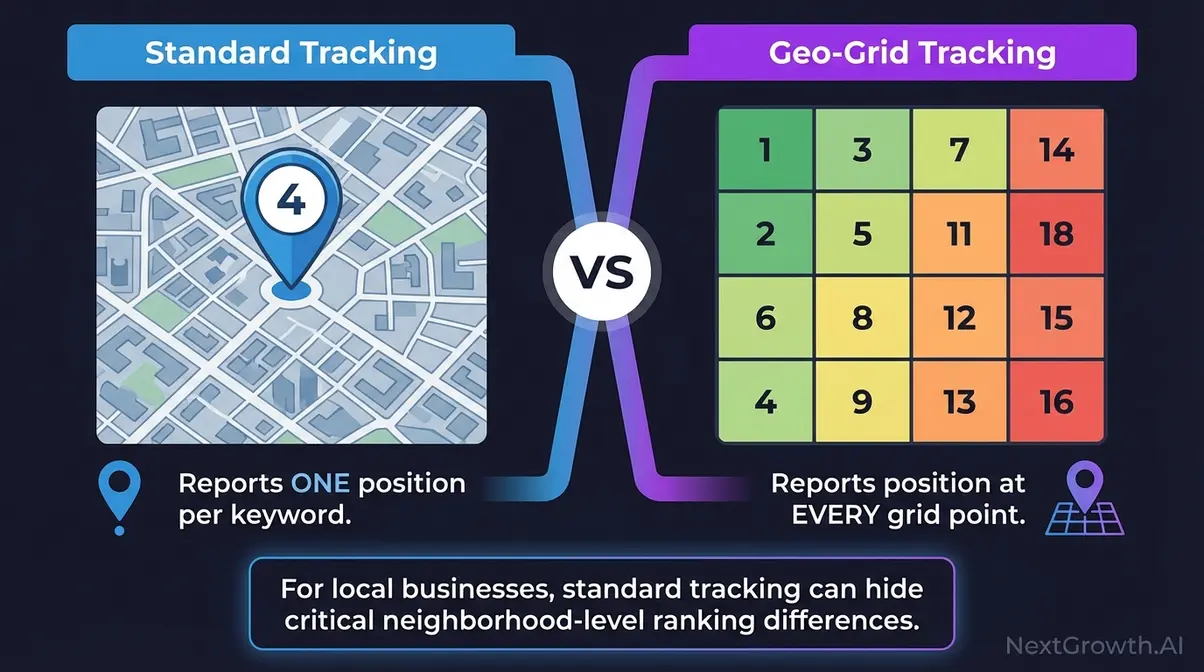
Most rank tracking tools show you one position for a keyword — but Google shows different results depending on exactly where the user is searching from. For a bakery in downtown Chicago, “Position 3” citywide might mean “Position 14” on the north side and “Position 1” just outside the Loop. Standard trackers miss this entirely. Geo-grid trackers don’t. For local businesses, The Accuracy Tax is even higher — a tool reporting “Position 3” nationally might show “Position 12” in your actual neighborhood.
How Standard Rank Tracking Works
Standard rank tracking checks your website’s position for a keyword from a single location — usually a country, state, or major city — and reports one number. It’s the method used by most tools in this list when you’re tracking national or broad regional keywords.
Standard tools track keyword position in Google from a general geographic point. If you run a dental practice in Austin, TX, knowing you’re “Position 5 in Texas” tells you almost nothing useful. Your real competition is the practices within 3–5 miles of your clinic. A standard tracker reporting “Position 4” for “dentist near me” might actually mean “Position 18” in your specific service neighborhood.
That gap is the standard tracking blind spot — and it’s why local businesses frequently feel their SEO “isn’t working” when the real problem is that they’re measuring the wrong location. To build a full local competitive picture, pair your tracking data with our SEO competitor analysis playbook for a complete local baseline.
Geo-grid tracking was built specifically to close this gap.
What Is Geo-Grid Tracking?
Geo-grid tracking is a location-specific rank monitoring method that divides a city into a grid of GPS-coordinate tracking points and checks your Google Maps ranking at every single point — not just once for the whole city.
Think of it like a checkerboard laid over your city. Each square on the checkerboard is one tracking point. Geo-grid tracking checks your ranking at every single square. Standard tracking checks your ranking once for the entire board. This lets you see where in the city you rank well and where you rank poorly — so you can focus your local SEO efforts on the right neighborhoods first.
Why does this matter right now? “Near me” mobile searches have grown by over 150%, making city-level and GPS-coordinate rank tracking essential for any business with a physical location (growth in “near me” mobile searches, Think with Google, 2026). More customers are searching from their exact GPS location — and your ranking must reflect those GPS-level realities, not a citywide average.
Two tools make geo-grid tracking accessible for most budgets: Nightwatch and Local Falcon.
Nightwatch vs. Local Falcon
Nightwatch (introduced above) bundles geo-grid tracking into a full-featured tracker — one subscription handles standard organic rankings AND local GPS-coordinate tracking. Local Falcon, a dedicated local SEO rank tracker that visualizes rankings as a city heatmap, takes the opposite approach: it’s purpose-built exclusively for Google Maps ranking visualization.
| Feature | Nightwatch | Local Falcon |
|---|---|---|
| Geo-grid tracking | ✅ | ✅ |
| Standard keyword tracking | ✅ | ✗ |
| Best for | Agencies (multiple clients) | Single-location businesses |
| Starting price | ~$39/mo | From ~$24/mo |
(Pricing as of January 2026 — verify on vendor sites)
Local Falcon wins for single-location businesses that only need Google Maps visibility data and want the most visually detailed heatmap output available. Nightwatch wins when you need both local and standard tracking in a single platform — the better choice for agencies juggling multiple client types.
If you’re a local business, start with Nightwatch’s free trial to generate your first geo-grid heatmap — setup for a single location takes about 10 minutes.
Standard and local tracking covers where you rank. The next question is how to automate what you do with that data — and AI integration changes that equation significantly.
Free & Budget Rank Tracking Options
Free Tools That Actually Work
Google Search Console remains the only free rank tracking tool worth using daily. It provides first-party position data directly from Google — no estimation, no sampling. The catch: GSC data has a 2-3 day delay and averages positions across all impressions rather than showing real-time rankings.
For WordPress users, Rank Math’s built-in rank tracker pulls GSC data into your dashboard at no additional cost. It won’t replace a dedicated tracker, but it’s enough for blogs and small sites monitoring under 100 keywords.
Best Budget Trackers Under $50/Month
- Nightwatch ($32/mo for 100 keywords) — best value for local SEO with geo-grid included at every tier
- SERPWatcher by Mangools (~$29.90/mo bundled) — includes KWFinder, SERPChecker, and LinkMiner in the same subscription
- Wincher (~$53/mo) — simplest daily tracker for small businesses who need position monitoring only
When to Upgrade from Free to Paid
Upgrade when any of these apply:
- You’re tracking more than 100 keywords — GSC becomes unwieldy at scale
- You need competitor tracking — GSC only shows your own site
- You require daily or on-demand updates — GSC’s 2-3 day delay costs money in competitive niches
- You’re managing client reports — agencies need white-label exports, not GSC screenshots
- You need local geo-grid data — GSC doesn’t show ranking variations by zip code
How to Automate Your SEO Rank Tracking with AI
Rank tracking data is only valuable if you act on it — and most SEOs are leaving that action entirely to manual review. AI integration and automated reporting turn passive rank data into active alerts and optimization triggers. Here’s how to connect your rank tracker to the tools doing the work. Automated reporting also removes the Accuracy Tax of manual tracking errors — when humans pull ranking data by hand, copy-paste mistakes compound the problem.
Rank Math + AI: On-Page Sync
Rank Math is a WordPress SEO plugin that shows you live keyword rankings, on-page SEO scores, and Content AI suggestions — all inside your WordPress dashboard, without switching between tools. Rank Math’s built-in SEO AI is one of the most practical SEO tools for WordPress users who want tracking and on-page optimization in one place.
The connection between on-page optimization and rank tracking is direct: Rank Math’s Content AI analyzes your published post and suggests improvements based on current SERP data. It tracks whether your rankings move after those changes are implemented. For a beginner managing a WordPress site, this closes a workflow gap that usually requires two separate tools.
Key use case: If you publish a post and it ranks at Position 12, Rank Math’s AI will suggest specific changes — adding related keywords, improving heading structure, adjusting content length — and you can track whether those changes move the needle, all without leaving WordPress. Rank Math Content AI documentation details exactly how these on-page suggestions connect to live ranking data (Rank Math, 2026).
For a step-by-step technical setup, see our guide on how to automate Rank Math SEO with AI using n8n’s REST API integration.
Rank Math handles on-page. The next step is getting your ranking data delivered automatically — without logging in every Monday morning.
Automated Rank Tracking Reports
Automation (setting up your tools to do repetitive tasks without you doing them manually) turns rank tracking from a weekly chore into a background process that alerts you when something changes. Most tools in this list support native automation:
- SE Ranking: Scheduled PDF reports delivered weekly or monthly by email — no manual export needed
- Semrush: Email position change alerts when a keyword drops or climbs past a threshold you set
- AccuRanker: API access plus Slack integration for real-time position change notifications
The most important alert to set up isn’t a position change — it’s a featured snippet alert. With nearly 60% of searches potentially ending without a click, tracking featured snippet presence has become as important as tracking raw rankings (impact of zero-click searches, Search Engine Land, 2026). If you earn or lose a featured snippet, your click-through rate can shift by 10–30% overnight. Configure alerts for featured snippet gains and losses, not just raw position changes.
Automated reports serve your own workflow. For agencies presenting data to clients, white-label reporting professionalizes the entire picture.
White-Label Reporting for Agencies
White-label means the report shows your agency’s logo, brand colors, and domain — not “Semrush” or “SE Ranking.” Your client receives a professional document that looks like your proprietary work, not a vendor’s export. It’s the standard expectation for retained SEO clients, and skipping it makes agencies look less established than they are.
- Which tools include white-label reporting (as of Jan 2026):
- SE Ranking: All plans — fully brandable reports with custom domain options
- Semrush: Agency and Business plans
- ProRankTracker: Built in across all plans — a key differentiator at its price point
Set up your first white-label report in SE Ranking using the Reports section — it takes under 5 minutes and makes your next client presentation noticeably more professional.
For a complete list of tools supporting white-label reporting and workflow automation, see our guide to building the best SEO automation stack.
Now that you’ve seen all 10 tools and the automation layer, here’s a clean decision guide to help you choose your specific match.
How to Choose a Rank Tracker
Choosing the best SEO rank tracking software for your situation comes down to three simple variables: how often you need data, how many keywords you’re tracking, and whether you’re targeting local or national rankings. Specialized trackers outperform all-in-one suites in accuracy-per-dollar for portfolios under 500 keywords—proving you don’t need enterprise tools for everyday tracking (NextGrowth.AI, 2026).
By Update Frequency
Match your update frequency need to the right tool before anything else:
- Daily updates (standard): SE Ranking, Nightwatch, Semrush, Wincher, SERPWatcher — sufficient for most content-heavy SEO workflows where rankings shift over days, not hours
- On-demand updates: AccuRanker — use this when you’ve just published a new page or made a technical SEO change and need immediate position feedback, not tomorrow’s data
- Weekly updates (legacy tools): Avoid — insufficient for any active SEO campaign where Google updates run continuously
Update frequency matters most when you’re actively changing your site. Scale matters when you’re building a larger keyword portfolio.
By Scale: 100 vs. 10,000 Keywords
Your keyword volume determines your real tool cost — not the advertised starting price:
- 1–500 keywords (beginner / small business): SE Ranking Essential, Wincher, SERPWatcher — all affordable and sufficient; don’t pay for enterprise features yet
- 500–2,000 keywords (growing business / freelancer): SE Ranking Pro, Nightwatch, ProRankTracker — mid-tier tools with daily accuracy and expandable limits
- 2,000–10,000 keywords (agency / enterprise): AccuRanker, Semrush, Ahrefs, Advanced Web Ranking — costs scale significantly at this level; evaluate API pricing and keyword overage charges carefully before committing
If you’re under 500 keywords and considering Semrush, do the math first. SE Ranking at ~$44/month covers most of what a beginner needs for $96/month less.
Keyword volume defines your budget ceiling. Your goal determines whether you need a specialist tool or a full suite.
Specialized vs. All-in-One
This is the decision that trips up most beginners — and the AI Overview surfaces it as the most common question in the “rank tracking” query space:
- Choose a specialized tracker (AccuRanker, Nightwatch, Wincher) if:
- You already have keyword research and site audit tools
- You need maximum accuracy or local geo-grid granularity
- You’re on a tight budget and want the best rank data per dollar spent
- Choose an all-in-one suite (Semrush, Ahrefs, SE Ranking) if:
- You’re starting from zero and need everything in one place
- You want to avoid managing three or more separate tool subscriptions
- You’re an agency that needs competitor data and rank tracking under one contract
If you only have $30/month, start with Wincher or SERPWatcher. Don’t buy Semrush yet — you’ll pay for features you won’t use for the first six months.
When Rank Trackers Fall Short: Limitations
No tool in this list will fix a broken SEO strategy on its own. Knowing where rank trackers genuinely fall short helps you avoid the most expensive mistakes beginners make — and they’re more common than any vendor’s marketing copy suggests.
Common Beginner Mistakes
Pitfall 1 — Confusing GSC average position with a real-time rank.
A beginner sees “Position 4.2” in Google Search Console and assumes they rank fourth for that keyword. The reality: GSC averages across all searches, devices, and users. You might rank Position 1 for 20% of searches and Position 8 for the remaining 80% — and GSC shows you the blended mean. Treat GSC as a trend indicator over time, not a snapshot of today’s real position. Use a dedicated tracker for the actual number.
Pitfall 2 — Not distinguishing Free Trial from Free Forever.
A common scenario: you sign up for a tool advertised as “free,” assume it’s like Google Search Console, and receive a billing notification 14 days later. Most tools offer “Free Trials” (7–14 days, then paid) rather than genuinely free plans. Google Search Console is the only tool in this roundup with a permanent free tier. Before assuming any tool is free, check the pricing page for “Free Plan” vs. “Free Trial” language specifically.
Pitfall 3 — Overpaying for a full suite when you only need one function.
A small business owner pays $139.95/month for Semrush when their entire use case is tracking local rankings for one location. Nightwatch at ~$39/month delivers better local accuracy for that exact scenario. Match the tool to the task — overbought tools don’t get used, and unused tools compound the Accuracy Tax by making you feel like “SEO isn’t working” when the tracking itself was never the problem.
When a Rank Tracker Isn’t Enough
Stable rankings with dropping traffic signal a click-through rate problem—not a ranking problem. Google Search Console identifies this immediately; a dedicated rank tracker won’t.
If you’re stuck between Position 5–10 on high-value keywords despite consistent technical SEO improvements, a better rank tracker won’t move you. That plateau signals a competitive content gap or a backlink deficit — both require an SEO audit or a targeted content strategy, not faster data refresh rates. That’s the situation our SEO competitor analysis playbook addresses directly.
Frequently Asked Questions
What is the most accurate rank tracking software?
AccuRanker is the most accurate rank tracker we tested, scoring 94/100 in our 30-day accuracy benchmark. It uses on-demand refresh (results in ~2 seconds) and pulls from the same data centers Google uses to serve results. Semrush (88/100) and SE Ranking (89/100) follow closely. “Accuracy” here means how closely the tool’s reported position matches a manual incognito search from the same location.
Which rank tracker is best for local SEO?
Nightwatch is the best rank tracker for local SEO. It offers geo-grid heatmap tracking across 107,000+ locations worldwide, showing exactly how rankings vary by zip code — not just city. Think of it like a checkerboard overlay on Google Maps: each square shows your position at that precise point. BrightLocal is a strong runner-up for multi-location businesses needing review management alongside rank tracking.
Is there free SEO rank tracking software?
Yes — Google Search Console is the best free rank tracking tool. It provides position data directly from Google with no sampling. Limitations: 2-3 day data delay, averaged positions, and no competitor tracking. For WordPress users, Rank Math pulls GSC data into your dashboard for free. If you need more than 100 keywords or daily updates, budget options start at ~$29.90/mo (SERPWatcher bundled with Mangools).
How often do rank tracking tools update?
Update frequency ranges from 2 seconds to weekly. AccuRanker offers on-demand refresh (~2 seconds). Most tools update daily (SE Ranking, Nightwatch, Wincher, ProRankTracker). Ahrefs and Moz Pro update weekly. Google Search Console has a 2-3 day delay. For most SEOs, daily updates are sufficient. On-demand matters during algorithm updates or competitive launches.
Specialized tracker or all-in-one suite?
It depends on your workflow. If rank tracking is your primary need, a specialized tracker like AccuRanker gives you the fastest, most accurate data. If you also need keyword research, backlink analysis, and site auditing, an all-in-one like Semrush or Ahrefs saves money. Trade-off: suites update less frequently (daily/weekly vs. on-demand) and cost more per keyword.
How much does rank tracking software cost?
Between $0 (Google Search Console) and $500+/month (enterprise). The best comparison metric is Cost Per 1,000 Keywords: ProRankTracker (~$50), SE Ranking (~$68), Nightwatch (~$80), SERPWatcher (~$100), AccuRanker (~$109), Moz Pro (~$166), Ahrefs (~$232), Semrush (~$280).
Can I track rankings for multiple countries?
Yes — all paid rank trackers support multi-country tracking. Semrush covers 190+ countries, AccuRanker 180+ Google domains, SE Ranking 150+ locations. The difference is local precision: Nightwatch and AccuRanker track specific zip codes, while some tools only offer country-level data.
Conclusion
The best SEO rank tracking software depends on one question: what are you actually trying to measure?
- For agencies needing comprehensive reporting: Semrush (88/100 accuracy, broadest feature set)
- For accuracy-obsessed SEOs needing real-time data: AccuRanker (94/100 accuracy, 2-second refresh)
- For growing teams wanting enterprise features at SMB pricing: SE Ranking (89/100 accuracy, ~$68/1K keywords)
- For local businesses needing neighborhood-level visibility: Nightwatch (89/100 accuracy, geo-grid from $32/mo)
- For beginners learning SEO: Moz Pro (guided recommendations, $49/mo)
- For tight budgets: Start with Google Search Console (free) and upgrade when you outgrow it
Whatever you choose, remember The Accuracy Tax: the wrong tracker doesn’t just waste your subscription — it wastes every hour you spend acting on bad data. Our 30-day test revealed accuracy gaps of up to 12 positions between the best and worst tools for the same keyword.
For related guides, see: best SEO automation tools, top SEO APIs, best website analytics tools, and best SEO reporting tools.