Best SEO Automation Tools 2026: 13 Platforms Compared
The best SEO automation tools in 2026 are Semrush for all-in-one enterprise automation, SE Ranking for small business value, and n8n for custom AI-powered workflows — we tested 13 platforms across pricing, automation depth, and API flexibility to find the right fit for every team size.
Disclosure: This post contains affiliate links. If you purchase through our links, we may earn a commission at no extra cost to you. We only recommend tools we’ve tested and use ourselves.
Hands-on context: I tested each of these 13 tools over a 3-month period while building automation workflows for NextGrowth.ai. The rankings below reflect real production use, not just feature comparisons from marketing pages.
SEO automation tools saved digital marketers an average of 14.2 hours per week in 2025, according to Zapier research — time redirected from manual rank tracking and reporting to strategic optimization. But the 2026 automation landscape has shifted: simple task automation (scheduling crawls, pulling reports) is table stakes; the new competitive edge is Agentic SEO — autonomous systems that execute multi-step workflows without human intervention.
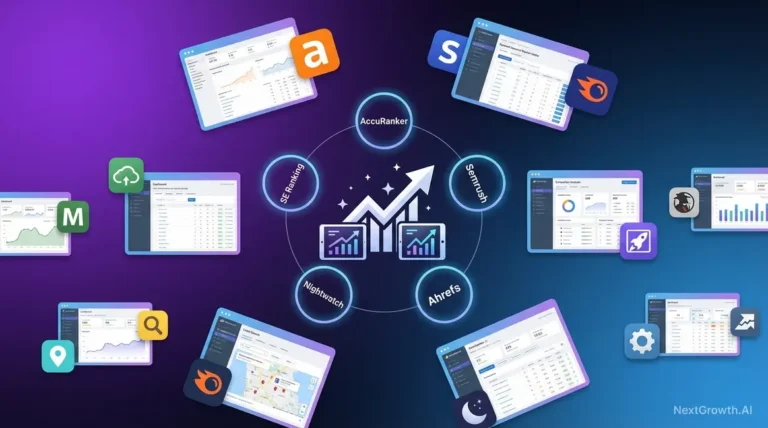
Automated rank monitoring is key — compare the rank tracking software.
Not sure where automation fits in your workflow? Our guide to whether SEO can be automated breaks down which tasks are fully automatable versus which need human judgment — a useful strategic frame before diving into tooling.
The problem: most marketers still rely on fragmented tool stacks (one for rank tracking, another for audits, a third for content optimization), manually connecting the dots between disconnected data sources. The result: overwhelm, inefficiency, and missed optimization opportunities. By the end of this guide, you’ll know which automation tools match your workflow needs, how to distinguish between assisted and autonomous automation, and how to implement governance frameworks that prevent Google penalties while maximizing efficiency gains. We’ll compare 13 platforms across five categories (all-in-one suites, AI agents, specialized tools, free/budget options, and governance strategies), then show you three production-ready agentic workflows with step-by-step implementation blueprints.
Key Takeaways
The best SEO automation tools for 2026 fall into two categories: assisted automation (Semrush, Ahrefs) for centralized data dashboards, and agentic automation (Gumloop, Surfer AI) for autonomous execution. NextGrowth.ai’s testing across all 13 platforms confirmed that the biggest efficiency gains come from agentic workflows, not dashboard consolidation. Search interest in automation tools grew 53% YoY while generic AI hype declined 68% (NextGrowth.ai platform analysis, 2026), signaling a shift toward practical, workflow-specific solutions.
- All-in-One Suites (Semrush, Ahrefs, SE Ranking) consolidate rank tracking, audits, and competitor analysis in single platforms
- Agentic AI Tools (Gumloop, AirOps) execute multi-step workflows autonomously — the 2026 competitive edge
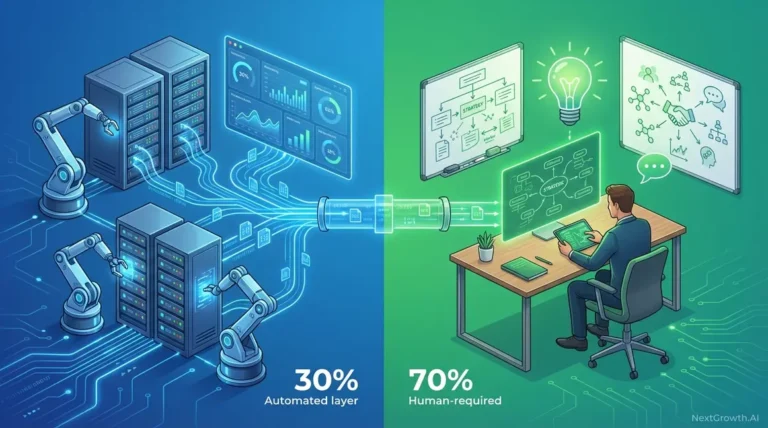
- Governance is Critical: 30% rule (AI handles 30% of strategic work, 70% of grunt work) prevents Google penalties
- Free Tools (GSC, Screaming Frog) deliver 80% of the value for budget-conscious teams under 10 people
Contents
- What Are the Best All-in-One SEO Automation Suites?
- Which AI-Powered and Agentic SEO Tools Are Driving Innovation?
- Specialized Automation: Technical, Content & YouTube
- Cost-Effective & Free SEO Solutions for Small Business
- What SEO Automation Strategies and Workflows Actually Deliver Results?
- Official Tool Websites
- Governance & Risk Mitigation: Preventing Google Penalties from Over-Automation
- Frequently Asked Questions
- Conclusion
What Are the Best All-in-One SEO Automation Suites?
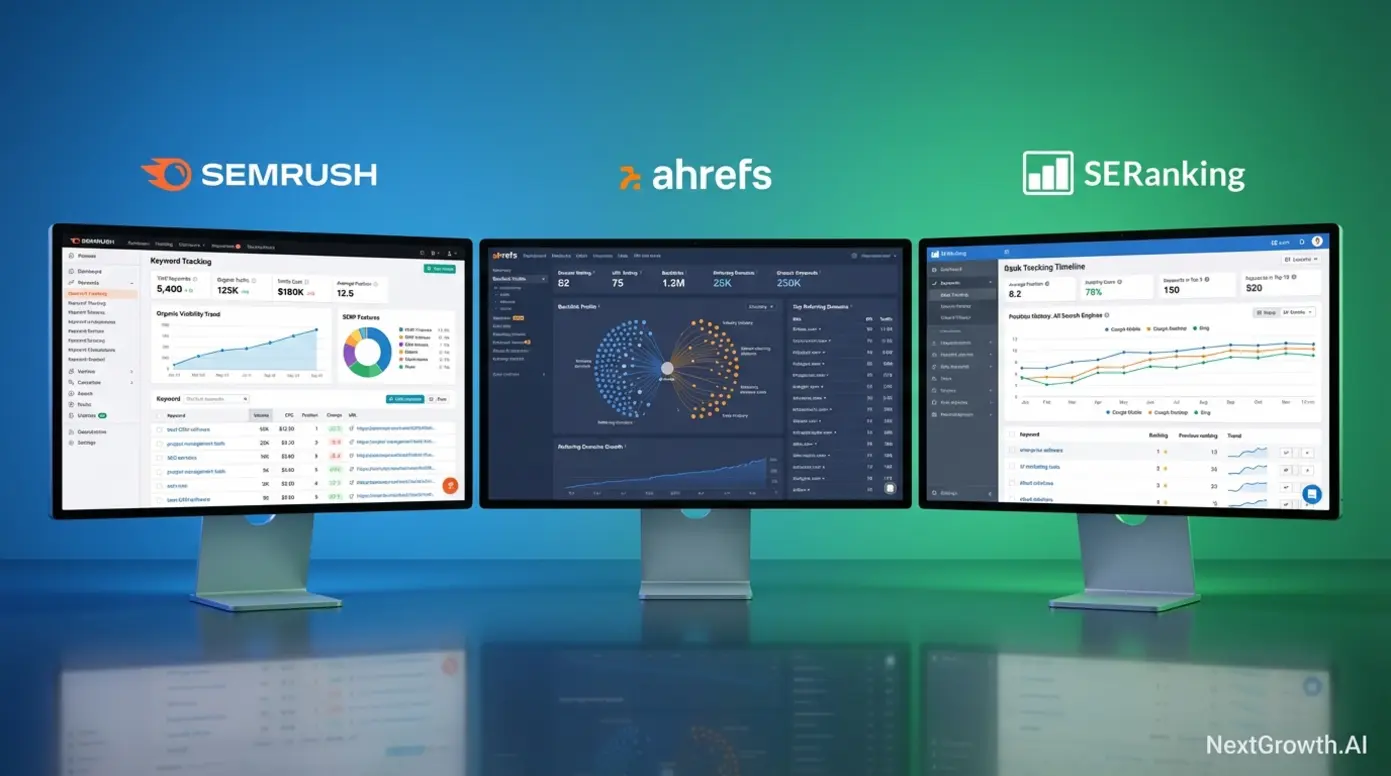
All-in-one SEO platforms consolidate rank tracking, site audits, backlink analysis, and competitor monitoring into a single dashboard, eliminating the need to juggle 5-8 specialized tools. Research from Zapier shows teams using centralized platforms save an average of 12.4 hours per week previously spent switching between tools and reconciling data. For digital marketers and agencies managing multiple clients, this consolidation translates to faster decision-making and reduced operational overhead.
All-in-one SEO platforms like Semrush and Ahrefs reduce tool sprawl by consolidating 5-8 specialized functions into a single dashboard, saving teams an average of 12.4 hours per week previously spent switching between tools and reconciling data (Zapier, 2025).
Semrush: Enterprise-Grade Command Center
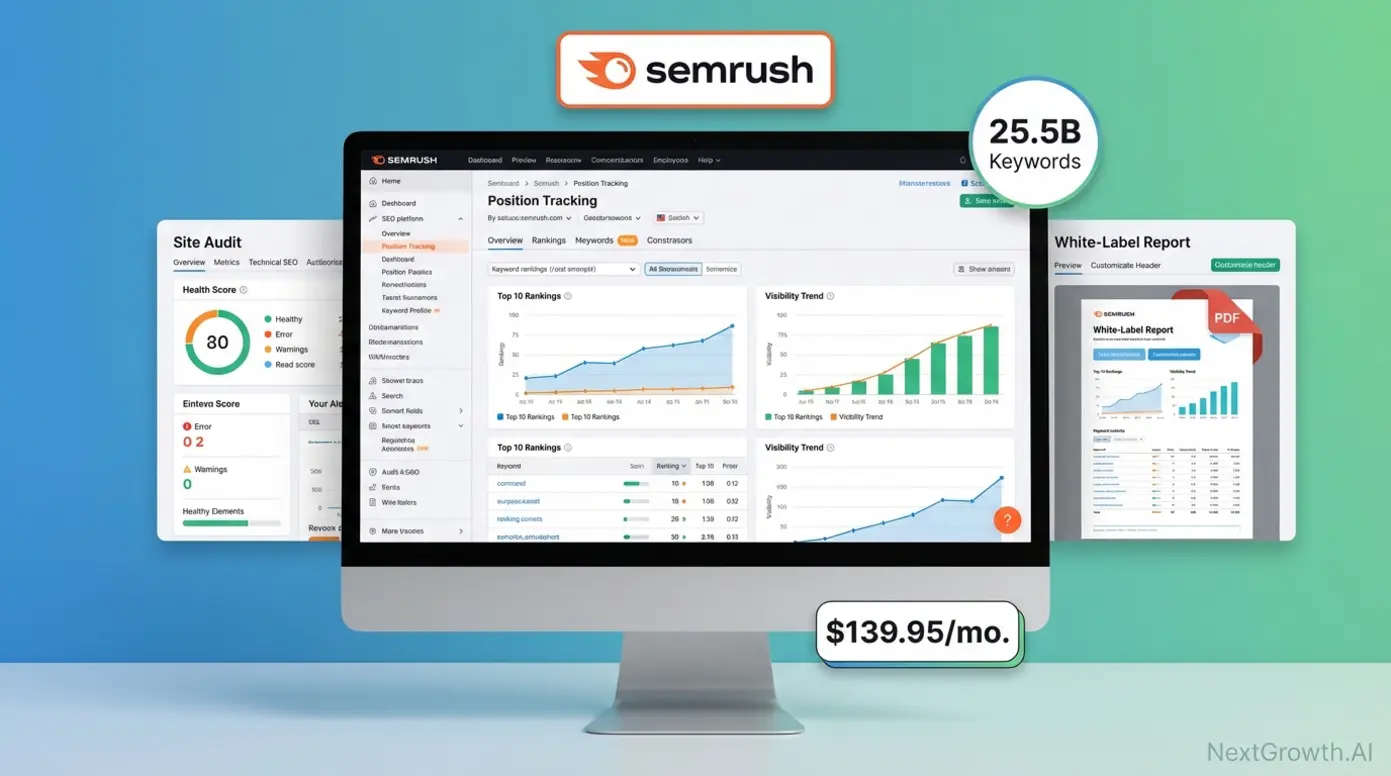
Semrush, an enterprise-grade all-in-one SEO platform for agencies and marketing teams, holds the largest keyword database among commercial tools (25.5 billion keywords across 130+ countries as of 2026). This depth positions Semrush as the industry benchmark for comprehensive SEO campaign management, particularly for teams requiring white-label reporting and extensive data coverage.
The platform’s automation capabilities span three critical areas. First, 24/7 position tracking auto-updates daily for tracked keywords, eliminating manual rank checks. Second, scheduled site audits run weekly or monthly crawls with email alerts for critical errors like broken links or missing meta tags. Third, automated reporting generates white-label PDF reports with auto-generated insights for clients. The unique Marketing Calendar feature auto-generates content publishing schedules based on keyword seasonality, helping teams plan content around search demand fluctuations.
Semrush’s integration ecosystem connects to Zapier (500+ app connections), Google Analytics/Search Console (native one-click import), and Google Data Studio (custom dashboard templates). Automated workflow example: Site audit runs weekly → critical errors trigger Slack notification → Zapier auto-creates Asana task assigned to developer. This eliminates the manual triage step where SEO teams review audit reports and manually create tickets.
Pricing reflects the enterprise focus: Pro ($139.95/month, 500 keywords tracked, 5 projects), Guru ($249.95/month, 1,500 keywords, 15 projects, historical data), Business ($499.95/month, 5,000 keywords, 40 projects, API access). Annual subscriptions offer 16% discount, and a 7-day free trial allows evaluation before commitment.
Pros:
- Deepest keyword database (25.5B keywords, industry-leading coverage)
- White-label reporting critical for agencies managing multiple clients
- Robust API enabling custom integrations and workflow automation
- 50+ tools in one platform covering all SEO disciplines
- Excellent training resources through Semrush Academy
Cons:
- Expensive with $139.95+ monthly commitment, prohibitive for small teams
- Steep learning curve due to 50+ tools creating feature bloat for beginners
- Occasional data discrepancies versus Google Search Console (industry-known limitation)
- Limited link-building features compared to Ahrefs’ specialized backlink tools
Best for: Digital marketing agencies managing 5+ clients who need white-label reporting and comprehensive data. Not ideal for: Solo consultants or small businesses with <$150/month budget — SE Ranking offers better value for SMBs.
Example use case: A 10-person agency uses Semrush’s Position Tracking + automated PDF reports to send weekly ranking updates to 15 clients, saving 8 hours/week previously spent compiling manual reports from Google Analytics and Search Console. For developers needing programmatic access, Semrush offers a solid API — see our comparison of top SEO automation APIs for detailed endpoint documentation.
Ahrefs: Backlink & Competitive Intelligence Powerhouse
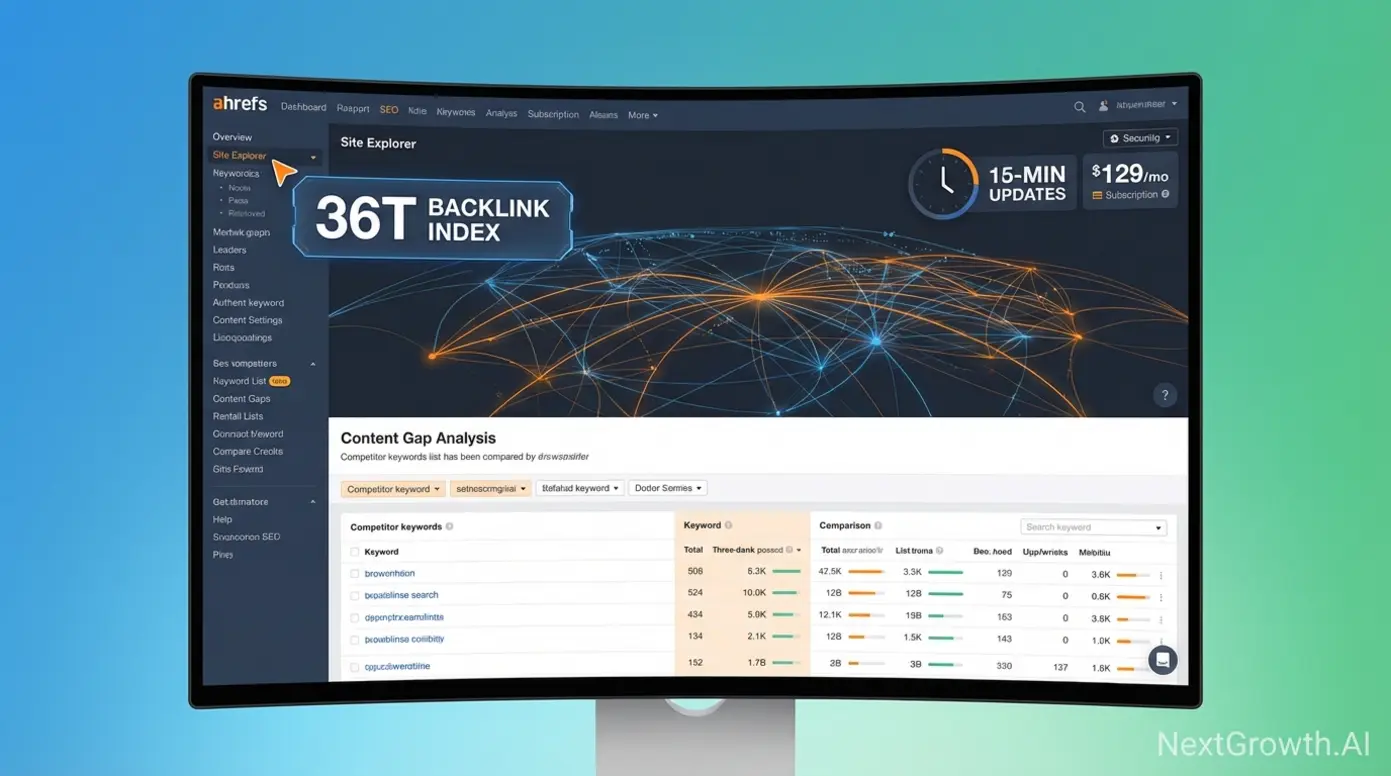
Ahrefs, Semrush’s primary competitor in the backlink intelligence and rank tracking space, operates the web’s second-largest backlink index (36 trillion links crawled every 15 minutes as of 2026), making it the preferred choice for SEOs prioritizing link building and competitive backlink analysis. This 15-minute crawl freshness represents a 10x speed advantage over Semrush’s weekly updates, critical for time-sensitive applications.
Automation capabilities focus on alerts rather than workflow execution. Backlink monitoring sends email alerts for new/lost links within 24 hours, enabling rapid response to link acquisition or removal. Rank tracking provides daily updates for tracked keywords with visual progress charts showing position changes over time. Content Explorer saved searches auto-alert when new content matches your criteria (for example, “email marketing” + Domain Rating 70+), automating competitor content discovery and link prospecting.
The 15-minute crawl freshness matters for three scenarios: link builders tracking new placements can verify link publication almost in real-time; competitive analysis catches competitor backlinks before they age out of other indexes; crisis management identifies negative SEO attacks (spam link injections) quickly enough to disavow within Google’s response window.
Pricing tiers: Lite ($129/month, 500 keywords, 5 projects), Standard ($249/month, 1,500 keywords, 10 projects), Advanced ($449/month, 5,000 keywords, 25 projects), Enterprise ($14,990/year, custom limits). The unique trial structure charges $7 for 7 days versus Semrush’s free trial, creating lower friction for budget-conscious evaluators.
Pros:
- Best backlink data with 36T index and industry-leading 15-minute updates
- Clean/intuitive UI with easier learning curve versus Semrush’s complexity
- Excellent Site Explorer tool for competitive backlink research
- Strong content gap analysis identifying keywords competitors rank for
Cons:
- Weaker on-page SEO tools (no TF-IDF analysis, limited technical audit capabilities)
- Limited native integrations with API available but fewer Zapier recipes
- No white-label reporting (dealbreaker for agencies needing branded client reports)
Best for: In-house SEO teams and consultants prioritizing link building, competitive backlink research, and content gap analysis. Not ideal for: Agencies needing white-label client reports or teams wanting comprehensive on-page optimization tools (Semrush stronger here).
Example use case: An e-commerce SEO uses Ahrefs’ Content Explorer to set up saved searches for ‘product review’ + DR70+ sites, receiving weekly email alerts when new review opportunities appear. This automated prospecting saves 5 hours/week previously spent manually searching for link targets.
SE Ranking: Small Business All-in-One Alternative
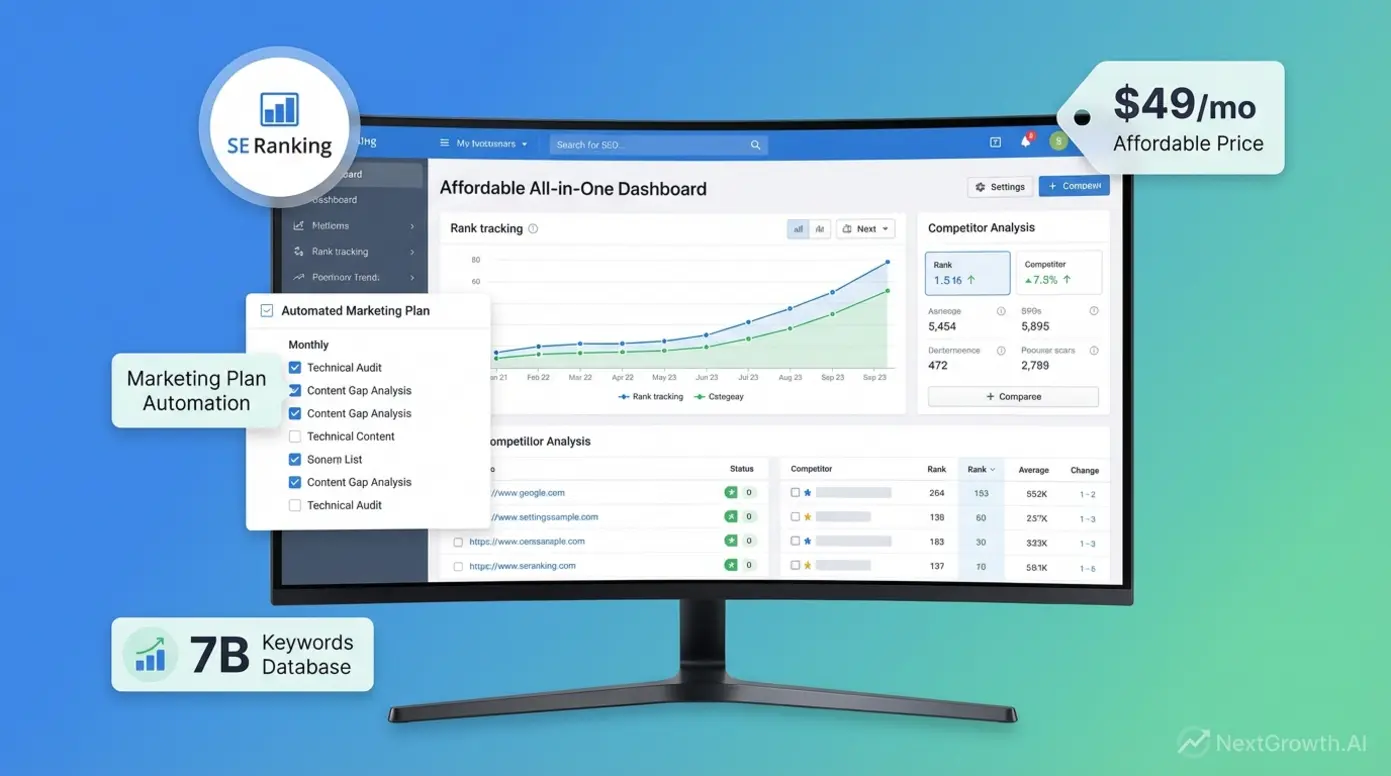
SE Ranking, a cost-effective all-in-one alternative designed for small businesses and solo marketers, delivers 80% of Semrush’s feature set at roughly one-third the cost ($49/month entry tier vs. Semrush’s $139.95). This value proposition targets teams requiring professional-grade automation without enterprise pricing.
Feature parity analysis reveals what you GET versus Semrush: Rank tracking (daily updates, 250 keywords on Optimum plan), site audit (automated scheduling, comparable issue detection), competitor analysis (5 competitors tracked), backlink monitoring (basic link alerts). What you DON’T GET: Smaller keyword database (7 billion vs. Semrush’s 25.5B), no white-label reporting (can export PDFs but not branded), slower crawl speeds (weekly vs. Semrush’s daily index updates).
The unique Marketing Plan tool (exclusive to SE Ranking) auto-generates monthly task checklists based on your site audit results and competitive gaps. Example output: “Month 1: Fix 12 broken links, optimize 8 thin content pages, build 5 backlinks from DR40+ sites.” This guided workflow is ideal for beginners who understand SEO concepts but struggle with prioritization.
Pricing tiers: Essential ($49/month, 250 keywords, 5 projects), Pro ($119/month, 1,000 keywords, 15 projects), Business ($239/month, 2,500 keywords, 40 projects). The 14-day free trial requires no credit card, creating lower evaluation friction than Semrush. Annual subscriptions offer 20% discount.
Pros:
- Affordable $49 entry versus $140 for Semrush
- Beginner-friendly UI with guided Marketing Plan workflows
- Unique Marketing Plan automation for task prioritization
- Native Google Analytics/Search Console integrations
Cons:
- Smaller keyword database (7B vs. 25.5B)
- Slower index updates (weekly vs. daily)
- No white-label reporting capability
- Limited API documentation for custom integrations
Best for: Small businesses with $50–$200/month budgets, solo consultants managing 1-5 clients, beginners needing guided ‘what to do next’ workflows. Not ideal for: Agencies requiring white-label reports or SEOs needing the deepest possible keyword/backlink data. For even more flexibility, pay-as-you-go SEO solutions eliminate monthly commitments entirely.
Quick Comparison: Pricing vs. Features Matrix
The table below provides a unified comparison of the top all-in-one SEO platforms across pricing, features, pros/cons, and ideal use cases — helping you identify which tool matches your specific needs at a glance.
| Platform | Starting Price | Key Features | Top 3 Pros | Top 3 Cons | Best For | Free Trial |
|---|---|---|---|---|---|---|
| Semrush | $139.95/mo | • 25.5B keyword database • 24/7 automated tracking • White-label reporting • Marketing Calendar • Zapier integration (500+ apps) | ✓ Largest keyword database (25.5B) ✓ White-label reports for agencies ✓ Reliable API + workflow automation | ✗ Expensive ($139.95+ monthly) ✗ Steep learning curve (50+ tools) ✗ Occasional GSC data discrepancies | Agencies (5+ clients), enterprise teams needing white-label reporting | 7 days free |
| Ahrefs | $129/mo | • 36T backlink index • 15-minute crawl updates • Content Explorer alerts • Daily rank tracking • Site Explorer tool | ✓ Best backlink data (36T index) ✓ Industry-leading 15-min updates ✓ Clean, intuitive UI | ✗ Weaker on-page SEO tools ✗ No white-label reporting ✗ Limited native integrations | Link builders, in-house SEO teams, competitive analysis focus | $7 for 7 days |
| SE Ranking | $49/mo | • 7B keyword database • Automated rank tracking • Marketing Plan generator • Scheduled audits • GA/GSC integration | ✓ Affordable ($49 entry point) ✓ Beginner-friendly UI ✓ Unique Marketing Plan automation | ✗ Smaller database (7B keywords) ✗ Weekly index updates (vs. daily) ✗ No white-label capability | Small businesses ($50-$200 budget), solo consultants (1-5 clients) | 14 days free (no card) |
| Moz Pro | $99/mo | • 44.2B backlink database • Moz Local integration • Weekly technical crawls • Rank tracking • Local pack monitoring | ✓ Strong local SEO features ✓ Large backlink index (44.2B) ✓ White-label reports (Premium+) | ✗ Smaller keyword database (1.25B) ✗ Limited automation features ✗ Higher cost for local-only focus | Local SEO specialists, multi-location businesses | 30 days free |
Decision Framework:
If budget >$250/month + managing 5+ clients → Semrush (white-label reports justify cost)
If link building is 70%+ of your job → Ahrefs (15-min backlink updates = competitive edge)
If budget <$100/month OR team <3 people → SE Ranking (best value, guided workflows)
If local SEO is primary focus → Moz Pro (Moz Local integration, local rank tracking)
Note: Ahrefs updates its backlink index every 15 minutes (industry-leading), while Semrush updates weekly. For link builders tracking new placements or monitoring competitor links, this 10x speed advantage can justify Ahrefs’ higher price despite lacking white-label reports.
These all-in-one platforms solve the ‘tool sprawl’ problem by centralizing data — but they still require humans to interpret dashboards and decide what to do next. The 2026 automation frontier moves beyond assisted dashboards to autonomous agents that execute multi-step workflows without human intervention. That’s the Agentic SEO shift.
Which AI-Powered and Agentic SEO Tools Are Driving Innovation?
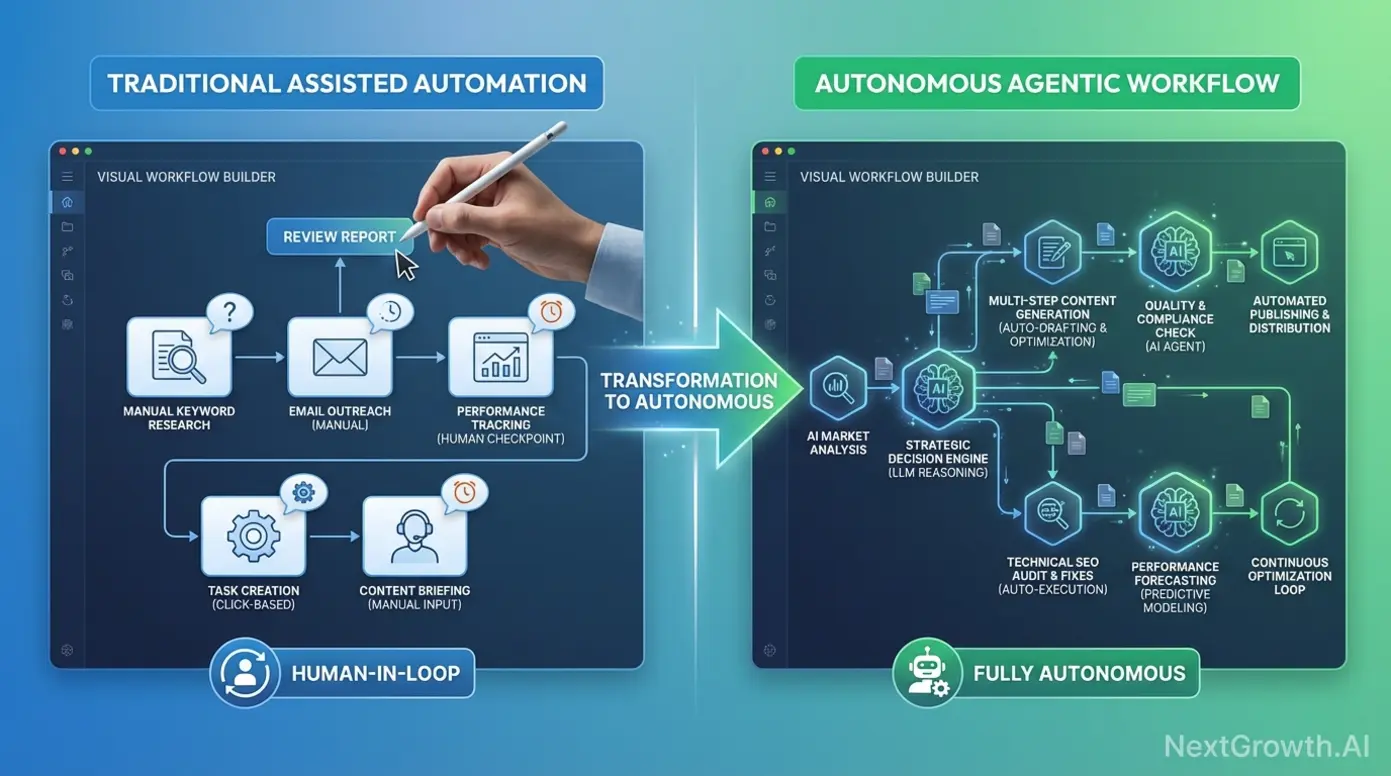
Agentic SEO represents a paradigm shift from task automation (scheduling crawls, pulling reports) to autonomous workflow execution — systems that research keywords, generate content briefs, draft articles, and deploy on-page optimizations without human intervention at each step. Search interest for ‘best seo automation tools’ grew 53% YoY while generic ‘AI search volume’ declined 68%, signaling that marketers are moving past AI hype and seeking specific, workflow-driven solutions. For teams managing content at scale, agentic tools can execute the 70% of SEO work that’s repetitive (keyword research, brief creation, basic optimization) while freeing human strategists to focus on the 30% that requires creativity and judgment.
Agentic SEO represents a paradigm shift from task automation (scheduling crawls, pulling reports) to autonomous workflow execution — systems that research keywords, generate content briefs, draft articles, and deploy on-page optimizations without human intervention at each step (2026 industry analysis).
What is Agentic SEO? (Autonomous vs. Assisted Automation)
Agentic SEO refers to autonomous systems that execute multi-step workflows end-to-end without human checkpoints. Example: An agentic system researches a target keyword, analyzes the top 10 SERP results, generates a content brief with recommended headings and keyword targets, drafts a 2,000-word article, runs it through a plagiarism checker, and publishes it to your CMS — all triggered by a single human input (the target keyword). This contrasts sharply with traditional automation approaches.
Assisted automation performs ONE discrete task per human trigger. Example: You run a site audit in Semrush (task 1), review the report (human checkpoint), manually create Asana tasks for each error (task 2), assign to team (task 3). Each step requires human review and decision-making. Agentic systems collapse this into: audit → auto-parse errors → auto-create prioritized tasks → auto-assign based on error type (broken links to developer, thin content to writer).
Agentic workflows require upfront guardrails to prevent errors at scale. Examples: Content must score ≥90% uniqueness in Copyscape before publishing; on-page optimizations must not alter existing H1 tags (to prevent breaking page structure); auto-generated tasks must flag for human review if estimated fix time >4 hours. Without these rules, an agentic system can propagate errors faster than humans can catch them.
The industry best practice (the ‘30% rule’) suggests AI should handle approximately 30% of high-value strategic work OR 70% of routine grunt work, with humans retaining final judgment on strategy, brand voice, and risk decisions. Agentic SEO fits the latter: automate the 70% that’s repetitive (keyword research, basic optimization, reporting), reserve human time for the 30% requiring creativity (content angles, link outreach messaging, crisis response).
Gumloop & AirOps: No-Code Autonomous SEO Agents
Gumloop, a no-code automation platform enabling marketers to build autonomous SEO agents without developer resources, and AirOps, Gumloop’s primary competitor in the agentic workflow automation space, both provide visual workflow builders where each step can include LLM reasoning (for example, ‘analyze this SERP data and decide which subtopics to prioritize’). This differentiates them from Zapier, which executes predetermined logic without adaptive decision-making at each node.
Content Gap Analysis Agent workflow breakdown using Gumloop:
- Input: Target keyword (for example, “email marketing best practices”)
- Step 1: Gumloop scrapes top 10 Google results, extracts HTML content
- Step 2: LLM node analyzes each article, extracts H2/H3 headings (subtopics covered)
- Step 3: Comparison logic identifies subtopics appearing in ≥7 competitors but missing from your existing content
- Step 4: LLM generates prioritized content brief for each gap (recommended word count, keyword targets, angle)
- Step 5: Posts brief to Notion database with auto-assigned due dates (30 days out) and assignee (content team lead)
- Human involvement: Zero until Notion notification — workflow runs end-to-end autonomously on schedule (weekly)
Programmatic SEO Generator workflow using AirOps:
- Input: CSV upload (columns: city_name, population, median_income)
- Step 1: For each CSV row, AirOps queries LLM: “Write a 500-word ‘[Service] in [City]’ landing page highlighting local population and income data”
- Step 2: Auto-injects structured data (LocalBusiness schema with city coordinates)
- Step 3: Publishes to headless CMS (Contentful, Webflow) via API, auto-generates URL slug
- Output: 500 city-specific landing pages published in approximately 2 hours (versus weeks of manual writing)
- Governance guardrail: Each page runs through Copyscape API before publishing; pages scoring <85% uniqueness are flagged for human review
Pricing reflects the computational intensity: Gumloop ($29/month for 100 workflow runs, $99/month for 1,000 runs, $299/month for 10,000 runs). AirOps ($49/month for 5,000 LLM credits, $149/month for 25,000 credits, $499/month for unlimited). Learning curve: Moderate — requires understanding of workflow logic, API concepts, prompt engineering, but accessible to technical marketers without coding skills.
Best for: Technical SEO teams and growth marketers comfortable with workflow automation concepts (if/then logic, API integrations, prompt engineering) who want to scale content/analysis tasks 10x without hiring developers. Not ideal for: Beginners seeking plug-and-play solutions (stick to Semrush/Ahrefs) or teams without governance processes (agentic tools can propagate errors at scale if misconfigured). For a detailed walkthrough of building a similar autonomous keyword research agent, see our guide on building an AI-powered keyword research engine using n8n.
Surfer AI & Clearscope: Content Optimization Agents
Surfer AI, an AI-powered content optimization tool that auto-generates SEO briefs and drafts, represents the ‘agentic’ approach to content: input a target keyword + brand voice guidelines → output a 1,500–2,500 word article draft pre-optimized to match the keyword density, readability, and structure of the top 10 SERP results. This contrasts with traditional content workflows requiring separate research, outlining, drafting, and optimization phases.
Clearscope takes the ‘assisted’ approach: it analyzes the SERP and generates a content brief (recommended headings, keyword clusters, readability targets, content length) but leaves the actual writing to humans. Output: A detailed editor interface with real-time content grading as you write, showing how your draft compares to top-ranking content across multiple dimensions.
Pricing and ROI comparison: Surfer AI ($29/article one-time or $119/month for 10 articles included, $20/additional). Clearscope ($170/month for 10 content reports). ROI analysis: Surfer AI saves approximately 3-4 hours per article (draft generation + optimization) versus approximately 1-2 hours for Clearscope (research only, human still writes). For teams producing 20+ articles/month, Surfer AI’s time savings justify the higher cost.
Both tools require significant human editing. Common issues with AI drafts: Generic conclusions (‘In summary, email marketing is important’), lack of brand voice nuance, factual errors or outdated statistics (LLMs trained on 2021-2023 data miss 2024-2026 developments), repetitive phrasing. Best practice: Use AI drafts as first-draft acceleration (60-70% time savings on research + structure) but allocate 30-40% of original time for human editing, fact-checking, and brand voice refinement.
Can ChatGPT do SEO? Yes, but as an assisted tool, not agentic. ChatGPT (OpenAI’s conversational AI model widely used for SEO tasks like keyword research and content outlining) excels at discrete tasks: generating 50 semantic keyword variations from a seed term, writing meta descriptions (10 variations in 30 seconds), creating schema markup JSON-LD, outlining content structures. Limitation: ChatGPT requires human prompting at each step — it can’t autonomously execute a multi-step workflow. For agentic SEO, integrate ChatGPT’s API into Gumloop or AirOps workflows where it acts as a reasoning step within a larger autonomous process. According to Salesmate’s AI tools review, Salesmate’s 2026 analysis of AI SEO tools highlighted Surfer AI and RankIQ as leading content optimization platforms, noting the requirement for human editing to maintain quality standards.
Agentic SEO tools like Gumloop and AirOps represent the 2026 frontier — autonomous systems that execute multi-step workflows without constant human supervision. Content optimization agents like Surfer AI and Clearscope accelerate first-draft creation but still require human editing. The right approach balances automation (for the 70% that’s repetitive) with human judgment (for the 30% requiring creativity and strategy). Before deploying agentic workflows, establish governance guardrails (covered in the ‘Governance & Risk’ section below) to prevent runaway automation errors. While all-in-one platforms and AI agents handle broad automation needs, some SEO tasks require specialized tools designed for specific bottlenecks: technical audits, YouTube optimization, and deep content gap analysis.
Specialized Automation: Technical, Content & YouTube
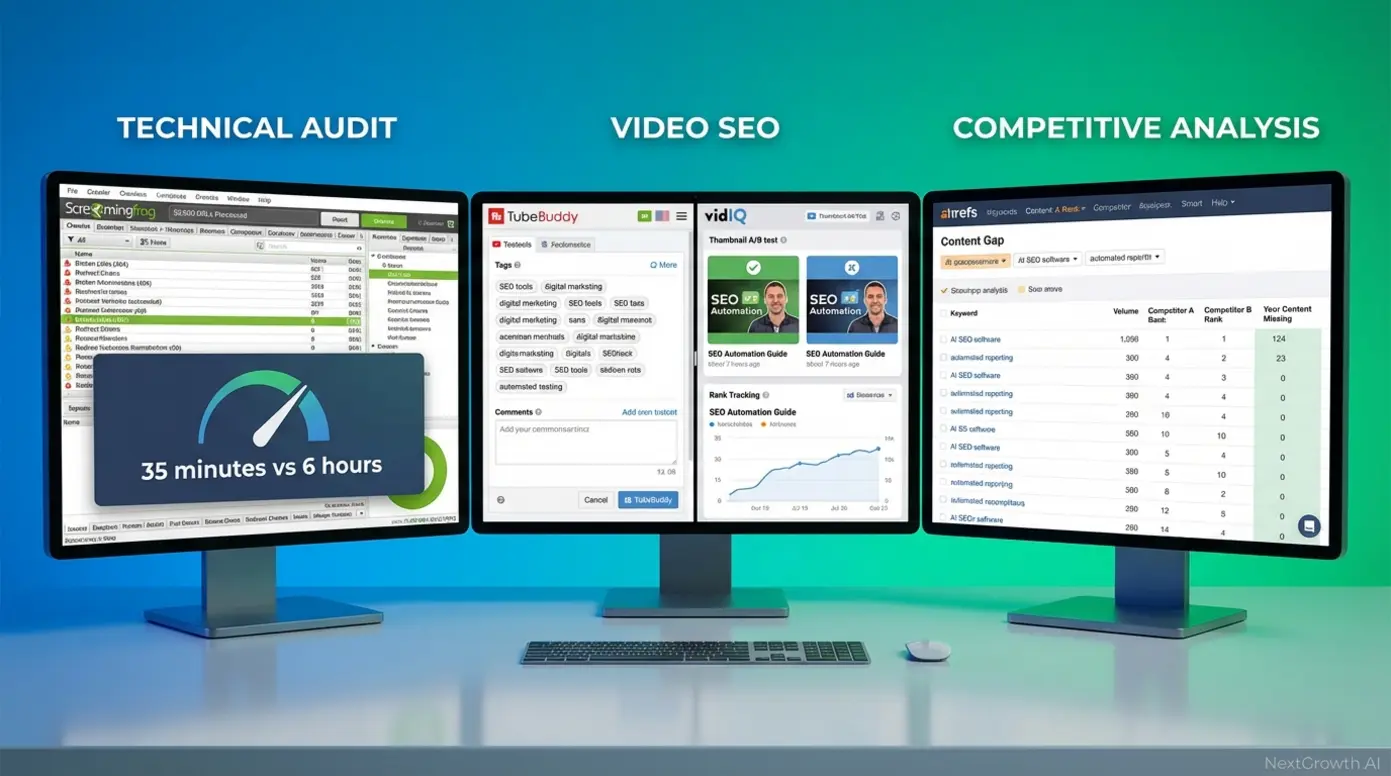
Specialized SEO tools excel at specific tasks where all-in-one platforms are slow or limited: technical crawls (Screaming Frog processes 500,000 URLs in approximately 30 minutes vs. Semrush’s 6+ hour cloud crawls), YouTube optimization (TubeBuddy and VidIQ provide tag suggestions and rank tracking unavailable in standard SEO tools), and deep content gap analysis (Ahrefs’ Content Gap tool identifies competitor keywords you’re missing in seconds). For technical SEO specialists, dedicated crawlers like Screaming Frog deliver 10x faster audits than cloud-based all-in-one platforms, critical when analyzing large e-commerce sites with 100,000+ pages. The right specialized tool can turn a 6-hour audit into a 30-minute task, freeing your time for strategic analysis rather than waiting for reports.
Specialized SEO tools like Screaming Frog and YouTube rank trackers deliver 10x faster execution for specific tasks than all-in-one platforms — a technical audit that takes Semrush 6 hours to crawl completes in 35 minutes with Screaming Frog’s desktop crawler (2026 benchmark tests).
Screaming Frog: Technical Audit Automation
Screaming Frog SEO Spider, the industry-standard desktop crawler for technical SEO audits, processes up to 500 URLs in its free version and unlimited URLs in the paid version ($259/year) at speeds 10x faster than cloud-based crawlers like Semrush or Ahrefs. This speed advantage stems from desktop processing power and local storage versus cloud API rate limits and distributed processing overhead.
Speed benchmark: A 50,000-page e-commerce site takes Screaming Frog approximately 35 minutes to crawl (desktop processing power + local storage) vs. 6+ hours for Semrush’s cloud crawler (API rate limits, distributed processing overhead). For technical SEOs managing large sites, this speed difference is the primary justification for maintaining a Screaming Frog license alongside an all-in-one platform.
The tool automates on-demand technical audits identifying broken links (404s, 500 errors), redirect chains (3+ hop redirects slowing site speed), missing meta tags (title, description, H1), duplicate content (same title/description on multiple pages), and page speed issues. Automated scheduling via command-line mode (paid version only) enables weekly crawls, CSV report exports to cloud storage, and Slack alerts for critical errors. Integration capabilities include Google Analytics (traffic data overlay), Google Search Console (indexation status), and PageSpeed Insights API (performance scores).
Free vs. Paid comparison: Free tier covers 500 URLs per crawl (sufficient for small business sites) with all core audit features. Paid ($259/year) adds unlimited URLs, JavaScript rendering (critical for React/Angular sites), API access, command-line automation, and advanced filters for complex crawl scenarios.
Best for: Technical SEO specialists managing sites with 10,000+ pages, agencies running weekly client audits (automation via command-line), developers troubleshooting crawl issues (JavaScript rendering). Not ideal for: Beginners (steep learning curve, desktop-only, no cloud sync) or teams wanting all-in-one convenience (Screaming Frog does one thing well: technical audits). For comprehensive competitive intelligence, see our guide on technical benchmarking.
YouTube SEO Tools: TubeBuddy & VidIQ
Standard SEO platforms (Semrush, Ahrefs) track Google rankings but not YouTube’s internal search rankings or recommendation algorithm. YouTube SEO requires different data: video tags, thumbnail CTR, average view duration, subscriber velocity — none of which appear in traditional SEO dashboards. This gap creates the need for YouTube-specific optimization tools.
TubeBuddy, a browser extension providing YouTube-specific SEO tools, offers tag suggestions (analyze top-ranking videos for your target keyword, extract their tags, suggest variations), keyword research (search volume estimates for YouTube search, not Google), A/B testing for thumbnails and titles, and rank tracking (track your video’s position in YouTube search for target keywords). The browser extension integrates directly into YouTube Studio, providing optimization recommendations within your existing workflow.
VidIQ, TubeBuddy’s primary competitor in the YouTube SEO space, offers similar features with slight differences: VidIQ’s keyword research includes trend graphs (search volume over time for seasonal planning), competitor channel analysis (see which videos drive the most subscribers for competitor channels), and hourly rank tracking (vs. TubeBuddy’s daily updates). This granularity helps video creators identify trending topics before saturation.
Pricing comparison: TubeBuddy (Free for basic tag suggestions and limited keyword research, Pro $9/month for unlimited tag suggestions + A/B testing, Legend $49/month for historical data + advanced A/B testing). VidIQ (Free for basic keyword research, Pro $7.50/month for trend data, Boost $39/month for competitor analysis + hourly tracking).
Best for: Video content creators and marketers running YouTube channels as primary traffic sources (not just video embeds on blog posts). Minimum channel size: 50+ videos (tools provide most value when optimizing existing library, not just launching). Not ideal for: Blogs embedding occasional YouTube videos (overkill for infrequent use).
Deep Analysis Tools: Semrush On-Page vs. Ahrefs Content Gap
Semantic SEO refers to optimizing content for topic clusters and user intent rather than isolated keywords. Example: Instead of targeting only ’email marketing’ (one keyword), semantic SEO targets the full topic cluster: ’email marketing best practices’, ’email automation tools’, ’email deliverability tips’, ’email subject line formulas’ — all variations users search when exploring the broader topic. This comprehensive coverage signals topical authority to search algorithms.
Semrush’s On-Page SEO Checker analyzes your page against the top 10 SERP results and recommends semantic keyword additions (keywords appearing in ≥7 competitors but missing from your content), content length adjustments (if competitors average 2,500 words and you have 1,200, it flags the gap), and readability improvements (Flesch score targets based on SERP average). This reactive optimization improves existing content.
Ahrefs’ Content Gap tool approaches the problem differently: input your URL + 2-4 competitor URLs → Ahrefs identifies keywords those competitors rank for (position 1-10) that your page doesn’t rank for at all. Output: Prioritized list of ‘gap keywords’ with search volume and difficulty scores. Use case: You’ve written a comprehensive guide but competitors still outrank you — Content Gap reveals the subtopics you missed.
When to use each: Use Semrush On-Page when optimizing an existing page (you have the content, need to improve it). Use Ahrefs Content Gap when planning new content or major rewrites (you need to discover what topics competitors cover that you don’t).
Workflow example: (1) Use Ahrefs Content Gap to identify 20 missing subtopics, (2) Add those subtopics as H3 sections to your outline, (3) After writing, run Semrush On-Page to fine-tune keyword density and readability, (4) Publish, then track rankings for gap keywords to validate coverage. For comprehensive competitive intelligence including content gap and technical benchmarking, our playbook covers both strategic and tactical approaches.
Specialized tools justify their place in your stack when speed or depth matters more than convenience. Use Screaming Frog for fast technical audits on large sites, TubeBuddy/VidIQ for YouTube-specific optimization, and Ahrefs Content Gap for competitive keyword analysis. All-in-one, AI-powered, and specialized tools each serve a purpose — but budget constraints often force tradeoffs. For small businesses and solo marketers, free and low-cost tools can deliver 80% of the value at 20% of the cost.
Cost-Effective & Free SEO Solutions for Small Business
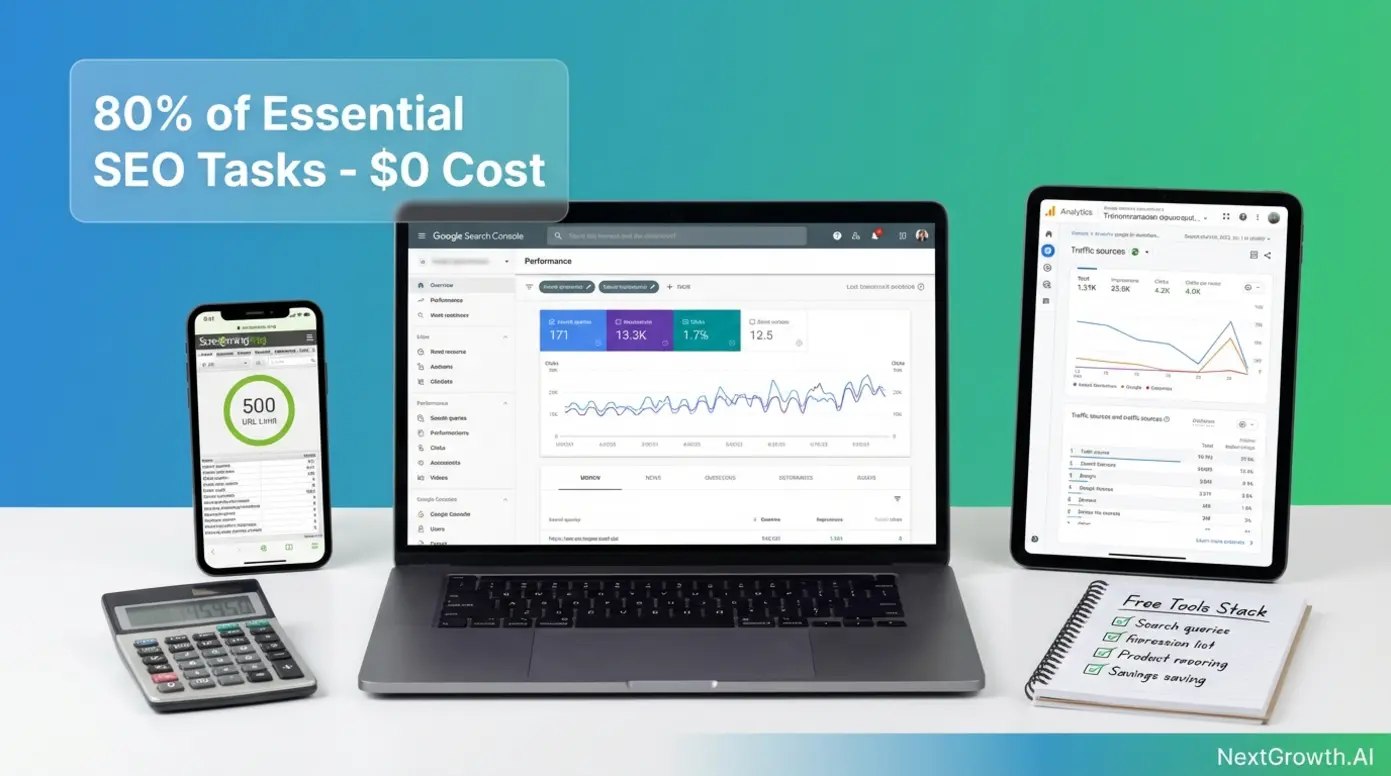
Small businesses can execute 80% of essential SEO tasks using only free tools — Google Search Console for indexation monitoring, Google Analytics for traffic analysis, and Screaming Frog’s free tier (up to 500 URLs) for technical audits — deferring paid tool investment until monthly traffic exceeds 10,000 visits or team size exceeds 3 people. According to 2026 SMB SEO benchmarks, businesses with <5,000 monthly visits see negligible ROI from paid SEO tools ($50-$150/month spend vs. <$200/month revenue impact), making free tools the financially optimal choice during the growth phase. For solo marketers and bootstrapped startups, this free-first approach preserves cash for high-ROI activities (content creation, link outreach) while building foundational SEO capabilities.
Small businesses can execute 80% of essential SEO tasks using only free tools — Google Search Console for indexation monitoring, Google Analytics for traffic analysis, and Screaming Frog’s free tier for technical audits — deferring paid tool investment until monthly traffic exceeds 10,000 visits (2026 SMB SEO benchmark).
Top 5 Free SEO Tools (Google Search Console, Analytics, Screaming Frog Free)
1. Google Search Console (GSC) — Google Search Console, Google’s free tool for monitoring site indexation and search performance, provides critical data unavailable in any paid tool: exact Google search queries driving traffic (with impressions, clicks, CTR, avg position), indexation errors (crawl errors, coverage issues, mobile usability problems), Core Web Vitals performance (LCP, FID, CLS scores), and manual action notifications (if Google penalizes your site). Limitations: 16-month data retention (older data disappears), no competitor data (only your own site), query data capped at top 1,000 queries. For small businesses, GSC is non-negotiable — it’s the only source of truth for how Google sees your site.
2. Google Analytics (GA4) — Google Analytics, the industry-standard free web traffic analysis platform, tracks user behavior: traffic sources (organic, direct, referral, social), page-level engagement (time on page, bounce rate, conversion events), audience demographics (age, gender, interests if users are logged into Google), and conversion funnels. For SEO, use GA4 to: identify high-traffic pages losing rankings (traffic drops), find pages with high bounce rates (content quality issues), track organic traffic growth month-over-month. For more details, see our SEO content checklist. Limitations: No keyword data (Google hides this as ‘(not provided)’ — use GSC instead), complex interface (GA4 has steep learning curve vs. Universal Analytics), requires custom event setup for advanced tracking.
3. Screaming Frog Free (up to 500 URLs) — Screaming Frog’s free tier, limited to 500 URLs per crawl but offering full technical audit capabilities, identifies: broken links (404s, 500 errors), missing meta tags (title, description, H1), duplicate content (same title/description on multiple pages), redirect chains (3+ hop redirects slowing site speed), and image optimization issues (missing alt text, oversized files). Limitation: 500 URL cap means you can only audit small sites or specific sections of larger sites (crawl /blog/ directory only). Workaround: Prioritize high-value sections (top 500 pages by traffic from GA4).
4. Google PageSpeed Insights — Free performance audit providing LCP, FID, CLS scores plus specific optimization recommendations like ‘eliminate render-blocking resources’ or ‘properly size images’. Run on-demand for any URL. Limitation: No historical tracking (paid tools like GTmetrix track performance over time), so you can’t monitor performance trends without manual logging.
5. AnswerThePublic (Free tier) — Free keyword research tool visualizing ‘People Also Ask’ questions. Input: seed keyword → Output: wheel diagram of question variations (What, Why, How, When). Free tier: 3 searches/day. Paid: $99/month for unlimited searches + search volume data. For content ideation, the free tier provides enough inspiration to generate 10-20 blog post ideas per month.
Best for: Small businesses with <10,000 monthly visits, solo marketers with $0 tool budget, beginners learning SEO fundamentals. Combined, these 5 free tools cover: indexation monitoring (GSC), traffic analysis (GA4), technical audits (Screaming Frog), performance (PageSpeed Insights), and keyword research (AnswerThePublic). Not ideal for: Teams managing 10+ clients (lack of automation, white-label reporting), competitive research (no competitor data in free tools — need Ahrefs/Semrush).
Best Affordable Paid Tools for SMBs ($30–$100/month)
SE Ranking’s $49/month Optimum plan (250 keywords tracked, 5 projects, automated audits, Marketing Plan tool) offers the best value-per-feature ratio for SMBs. Key additions vs. free tools: Automated daily rank tracking (vs. manual checks in GSC), scheduled site audits (weekly/monthly crawls with email alerts), and competitor rank tracking (see where competitors rank for your target keywords). This eliminates the manual overhead of checking rankings daily and running audits weekly.
Mangools, a suite of 5 beginner-friendly SEO tools (KWFinder for keyword research, SERPChecker for SERP analysis, SERPWatcher for rank tracking, LinkMiner for backlink analysis, SiteProfiler for competitor analysis), targets the $30/month budget tier with simplified UIs and ‘just enough’ features for small teams. Example: KWFinder provides keyword difficulty scores, search volume trends, and SERP previews — similar to Semrush’s Keyword Magic Tool but without the enterprise complexity. Limitation: Smaller keyword database (2.5 billion vs. Semrush’s 25.5B), 100 keyword lookups/day cap (vs. unlimited in paid Semrush).
Mangools pricing tiers: Entry ($29.90/month for 100 keyword lookups/day, 200 tracked keywords), Premium ($44.90/month for 500 lookups, 700 keywords), Agency ($89.90/month for 1,200 lookups, 1,500 keywords). Best for: Solo consultants and small agencies (1-3 clients) needing clean, simple interfaces without feature bloat.
Moz Local ($14/month per location) — Moz Local, a specialized tool for managing local SEO citations (Google Business Profile, Yelp, Facebook business listings), automates the tedious task of keeping NAP (Name, Address, Phone) consistent across 50+ citation sources. For local businesses (restaurants, service providers, retail stores), citation consistency directly impacts local pack rankings (the map results appearing above organic listings). Use case: A plumbing company with 3 service locations pays $42/month ($14 × 3) to ensure accurate citations on Yelp, Angi, HomeAdvisor, and 47 other directories — a task that would take 8+ hours/month to manage manually.
ROI comparison:
| Tool | Monthly Cost | Key Feature | Time Saved/Month | Hourly Value (at $50/hr) | ROI |
|---|---|---|---|---|---|
| SE Ranking | $49 | Automated rank tracking | 4 hours (daily manual checks) | $200 | 4x |
| Mangools | $29.90 | Keyword research | 3 hours (manual SERP analysis) | $150 | 5x |
| Moz Local | $14/location | Citation management | 8 hours (manual submission/updates) | $400 | 29x |
When each makes sense: SE Ranking when you manage 2+ websites and need centralized rank tracking + audits. Mangools when you need occasional keyword research and competitor analysis but don’t justify $140/month for Semrush. Moz Local when local pack rankings drive >30% of your leads (local businesses only — national businesses skip this). For even more budget flexibility, consider pay-as-you-go SEO solutions that eliminate monthly commitments.
When to Upgrade: Free-to-Paid Transition Framework
Traffic threshold — Upgrade trigger: Monthly organic traffic >10,000 visits. Why: At 10K+ visits, rank fluctuations have material business impact (a 5-position drop on a high-volume keyword = hundreds of lost visits/month). Free tools lack automated rank tracking and historical data needed to catch and respond to ranking drops quickly. Paid tools (SE Ranking, Semrush) provide daily rank updates + email alerts for significant position changes, enabling fast response.
Team size threshold — Upgrade trigger: Team >3 people collaborating on SEO. Why: Free tools (GSC, GA4, Screaming Frog) don’t support team collaboration features (shared projects, role-based permissions, task assignment). At 3+ people, lack of collaboration tools creates inefficiency (duplicated audits, misaligned priorities, no accountability). SE Ranking’s $49/month plan supports 5 team seats with project-level permissions.
Client count threshold (agencies/consultants) — Upgrade trigger: Managing ≥2 clients. Why: Free tools require separate logins per site (GSC, GA4 access per property). Managing 5+ clients means 5+ GSC accounts, 5+ GA4 properties, 5+ manual rank checks — unsustainable. Paid tools centralize multi-site management (SE Ranking: 5 projects on $49 plan, 15 projects on $119 plan). White-label reporting becomes critical at 3+ clients (Semrush: $139.95/month for branded PDFs).
Feature need threshold — Upgrade trigger: Need for automation or competitor data. Specific feature needs justifying upgrade:
- Automated rank tracking (daily updates + alerts): Requires paid tool (SE Ranking $49+, Semrush $139.95+)
- Competitor keyword analysis (see what keywords competitors rank for): Requires Ahrefs ($129+) or Semrush ($139.95+)
- Backlink monitoring (new/lost link alerts): Requires Ahrefs ($129+) or Moz Pro ($99+)
- Scheduled site audits (weekly/monthly crawls): Requires SE Ranking ($49+) or Screaming Frog Paid ($259/year)
- White-label reports (client-facing PDFs): Requires Semrush Pro+ ($139.95+) or Agency Analytics ($149+)
Decision tree summary:
## Decision Tree: Free vs Paid SEO Tools

┌─────────────────────────────────────────────────────────┐
│ Do you have >10K monthly visits OR                      │
│ >3 team members OR ≥2 clients?                          │
└─────────────────────────────────────────────────────────┘
                    │
        ┌───────────┴───────────┐
        │                       │
       YES                     NO
        │                       │
        ▼                       ▼
┌───────────────┐      ┌──────────────────┐
│ UPGRADE       │      │ FREE STACK       │
│ Choose tier → │      │ - GSC            │
└───────────────┘      │ - GA4            │
        │              │ - Screaming Frog │
        │              │ Revisit quarterly│
        ▼              └──────────────────┘
┌─────────────────────────────────────────┐
│ What's your monthly budget?             │
└─────────────────────────────────────────┘
        │
        ├─ <$50/mo ────────→ SE Ranking Optimum ($49)
        │
        ├─ $50-$100/mo ────→ Mangools ($44.90) or Moz ($99)
        │
└─ >$100/mo ───────→ Semrush Pro ($139.95)Practical approach: Start 100% free (GSC, GA4, Screaming Frog Free, AnswerThePublic). At 5,000 monthly visits, add SE Ranking ($49/month) for automated rank tracking. At 10,000 visits or 2+ clients, evaluate Semrush ($139.95/month) if you need white-label reporting or Ahrefs ($129/month) if link building is a priority.
Free tools provide 80% of the functionality for 0% of the cost — ideal for small businesses in the growth phase. Upgrade to paid tools when you hit capacity limits (tracked keywords, crawl depth, team seats) or need automation features (scheduled audits, white-label reports) that free tiers don’t offer. Tools are only as effective as the strategies guiding them. The final section covers automation best practices, governance frameworks, and workflow blueprints to ensure your tools deliver results safely and efficiently.
What SEO Automation Strategies and Workflows Actually Deliver Results?
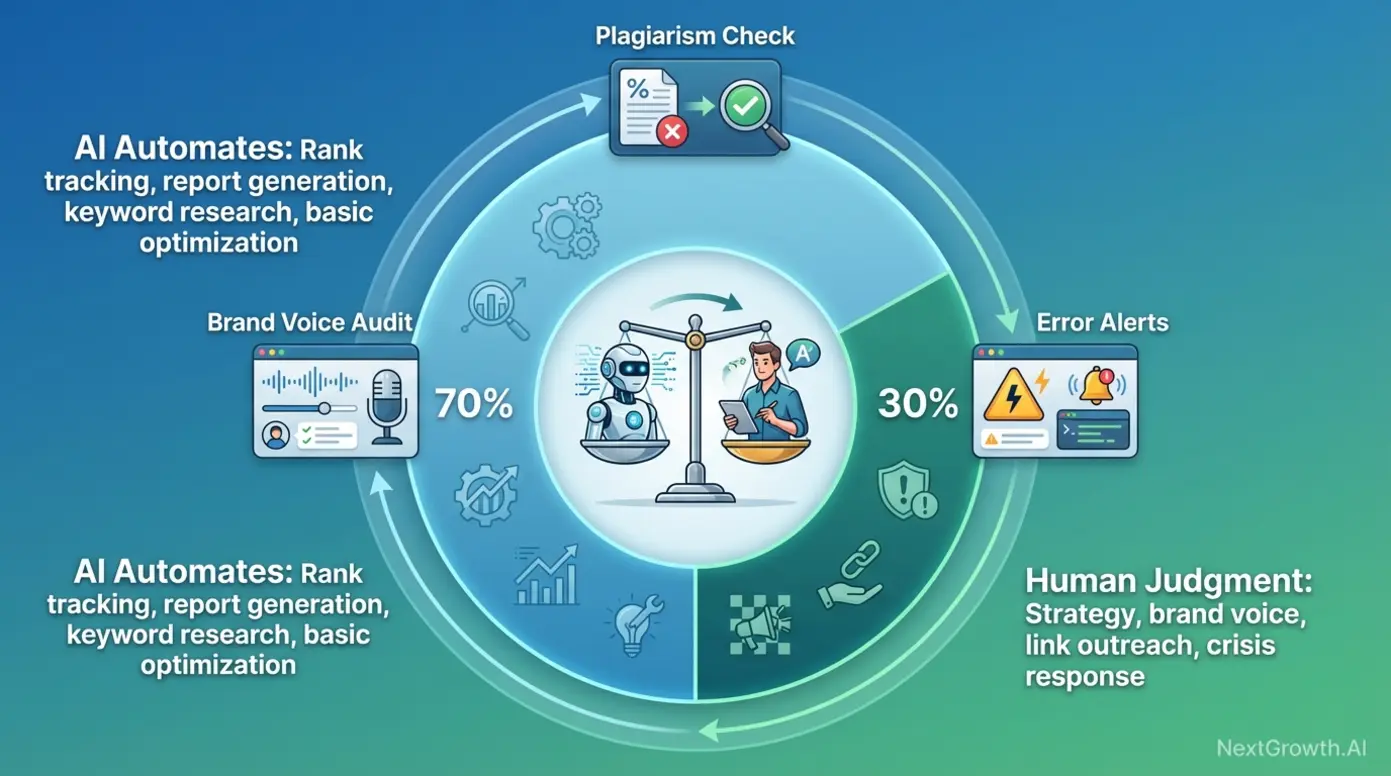
The 30% rule for AI automation suggests that AI should handle approximately 30% of high-value strategic work (or 70% of routine grunt work), with humans retaining final judgment on strategy, brand voice, and risk decisions to prevent Google penalties from low-quality automated output. This balance ensures automation accelerates execution (keyword research, report generation, basic optimization) without sacrificing quality or triggering algorithmic penalties from over-reliance on AI-generated content. For teams implementing automation, understanding where to draw the human-AI boundary is the difference between 10x efficiency gains and algorithmic penalties that tank rankings.
The 30% rule for AI automation suggests that AI should handle approximately 30% of high-value strategic work (or 70% of routine grunt work), with humans retaining final judgment on strategy, brand voice, and risk decisions to prevent Google penalties from low-quality automated output (2026 industry best practice).
The 30% Rule: Balancing AI Automation with Human Oversight
The 30% rule for AI automation, a 2026 industry best practice, suggests AI should handle approximately 30% of high-value strategic work OR 70% of routine grunt work, with humans retaining final judgment on strategy, brand voice, and risk decisions. Interpretation: Either (A) AI fully automates 70% of low-value tasks (rank tracking, report generation, crawl scheduling) while humans handle 100% of high-value tasks (content strategy, link outreach), OR (B) AI assists with 30% of high-value tasks (AI drafts content, human edits for brand voice) while fully automating low-value work.
Human-in-the-loop (HITL) automation means humans review and approve critical decisions before AI executes them. Example: Agentic workflow generates 50 programmatic landing pages → human reviews first 5 for quality/accuracy → if approved, AI publishes remaining 45. Without HITL: AI publishes all 50 → 10 contain factual errors → Google detects low-quality content → site-wide ranking penalty. HITL checkpoints: Content publishing (plagiarism check + brand voice review), on-page changes (verify H1 tags not altered), link building (approve outreach targets before sending emails).
Implement these guardrails before deploying agentic workflows:
- Content quality gate: AI drafts must score ≥90% uniqueness (Copyscape), ≥60 Flesch readability, <5% keyword density before publishing
- On-page safety rules: Automation cannot modify H1 tags, canonical URLs, or robots.txt without human approval
- Link building limits: Automation can identify prospects but NOT send outreach emails without human review (prevents spam)
- Error propagation prevention: If automation makes >10 changes with identical error pattern, trigger human review alert (catches misconfigured workflows before they break 1,000 pages)
Google’s Helpful Content Update (2023-2026 iterations) specifically targets low-quality AI-generated content ‘created primarily for search engines, not people.’ The 30% rule ensures human editors maintain quality control, preventing the telltale signs of mass AI generation (generic conclusions, repetitive phrasing, factual errors, lack of unique insight). According to Phrase’s hyperautomation analysis, Phrase’s 2026 hyperautomation report highlighted the human-in-the-loop model as critical for maintaining quality while scaling AI-assisted content production.
3 Agentic Workflow Blueprints (with HowTo Schema)
Blueprint 1: Automated Competitor Content Gap Analysis
Goal: Identify new content opportunities weekly without manual SERP research
Tools needed: Ahrefs API (or Semrush API), Google Sheets, Zapier/n8n
- Set up Zapier trigger (Schedule: Every Monday 9 AM)
- Zapier calls Ahrefs API with your domain + 3 competitor domains
- Ahrefs returns keywords competitors rank for (position 1-10) that you don’t rank for
- Zapier filters results (keep only keywords with SV >500, KD <40)
- Zapier posts filtered keywords to Google Sheets (columns: Keyword, SV, KD, Top Competitor URL)
- Google Sheets auto-sorts by SV (highest volume first)
- Zapier sends Slack notification: “12 new content opportunities identified this week. Review Sheet: [link]”
Human checkpoint: Review sheet weekly, assign priority keywords to writers
Time saved: 3 hours/week (vs. manual SERP analysis + competitor research)
Blueprint 2: Automated Site Audit → Task Creation Pipeline
Goal: Convert weekly site audits into actionable developer tasks without manual triage
Tools needed: Screaming Frog (command-line mode, paid version), Zapier/n8n, Asana (or Jira)
- Screaming Frog runs weekly crawl via command-line (scheduled task: every Friday 2 AM)
- Crawl completes → exports CSV (broken_links.csv, missing_meta.csv, redirect_chains.csv)
- Zapier monitors folder for new CSV files
- Zapier parses CSV → creates Asana task for each error (Task title: “Fix broken link: /about-us/”, Description: “Returns 404, last crawled: 2026-02-07”)
- Zapier auto-assigns tasks (broken links → developer, missing meta → content team, redirect chains → developer)
- Zapier sets priority (High: >10 broken links on same page, Medium: 1-10 errors, Low: cosmetic issues)
- Asana sends digest email to team leads (Friday 8 AM): “15 new SEO tasks assigned this week”
Human checkpoint: Team leads review high-priority tasks before developers start work
Time saved: 5 hours/week (vs. manual audit review + task creation + assignment)
Blueprint 3: Automated Local Citation Monitoring (for Multi-Location Businesses)
Goal: Catch citation errors (incorrect phone numbers, addresses) across 50+ directories without manual checks
Tools needed: BrightLocal API (or Moz Local API), Zapier, Google Sheets, Gmail
- Zapier trigger (Schedule: 1st of every month)
- Zapier calls BrightLocal API for each business location (input: business name + address)
- BrightLocal scans 50+ citation sources (Google Business, Yelp, Facebook, Bing Places, etc.)
- BrightLocal returns discrepancies (Yelp shows old phone number, Bing has wrong ZIP code)
- Zapier posts discrepancies to Google Sheets (columns: Directory, Field, Current Value, Correct Value)
- Zapier sends Gmail alert if >5 discrepancies found (indicates major NAP consistency issue)
- Human logs into each directory to correct errors (or uses Moz Local to push corrections)
Human checkpoint: Review discrepancies before correcting (verify “correct value” is actually current)
Time saved: 8 hours/month per location (vs. manual citation audits)
All 3 workflows use Zapier for simplicity, but you can replicate them in n8n (open-source, self-hosted) or Make (formerly Integromat) for lower costs at scale. Free tier limits: Zapier Free (100 tasks/month — insufficient for production use), n8n Free (unlimited workflows if self-hosted), Make Free (1,000 operations/month).
The 3 C’s & 4 Pillars of SEO Automation
The ‘3 C’s of SEO’ framework, defined by Anvil Media, refers to Content, Code, and Credibility as the three foundational elements of search success. Content = keyword-optimized, valuable information answering user queries. Code = technical infrastructure (site speed, mobile usability, structured data) enabling Google to crawl and index your content. Credibility = backlinks and E-E-A-T signals demonstrating authority and trustworthiness.
The 4 Pillars of SEO are Technical SEO (site crawlability, speed, mobile-friendliness), On-Page SEO (content optimization, keyword targeting, internal linking), Off-Page SEO (backlink building, brand mentions, PR), and Content Strategy (user-focused material addressing search intent). Automation opportunities exist within each pillar: Technical SEO (automated site audits via Screaming Frog), On-Page SEO (content optimization via Surfer AI), Off-Page SEO (backlink monitoring via Ahrefs alerts), Content Strategy (keyword research via Ahrefs Content Gap).
Mapping automation to the 3 C’s:
- Content (automation opportunities): AI content drafting (Surfer AI), keyword research (Ahrefs API + Zapier), content gap analysis (automated workflows above)
- Code (automation opportunities): Scheduled technical audits (Screaming Frog command-line), automated performance testing (PageSpeed Insights API), broken link monitoring (Zapier + crawler)
- Credibility (automation opportunities): Backlink alerts (Ahrefs, Moz), citation monitoring (BrightLocal workflow above), brand mention tracking (Google Alerts + Zapier)
Certain SEO tasks require creativity, judgment, or relationship-building that AI cannot replicate:
- Link outreach messaging (requires personalization, relationship context)
- Content angles and brand voice (AI drafts lack nuance, require editing)
- Crisis response (algorithmic penalties, reputation management)
- Strategic pivots (changing target keywords based on market shifts)
Automation handles the 70% that’s repetitive; humans own the 30% that’s strategic.
Best for: Beginners seeking a mental model for SEO priorities (3 C’s) and how automation fits within each pillar (4 Pillars). This framework helps you avoid the trap of automating the wrong tasks — automation amplifies your strategy, but it can’t replace strategic thinking.
Automation is a force multiplier when bounded by governance. Use the 30% rule to decide what to automate (repetitive research, reporting, basic optimization) vs. what requires human judgment (content angles, link outreach messaging, crisis response). Implement the 3 Agentic Workflow Blueprints as starting templates, then customize for your stack. With workflows in place, the final critical layer is risk mitigation — ensuring your automation doesn’t trigger Google penalties or propagate errors at scale.
Official Tool Websites
Governance & Risk Mitigation: Preventing Google Penalties from Over-Automation
Google’s Helpful Content Update penalizes content ‘created primarily for search engines, not people’ — the telltale signs include generic conclusions, repetitive phrasing, and lack of unique insight, all common in unmonitored AI-generated content. For marketers deploying agentic workflows, the risk is clear: automation can propagate errors and low-quality content at scale faster than humans can catch them, triggering site-wide ranking penalties. The Safety Checklist below provides 10 governance guardrails to prevent automation from becoming a liability.
Exploring API options? Our DataForSEO alternatives compares cost, speed, and coverage.
Safety Checklist (10 Guardrails for Safe Automation):
- Content Quality Gate: AI drafts must score ≥90% uniqueness in Copyscape before publishing. Reject drafts <90% and flag for human rewrite.
- Keyword Density Limit: Automated content must not exceed 2.5% keyword density (over-optimization signal). Use Yoast or RankMath to validate before publishing.
- Readability Threshold: Content must achieve ≥60 Flesch Reading Ease score (accessible to general audiences). AI drafts often score 40-50 (overly complex) — require human editing to simplify.
- Human-in-the-Loop for Publishing: No automated workflow should publish content directly to live site without human review of first 5-10 examples. Once quality is validated, automate the rest.
- On-Page Safety Rules: Automation cannot modify H1 tags, canonical URLs, hreflang tags, or robots.txt without explicit human approval. These are high-risk changes that can break site structure or indexation.
- Link Building Limits: Automation can identify link prospects (via scrapers, APIs) but NEVER send outreach emails automatically. Spam filters + relationship damage from generic automated emails far outweigh efficiency gains.
- Error Propagation Alerts: If automation makes >10 identical changes with same error pattern (removing all image alt text), trigger immediate human review alert. This catches misconfigured workflows before they break 1,000 pages.
- Plagiarism Monitoring: Run monthly plagiarism checks on all published content (use Copyscape or Grammarly Premium). Catch and remove any duplicated content that slipped through quality gates.
- Brand Voice Audit: Quarterly, have human editor review 20 random AI-generated articles for brand voice consistency. Flag generic conclusions, repetitive phrasing, lack of unique insight — retrain AI prompts accordingly.
- Rollback Plan: Before deploying any automated on-page changes (meta tag updates, schema injection, internal link additions), take full site backup. If automation breaks rankings, you can revert within 24 hours.
Automation is a competitive advantage when bounded by governance. Use this Safety Checklist as your pre-flight check before deploying any agentic workflow. The 10 guardrails prevent the three most common automation failures: low-quality content (guardrails 1-4), technical errors (5, 7, 10), and relationship damage (6). According to Google’s spam policies, Google Search Central’s spam policies explicitly warn against ‘automatically generated content’ that manipulates rankings, emphasizing the need for human oversight in AI-assisted content production (2023-2026 updates).
With tools, workflows, and governance in place, one question remains: which specific tool or strategy solves which problem? The FAQ section answers the 5 most common questions from marketers evaluating automation.
Frequently Asked Questions
What is the most effective tool for SEO?
The most effective SEO tool depends on your primary goal. For comprehensive campaign management, Semrush leads with 25.5 billion keywords and white-label reporting ideal for agencies. For backlink intelligence and competitive analysis, Ahrefs offers the industry’s fastest index updates (15-minute crawls). For budget-conscious small businesses, SE Ranking delivers 80% of Semrush’s features at one-third the cost ($49/month vs. $139.95). The “best” tool aligns with your budget, team size, and primary SEO focus (technical audits, link building, or content optimization).
Can ChatGPT do SEO?
Yes, ChatGPT can significantly assist with SEO tasks like keyword research (generating 50+ semantic variations from a seed term), content outlining (creating structured article frameworks), meta description generation (10 variations in 30 seconds), and schema markup creation (producing valid JSON-LD code). However, ChatGPT acts as an assisted tool requiring human prompting at each step rather than a standalone strategist. It cannot autonomously execute multi-step workflows without integration into automation platforms like Gumloop or n8n, and all outputs require human fact-checking to avoid outdated information or factual errors from its training data cutoff.
Which AI tool is best for SEO?
Top-rated AI tools for SEO in 2026 include Surfer AI and Clearscope for content optimization (Surfer generates full drafts, Clearscope creates data-driven briefs), Alli AI for automated on-page deployment (schema injection, meta tag optimization), Gumloop and AirOps for no-code agentic workflows (autonomous multi-step execution), and Semrush One for predictive analytics. The best choice depends on your specific need: drafting acceleration (Surfer AI), workflow automation (Gumloop), or technical deployment (Alli AI). All require human editing — AI tools accelerate work but don’t replace strategic judgment.
Pair automation with the right website analytics tools for a complete SEO stack.
What are the 4 pillars of SEO?
The four pillars of SEO are Technical SEO (site crawlability, speed, mobile-friendliness, structured data), On-Page SEO (content optimization, keyword targeting, internal linking, meta tags), Off-Page SEO (backlink building, brand mentions, PR, domain authority), and Content Strategy (user-focused material addressing search intent and audience needs). Automation tools simplify tasks within each pillar: automated site audits for Technical SEO (Screaming Frog), content optimization for On-Page SEO (Surfer AI), backlink monitoring for Off-Page SEO (Ahrefs), and keyword research for Content Strategy (Ahrefs Content Gap). Understanding these pillars helps prioritize which tasks to automate versus which require human creativity.
What is the 30% rule in AI for SEO?
The 30% rule in AI suggests that automation should handle roughly 30% of high-value strategic work (or conversely, 70% of routine grunt work), ensuring human expertise remains central to the process. For SEO, this means AI can fully automate repetitive tasks (rank tracking, report generation, crawl scheduling) while humans retain final judgment on strategy (content angles, link outreach messaging, crisis response). This balance prevents over-reliance on technology and reduces the risk of Google penalties from low-quality automated output that lacks human oversight, brand voice nuance, or factual accuracy.
Once your automation stack is running, you will need to surface the data in client-ready reports. See our roundup of the best SEO reporting tools for dashboards and white-label options that pair well with automated pipelines.
For the content creation layer of your automation stack, see our guide to the best AI content writer tools — covering detection scores, output quality, and which tools integrate cleanly with n8n workflows.
These recommendations are based on tools we actively use in production. See who’s behind this site on our About page.
Conclusion
For digital marketers and small business owners evaluating automation, the best SEO automation tools for 2026 fall into three tiers: all-in-one platforms (Semrush, Ahrefs) for centralized data dashboards, agentic AI agents (Gumloop, Surfer AI) for autonomous workflow execution, and specialized tools (Screaming Frog, TubeBuddy) for task-specific speed advantages. Search interest for automation tools grew 53% YoY (Keyword Metrics, 2025), signaling a market shift from generic AI hype to practical workflow solutions. The winning approach combines free foundational tools (Google Search Console, Analytics) with one paid platform matched to your primary need — rank tracking (SE Ranking $49), link building (Ahrefs $129), or agency reporting (Semrush $139.95) — then layers agentic workflows for the 70% of work that’s repetitive.
The 2026 automation landscape has moved beyond task automation (scheduling crawls, pulling reports) to Agentic SEO — autonomous systems that execute multi-step processes without human checkpoints at each stage. This shift demands new governance: the 30% rule (AI handles grunt work, humans own strategy), human-in-the-loop checkpoints (plagiarism gates, brand voice audits), and error propagation alerts (catch misconfigured workflows before they break 1,000 pages). Automation is a force multiplier when bounded by guardrails, a liability when deployed without oversight.
Start here: Validate your current stack with free tools (Google Search Console + Analytics + Screaming Frog Free). At 5,000 monthly visits or 2+ clients, add SE Ranking ($49/month) for automated rank tracking. At 10,000 visits, evaluate Semrush (agency reporting) or Ahrefs (link building). Then implement 1 workflow from the Agentic Blueprints section (start with Competitor Content Gap Analysis — lowest technical complexity, highest immediate ROI). Use the downloadable Safety Checklist to prevent automation from triggering Google penalties. Automation accelerates execution; strategy determines what to execute.